


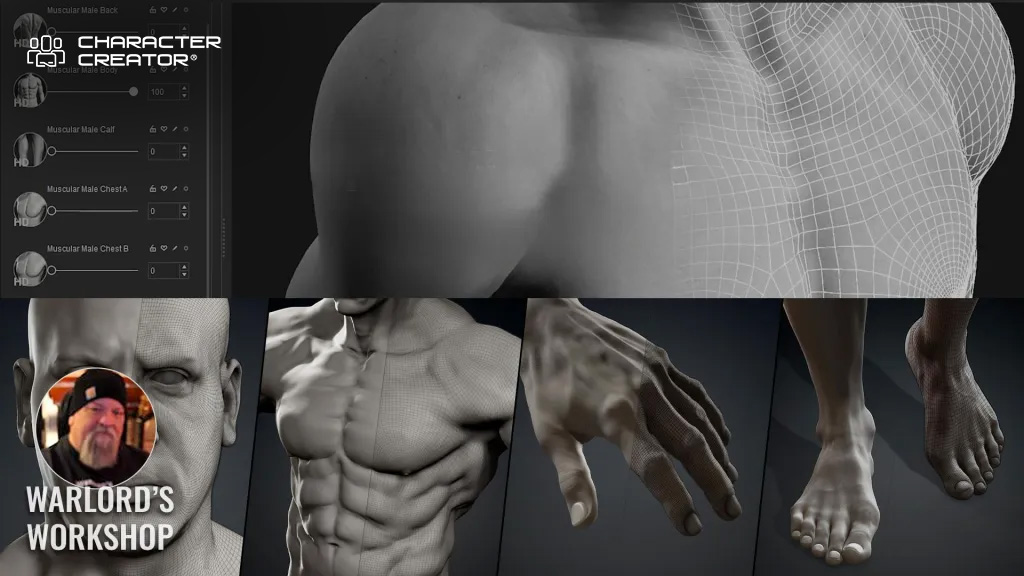
Why High-Definition Matters
There is a lot for beginners to grasp when jumping off into 3D. In the rush to get beginners going, experienced users sometimes forget what it was like to not have a basis to understand a lot of the 3D jargon. This is true for even the fundamentals when we first start. The introduction of High Definition (HD) character mesh in Character Creator 5 has put the spotlight on mesh. While mesh is the basis of any 3D modeling it is not talked about very often.
Character Creator 5 takes care of all the technical work behind the scenes and users are no longer required to have a deep understanding of fundamentals to create a character like early digital artists had to possess. In fact, Character Creator 5 has simplified so much of the character creation process that almost anyone with basic computer skills can make a custom character mesh with it, but not all beginners grasp why mesh attributes matter.
Let’s take a deeper dive into mesh to gain a better understanding of how HD Character mesh works.
What is 3D Mesh?
At its core, a 3D mesh is an organized assembly of geometric elements: vertices, edges, and faces. These basic building blocks interact to create the surface and shape of a digital object. Let’s break down each component:
- Vertices: These are individual points in 3D space, defined by their x, y, and z coordinates. Vertices act as anchor points for the structure of the mesh.
- Edges: Edges are straight lines that connect pairs of vertices, outlining the skeleton of the model.
- Faces: Faces are flat surfaces formed by connecting three or more edges. The most common types are triangles (three edges) and quads (four edges).
When combined, these components form a continuous network, a “mesh”, that envelops the shape of the object. The mesh essentially provides a scaffolding upon which textures, colors, and other features are layered. Meshes are crucial not only in entertainment but also in fields like architecture, engineering, medicine, and virtual reality, where accurate digital representations are necessary.
With Character Creator 5 you don’t have to master any of this but understanding it will enhance your use of CC5.

What is Mesh Density?
Mesh density refers to the number of geometric elements—primarily polygons—that make up the mesh. Polygons are the flat shapes that make up the mesh’s surface. The density is determined by how many of these polygons are present and how closely they are packed together.
A mesh with low density has relatively few polygons, resulting in a surface that may appear angular or faceted, especially when viewed up close. On the other hand, a high-density mesh contains a vast number of polygons, which allows for smoother surfaces, more complex shapes and detail.
Why Mesh Density Matters
Mesh density is a critical factor in the visual quality and realism of a digital model. The more polygons present, the finer the detail. For example, a simple cube might require only eight vertices and twelve triangles, but a highly detailed human face might need tens of thousands—or even millions—of polygons to accurately depict the nuances of skin, muscle, and expression.
However, increasing mesh density comes with trade-offs. More polygons mean greater computational demand. Rendering, animating, and manipulating a high-density mesh can require powerful hardware (think gaming specs as a simple minimum rule of thumb), more memory, and efficient software algorithms. This is why mesh density must be carefully balanced against performance needs, especially in real-time applications like video games or interactive virtual environments.

Mesh Density and Level of Detail (LOD)
One way artists and engineers manage mesh density is through Level of Detail (LOD) techniques. LOD systems use multiple versions of a mesh with varying densities. As an object moves farther from the camera, a lower-density mesh is used, reducing computational load without sacrificing visual quality where detail is not needed. When the object is close to the viewer, a high-density mesh ensures realism and precision. This approach is especially important in large-scale environments where thousands of objects may be visible at once.
Subdivision in Character Creator 5
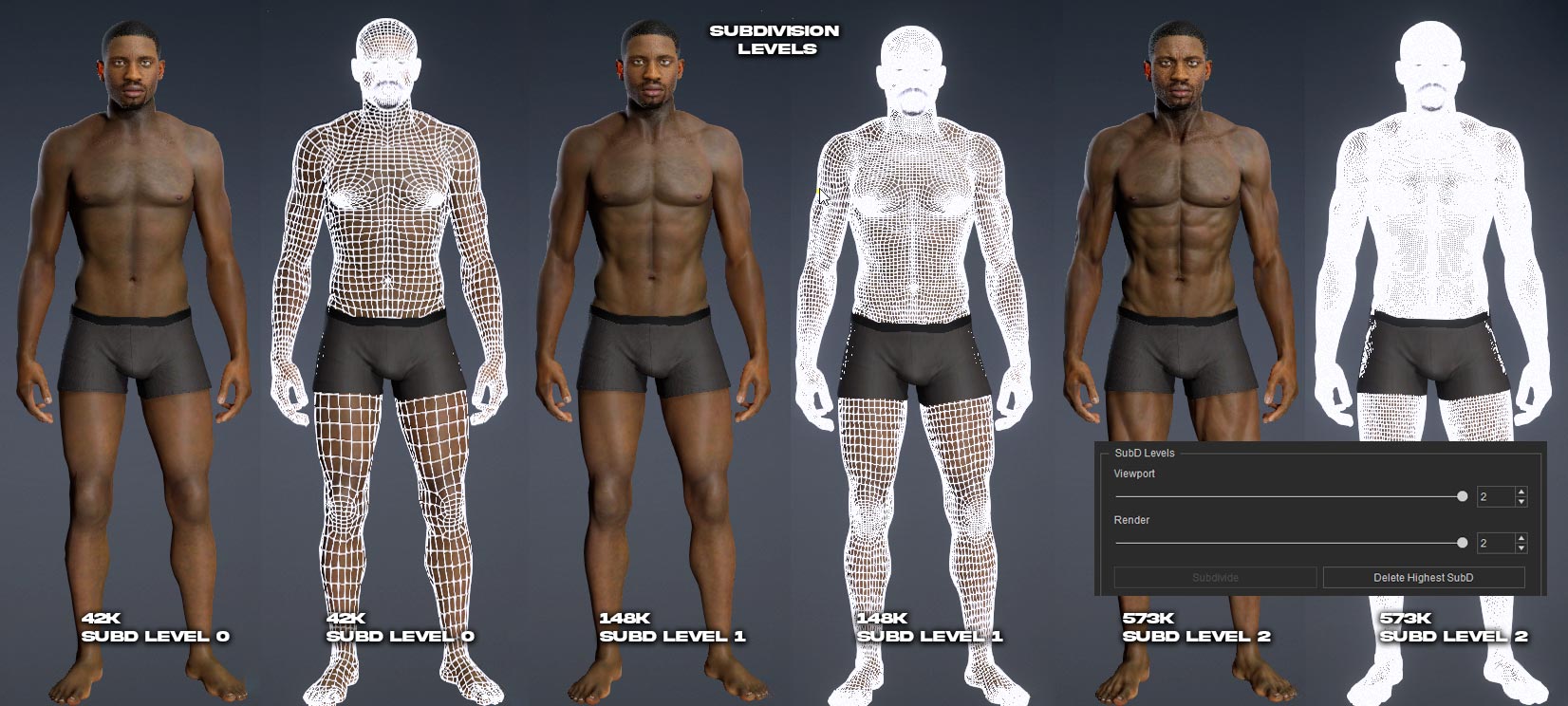
Subdivision in Character Creator 5 is the same as in other 3D applications in that it subdivides the mesh into more faces or polys. By using the subdivision feature in CC5 we can now create three levels of character meshes from simple to highly detailed.
For reference below, the white lines mark the quad boundaries with the widest boundaries being the lowest mesh and the smallest boundaries being closer together and therefore the densest mesh.
High Definition Meshes: The Gateway to Realism
High definition (HD) meshes are those constructed with exceptionally high mesh density. HD meshes are indispensable in scenarios where realism is paramount. This can include character modeling for films, detailed anatomical scans for medical applications, or close-up renders of products for marketing and design.
Achieving Photorealism: Wrinkles, Skin, and Micro-Details
The true power of HD meshes lies in their ability to capture micro-details, the tiny features that give objects and characters their lifelike appearance. For instance, modeling a human face is a formidable challenge. The surface is not simply smooth; it is covered in pores, fine lines, wrinkles, folds, scars, freckles, and subtle textures. With a low-density mesh, these features cannot be accurately represented. The surface appears flat or plastic-like, and the illusion of reality is lost.
High definition meshes, on the other hand, allow artists to sculpt or morph every wrinkle, crease, and pore. Each vertex can be manipulated to create the undulating landscape of human skin. The result is a model that not only looks realistic but also behaves realistically when animated or lit. Shadows fall naturally into wrinkles, highlights shimmer on oily skin, and expressions move convincingly. For animated characters, these details are essential for conveying emotion and personality.
HD Mesh Enhances Muscle & Body Definition
High definition meshes play a crucial role in accurately representing muscles and anatomical features in 3D models. With increased mesh density, artists can sculpt subtle curves, bulges, and indentations that mimic the natural flow of muscle fibers and skin. This allows for the precise depiction of muscle groups, tendons, and bone structure, making the model appear more lifelike.
For example, HD meshes enable the creation of detailed muscle striations, veins, and skin folds that are essential for realistic human anatomy. When animated, these details respond naturally to movement, showing how muscles flex and stretch. This level of detail is especially important for close-up renders, medical visualization, and character animation, where anatomical accuracy enhances realism and believability.
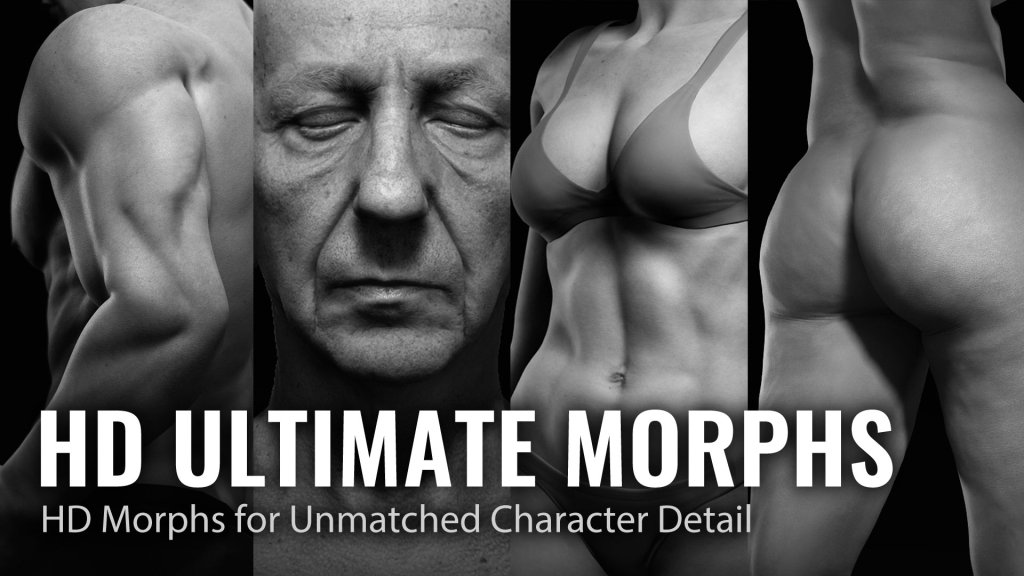
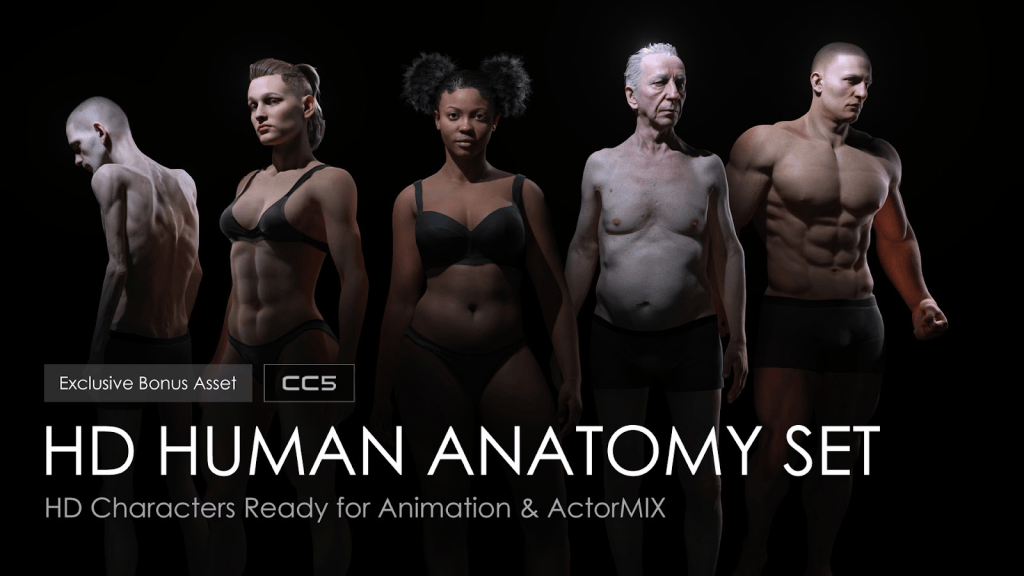
To achieve this level of detail, explore the HD Ultimate Morphs and HD Human Anatomy Set in Reallusion’s Content Store. These packs provide extensive morphing options and detailed anatomical structures to help you create professional-grade realistic characters.
TIP: Seamless CC-to-ZBrush workflow lets you freely sculpt intricate character details and transfer them back to CC as baked texture maps for each subdivision. – Reallusion CC5 Website
Projection – Texture Baking
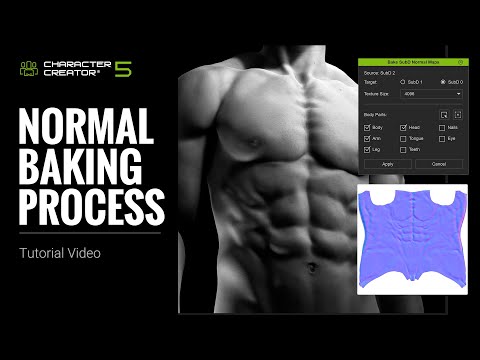
Texture baking is the process of creating a high-density model for sculpting and one or two lower density models to transfer or “Bake” the high-density mesh contours into maps that produce the same results with much less computational overhead. The high poly model has heavy mesh density for a lot of detail in the muscle, body and skin exterior. The mesh sculpting done on the high density mesh is then transferred to the lower poly meshes via mapping channels like normals or micro normals.
Techniques for Creating High Definition Meshes
Artists and modelers use a variety of techniques to achieve high mesh density and detail:
- Subdivision: Starting with a low-density base mesh, the model is subdivided, split into more polygons, to increase resolution. Popular tools like ZBrush and Blender offer powerful subdivision tools.
- Sculpting: Digital sculpting lets artists push, pull, and manipulate the mesh as if it were clay, adding and refining details at the vertex level.
- Displacement Maps: Displacement maps use grayscale images to deform the mesh at render time, adding complexity without increasing the base polygon count.
The great news for beginners is Character Creator 5 takes care of all this with it’s new subdivision levels. Instead of having a single density mesh you can use subdivision to create two more levels for three in total (Sublevels 0,1,2). This provides much more control over what can sculpted into the high level mesh and then projected onto the lower level mesh. This uses mapping instead of mesh density which saves computational overhead.

Rendering and Animation with HD Meshes
Once a high definition mesh is created, it can be textured, shaded, and animated. Textures add color and surface variation, while shaders control how light interacts with the mesh. Advanced rendering engines can simulate subsurface scattering, making skin glow with soft, lifelike radiance, or calculate realistic reflections on shiny surfaces and CC5 takes care of all this for us.
Animation with HD meshes is particularly rewarding in character work. When a character smiles, the mesh moves to create authentic creases around the mouth and eyes. As the skin stretches and compresses, micro-details add depth and believability. Motion capture and facial rigging are often used to drive these intricate mesh deformations.
Challenges and Considerations
Despite their advantages, HD meshes pose challenges. Large file sizes can slow down workflows and overwhelm hardware. Collaboration across teams may require simplifying or “decimating” the mesh to lower densities for certain tasks. Real-time applications, such as video games, must use clever optimization strategies, including normal maps, bump maps, and LOD systems, to simulate detail without the computational cost of millions of polygons.
Summary
As digital art and technology continue to advance, the demand for greater realism grows. Understanding 3D mesh principles lets artists, engineers, and scientists choose the right structure for their purpose, whether it’s a streamlined low-poly asset for a fast-paced game, or a breathtakingly detailed model for a cinematic close-up. The interplay between mesh density and realism defines the cutting edge of visual storytelling, placing the power of hyper-realistic digital creation squarely in our hands.


MD McCallum – WarLord
Digital Artist MD “Mike” McCallum, aka WarLord, is a longtime iClone user. Having authored free tutorials for iClone in its early years and selected to write the iClone Beginners Guide from Packt Publishing in 2011, he was fortunate enough to meet and exchange tricks and tips with users from all over the world and loves to share this information with other users. He has authored hundreds of articles on iClone and digital art in general while reviewing some of the most popular software and hardware in the world. He has been published in many of the leading 3D online and print magazines while staying true to his biggest passion, 3D animation. For more information click here.
Related Posts

