


TL;DR:
- Achieve convincing industrial character animations rapidly and cost-effectively using iClone 8.
- Leverage ActorCore for diverse character assets and iClone Video Mocap for AI-powered motion capture from standard phone video.
- Streamline your pipeline with direct export to Blender using the Reallusion Blender Auto Setup add-on.
- This workflow significantly reduces animation production time and costs for industrial simulations and explainer videos.
This article details the most cost-effective approach to creating and animating industrial characters for simulation and explainer videos. It outlines a proven workflow that leverages iClone 8, Reallusion’s flagship real-time animation suite, and its powerful Video Mocap plugin, alongside the extensive ActorCore asset library, to deliver highly convincing yet efficient 3D character animations for AEC enterprises and industrial applications.

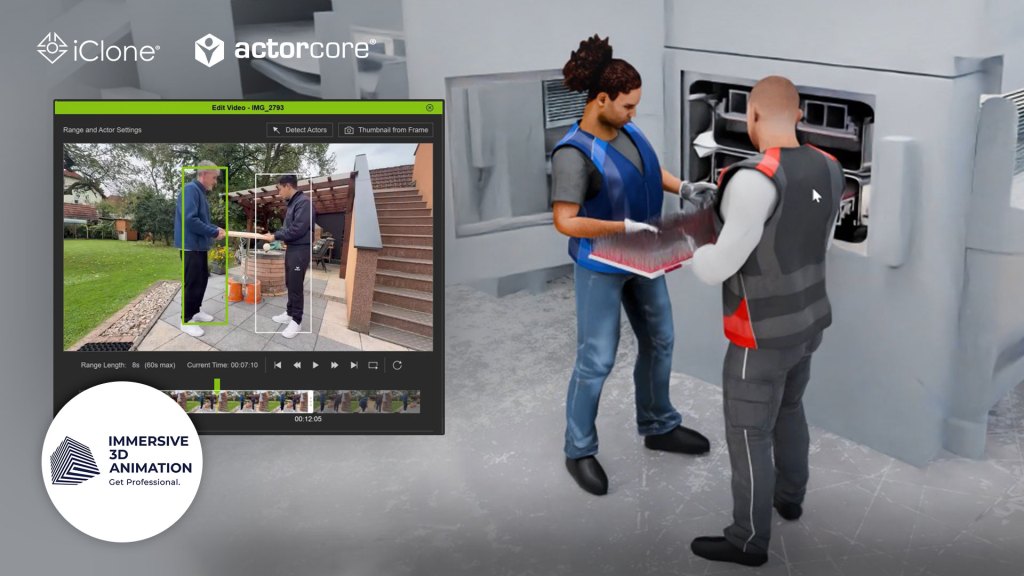
What is the most cost-effective way to create and animate industrial characters for simulation?
For AEC enterprises and industrial studios requiring compelling characters for simulations or explainer videos, balancing quality with cost and speed is paramount. The primary challenge lies in producing animations that are convincing enough to convey complex actions without over-investing in character development when characters aren’t the central focus. The solution involves a streamlined pipeline leveraging advanced real-time animation tools that minimize manual effort and specialized hardware.
“In this field, we usually have to visualize something really complex in a really simple way. And often, characters are needed to show specific actions. However, the characters are not in the focus of the video. Therefore, we need a fast and simple way to achieve character animations that still look convincing.”
Mensur Bukvarevic — CEO of Immersive 3D Animation

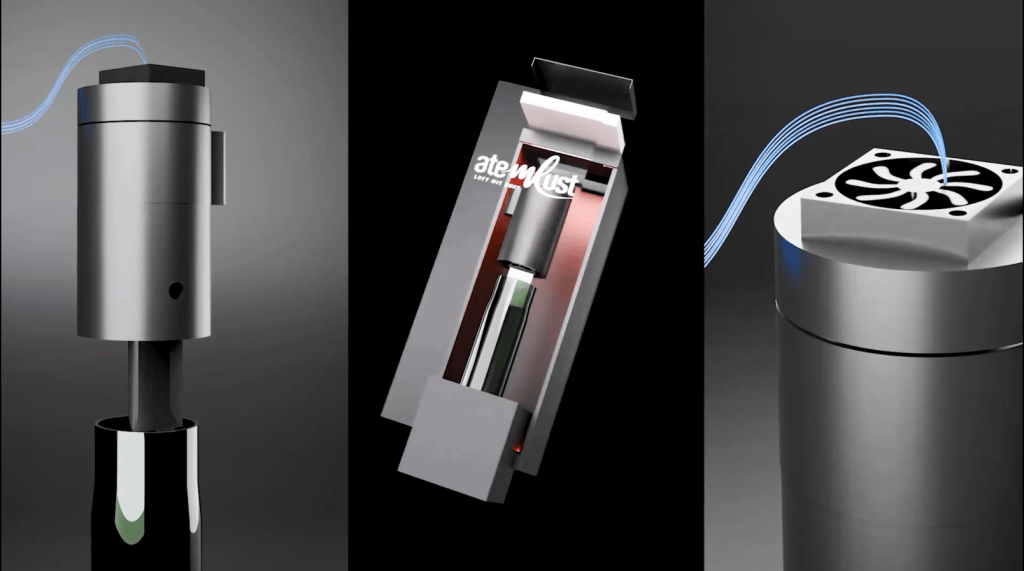
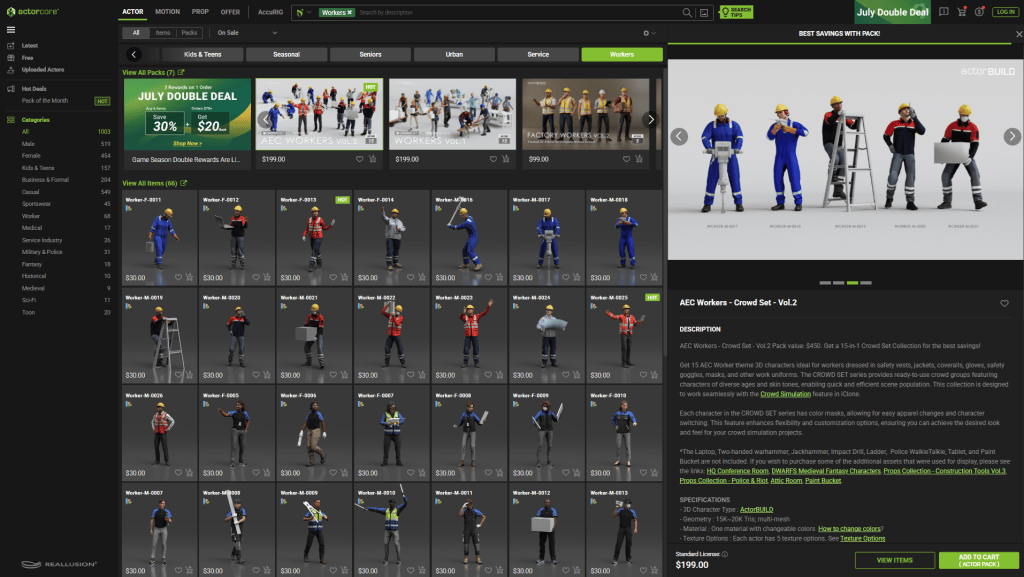
Leveraging ActorCore for Rapid Character Acquisition
The initial step in this efficient workflow is sourcing appropriate 3D characters. ActorCore, a massive 3D character animation library, offers a diverse range of production-ready assets, including specialized packs like AEC Workers. These collections provide a variety of different characters tailored for specific industrial fields, significantly reducing the time and cost associated with custom character modeling. Users can easily retarget motions online to selected characters, and the library boasts thousands of high-quality mocap animations suitable for simulation, game, film, and interactive projects.

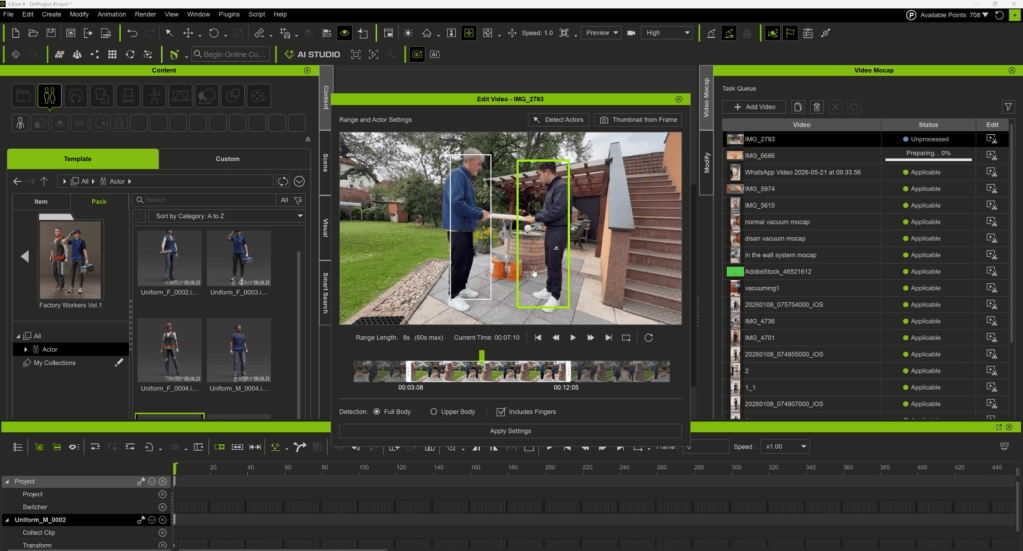
How can AI-powered Video Mocap revolutionize animation production?
Traditional motion capture systems demand expensive hardware, sensors, and specialized suits, placing them out of reach for many studios focused on efficiency. iClone 8, paired with its groundbreaking Video Mocap plugin, eliminates these barriers. This AI-powered service transforms ordinary video footage—captured even with a smartphone—directly into precise, editable 3D animation data. This significantly democratizes high-quality motion capture, making it accessible and extremely cost-effective.
“This is the workflow I can recommend to anyone that needs fast and good-looking results.”
Mensur Bukvarevic — CEO of Immersive 3D Animation

Streamlining your animation pipeline with Blender integration
Once the initial character animation is refined in iClone 8, seamless integration with other leading 3D software like Blender is crucial for final scene assembly and rendering. Reallusion provides specialized pipeline tools, such as the Blender Auto Setup, to simplify this transition.
Exporting and Refining in Blender
After achieving a solid basic result in iClone, characters can be exported to Blender using the Blender Auto Setup. This tool optimizes the import process, ensuring characters retain their rigging and materials correctly. Further cleanup and interaction adjustments are often necessary in Blender, especially if characters need to interact with complex objects or environments. Animators can then render the final scene within Blender, capitalizing on its robust rendering capabilities.
Efficient Industrial Character Animation Workflow
| Stage | Tools Used | Key Actions | Benefits |
|---|---|---|---|
| Character Sourcing | ActorCore | Select rigged characters (e.g., AEC Workers). | Fast asset acquisition, field-specific variety, production-ready models. |
| Motion Capture | iClone 8, Video Mocap, Smartphone | Record video, import, trim, generate 3D motion. | Cost-effective mocap, no special hardware, precise editable data. |
| Animation Refinement | iClone 8 | Apply motion to character, perform initial cleanup and adjustments. | Real-time feedback, quick iteration on motion. |
| Platform Integration | Blender Auto Setup add-on, Blender | Export character/motion from iClone, import into Blender. | Seamless data transfer, preserves rigging/materials. |
| Final Scene Assembly | Blender, Animation Layers add-on | Further cleanup, object interaction, animation layers for non-destructive edits, render. | High-quality rendering, precise interaction, efficient refinement. |
Featured Company Spotlight: Immersive 3D Animation

Immersive 3D Animation, founded by Mensur Bukvarevic, is an animation studio based in Austria specializing in creating impactful 3D product and explainer videos for industrial companies and specific use cases. With a growing team and a customer base exceeding 100 companies worldwide, Immersive 3D Animation excels at simplifying complex industrial processes through engaging visual storytelling. They continuously seek efficient workflows to deliver high-quality results under tight deadlines.
Immersive 3D Animation’s workflow for industrial character animation leveraging Reallusion tools involves:
- Character Selection: Utilizing ActorCore packs to quickly find suitable, production-ready industrial characters.
- Rapid Motion Capture: Recording custom motions with a smartphone and processing them into 3D animation data using iClone Video Mocap plugin. This bypasses traditional mocap costs and complexity.
- Refinement in iClone: Applying and refining the captured motions directly onto the ActorCore characters within iClone 8.
- Blender Integration: Exporting the animated characters to Blender using the Blender Auto Setup add-on for final scene integration, object interaction, and rendering.
- Layered Animation: Employing animation layers in Blender to add non-destructive corrections and fine-tune character-object interactions.
Conclusion: Achieve Cost-Effective, High-Quality Industrial Animation
By integrating iClone 8, ActorCore, and iClone Video Mocap with Blender, animation studios can significantly reduce the time, cost, and complexity traditionally associated with 3D character animation. This workflow empowers creators to produce fast, convincing character animations essential for visualizing complex industrial processes, ultimately enhancing explainer videos and simulations.
FAQs
How do I create convincing industrial characters cost-effectively for simulations?
The most cost-effective method involves leveraging pre-made character libraries like ActorCore for asset acquisition and utilizing AI-powered motion capture from video, such as iClone Video Mocap plugin. This workflow bypasses expensive custom modeling and traditional motion capture hardware, allowing studios to quickly generate high-quality, relevant character animations without a significant investment in time or resources.
What is iClone Video Mocap plugin and how does it work?
The iClone Video Mocap plugin is an AI-powered tool that converts standard 2D video footage (like smartphone recordings) into precise 3D animation data. Users simply record their desired motion, import the video into iClone, and the plugin analyzes and applies the motion to any 3D character. This eliminates the need for expensive motion capture suits or dedicated studios, making professional animation accessible and highly efficient.
Can I integrate iClone 8 characters and animations into Blender for my final renders?
Yes, iClone 8 characters and their animations can be seamlessly integrated into Blender. Reallusion provides tools like the Blender Auto Setup add-on that streamline the export-import process, ensuring that character rigs, textures, and animations are transferred correctly. This allows artists to leverage Blender’s powerful rendering capabilities for final scene assembly, lighting, and advanced visual effects, building upon the efficient animation created in iClone.
Related Posts
- Influencer Spotlight: AI Concept to Animated 3D Character
- From Everyday Clips to UE5 Cinematics with iClone Video Mocap

