

Transforming Daz 3D characters into Character Creator 3

Reallusion is nearing the release of Character Creator 3 and new details of character import and pipeline features have some hefty possibilities for content creators of Daz 3D characters. The new Character Creator 3 Transformer tool converts Daz Genesis and M4, V4 FBX content to the Character Creator 3 character system, ready for face and full-body animation, and able to be optimized for games with multiple LOD.
Reallusion has provided a sneak peek of the new content conversion tools that transform Daz 3D and HiveWire characters into Character Creator and iClone. We’ve asked Reallusion some questions to know more about this new process for the content communities.
Character Creator 3 feature details and specials
https://www.reallusion.com/character-creator/production.html

What is Character Creator 3?
CC3 is a dynamic character system with a process to choose a highly-morphable base, morph and shape the face and body, mix morphs, choose clothing, accessories and rapidly design stylized or realistic 3D characters, already setup for face and body animation. The latest features added to Character Creator 3 include a quad-based mesh, ZBrush compatibility with GoZ, subdivision and gamification with InstaLOD, live motion capture enabled and Iray rendering.
How does Character Creator 3 benefit Daz Studio users?
Character Creator 3 is a creative extension to the capability of Daz 3D content. Owners of these libraries can extend their use into the Reallusion character creation and animation system. Daz users can view realistic characters in real-time PBR shader, and optimize their original high polygon assets for live performance or game engines.
Transforming characters is a simple process and morphs Daz 3D or HiveWire character designs into a fully-rigged, animation-ready character compatible with Character Creator 3 and iClone.
Current HiveWire, Daz 3D and Poser content creators, vendors and artists can consider to include the iClone community as a new open market to purchase content for use in animation.


How does the Transformer tool work for Daz 3D content?
Daz 3D users can simply set up their character in Daz and export as FBX. The character, clothing, and accessories will import into Character Creator via the Transformer tool. Transforming content will auto-detect morph, clothing, accessories and convert the Daz 3D or HiveWire content automatically to cloth layers and assets for editing in Character Creator 3. The clothing can be saved as individual elements and the character morph can be saved or blended with other morphs to generate and save a new design.
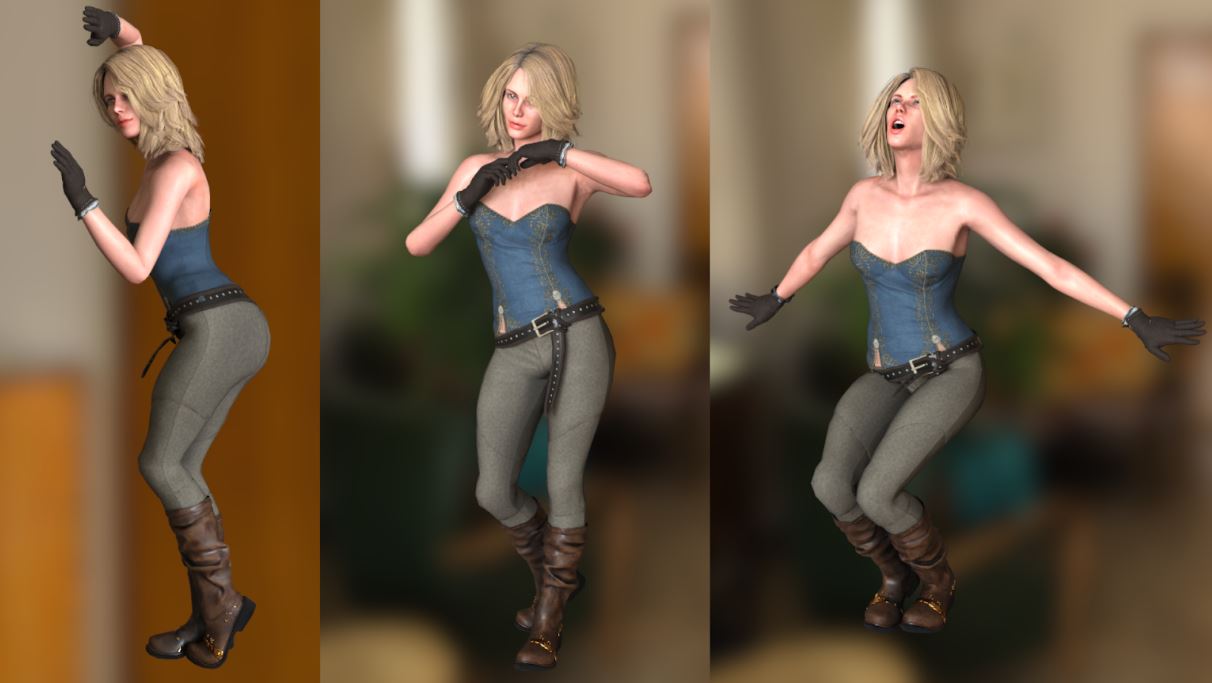
What can Character Creator 3 do for Daz 3D
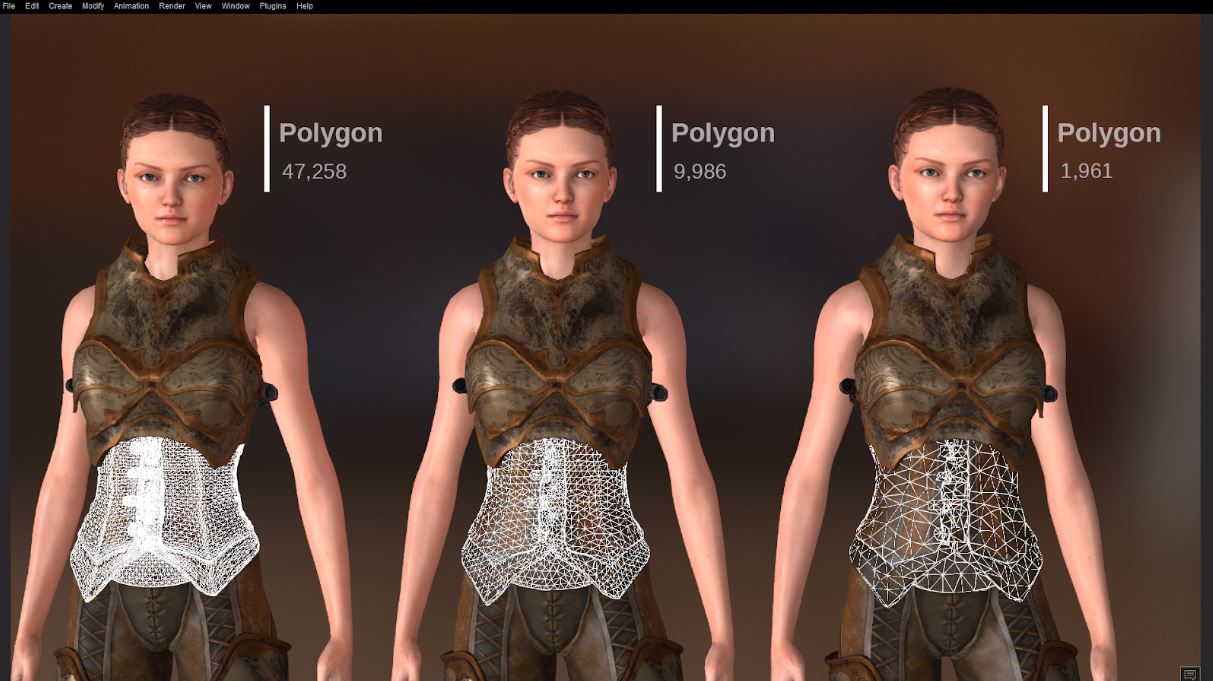
Converting Daz 3D characters to CC3 using the Transformer tool opens the door to more creativity with Daz 3D content. Daz 3D characters are automatically set up for animation in iClone and are ready for motion capture or facial animation in iClone. Render character designs with Iray rendering or setup the character for export to game engines. The new InstaLOD features included in Character Creator 3 enable AAA quality game character optimization and pro prep with a few clicks to send characters to game, VR or AR projects. Use Daz 3D character morphs, clothing, hair, and accessories with other CC3 characters to maximize Daz 3D content libraries.
When is Character Creator 3 available for Daz 3D users?
Character Creator 3 is available for presale now with special savings prior to launch at the beginning of October. Purchasers of the presale will get CC3 on launch day and best pricing. The Transformer tool is included with Character Creator 3 to convert Daz 3D characters and content. For more info on packages and to take advantage of the special offer: https://www.reallusion.com/store/product.html?l=1&p=cc

1 comment
First off, i think your site is absolutely amazing. Im curious to know if characters are only for gameing or could they be used for other purposes such as social media sites, blogs or what are the limitations?