


A New Standard for Blender Character Creation
For Blender artists looking to create their own characters without sacrificing realism, flexibility, or production speed, character creation has long been a complex, fragmented process. From sculpting and retopology to texturing, rigging, and animation prep, building a usable character base often takes weeks—sometimes months.
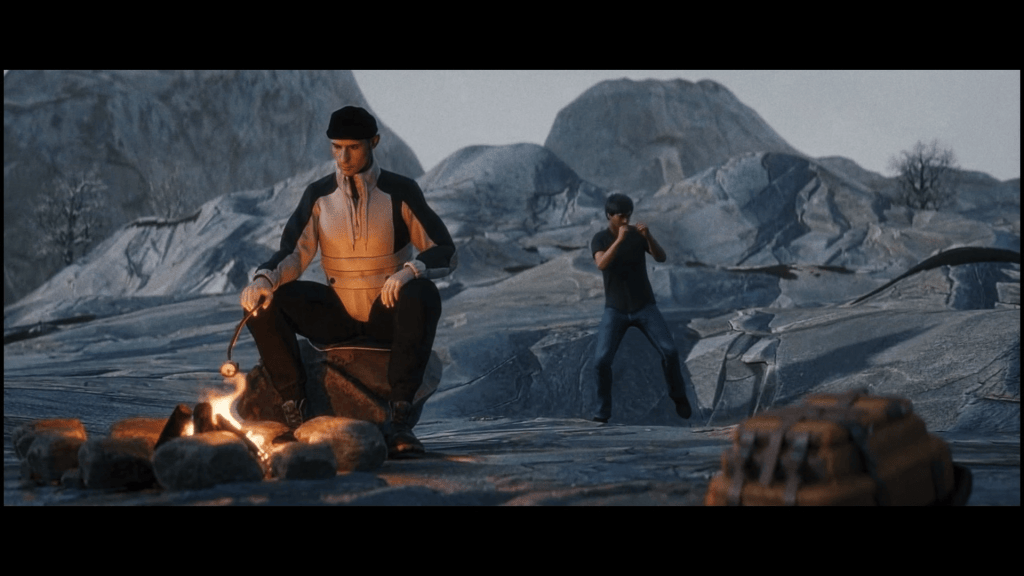
That workflow is changing. In their in-depth review of Character Creator 5, the team at Orbit Valley explores how Reallusion’s latest tools integrate seamlessly with Blender to deliver a streamlined, high-quality character designer pipeline for modern 3D animation software users.
This article breaks down Orbit Valley’s experience, insights, and production philosophy—showing how Character Creator 5, iClone, Blender, and real-world 3D character scans work together to empower artists, studios, and content creators.



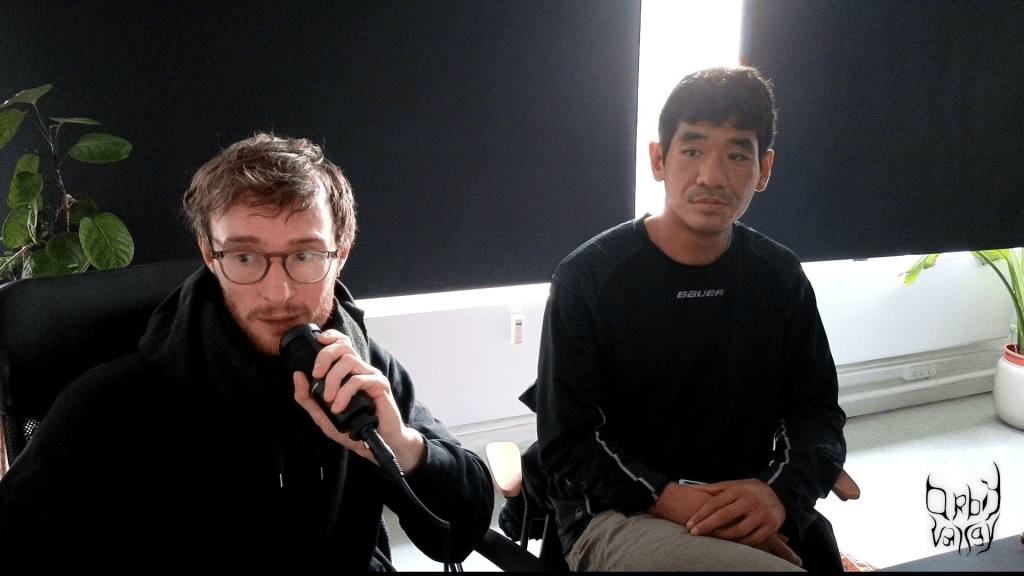
Rasmus Rørbæk | Phichet S.B
Founded in March 2023, Orbit Valley was established with the goal of operating as an end-to-end production company capable of blending disciplines, formats, and creative philosophies.
The studio’s founders—Rasmus Rørbæk and Phichet S.B.—originally connected through a shared passion for music. While their peers focused on sound creation, Rasmus and Phichet naturally gravitated toward the visual dimension, shaping identities, atmospheres, and moving imagery that complemented musical expression.
Phichet brings an extensive background as a freelancer, specializing as a VJ, 3D animator, and editor, with deep experience in commercial production environments. Rasmus, a graduate of The National Danish Film School, trained as a cinematographer after years working independently as a director and filmmaker.
Both founders were shaped by a strong DIY ethos, valuing adaptability, experimentation, and cross-disciplinary workflows. Orbit Valley’s creative philosophy embraces the idea that there are no fixed rules—only tools and intentions. Their inspiration draws heavily from meditation and mindfulness, influencing their desire to create from a grounded, conscious state rather than rigid technical frameworks.
This mindset made them an ideal team to evaluate Character Creator 5 as a flexible Blender human creator rather than a closed or prescriptive system.
Why Character Creation Is a Bottleneck for Blender Artists
For many Blender users, character creation represents the most time-consuming and technically demanding part of the pipeline.
Common pain points include:
- Sculpting anatomically accurate human forms
- Achieving production-ready topology
- Generating realistic skin materials
- Building facial rigs suitable for animation
- Preparing characters for motion capture or performance animation
While Blender excels as a general-purpose 3D animation software, it is not purpose-built as a character designer. Orbit Valley recognized that the challenge wasn’t Blender itself—but the lack of an efficient, standardized character base to build from.
This is where Character Creator 5 (CC5) enters the workflow.

Character Creator 5: A Production-Ready Character Base
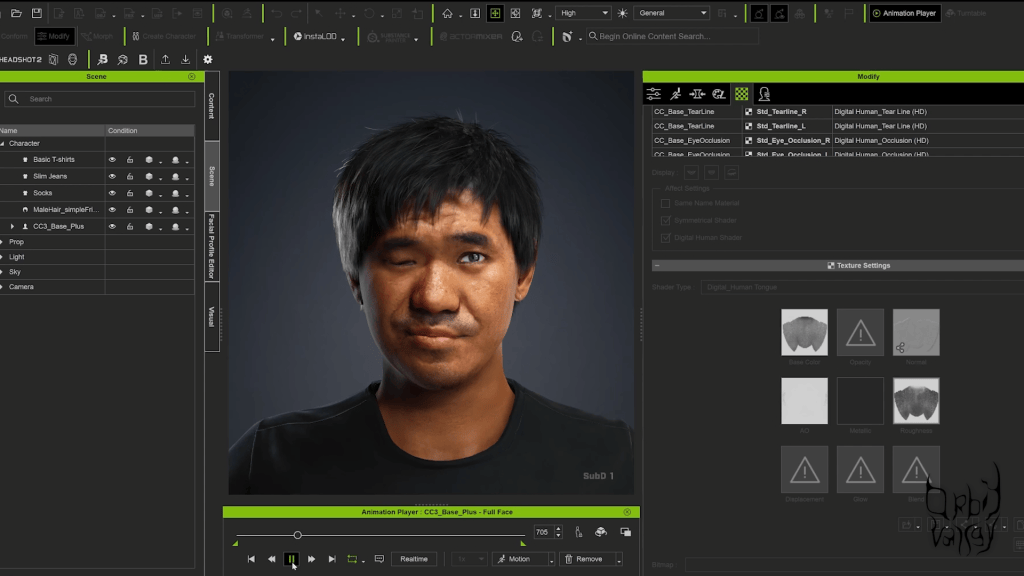
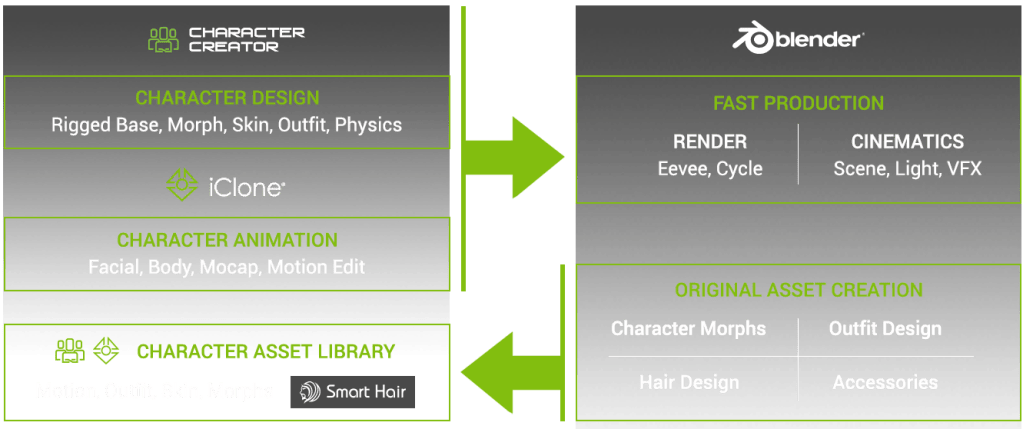
Character Creator 5 is designed to give artists a high-quality, animation-ready human character from the start. Rather than replacing Blender, CC5 acts as a powerful front-end system that feeds clean, consistent assets directly into Blender’s ecosystem.
Orbit Valley highlights that CC5 excels in three core areas:
- Speed – Characters can be created, customized, and exported in a fraction of the time
- Consistency – Topology, UVs, and rigs remain stable across characters
- Interoperability – Assets move cleanly between CC5, iClone, and Blender
For artists who want to create your own character without reinventing foundational work each time, CC5 provides a dependable starting point.
Integrating Character Creator 5 with Blender
One of the most important aspects of Orbit Valley’s review is the non-destructive relationship between Character Creator 5 and Blender.
Rather than locking artists into a proprietary environment, Reallusion supports Blender as a first-class destination.
Blender-Ready Assets from Day One
Characters exported from CC5 arrive in Blender with:
- Clean, animation-friendly topology
- Fully functional facial and body rigs
- PBR materials compatible with Blender’s shading system
- Consistent scale and orientation
This allows Blender artists to immediately begin refining, shading, lighting, and animating—without technical cleanup.
A True Blender Human Creator Workflow
Orbit Valley emphasizes that CC5 functions as a Blender human creator, not a replacement for Blender’s creative control. Artists remain free to sculpt, stylize, or push realism further inside Blender while benefiting from CC5’s robust foundation.

Leveraging Real-World Data with 3D Character Scans
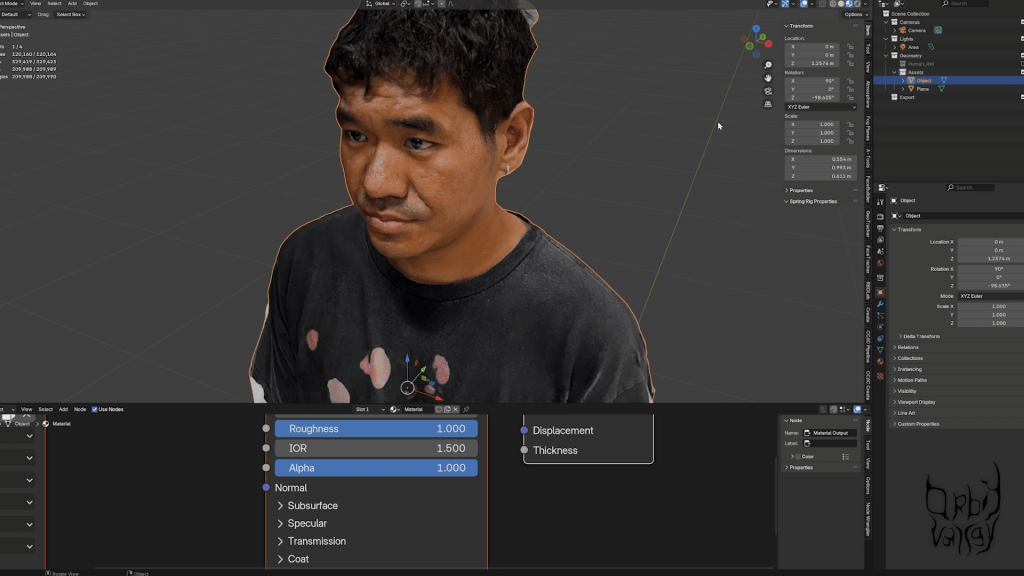
A standout feature in Orbit Valley’s workflow is the integration of 3D character scans.
By capturing real human data and feeding it into Character Creator 5, artists can achieve an exceptional level of realism while maintaining full editability.
From Scan to Animation-Ready Character
Orbit Valley describes a streamlined process:
- Capture real-world facial or body data using scanning tools
- Import scan data into Character Creator 5
- Align and refine scans using CC5’s morph system
- Generate clean topology and textures
- Export directly to Blender or iClone
This approach bridges the gap between reality and digital performance—making CC5 a powerful hub for scan-based workflows.

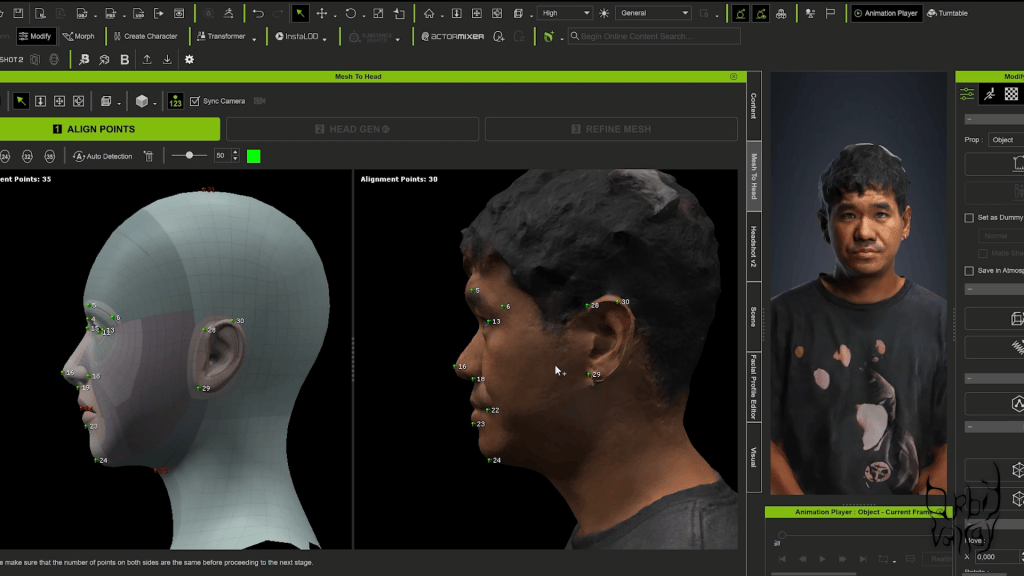
Headshot 2: Turning Photos into Production Characters
Another key component highlighted in the review is Character Creator Headshot 2.
Headshot 2 allows artists to generate detailed, realistic human heads from photographic reference—dramatically reducing setup time.
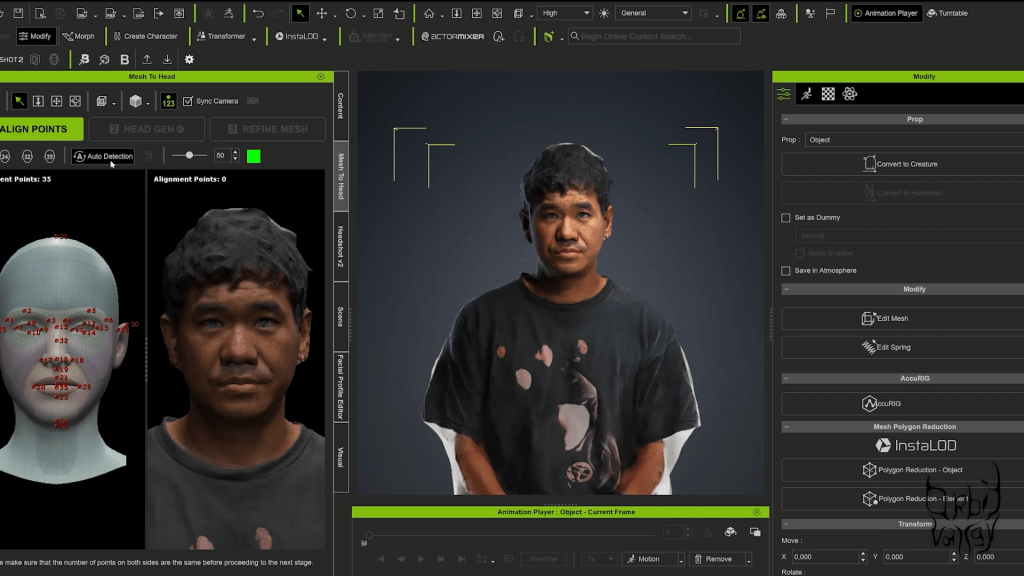
Why Headshot 2 Matters for Blender Artists
For Blender users, Headshot 2 offers:
- Rapid generation of realistic facial proportions
- Seamless integration with CC5’s morph system
- Full compatibility with Blender export pipelines
Orbit Valley notes that Headshot 2 is especially valuable for commercial projects, music visuals, and narrative content where likeness and emotional connection are essential.
iClone: Real-Time Animation and Performance Control
While Character Creator 5 handles character generation, iClone plays a critical role in animation.
Orbit Valley highlights iClone as a real-time animation hub that complements Blender rather than competing with it.
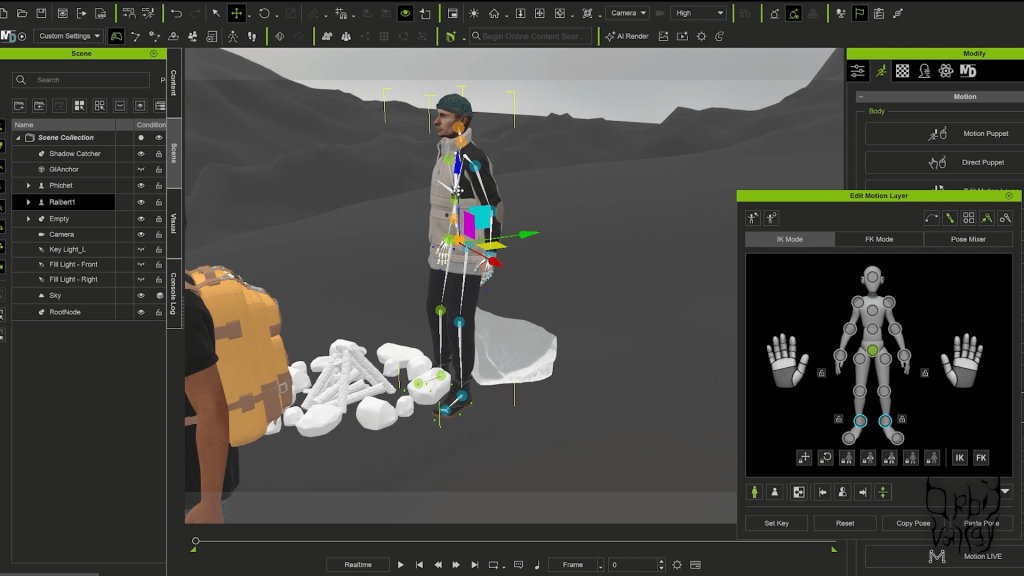

Why Use iClone with Blender?
The combined workflow offers several advantages:
- Real-time preview of motion and performance
- Facial animation and lip-sync tools
- Motion capture integration
- Rapid iteration before final Blender rendering
Once animation is finalized in iClone, characters can be sent back to Blender for lighting, shading, and final output—preserving creative flexibility while saving time.
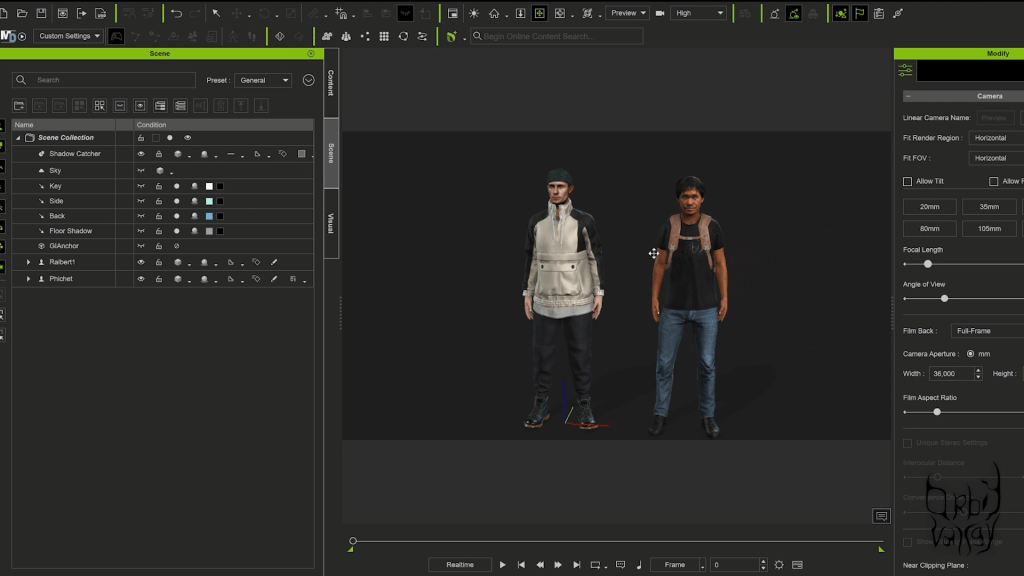
The Advantages of the Reallusion + Blender Pipeline
Orbit Valley’s review makes it clear that the real strength lies in using these tools together.
Key Benefits at a Glance
- Faster character creation without sacrificing quality
- Reliable character base for multiple projects
- Scalable workflows for studios and freelancers
- Easy onboarding for new team members
- Compatibility with modern production pipelines
For studios, this means predictable results. For solo creators, it means focusing on storytelling instead of technical hurdles.

Designed for Modern Content Creators and Studios
Orbit Valley emphasizes that Character Creator 5 isn’t limited to one type of user.
It benefits:
- Blender animators building narrative projects
- Content creators producing short-form media
- Production houses needing scalable character pipelines
- Indie filmmakers working with limited resources
By reducing friction, CC5 allows creators to iterate faster and explore more ideas.
Conclusion: A Smarter Way to Create Your Own Character
Orbit Valley’s review of Character Creator 5 reveals a powerful truth: modern character creation doesn’t have to be slow, fragmented, or overly technical.
By combining Character Creator 5, iClone, Blender, and real-world scanning tools, artists gain a flexible, professional pipeline that respects creative freedom while delivering production-ready results.
For anyone looking to create your own character, streamline their Blender human creator workflow, and elevate their 3D animation software pipeline, Reallusion’s ecosystem offers a compelling solution.

Follow Orbit Valley
Website:
www.orbitvalley.com
Instagram:
https://www.instagram.com/orbit.valley/
FAQ
Is Character Creator 5 suitable for Blender users?
Yes. Character Creator 5 is designed to export clean, Blender-ready assets while preserving creative control.
Can I use my own 3D character scans?
Absolutely. CC5 supports scan data, making it ideal for realism-focused projects.
Does iClone replace Blender animation?
No. iClone complements Blender by handling real-time animation and performance, while Blender remains the final rendering and refinement tool.
Is Headshot 2 required?
No, but Headshot 2 significantly accelerates realistic face creation.
Is this workflow suitable for studios?
Yes. The consistency and scalability make it ideal for production environments.
Related Posts
- Creating a Stylized Arnold Schwarzenegger 3D Caricature with CC5, ActorMIXER & Blender
- Content Creator Clones Himself in 3D with Character Creator 4
- Copresence 3D Scans into Character Creator 5 Workflow
- Becoming a Game Character using Headshot and Polycam | Unreal Engine

