TL;DR:
- Emmy Award-winner Mark Cheng details his efficient Character Creator 5 pipeline for Unreal Engine cinematic series.
- Learn how to sculpt, texture, and fine-tune game-ready characters with 4K PBR textures rapidly.
- Discover seamless animation workflows using iClone and Unreal Live Link for real-time production.
- Optimize character creation and animation cleanup, focusing on visual fidelity for camera-specific shots.
This article details an efficient pipeline for creating cinematic-quality, game-ready characters for Unreal Engine animated series using Character Creator 5, Reallusion’s advanced 3D character design platform. It explains the practical steps and creative decisions behind crafting complex characters with 4K PBR textures and integrating them into a real-time animation iClone 8 workflow, enabling indie filmmakers to accelerate their production timelines.

How Character Creator 5 Accelerates Unreal Engine Series Production
Creating compelling characters quickly is critical for indie filmmakers producing animated series in Unreal Engine. Character Creator 5, Reallusion’s flagship character design software, offers a robust solution for generating highly detailed, production-ready assets. According to Emmy Award-winning producer Mark Cheng, the key to rapid character development lies in strategic starting points and iterative refinement. He emphasizes that rather than building from scratch, starting with an existing base model and systematically altering its appearance significantly streamlines the design process.
Starting with Existing Models for Rapid Design Iteration
Mark Cheng, founder of Creative Studios and producer of the Unreal Engine series EXTRACTED, prefers to begin with a pre-existing Character Creator 5 model rather than building a character entirely from scratch.
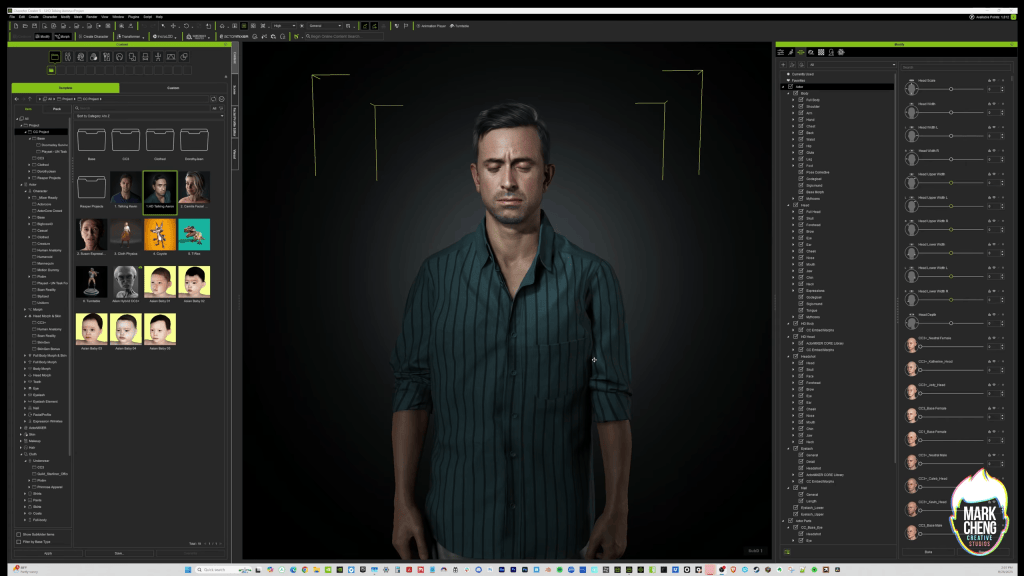
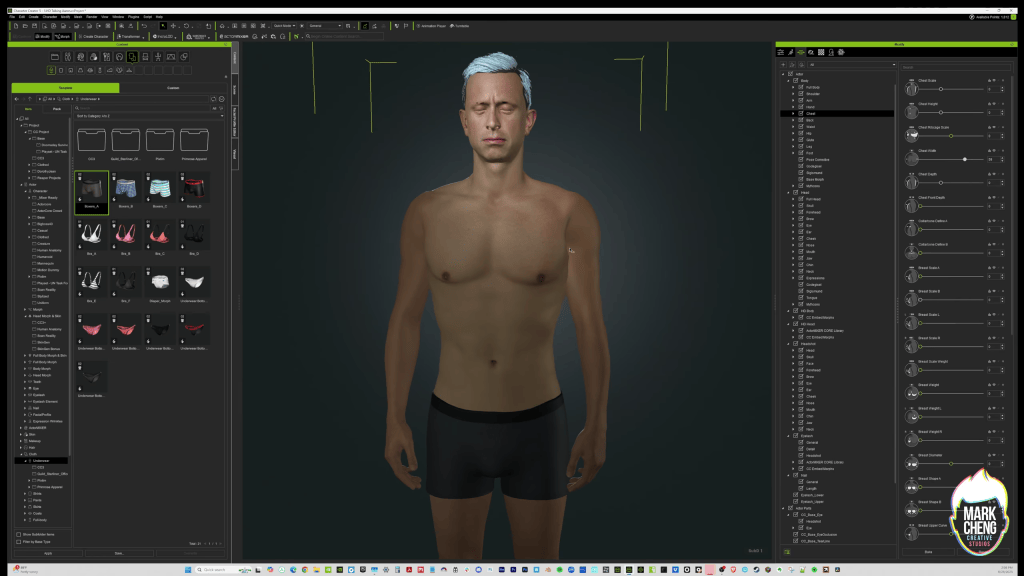
For Powell, one of the central characters in EXTRACTED, I started with Reallusion’s Aaron character as a foundation. Some artists like to start from a blank slate, but I prefer beginning with an existing model and gradually shaping it into the character I have in mind. Starting from a proven base gives me a design direction and lets me focus on creative decisions instead of technical setup.
As I work, I’m constantly reacting to what I see on screen.
“Powell is dirtier than Aaron.”
“He needs a stronger build.”
“His hair shouldn’t be so well groomed.”
Those reactions become the roadmap for the character design process. Each adjustment helps me move closer to the personality and story role I want the character to communicate.
“Some artists like to start from scratch but I prefer to start with an existing model and proceed to change and alter their appearance to get to my character.”
MARK CHENG — Founder of Mark Cheng Creative Studios
Crafting a Rugged Look: Skin, Hair, and Build
Powell is a lieutenant in a joint human/android military unit fighting in a future civil war. By the time audiences meet him, he’s already spent years on the front lines. I wanted him to look like someone who has been living in combat zones for far too long.
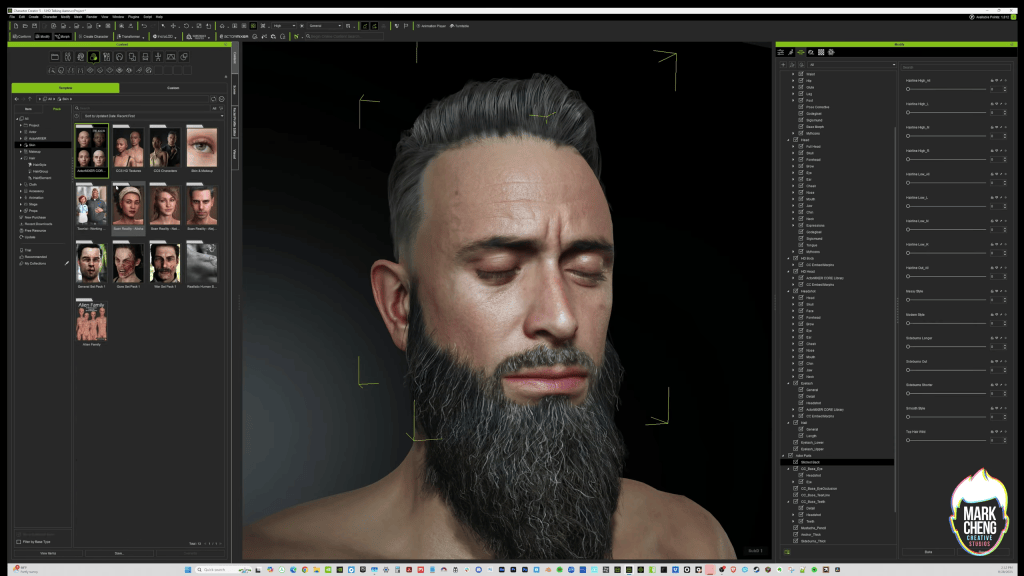
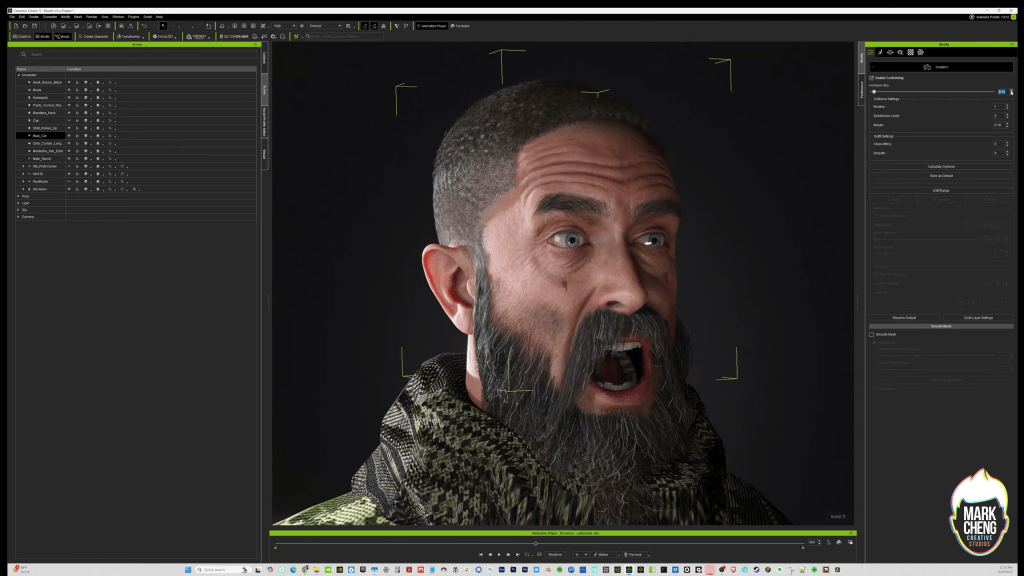
To achieve that look, I leaned heavily on Character Creator 5’s skin and hair tools. I layered pores, dirt, sweat, sunburn, blemishes, capillaries, and weathering effects to create a face that felt lived-in and authentic. I tend to push skin details further than many artists because it’s a personal pet peeve of mine when combat characters look overly polished or unrealistically clean.
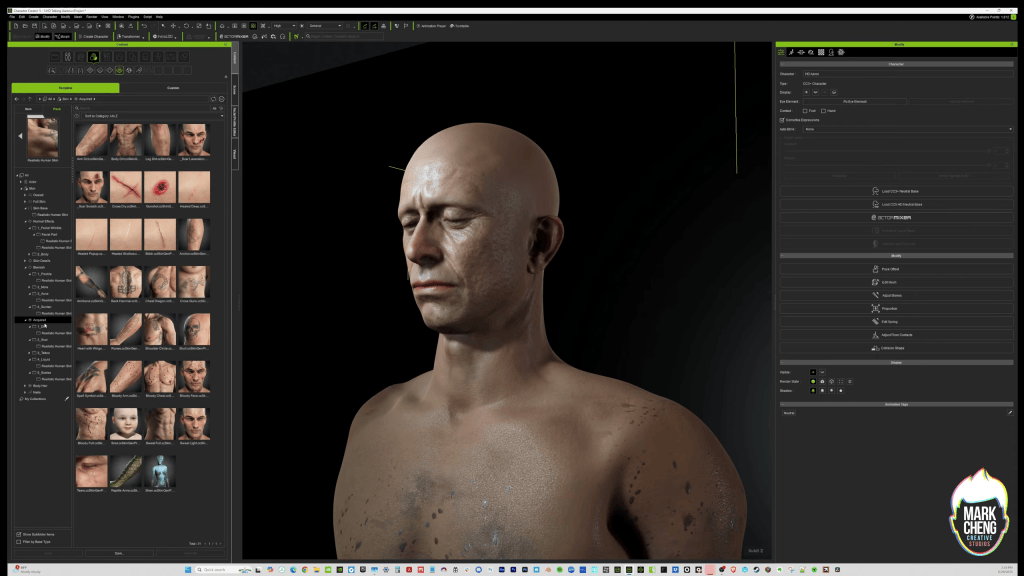
The Realistic Human Skin pack enabled the addition of nuanced pores, dirt, sweat, sunburn, and capillaries, intentionally pushing boundaries to avoid an overly “clean” combat appearance.
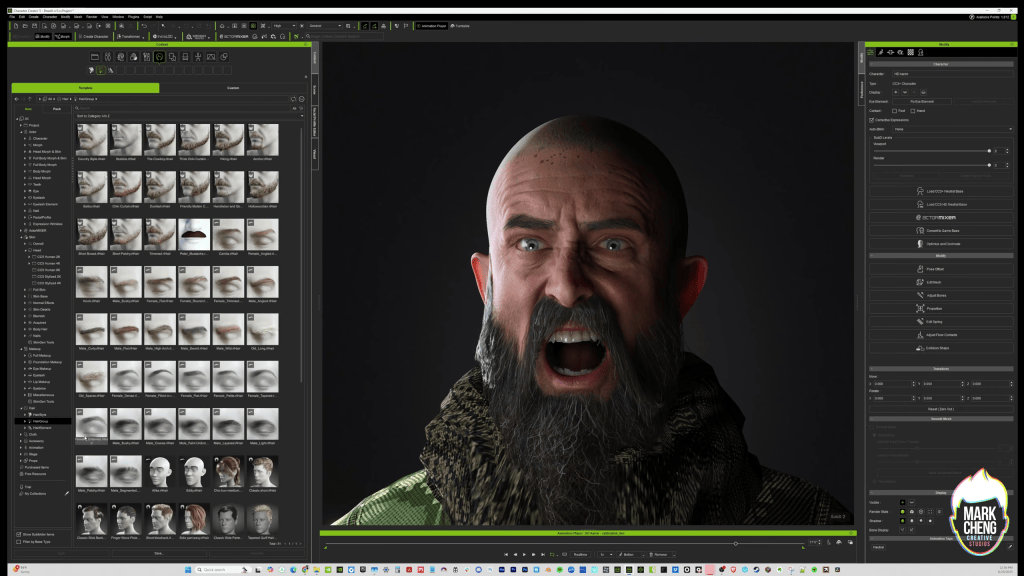
For his hair, I experimented with several different styles before settling on a baseball cap and a nearly bald appearance. Character Creator 5 includes some of the best beard assets I’ve worked with. I was tempted to give Powell an elaborate braided Viking beard, but ultimately chose the largest, most unkempt beard in my library because it better reflected the character’s lifestyle and military background.
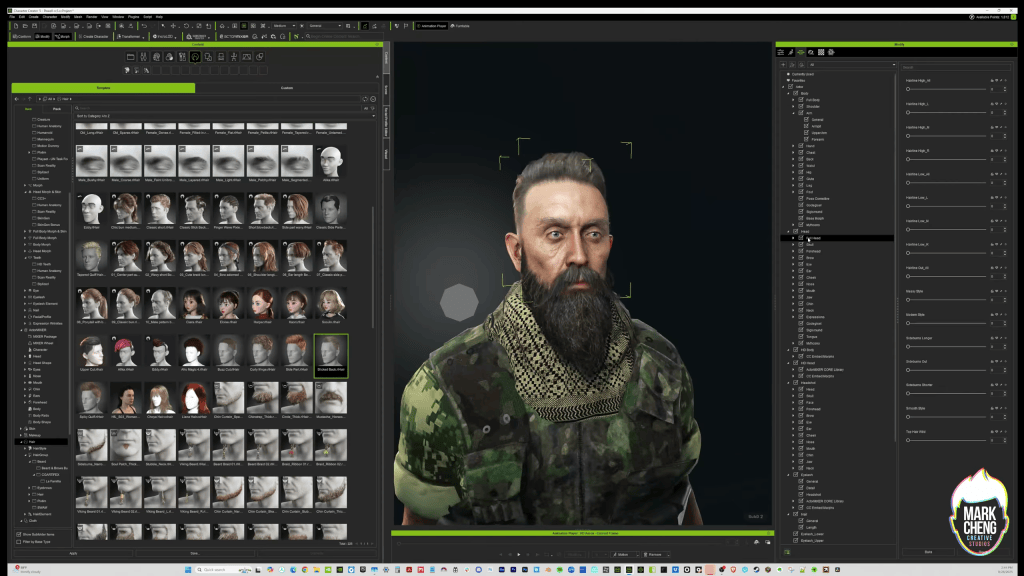
For his physique, I wanted Powell to feel physically dominant and imposing. As a leader, he needed an immediate visual presence, but I also wanted that physical strength to create a contrast with moments later in the story when he reveals emotional vulnerability. That’s something I often consider during character creation, how physical design choices can reinforce dramatic themes.
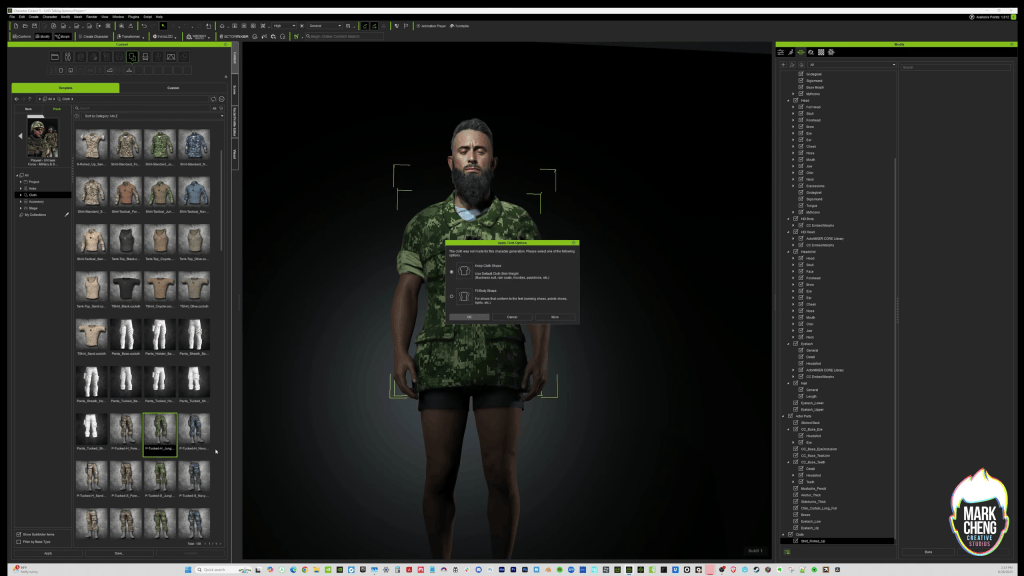
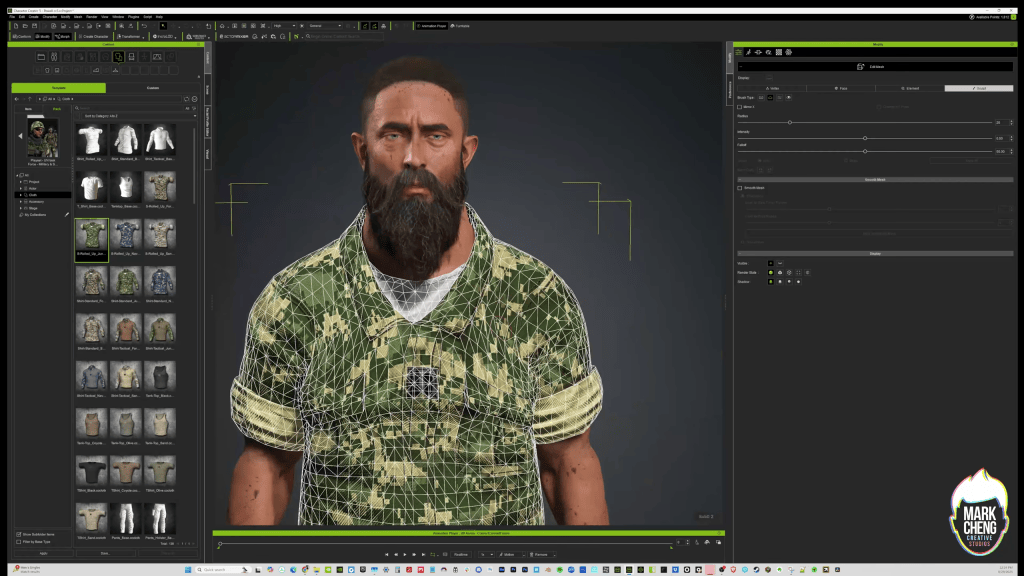
I ended up giving Powell so much muscle definition that his battle dress uniform initially couldn’t contain him. Parts of the body mesh pushed through the clothing in several places. Fortunately, Character Creator 5’s polygon-level mesh editing tools made it easy to reshape and expand portions of the uniform until everything fit correctly.

Fine-Tuning Character Realism and Expression
Achieving cinematic quality in animated series requires meticulous attention to character realism, extending beyond initial sculpting to include nuanced expressions and effective posing. Character Creator 5 provides versatile tools that cater to diverse artist preferences, allowing for both precise numerical adjustments and intuitive sculptural modifications. This flexibility is crucial for translating creative visions into tangible 3D assets ready for the rigors of real-time animation.
Sculpting vs. Numerical Adjustments in Character Creator 5
One of the things I enjoy most about Character Creator 5 is that it provides multiple ways to achieve similar results. Different artists have different preferences, and the software gives you the flexibility to work the way that feels most natural.
For Powell’s facial structure, I relied heavily on sculpting tools, pushing and pulling specific areas of the face until I arrived at the shape I envisioned. The process feels intuitive and allows me to make artistic decisions visually rather than numerically.
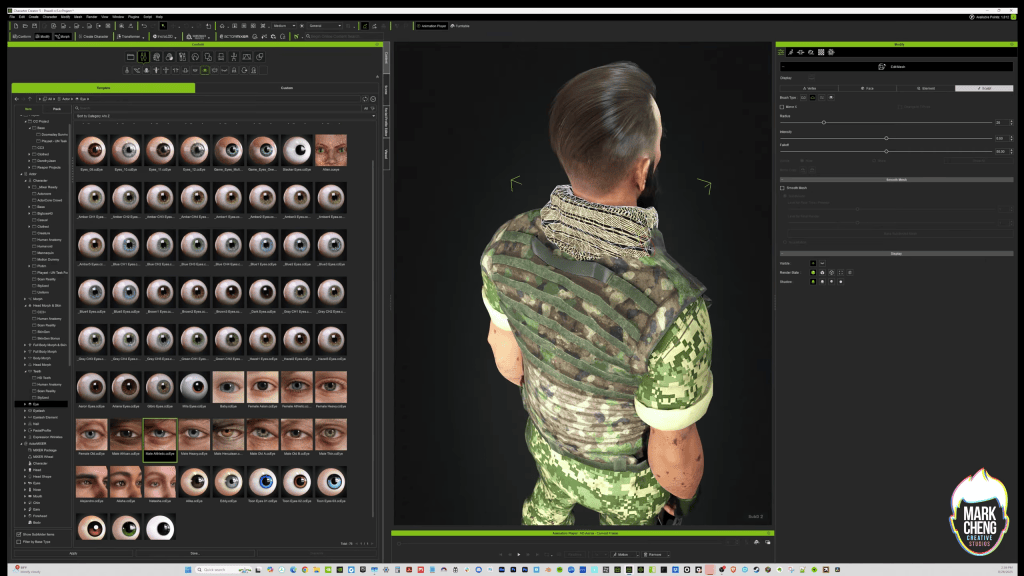

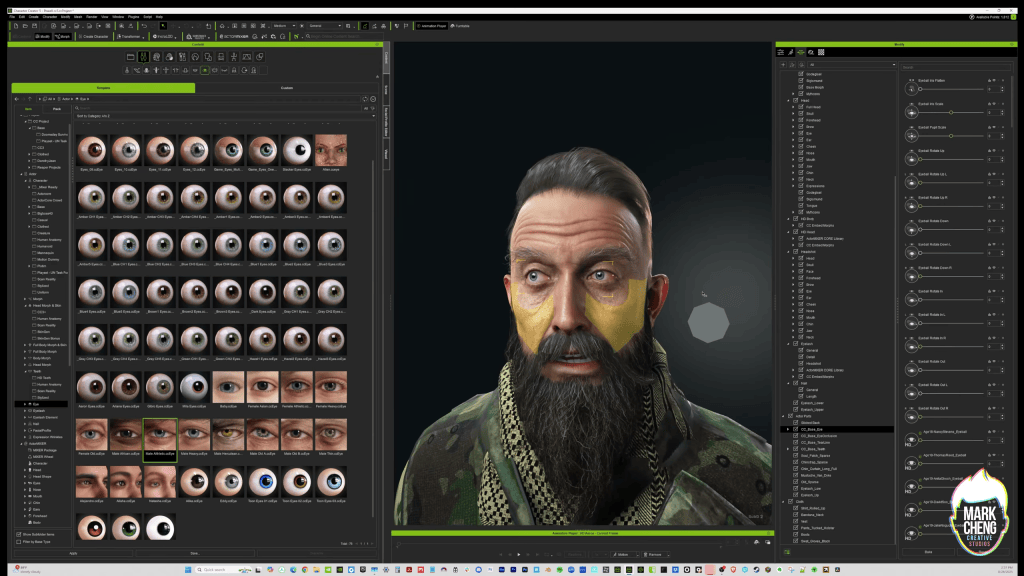
For other features, such as his chest, shoulders, and arms, I found it faster to use the Modify Panel and adjust muscle groups through numerical controls. Being able to switch between sculpting and parameter-based editing helped me move quickly while still maintaining precise control over the final result.
“One thing I really like about Character Creator 5 is that there are often multiple ways to achieve the same result.”
MARK CHENG — Emmy Award-winning producer
Pro-Tip: When facing clothing mesh bleed-through due to extreme character morphs, utilize Character Creator 5’s polygon-level mesh alteration tools directly. This allows you to specifically “grow” or reshape areas of the garment to conform to the underlying body, eliminating clipping without requiring external software. This method saves roughly 2 hours of manual weight painting per character.
Testing Emotions for Cinematic Impact
Throughout the design process, I frequently stop sculpting and test my characters using a wide range of facial expressions and emotional states.
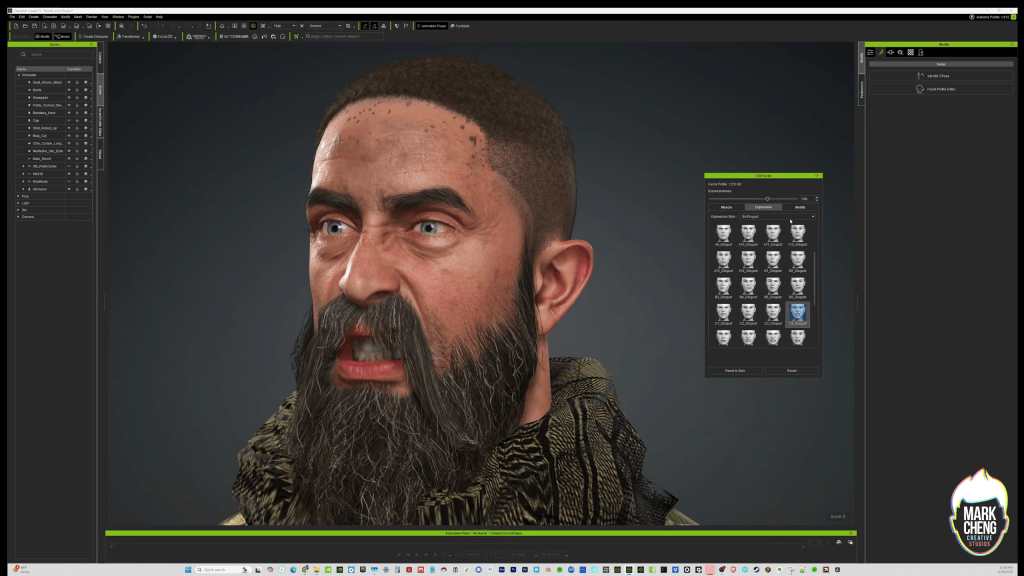
I’ve always believed that a character’s emotional range is just as important as their physical appearance. Have you ever watched an actor and thought, “I love that performer, but I don’t like how they look when they smile?” That’s exactly the kind of thing I’m looking for during character creation.
Character Creator 5 makes this process easy through the Edit Facial panel, which provides access to a large library of expressions and emotions. I often reference key moments from my script and recreate the emotions the character will need to perform on screen.
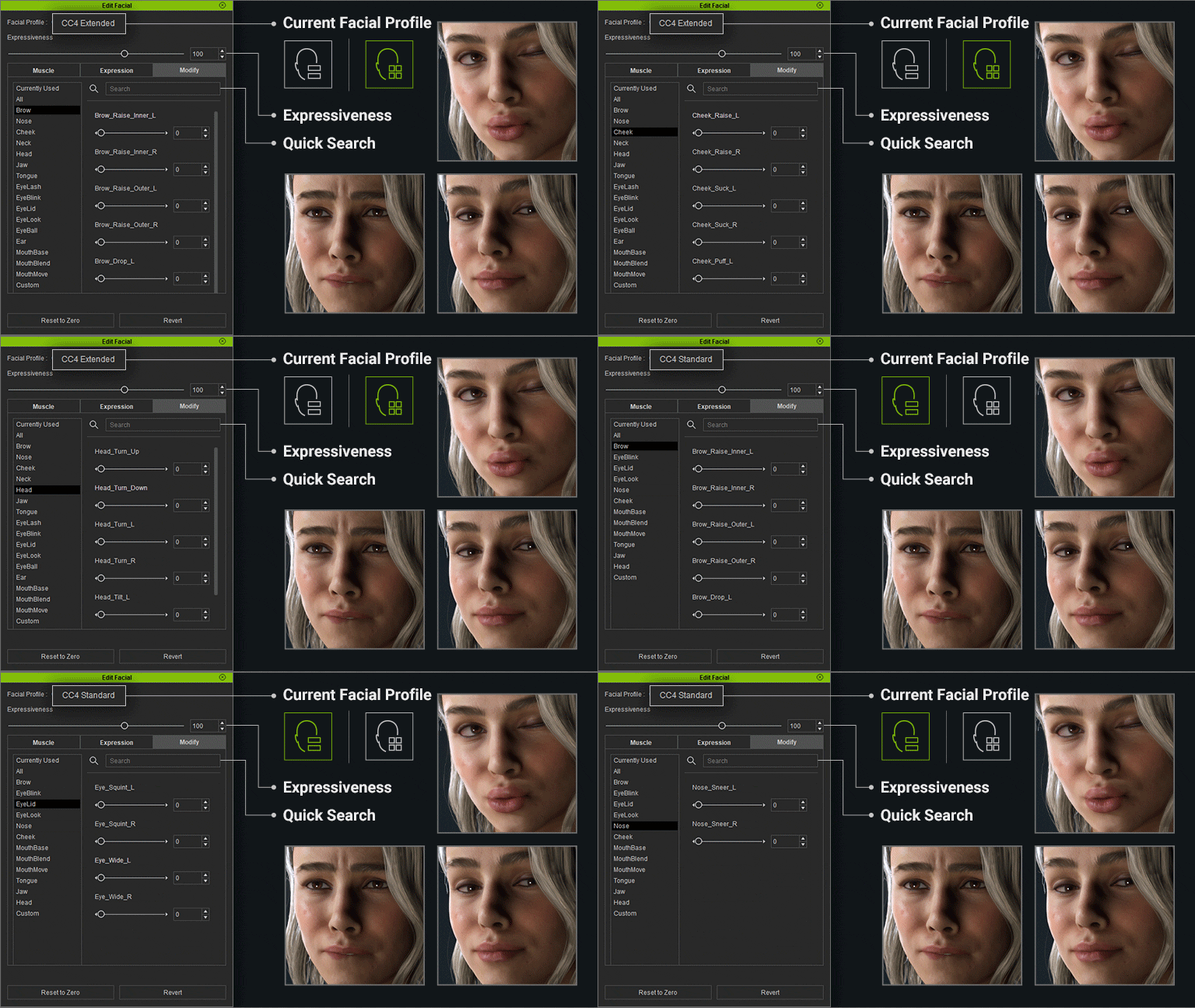
For Powell, one of my goals was to make sure he maintained kind eyes, even during moments of anger or intensity. As a result, I would intentionally soften eyebrow movement, nose curls, and cheek raises to preserve that aspect of his personality. These subtle adjustments may seem small, but they contribute significantly to how audiences perceive a character.
Seamless Animation Pipeline: Character Creator 5 to Unreal Engine
The transition from character design to real-time animation is a critical juncture for any animated series production. Reallusion’s integrated pipeline streamlines this process, enabling artists to bring Character Creator 5 assets into environments like Unreal Engine with remarkable efficiency. This robust connection facilitates rapid iteration and high-fidelity animation, essential for cinematic storytelling.
Leveraging iClone and Live Link for Real-Time Animation
Once I’m satisfied with the character in Character Creator 5, I move the model into iClone 8 for final testing and animation preparation.
I prefer using the Unreal LIVE LINK Transfer process because it automates much of the technical work involved in moving assets between applications. The workflow sacrifices some export customization options, but for my production pipeline, the efficiency is worth it. I’ll often start a transfer right before taking a coffee break, and by the time I return, the character and materials are already waiting for me inside Unreal Engine.
EXTRACTED originally began as an Unreal Engine 5.1 project and has since been upgraded to Unreal Engine 5.7, and the Reallusion pipeline has remained a reliable part of that production process.
iClone also serves as my primary hub for animation preparation. Whether I’m working with motion capture data from my Rokoko suit or AI-processed video performance data, everything flows through iClone before reaching Unreal Engine.
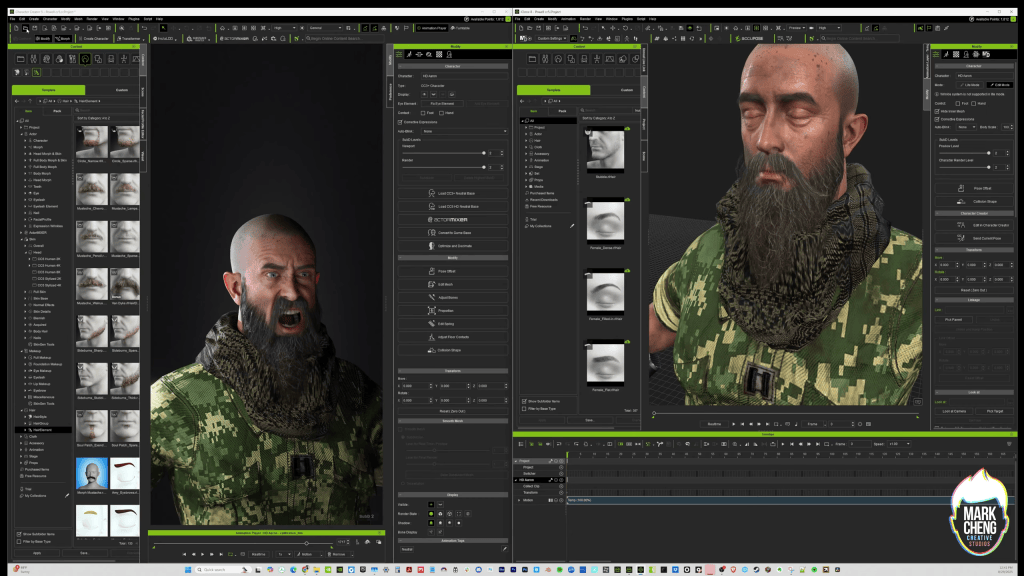
“I prefer using the Live Link Transfer process which automatically migrates the model and its materials into Unreal. I’ll hit transfer right before a coffee break and it’s all ready to go when I come back!”
MARK CHENG — Founder of Mark Cheng Creative Studios
iClone’s role extends beyond mere transfer. It serves as Mark’s primary platform for ingesting and refining motion capture (mocap) data, whether from an inertia suit or AI-processed video. For detailed guidance on this, see the official Reallusion Character Creator help documentation on setting up the Auto Setup pipeline.
Optimizing Animation for Camera Layout
I’m a solo creator. I handle motion capture, animation, cinematic staging, and directing responsibilities myself, so efficiency is critical throughout production.
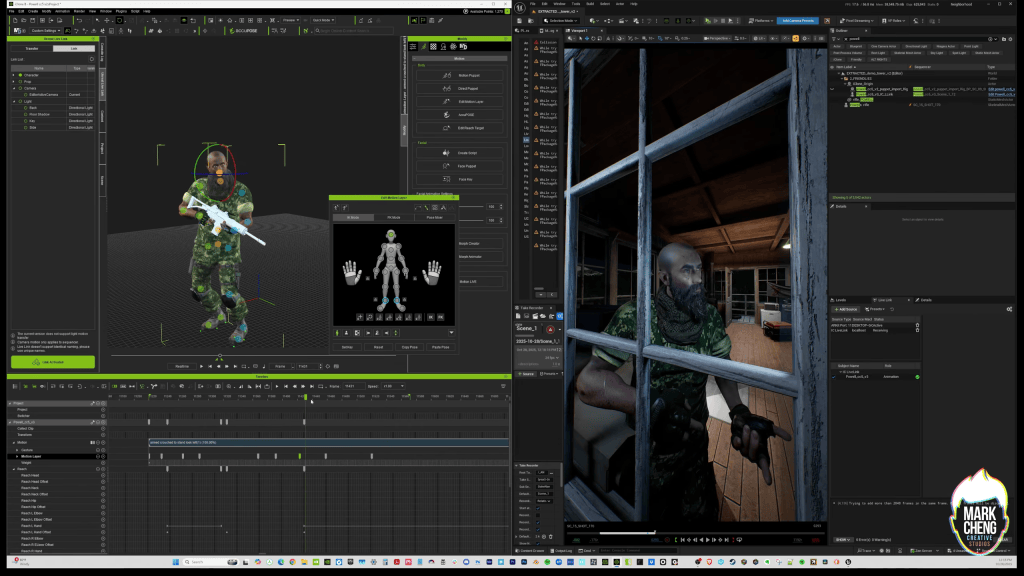
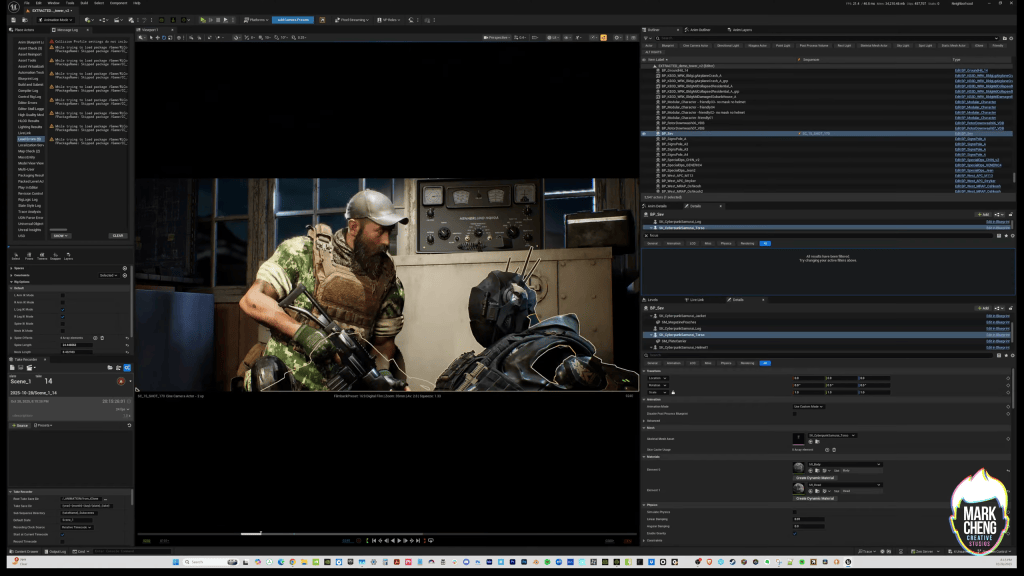
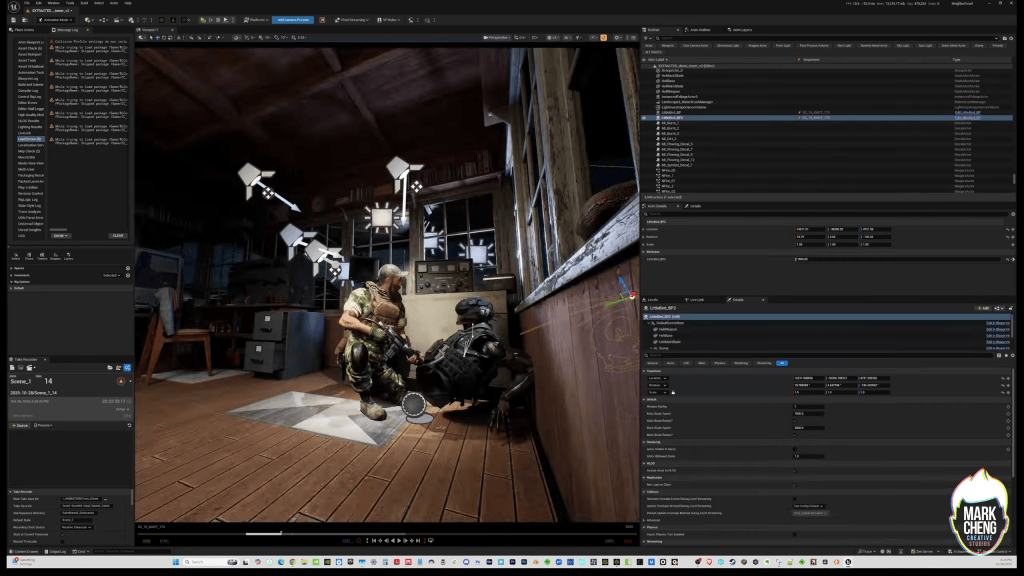
After establishing camera layouts, I use iClone’s Unreal Live Link to essentially puppeteer Powell’s character directly inside Unreal Engine while controlling a mirrored version of the character in iClone. This workflow allows me to focus my time and attention only on what the audience will actually see.
If Powell’s feet aren’t visible in the frame, I don’t spend time refining foot animation.
If one hand is hidden behind his body, I may not need to perfect every finger pose.
My goal is to focus my effort where it matters most for the final shot.
The real-time connection between iClone and Unreal Engine helps me quickly identify animation issues, evaluate cinematic framing, and make creative decisions in context. Once I’m satisfied with the result, sending the finalized animation back to Unreal is only a few clicks away.
There are many ways to build an animation pipeline, but this workflow has become mine because it lets me spend less time wrestling with technical processes and more time focusing on storytelling.
| Workflow Stage | Reallusion Tool | Key Benefit | Output/Integration |
|---|---|---|---|
| Character Design | Character Creator 5 | Rapid iteration, detailed morphs & textures | Game-ready CC Project for iClone, Unreal Engine |
| Skin & Hair Enhancement | CC5 + Realistic Human Skin, Beard & Brow Builder | High-fidelity realism, weathered looks | Custom Character Mesh |
| Rigging & Initial Pose | Character Creator 5 | Auto-rigging, expressive facial tools | Fully Rigged CC Project for Unreal Engine |
| Animation Pre-Production | iClone 8 | Mocap import, real-time posing & emotion tests | iClone Animation Projects and Unreal Engine |
| Real-Time Engine Integration | iClone Live Link Plugin, Unreal Engine | Seamless transfer, live character puppeteering | Unreal Engine Assets |
Conclusion
The synergy between Character Creator 5, iClone 8, and Unreal Engine provides an unparalleled pipeline for indie developers and animation studios seeking to produce high-quality animated series efficiently. By leveraging tools that support rapid iteration, detailed customization, and real-time integration, creators like Mark Cheng can transform ambitious narrative concepts into visually stunning productions without compromising on artistic vision or technical fidelity. This integrated workflow empowers artists to achieve cinematic realism and streamline their animation process, proving that powerful tools are accessible for projects of any scale.



Mark Cheng
Mark Cheng is an Emmy Award-winning producer, creative executive, and the visionary founder of Mark Cheng Creative Studios. With a distinguished career spanning over three decades in media, entertainment, and technology, including 13 years at Nickelodeon and Paramount, Mark has made significant contributions to AAA video games, live-action productions, and animated films. A film alumnus of Cornell University with an MBA focused on High-Tech Growth, his expertise lies in crafting compelling narratives through innovative content and emerging technologies. He is currently in production on EXTRACTED, an animated series produced entirely in Unreal Engine.
Mark’s workflow with Reallusion tools for EXTRACTED is a testament to their efficiency for indie studios. He initiates his characters, such as the protagonist Powell, in Character Creator 5, preferring to start from existing models for speed. He meticulously sculpts and textures, utilizing tools for polygon-level mesh adjustments when fitting custom attire like BDUs. After fine-tuning expressions in CC5, he transfers the character to iClone 8 for animation preparation, including mocap data import. Finally, the Unreal LIVE LINK plugin facilitates real-time puppeteering of the character directly within Unreal Engine, allowing Mark to streamline cinematic shot production by focusing on camera-visible animation details.
- Official Website: https://www.markcheng.com/
- LinkedIn Profile: https://www.linkedin.com/in/markcheng/
- YouTube Channel: https://www.youtube.com/@markcheng
FAQs
How do I export a rigged character from Character Creator 5 to Unreal Engine?
Exporting a rigged character from Character Creator 5 to Unreal Engine is highly streamlined. You typically design and finalize your character in CC5, then send it to iClone 8. From iClone, the Unreal LIVE LINK plugin facilitates a direct, automated transfer of your character, its materials, and rigging into Unreal Engine. We highly recommend that you also install the free Unreal Auto Setup from Reallusion to seamlessly transfer all character materials and shaders to Unreal. This ensures the character is game-ready, maintaining its PBR textures and bone structure for immediate use in your animated series or game project.
What is the difference between Character Creator 5 and iClone for character animation?
Character Creator 5 (CC5) is primarily a powerful 3D character design platform, focusing on creating detailed, rigged characters with extensive customization options for appearance, clothing, and textures. iClone, on the other hand, is a real-time 3D animation software suite. While CC5 builds the character, iClone brings it to life through animation, motion capture integration, and scene setup, then facilitates the export or live-link to game engines like Unreal.
Can Character Creator 5 characters use custom morphs and textures in Unreal Engine?
Yes, Character Creator 5 characters maintain their custom morphs and 4K PBR textures when exported to Unreal Engine. The pipeline ensures that all the detailed facial and body morphs, along with the high-resolution texture maps you’ve applied in CC5, are fully preserved. This allows for continued facial expression and body shape adjustments within Unreal, ensuring cinematic fidelity and creative control over your animated characters.
Why does Emmy Award-winner prefer to start with existing models in Character Creator 5?
Emmy Award-winning Mark Cheng prefers starting with existing models in Character Creator 5 because it significantly accelerates the initial design phase. Instead of building from a blank slate, a pre-existing model provides an immediate reference point and design direction. This iterative approach allows for faster visual feedback on modifications, ensuring that changes to the character’s build, hair, or features directly serve the narrative and aesthetic requirements of his animated series, EXTRACTED.

Related Posts
- Character Creator 5 for Game Characters: Indigo Studios
- Mastering Maya Characters: Ultimate Character Creator 5 Workflow
- Actor Capture Brings Raphael to Life with Motion Capture for Director John Likens