
Work in Progress : Part Two
In the prior WIP I, we envisioned a future of efficient and enjoyable process of 3D character animation, beginning with the unveiling of Motion Director and cutting-edge interactive motion editing functionalities.
For WIP II, we’d like to highlight newer features built into iClone 8 that will help pro studios and indie developers maximize their productivity. Not only are these time-saving features essential to producing high-quality 3D character animations, but they can also greatly reduce the cost of production.
Rotoscope : pose-to-pose editing
Rotoscope is the easiest way to start learning pose-to-pose 3D character animation. Anyone can find video references to set keyframes and repeat this process to complete whole motion cycles.
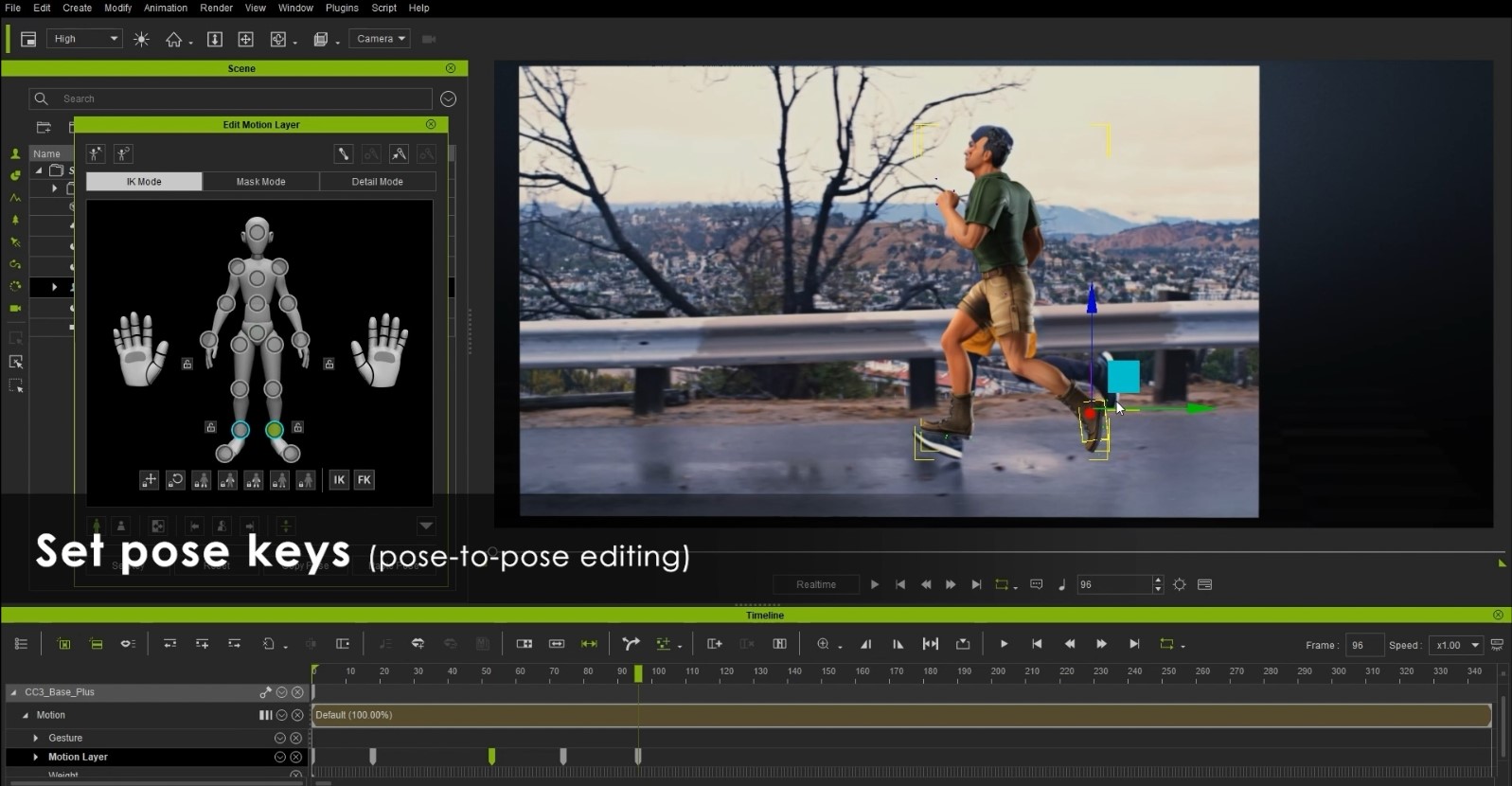
• Apply live-action footage (MP4) for reference to a 3D plane, and pose your character accordingly.
• Set 5 keys for half of the animated sequences. Copy them and click ’Full body mirror’ to flip the poses.
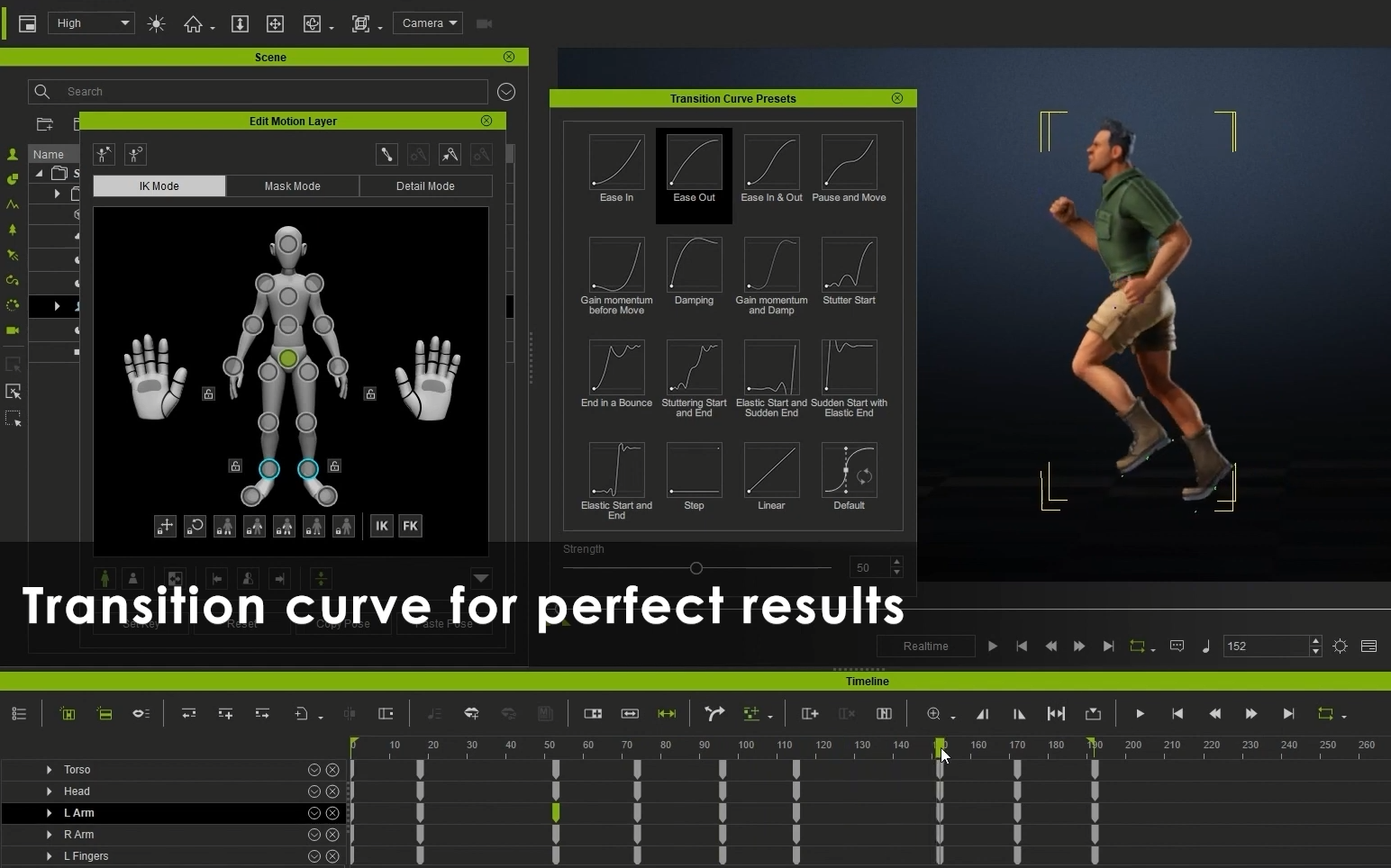
• Use offset keys to create an overlapping effect, and use Transition Curve to refine the timing, as shown below.
Pose Mixer : pose-driven motion synthesis
Pose Mixer is a handy tool that generates new poses from existing sources with just a few clicks: select a source pose, define the mixing area (from the body mask), and mix with the target pose.

• Replace selected body parts with other poses you like and mix them in different ways.
• Choose the body parts which you like to Flip Directions, Mirror Copy, or build Symmetrical Poses.


Mix-and-matching motions can be a brilliant way to come up with new ideas and happen upon creative possibilities. You can think of this method of working like the cut-up technique employed by Dadaist poets to the songwriting of David Bowie, where “happy accidents” are left to flourish.
Expandable Character-centric Timeline
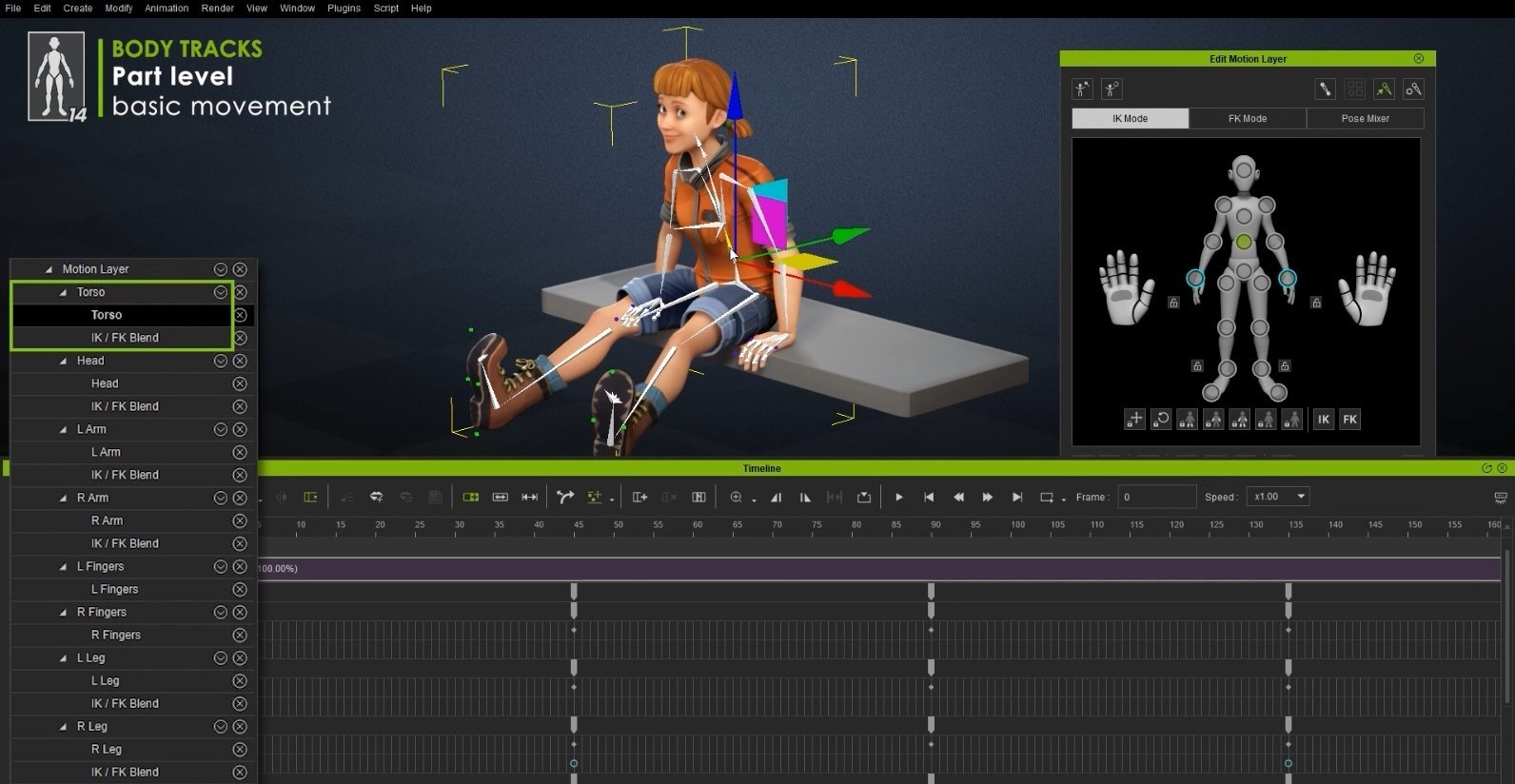
Most 3D tools provide timeline controls for character bones and blendshapes, but the sheer number of tracks can make editing stunningly hard. iClone 8 introduced Expandable Tracks on both body motions (2 levels) and facial expressions (3 levels), which allows creators to focus at primary editing first, and later use the advanced timeline controls for the details of the facial and body animation.
• Body-Motion Tracks (2 levels):
Part level can be used intuitively by selecting general body parts to edit.
Bone level provides advanced editing to all body bones and all the way to fingers.
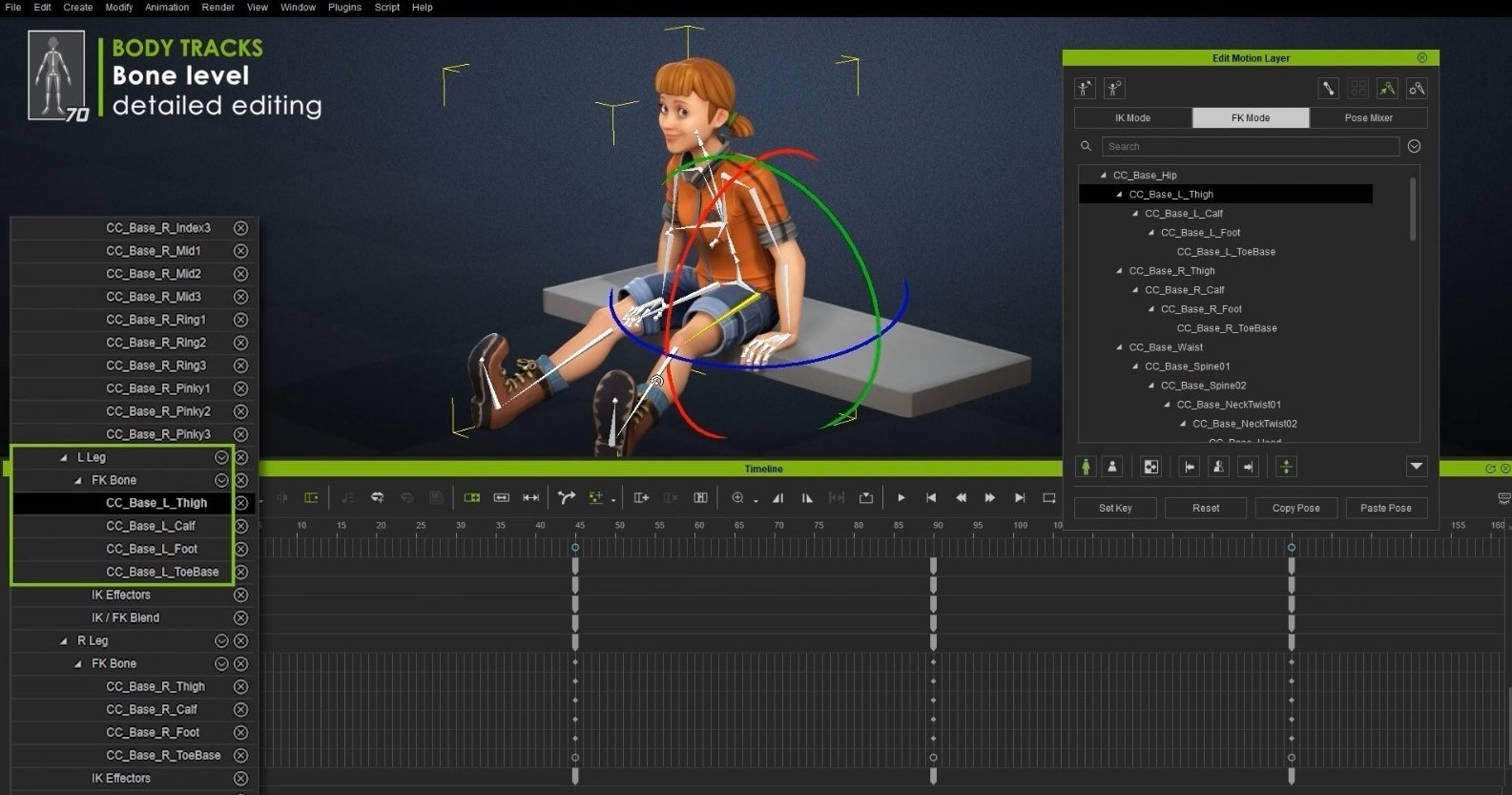
Users can fully control the interpolation between FK/IK through the FK/IK Blend track.

• Facial-Expression Tracks (3 levels):
❶ Basic : Eyeblink track is freshly added, in addition to pre-existing Muscles, Eye and Head tracks.

❷ Feature: Access 16 prominent facial feature groups from the brow, jaw to ear.
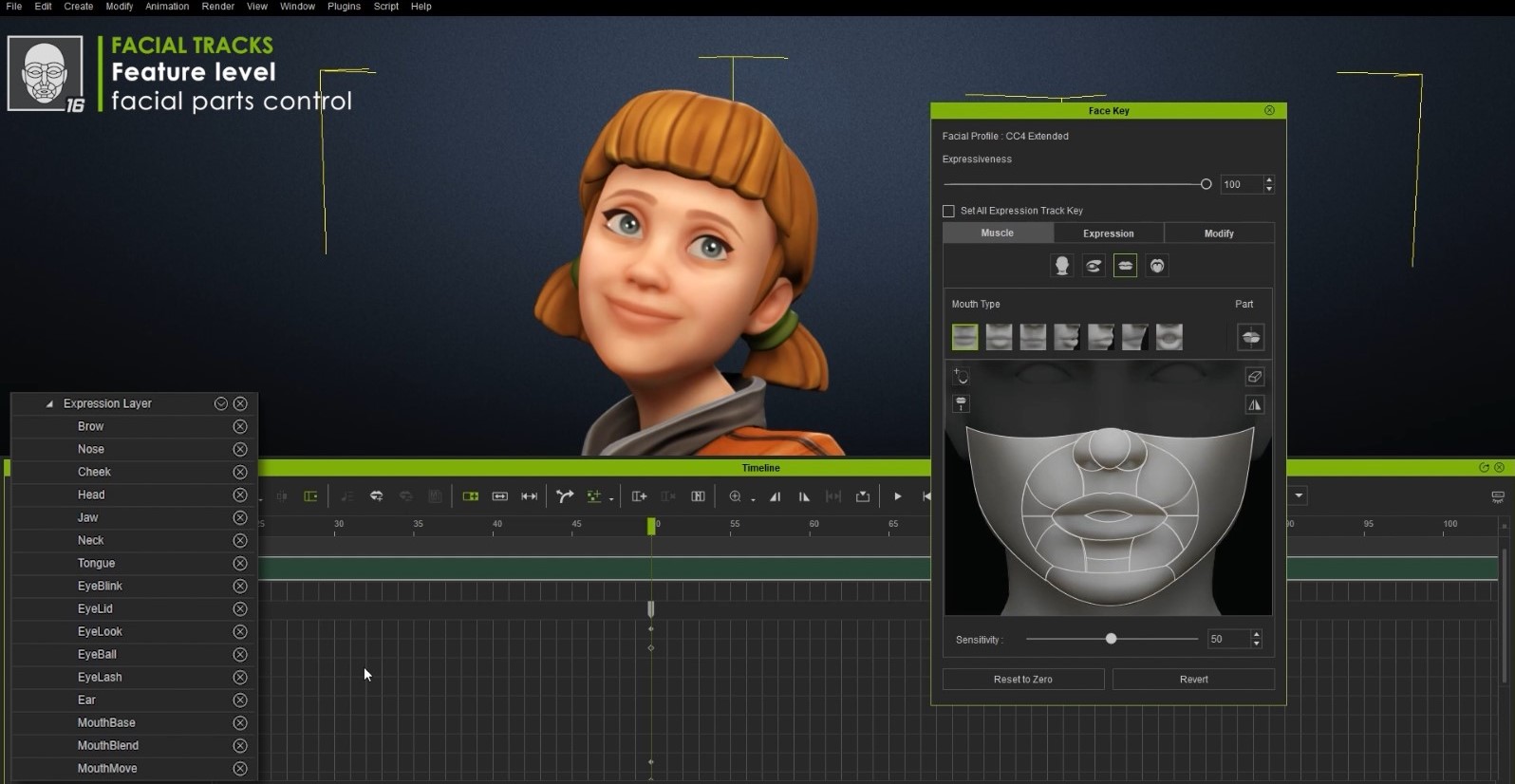
❸ Morph: 60 to 140 morphs are provided to refine the expression details, the blendshape number is determined by the selected level of expression profile (Standard or Extended).

Curve Editor : Professional Cartoon Performances
The Curve Editor is now built seamlessly into iClone 8 with no additional purchases necessary! In addition to bone and blendshape support, iClone 8’s Curve Editor comes with FK/IK effector controls and body/facial 3D animation curve tools.
• Greatly reduce time and effort to create Cartoon Performances.
• Create curve animation for Arcs, Follow Through, Exaggeration, and sudden movement with Steps.


You can check the 3D Character Creation & Animation webpage for more information about the free upgrade offer, feature comparison, and FAQs. If you’re interested in the Play-to-Animate feature of the Motion Director system, you can refer to the article ‘Working in Progress: Part One‘. For more technical detail, please have a look at our latest New Features Introduction, which will be updated continuously in the coming months.
If you have further questions, please contact our Support Team, or join the discussion at Reallusion Forum.




2 comments