José Antonio Tijerín

José Tijerín is a digital illustrator, 3D sculptor, and creator of video games such as “Dear Althea” available on Steam. His content pack “We’re Besties” and “We’re Homies” are currently for sale in the Reallusion content store.
Hi, I’m José Tijerín, a digital illustrator, 3D sculptor, and videogame developer. You can check out my latest game, “From the Streets to the Script: A Carabanchel Story,” available on Steam. In this article, I will share my method for creating cartoonish wrinkles. >> Download hi-res anatomical textures used in this video
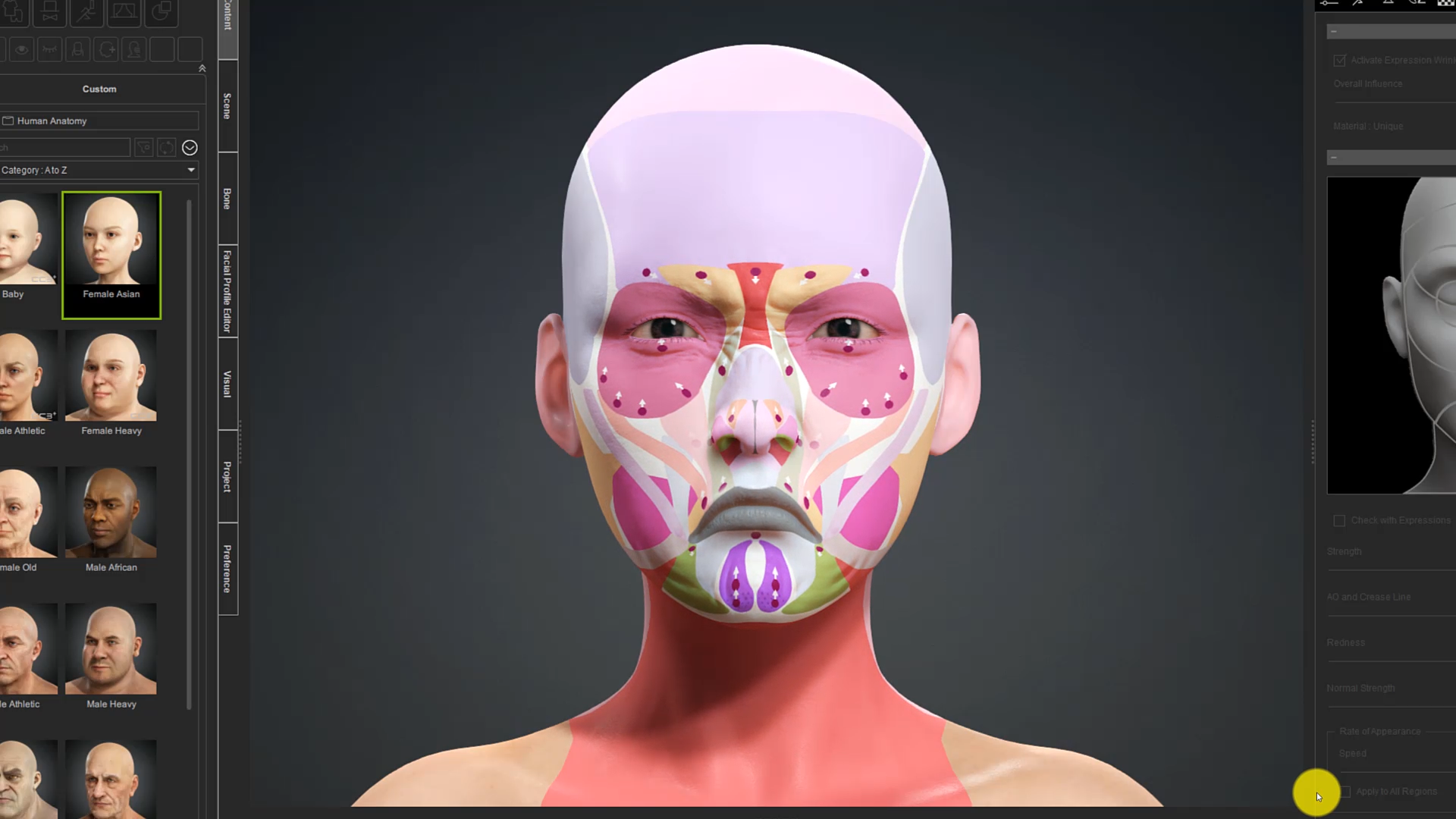
Creating cartoonish wrinkles for 3D characters is a breakthrough that helps bring them to life — and Character Creator’s (CC) Dynamic Wrinkle system enhances this process for both cartoon and realistic characters. Before we begin, read my article ‘Disney 2D Animation Style Remade with Character Creator 4’ (Part1. Part 2) for essential concepts in creating a solid 3D base model that looks professional without technical issues.
To add dynamic wrinkles, ensure your character is based on the CC base topology. Activate the dynamic wrinkles and select an empty layer in the “Texture Settings” section. Clicking “Individualize” generates a texture combining the base and wrinkle textures. Customizing wrinkles is a simple, fast, and visual process that involves replacing images.
Generating Realistic Wrinkles from AI Tools
Creating hyper-realistic dynamic wrinkles can be challenging if drawn by hand. Fortunately, Reallusion provides professional dynamic wrinkle packages — and now enhanced by AI. By capturing the front face of our character and leveraging AI image generation, we can achieve fabulous results.

Left: Original wrinkle in Character Creator . Right: AI-enhanced wrinkle.
Simply download and edit the desired image (using an image editor, like Clip Studio) to cut out the wrinkle area and paste it into our character’s base texture. We can convert the texture to a normal texture using specialized software, then replace the image in the dynamic wrinkles menu of CC. This straightforward process yields custom-tailored results.


CC provides sculpting tools for adding wrinkles directly onto the facial model. With brushes, we can precisely add wrinkles, adjust intensity and softness, and combine them with dynamic wrinkles for unique outcomes.


It’s crucial to remember that facial wrinkles go beyond expressing emotions, they can also convey moods like optimism and anxiety. By experimenting with various wrinkle-expression combinations, we can create expressive and captivating characters.
Simulating Dynamic Wrinkles for 4 Major Character Types
In this video, we will explore four different types of expression wrinkles for cartoon characters, transitioning from 3D to 2D. The four types include unlit 3D, 3D classic, cel shading, and anime styles.
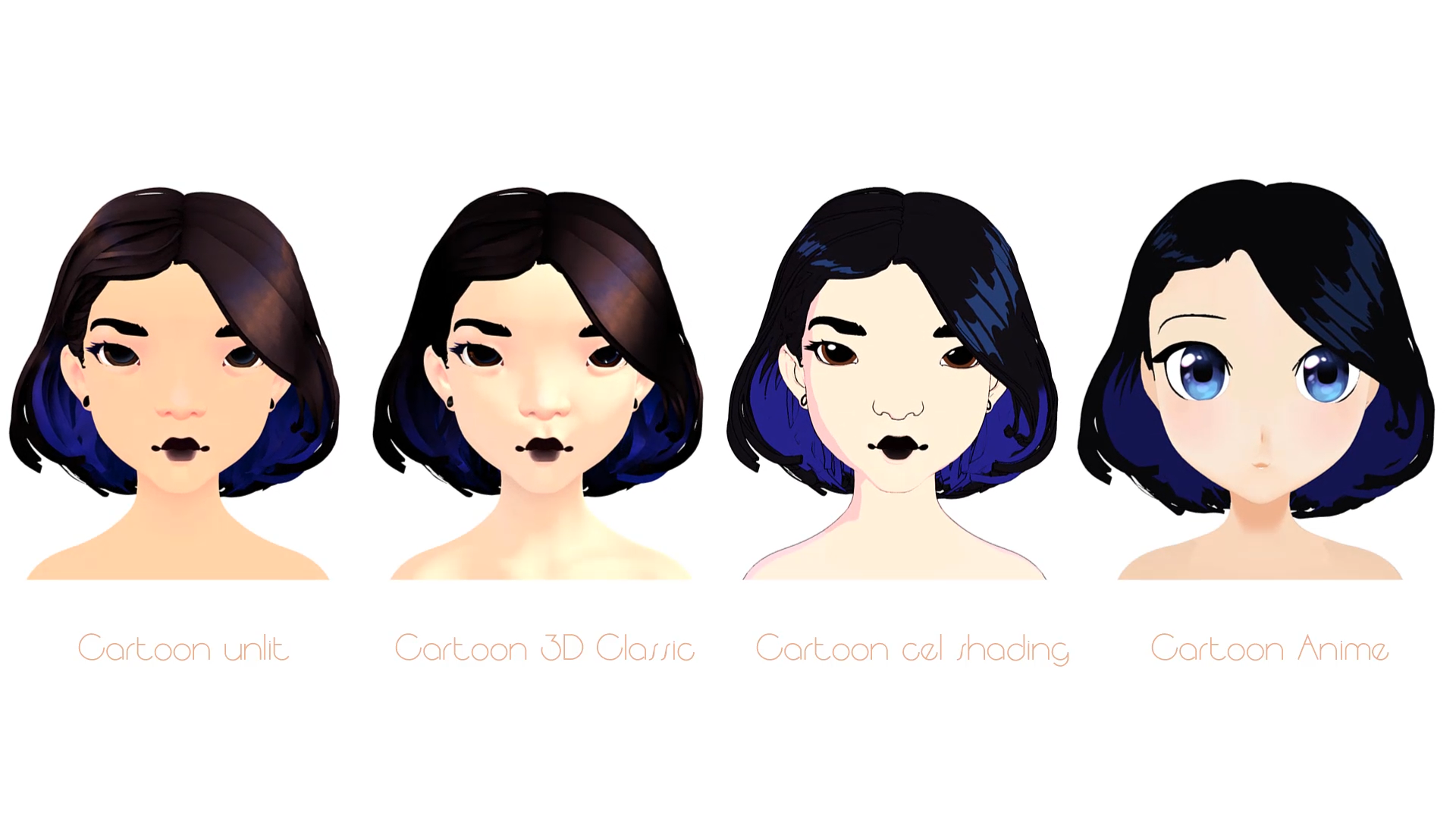
Style 1 : Cartoon Unlit
Let’s create a 3D cartoon style without lights using brushstrokes to add details, resembling a painted look commonly seen in video games. First, create a “model sheets” schematic to define unique wrinkles and expressions for each character, ensuring uniqueness. Export the custom character from CC and import it into a texture creation program like Substance Painter.
In Substance Painter (SP), apply the base texture to the character’s face and paint the wrinkles while considering the lighting. This method is preferable for painting wrinkles directly on the texture, as mesh deformation can make it challenging to predict their appearance when the rest of the face is deformed.

After customizing the wrinkles in SP, load the image into the texture set in CC and activate the Dynamic Wrinkle system. Adjusting the speed at which the wrinkle texture appears with facial deformation enables pronounced and clear expressions for cartoon characters. Utilize CC’s facial profile editing system to fine-tune wrinkle details.
Style 2 : Classic 3D Cartoon
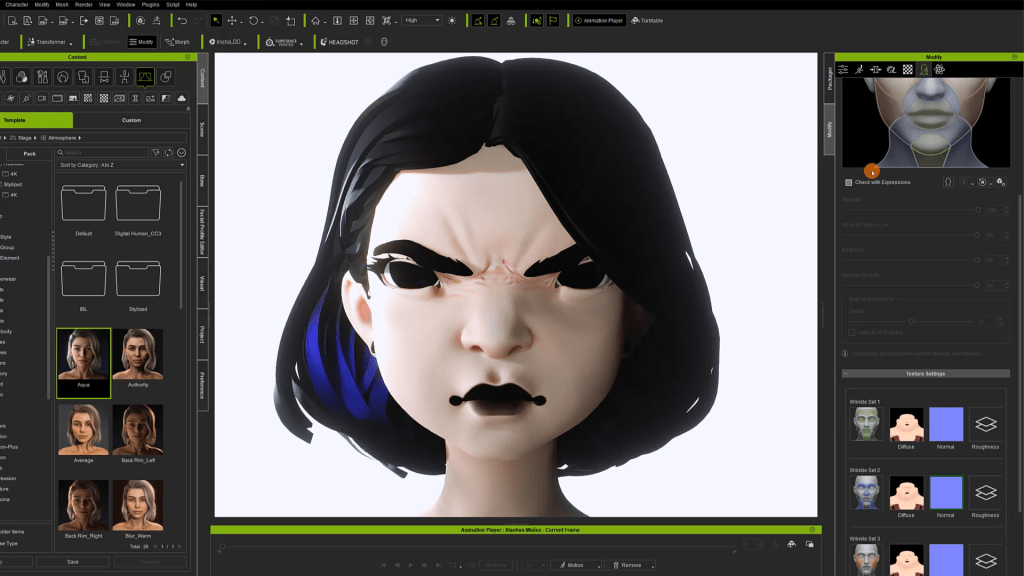
Since cartoon wrinkles have distinct hard lines resembling strokes, it’s important to convey skin elasticity while avoiding excessively large grooves. Reallusion’s “Wrinkle Essentials” package offers high-quality textures for realistic wrinkle and crease visuals. This package is valuable not only for realistic characters but also provides diverse facial wrinkle variations that enhance the unique features of cartoon characters.
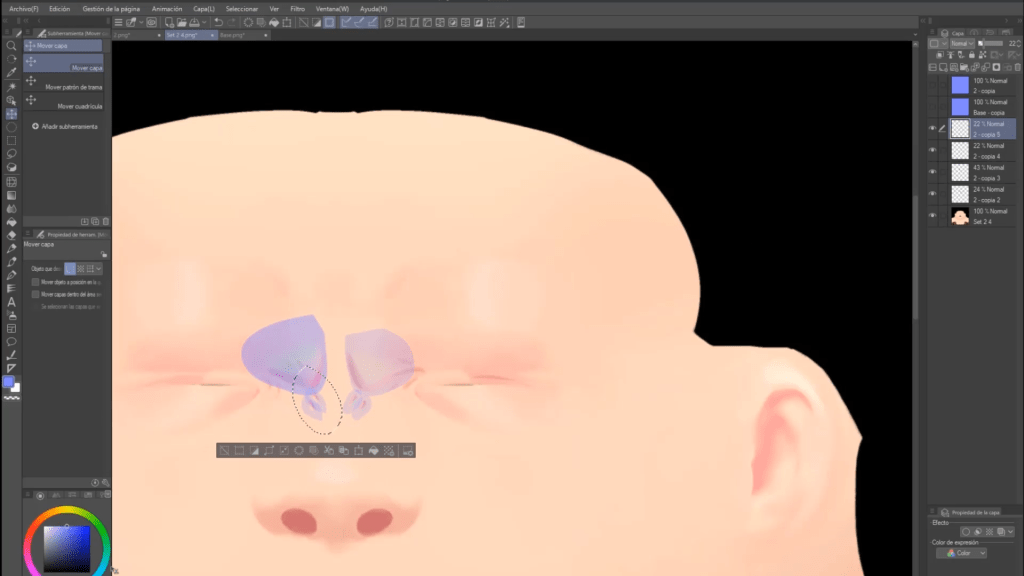
For customizing wrinkles, extract the dynamic wrinkle textures and modify them in an image editor. This ensures a professional finish tailored to our character, as we’ve previously discussed with Reallusion’s offerings.
Style 3 : Cel-shaded look
To achieve dynamic facial expressions, lines are commonly used to simulate wrinkles and enhance specific facial cues. However, it’s important to avoid excessive lines that overwhelm the face. Manga provides a good example, where lines on the forehead emphasize anger alongside wrinkles on the nose.

For this style, begin by applying the desired cartoon effect provided by CC. Then, take the diffuse textures from different sets of dynamic wrinkles and draw expression lines on top of them. Drawing inspiration from comic and manga techniques can help create impactful facial expressions.
Style 4 : Anime
In manga, “manpu” symbols are used to express characters’ feelings in a clear and comical manner. These symbols, like sweat drops, striped lines on the face, or anger-induced swollen veins, can be incorporated by modeling the characters’ unused teeth and transforming them into symbols. The intriguing part is that these teeth deformations can be added as custom facial expressions in CC.

By utilizing morphs or facial deformations, lines can be added to enhance existing expressions. This technique enables the adjustment of wrinkle intensity and other facial elements like blushing. When combined with the dynamic wrinkle system, this approach is amplified.
Thank you for reading! I hope you enjoyed this article. For more information, feel free to check out the related video.

Free Download :
• Four hi-res Anatomy Textures used in this video
• iClone
Learn more :
• Tijerín Art Studio (José Antonio Tijerín): ArtStation. Sketchfab. Instagram
• To delve into the inner workings of José’s manpus, visit the “Tijerín Art Studio” marketplace site to access his anime character, featured in this article.
• Wrinkle Essentials – Expansion for Dynamic Wrinkle Patterns (5 Real, 5 Toon, 48 Morph)