Reallusion is consistently working to improve the integration between Character Creator (CC) and ZBrush, aiming to streamline the workflow for 3D artists and simplify character animation. Over the past year, Reallusion introduced Pose Tools for managing character poses and Face Tools for customizing expressions between CC and ZBrush. Now, Reallusion announces the launch of the enhanced and free GoZ Plus plugin, which significantly enhances the CC and ZBrush pipeline. It will be automatically available when you update CC to the latest version.
One-click transfer of CC character poses, expressions, and wrinkles to ZBrush
Previously, artists relied on ZBrush GoZ to transfer assets between Character Creator and ZBrush. This method had limitations, such as only being able to transfer character meshes while textures had to be imported separately. With the new GoZ Plus plugin, 3D objects and texture maps can be directly transferred. GoZ Plus also includes subdivision and smoothing options to supplement more essentials of the ZBrush workflow.
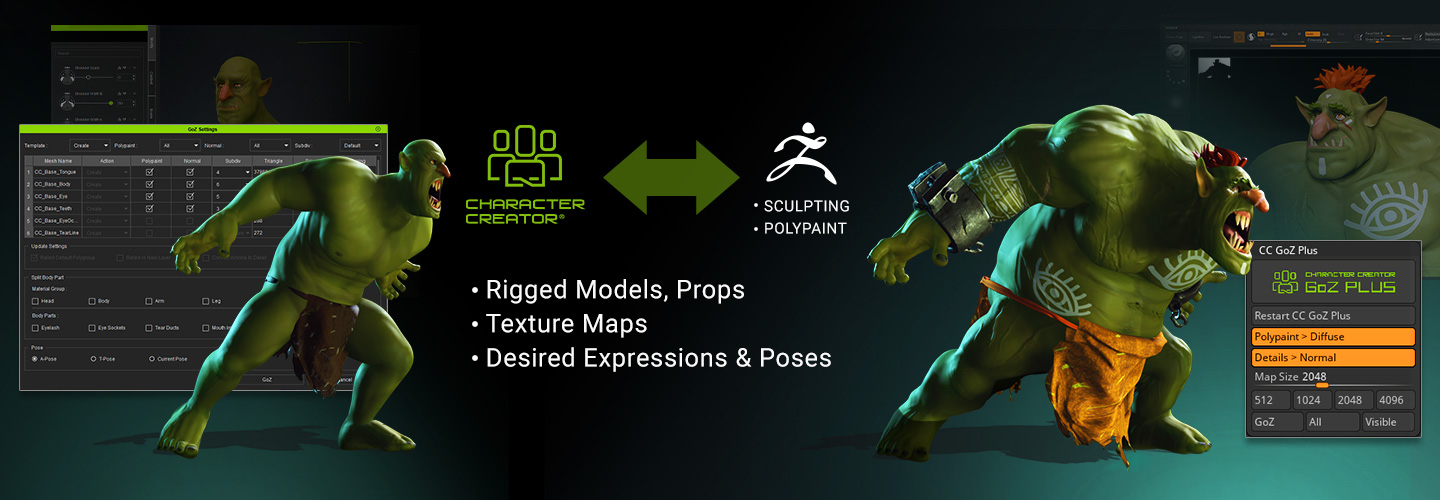
Streamlined Texture-to-Mesh Baking and UDIMs Conversion
Previously, artists faced the tedious process of manually hiding and showing meshes to export material maps one by one, followed by sequential importing into Character Creator (CC). With the introduction of CC GoZ Plus, this process has been revolutionized, artists can import characters from CC into ZBrush for sculpting and polypainting. It will automatically convert CC diffuse textures to ZBrush polypaint and normal maps to ZBrush displacement. Once you complete the detailed sculpting and painting, textures can now be baked and applied to CC3+ UDIMs with just a single click, streamlining and accelerating the workflow.

Seamless high-poly mesh sculpting and smoothness options
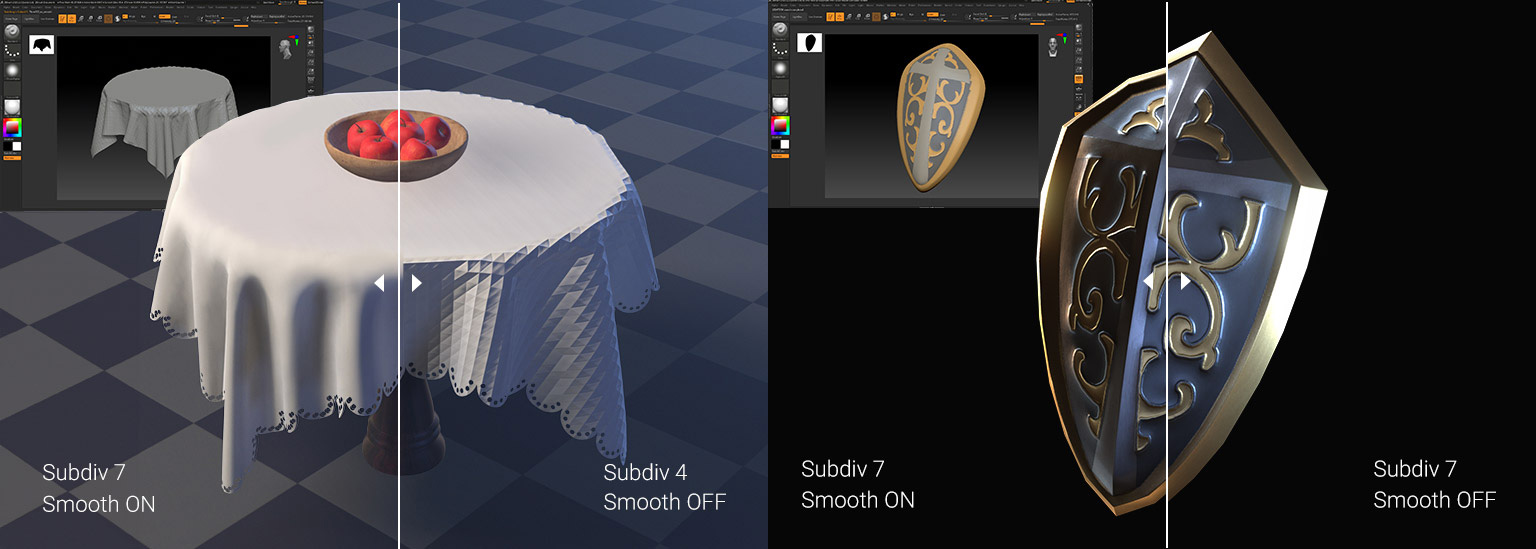
Unlike prior versions of GoZ which could only transfer characters, GoZ Plus allows for the direct transfer of props. Additionally, the smooth mesh option allows users to choose between maintaining the sharp edges of a hard surface model or smoothing out soft surface models.
Recognizing the importance of detail sculpting for ZBrush artists, Reallusion has also added a subdivision option to the GoZ Plus. This enables the transfer of props from CC to ZBrush at high subdivision levels, providing high-resolution meshes for sculpting and polypainting to achieve intricate details.
Transform CC assets into 3D printing-ready models
As a major benefit for character artists, the new GoZ Plus plugin makes it easy to transform low-poly CC models to high-poly sculpts. Custom poses and expressions can be applied to million-polygon meshes, enabling ZBrush artists to sculpt micro-details, make intricate tweaks, and create multiple characters with different poses. Artists can create new layers in ZBrush to manage poses using Pose Tools and switch between different poses with ease. Due to its versatility, Pose Tools is quickly becoming an essential tool for 3D print artists.
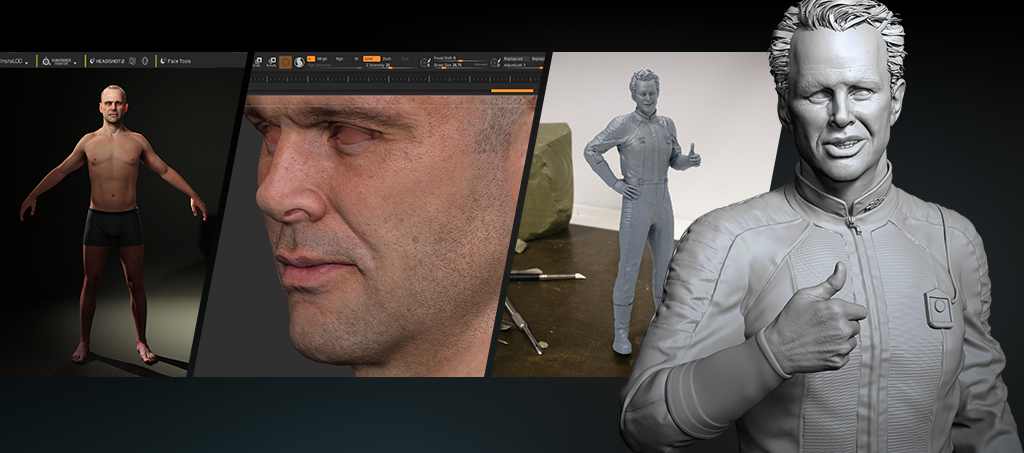
GoZ Plus is completely free and will be automatically accessible with ZBrush 2022 or later when you update to the latest version of Character Creator 4.42. Besides, ZBrush Artist Michael Pavlovich has created a series of tutorial for CC GoZ Plus. For more information and to experience the enhanced capabilities of GoZ Plus, update your versions of Character Creator and ZBrush right now!
Resource Links
Character Creator ZBrush Pipeline
Tutorials for CC GoZ Plus
Michael Pavlovich Tutorial part 1
Michael Pavlovich Tutorial part 2
Michael Pavlovich Tutorial part 3
External Link
Best Laptops For Graphic Design For Artists