Reallusion has officially launched RTX Render Open Beta 3 for iClone 8 and Character Creator 5. Building on earlier path-tracing releases, Open Beta 3 delivers key production upgrades to help creators produce film-grade visuals through advanced camera controls, expanded color management, dedicated post-processing channels, and live procedural material workflows.
- New Users: Visit the [Reallusion Forum] for the complete Installation Guide and setup instructions.
- Full Feature Details: Check out the Slides to view the comprehensive feature guide and visual demonstrations!
Native Volumetric Lighting
Open Beta 3 natively integrates real-time ray-traced volume scattering for physical Spot Lights and Point Lights, enabling atmospheric light shafts, sunbeams, and spotlight cones directly inside the viewport.


Refined Lens Flare Controls
Lens Flare effects receive major visual enhancements in Open Beta 3. Artists can now take advantage of refined flare controls and directional settings, offering greater precision and improved optical quality when tuning lens artifacts in the scene.


Industry-Standard Lens Presets & Sensor Shift
Camera mechanics receive physical-world upgrades with real-world lens profiles and shift controls. Artists can select fixed prime focal lengths (like 12mm f/2.8 or 50mm f/1.8) or standard zoom setups (like 24-70mm f/2.8) that automatically bound focal lengths and maximum apertures. A Universal Zoom mode remains available for unrestricted adjustments. Additionally, new Sensor Shift controls simulate tilt-shift lenses by shifting the internal sensor plane horizontally or vertically, keeping parallel vertical lines perfectly straight during high- or low-angle shots without moving the camera body.
Physical Optics, Bokeh, and Smart Focus Tracking
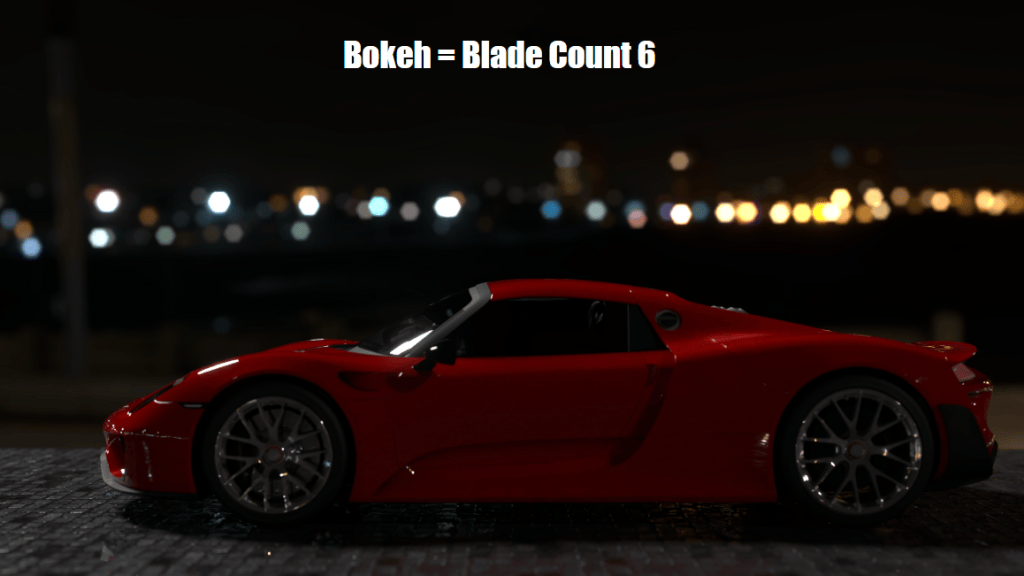
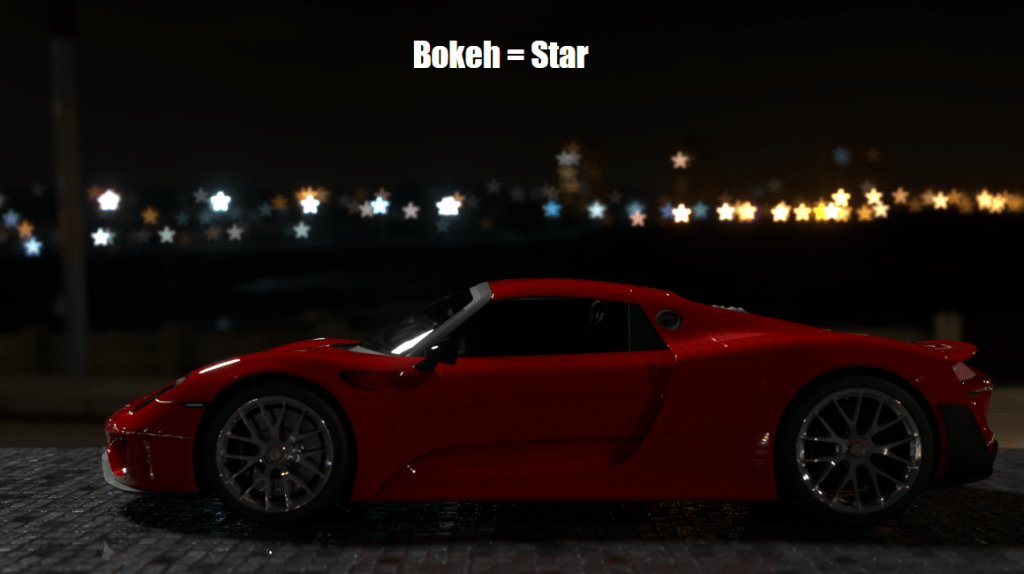
Depth of field is now driven by physical F-stop values, with options to style background highlights using geometric aperture shapes, physical blade counts, or Anamorphic Squeeze Factors for realistic oval bokeh. Smart Focus Tracking keeps camera focus automatically locked onto moving actors, bone structures, or mesh vertices during dynamic motion.

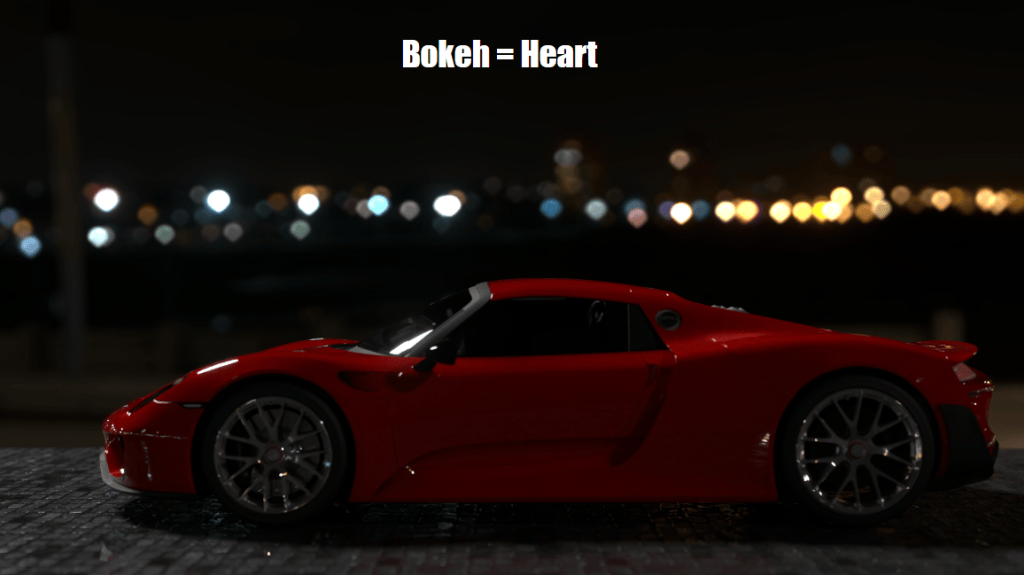
Multi-Scatter Bloom & Custom Glare Kernels
Highlight diffusion algorithms receive a massive upgrade with Multi-Scatter Bloom, which calculates light scattering across 6 layered passes to preserve surface details. Furthermore, artists can load custom EXR or DDS HDR images as optical kernels to render realistic glare starbursts.
Decoupled World Lighting & World Background
The previous IBL framework is now split into independent World Lighting and World Background channels. Scene lighting can be driven via Ambient Light (solid color), IBL, or the new Dynamic Sky system. Ambient Light colors blend smoothly into both IBL and Dynamic Sky setups, while dedicated Horizon Height and Horizon Blur parameters enable precise blending along the ground line. 2D background imagery is also integrated directly into the World Background panel, allowing backdrop tweaks without shifting scene lighting intensity.

AgX Color Management
AgX Color Management replaces standard sRGB tone mapping with the AgX View Transform and specialized Look presets (AgX-Punchy, AgX-High Contrast) to eliminate highlight clipping and smooth out HDR roll-offs.

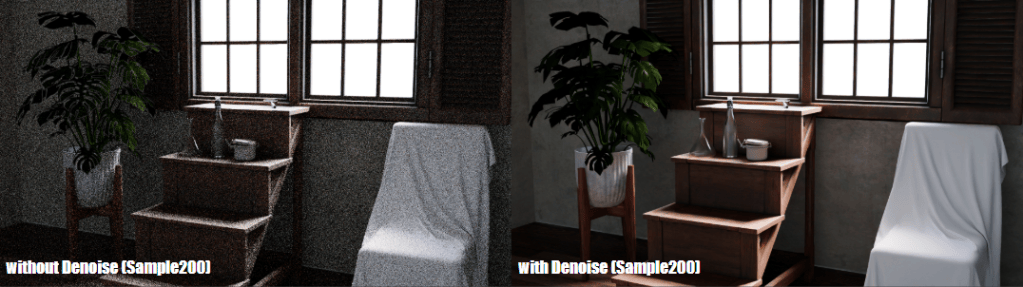
Advanced Denoising Mechanics & Diagnostics
Rendering controls now offer independent sampling profiles for viewport previewing versus final renders. Viewport denoising can be set to engage only after reaching a specified sample threshold to maintain interactivity, while final renders leverage auxiliary Albedo and Normal passes for cleaner noise reduction in dark environments.
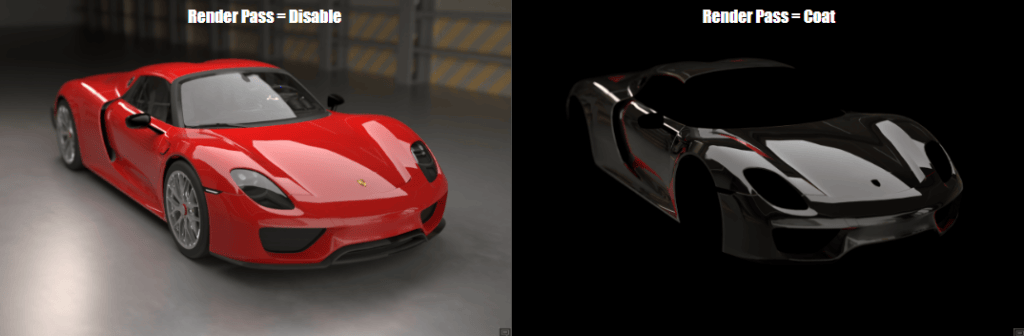
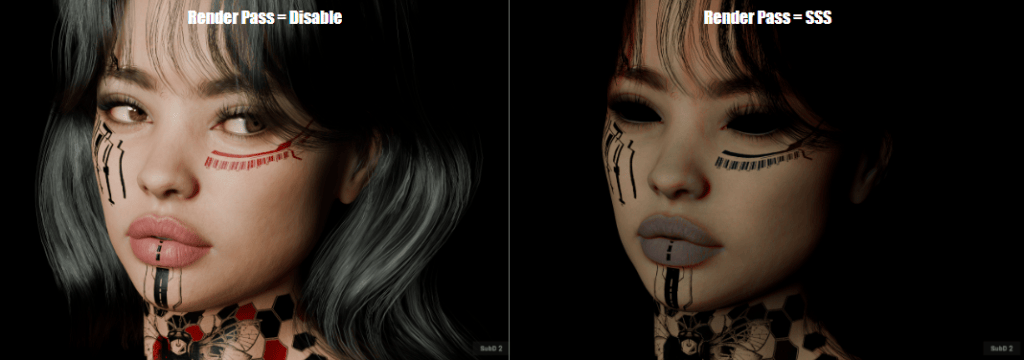
Material Render Pass Isolation
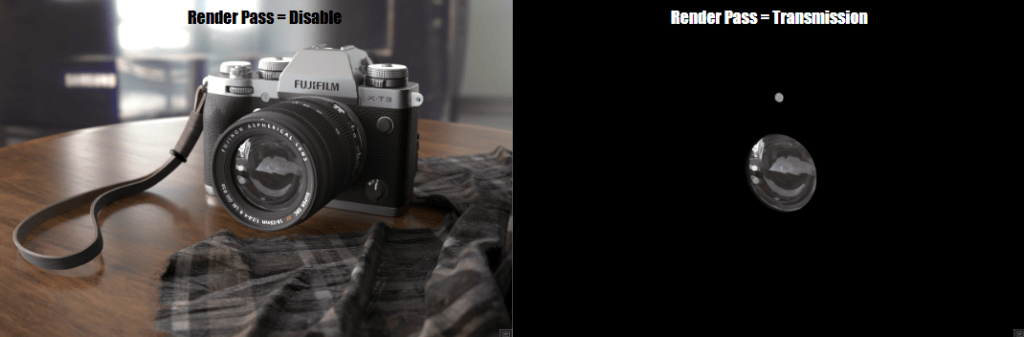
For precise compositing and surface material debugging, Open Beta 3 introduces dedicated render passes. Artists can directly isolate and inspect individual lighting components, including Transmission, Clearcoat, Sheen, Emissive, Specular, and Subsurface Scattering (SSS).
Live Dynamic Substance Parameters & Timeline Keyframing
Substance materials now stay completely live within the RTX path-tracing engine without baking down into static textures. Procedural material attributes—such as pattern variations, roughness offsets, and color channels—can be tweaked in real-time. Artists can also keyframe Substance parameters directly along the Timeline to create dynamic, time-based material transformations during RTX playback.


Availability
RTX Render Open Beta 3 is available now for registered users of Character Creator 5 and iClone 8. Download the update today and share your renders and feedback on the official Reallusion Forum.
Related Posts
- RTX Render Open Beta Begins: Path-Traced Quality Inside Character Creator 5 and iClone 8
- Reallusion Unlocks Limitless Creation: iClone Personal Debuts Alongside AI Studio Official Launch
- Ultra-Realistic Realtime RTX Path Trace Render in iClone