Reallusion announced the official release of AI Studio 1.1, a major architectural and feature update designed to transform how digital creators integrate generative AI into 3D-guided workflows. Moving beyond its original embedded execution within iClone and Character Creator, version 1.1 debuts as a fully standalone application featuring an independent workflow, an expanded AI model suite, and an upgraded dataset engine built for enhanced character consistency.
Unbound from iClone & CC: Experience a Faster Standalone Workflow
Version 1.1 delivers complete operational flexibility across the production pipeline. Digital artists can now execute AI generation tasks independently without launching iClone or Character Creator, while preserving on-demand access to 3D guidance whenever advanced control is required. In addition, the update streamlines system administration with a centralized Account Settings interface, automated web preset deployment, and customizable asset download modes tailored to specific production archiving workflows.
- Dedicated Standalone Application: Accelerates production by executing independently of iClone and Character Creator, drastically reducing operational complexity.
- User Data Cloud Synchronization: Provides seamless cross-device access to personal presets, custom user data, and generation histories.
- Automated Version & Preset Deployment: Ensures continuous access to the latest application builds, AI models and presets without requiring manual patch installations.
New Models: 30-Sec Video with Seedance 2.5 & Budget-Friendly 2.0 Mini
AI Studio 1.1 expands creative control through extended video durations, higher rendering resolutions, and cost-efficient generation options. Beyond core video generation upgrades, this release introduces full 4K output support across Image Create, Image Edit, Video Create, and 3D to Video. Furthermore, moderated policy guidelines grant creators greater narrative freedom when productions involve certain NSFW contents, such as gunfights and intense verbal exchanges, without encountering generation blocks.
- Seedance 2.5 (30-Second Cinematic Video): Generates up to 30-second video sequences across multiple resolutions while preserving strict character and scene consistency across up to 50 reference inputs.

- Seedance 2.0 Mini: Introduces a cost-effective model tier priced at 50% of the standard Seedance 2.0 rate, optimized for rapid iteration and generation without unnecessary credit expenditure.
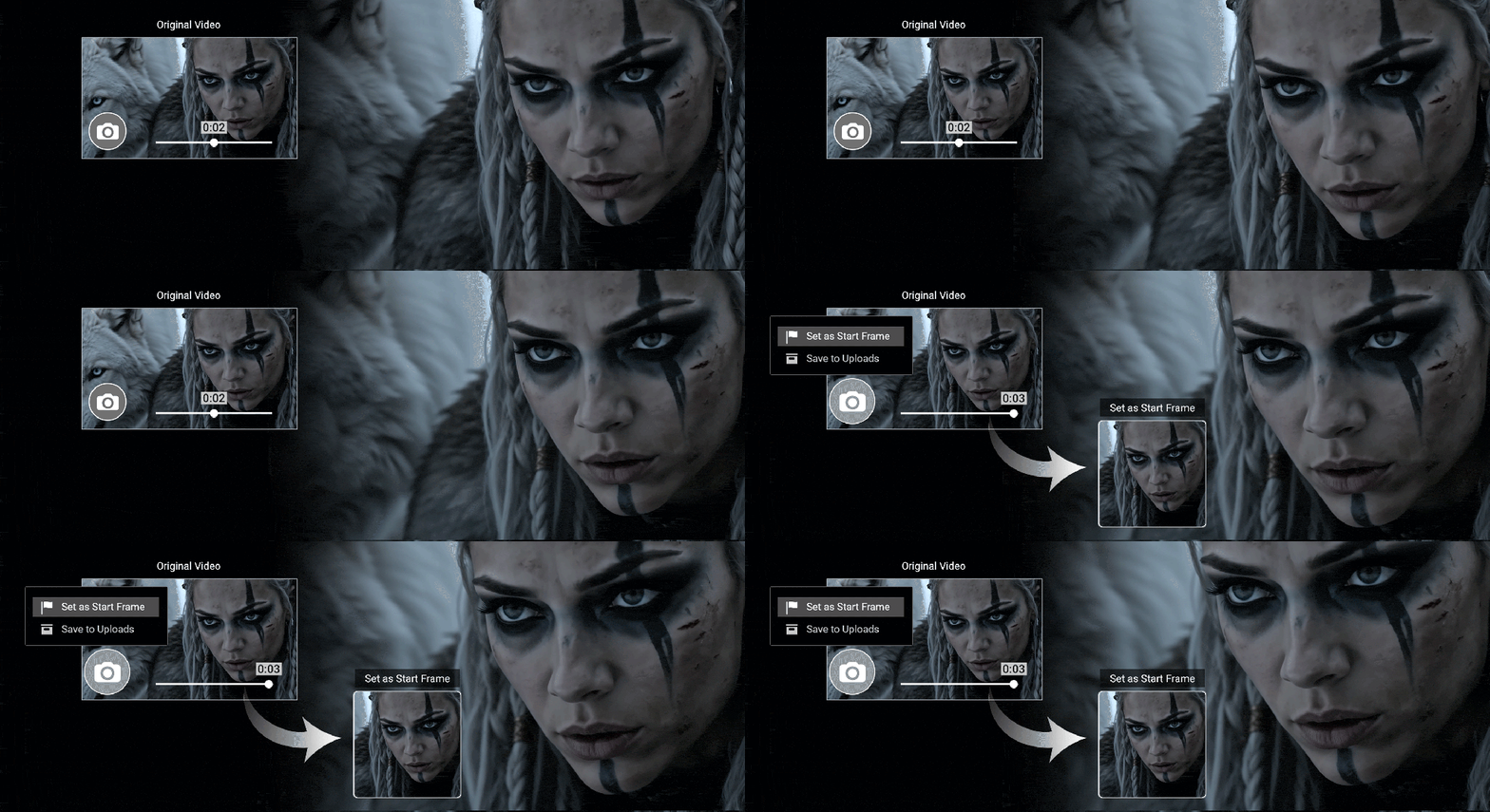
- Capture Any Frame: Allows creators to extract any video frame as a starting point or visual reference—ideal for modifying mid-video segments, editing specific scenes, or extending shot continuity.
Upgraded AI Actor Creator: Simplified Workflows & Higher-Quality Datasets
Achieving multi-scene character consistency is now faster and yields significantly higher visual fidelity. AI Studio 1.1 reorganizes character creation into streamlined operational tiers while upgrading core rendering capabilities under the hood. The character module also benefits from an optimized UI, a redesigned AI Actor Library browser, and improved multi-view rendering accuracy.
- AI Actor Creator – Basic Mode: Offers the most direct path to creating AI Actors. Users simply upload reference images to auto-generate structured character sheets that maintain consistent visual identity across scenes, with full support for style adjustments or external sheet imports.

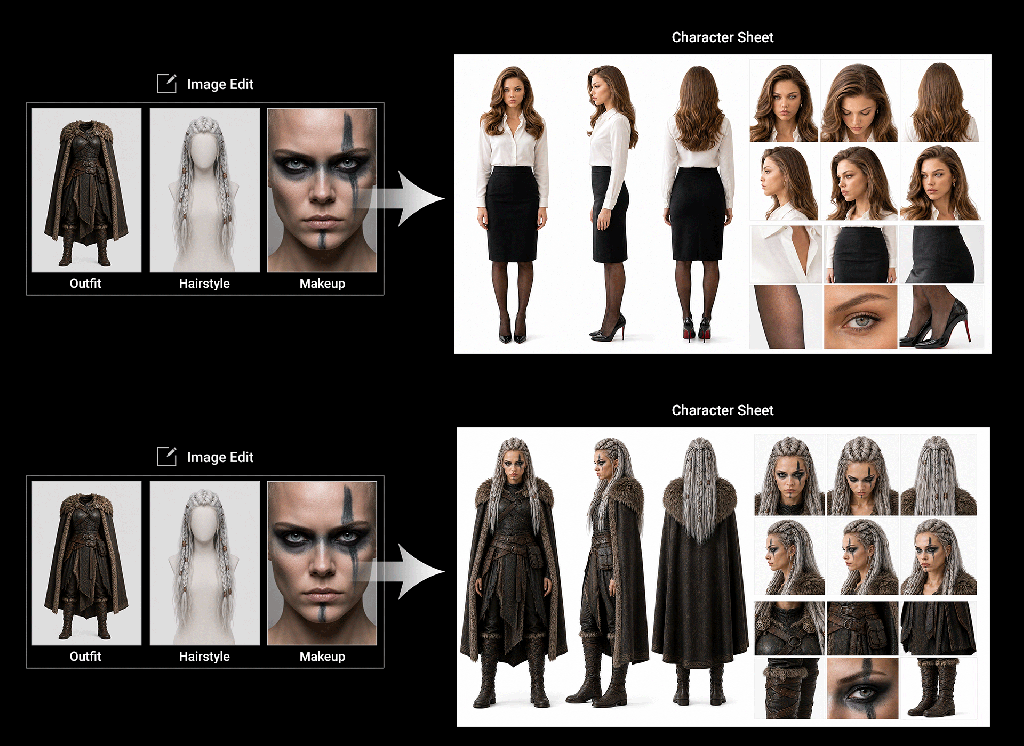

- Powered by GPT Image 2 Engine: Integrates the updated GPT Image 2 model to significantly enhance rendering accuracy and structural fidelity, producing cleaner reference datasets for downstream AI image and video generation pipelines.
Availability and Access
AI Studio 1.1 provides the speed, flexibility, and control required to optimize professional production pipelines or explore 3D-to-AI workflows for the first time.
- Existing Users: Can update directly via the Reallusion Hub to launch the standalone application immediately.
- New Creators: Can download AI Studio 1.1 directly from the Reallusion website. Users can also pair the application with iClone Personal (available as a free download) to leverage full 3D-guided control alongside AI generation workflows.
Related Links