Sometimes some of the hardest things to animate are the everyday motions of life that we go through like taking a drink, sitting down or even opening a door. As mundane as these tasks are they are just as important as the main and supporting character animations as they will stand out if they are not animated well.
It has always been my opinion that these everyday motions are part of what makes a great animated story. A strong storyline can suffer terribly from bad or weak animation as it can be distracting which takes the viewer’s focus off the story and puts it on the questionable animation.
Transversely great animation can, to some extent, uplift a poor story by providing good visuals to keep the audience involved enough to maybe even enjoy the video in the long run.
Bad animation is just that… bad animation. There is no way to sugarcoat this as it can stay with a project, producer, director or animator for a long time, maybe even for life.
We don’t want to be known as THAT kind of animator. And I have to wonder how many of us have been tagged at least once in our life as sloppy animators due to paying too much attention to main characters and not enough to the background characters that make up a crowd, or a scene.
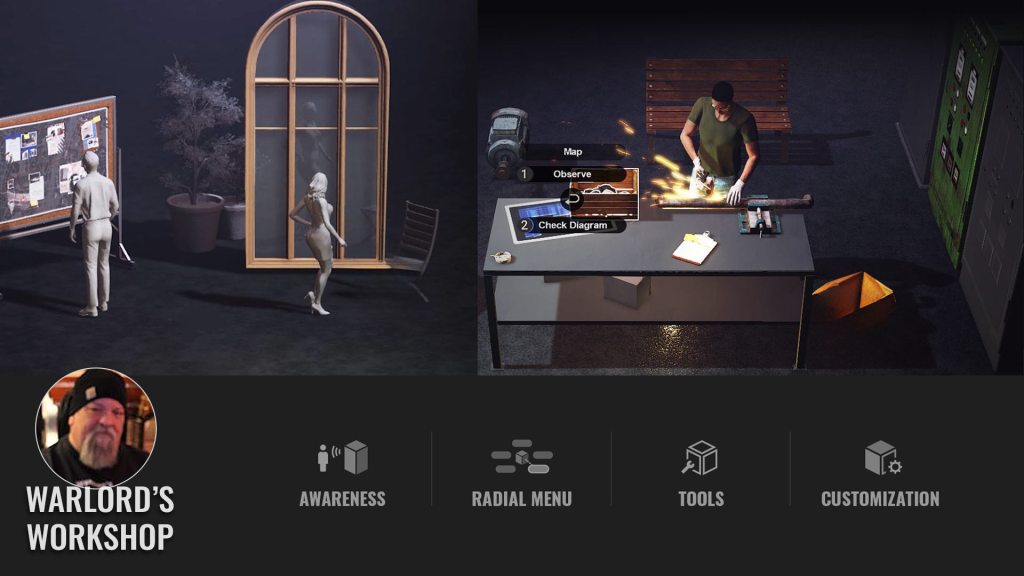
Now what does all of this have to do with the recent release of the Motion Director Props (MD Props) from Reallusion for iClone? Simple… Reallusion is doing the animation for us so we can move on with production and not have to sweat all the little details like using a vending machine or a simple thing such as using a trash can.
MD Props
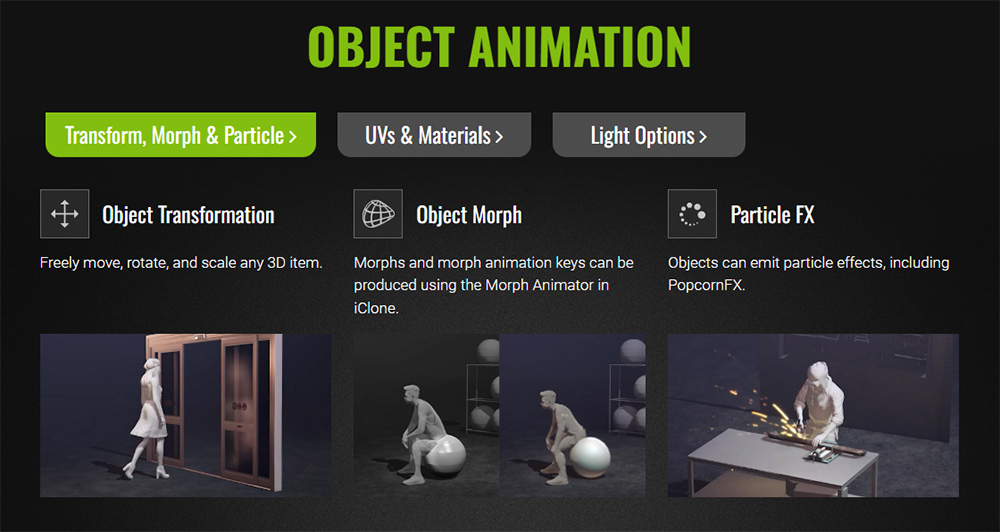
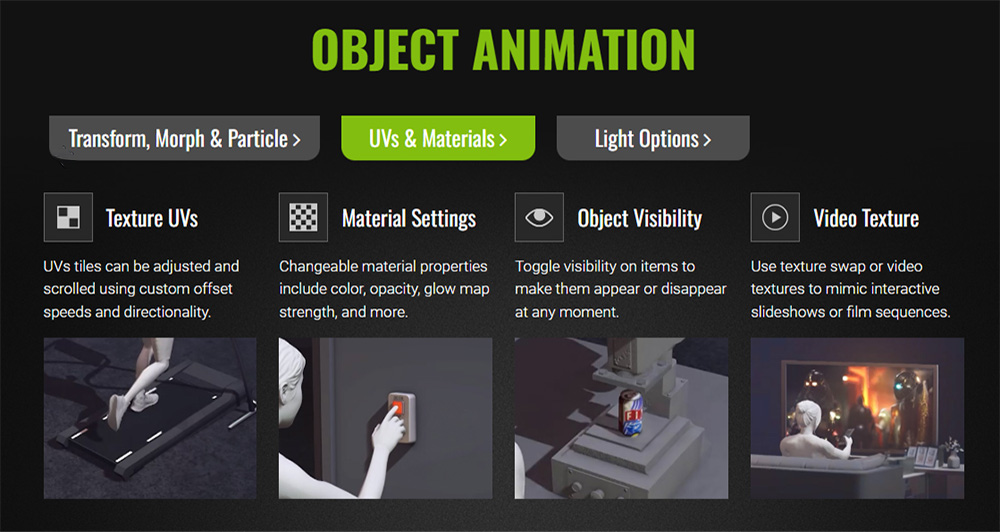
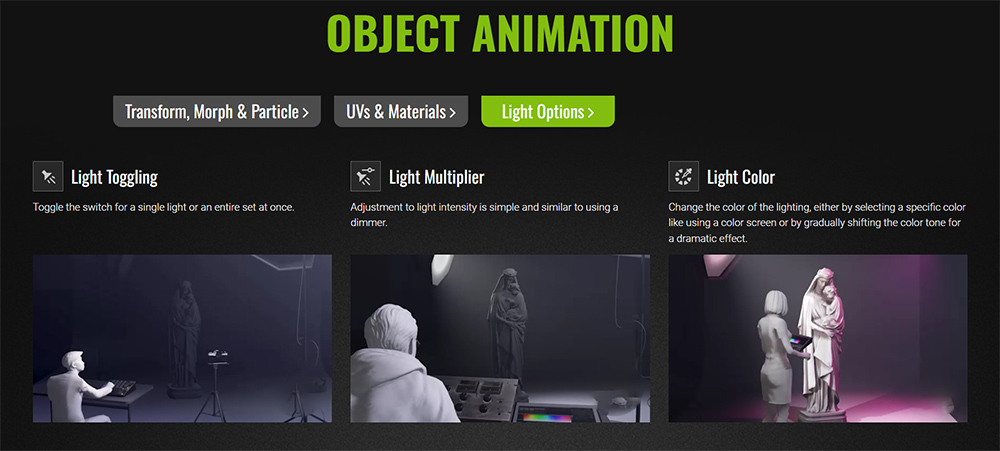
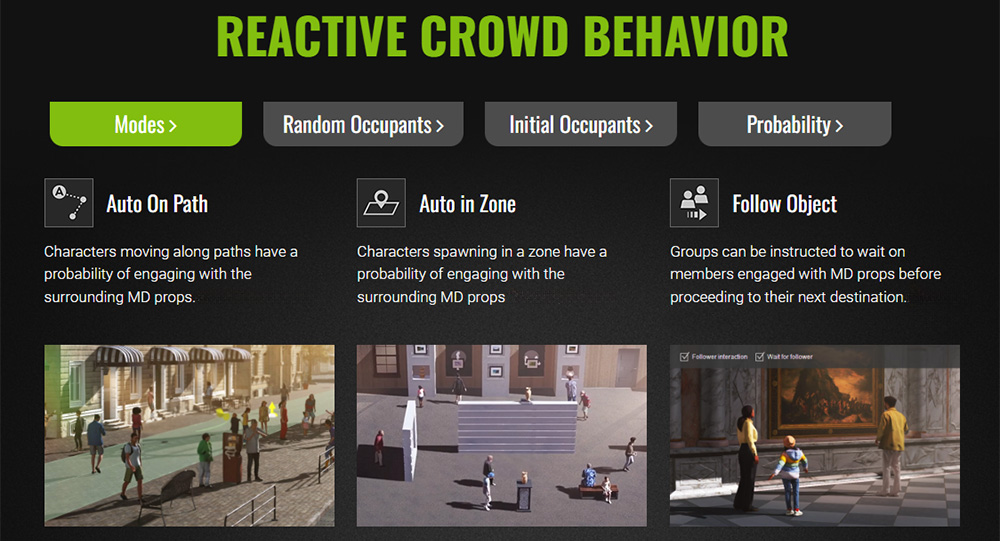
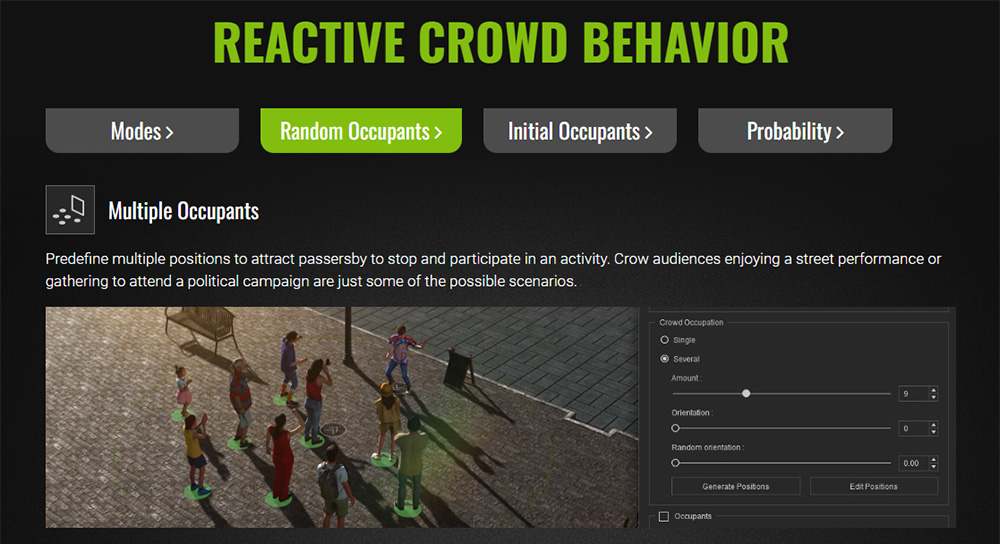

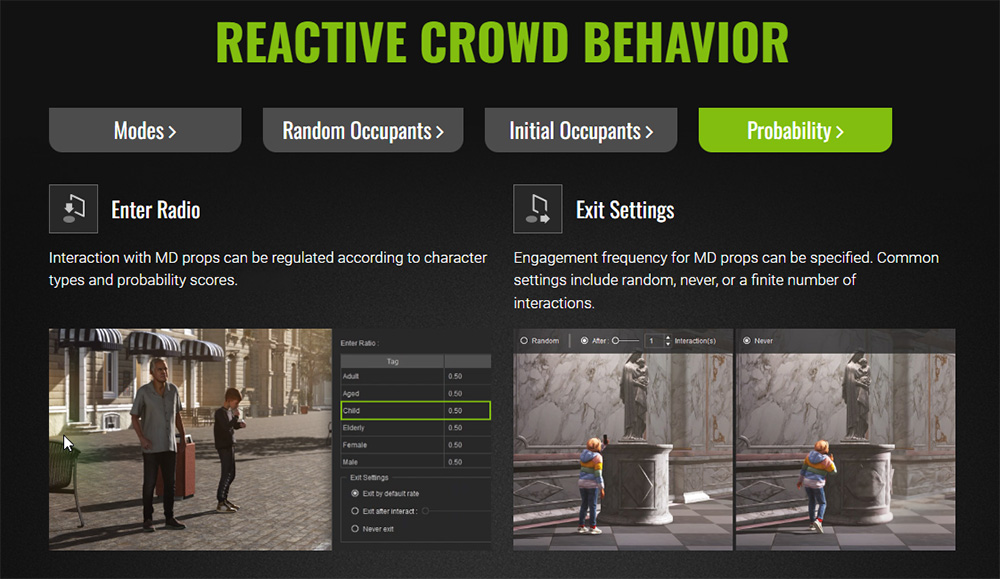
(Scroll through the above images to learn more about Prop Interaction)
The animations are embedded in the MD system for fast and easy production. You don’t have to keyframe them or animate them… just click on an available choice and the motion will be loaded into the character then triggered.
MD Props are a feature in Reallusion’s iClone that allows users to create interactions between virtual actors and MD-enabled props. MD Props were introduced in version 8.5 and are extensions of the Motion Director system.
It isn’t just for background characters either as these same motions bring a more realistic look to camera-centric characters as well. We don’t want our background characters to be animated better than our main characters and MD Props takes care of this with an almost game-like interface that pops up over MD driven props for us to trigger a certain motion like sitting down. These motions are handled by Motion Director and can be real time savers as well provide consistently good animation.

Adding a simple motion of taking a drink can enhance a scene with more activity. Activity is a word animators need to keep in mind. Some of you know of my dislike of near empty scenes, particularly in metro areas where empty streets and sidewalks are anything but normal. Motion Director solved this problem initially by allowing us to add motion to and control multiple characters at once instead of having to individually load or keyframe those movements.
With Motion Director we can have a lively street scene, a block party or just a busy downtown metro area. Now with MD Props we can add everyday motions to those crowd members beyond just moving around.
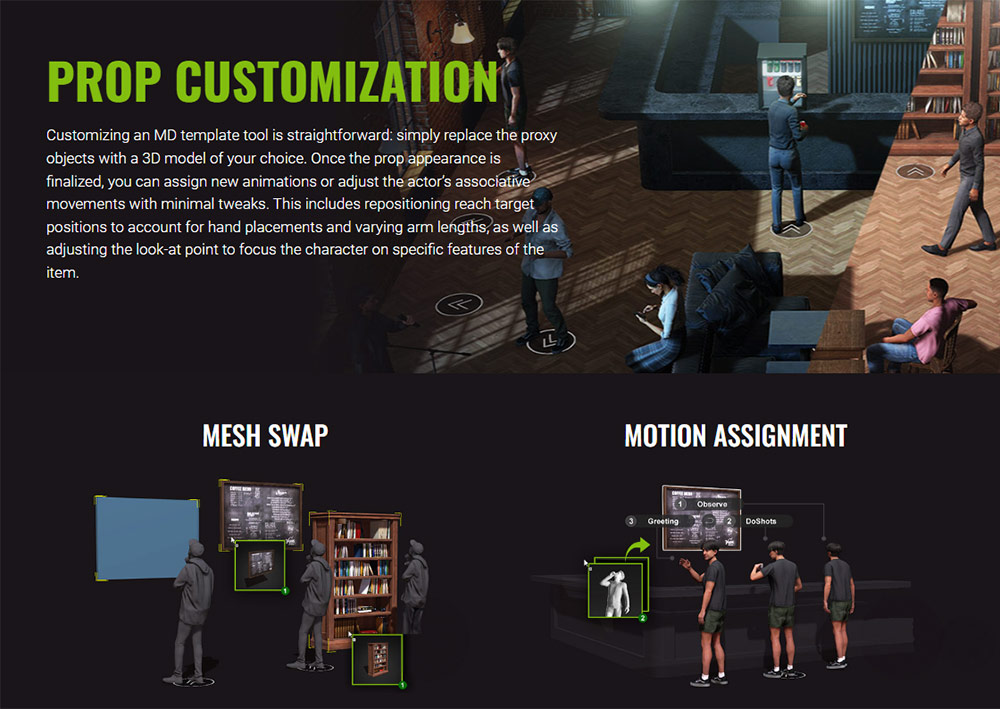
MD Templates for Customizing Interactive Props
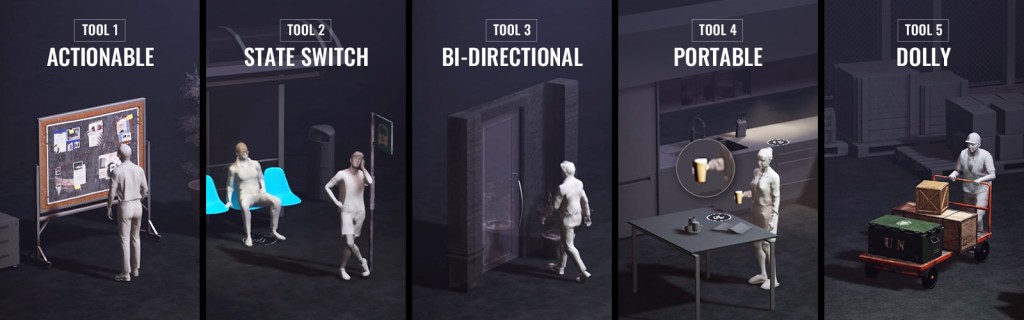
ACTIONABLE | Tool 1
As the most prevalent template tool, an ACTIONABLE prop can be approached by any actor to trigger predefined interactions. This interface can offer a variety of performances and even prompt a reaction from the prop itself.
STATE SWITCH | Tool 2
STATE SWITCH transforms an actor’s animation state from one to another. Each state includes its own idle loop and triggerable animations, such as standing, sitting on a chair, leaning against the wall, or indoor cycling.
BI-DIRECTIONAL | Tool 3
The BI-DIRECTION focuses on scenarios requiring two-point mobility. A common application is for characters to move between two designated locations, such as entering or exiting automatic sliding doors, or traversing a crosswalk.
PORTABLE | Tool 4
The PORTABLE template supports the movement of items from one placement point to another. This includes picking up an object, carrying it around while using it, and placing it back down in the same or different location. 3D actors can be commanded to stow items in hand or attached to the body and fetch them back as needed using a handy radial menu. For example, a hungry character can approach a plate of leftovers, heat it in the microwave, eat, and then place the empty dish in the sink.
DOLLY | Tool 5
The DOLLY template allows 3D actors to maneuver a dolly, cart, or similar wheeled object. Once activated, a designated character will approach the dolly prop, grasp its handles, and navigate it along a customized path. Throughout the process, the actor maintains the appropriate gait and posture to counter the heft and size of the cargo. Dolly operations can be easily adjusted or exited using a convenient radial menu.
A Quick Overview
While I will be providing a more detailed Beginners Guide article in the future, I can give you a quick overview of the process. As it is with most Reallusion tools you can just jump right in. You do need to be familiar with Motion Director as it drives the animations and interactions.
The process involves placing a dummy like the “Sit on Chair” MD Prop dummy in the same location and orientation of the actual chair or sofa prop you want the character to sit on. This dummy will give you a visual target as to its orientation and to click with its hover menu and will not show in the final render.
The MD Prop dummies that are included in the update are Sit on Chair, Use Vending Machine, Throw into Trash, Pass Automated Door, Observe, Watering Plants Target. While these are listed as specific use you will soon see that you can use them for other purposes and don’t forget the customization aspects listed earlier.
The short video below goes through the process including demonstrating how the radial menus work and how you can choose several motions in a row for a single character. You can also jump between characters to trigger motions in a specific timing if needed. It’s a very flexible and easy to use system with the typical short learning curve we’ve come to expect from Reallusion tools.
Smart Accessory
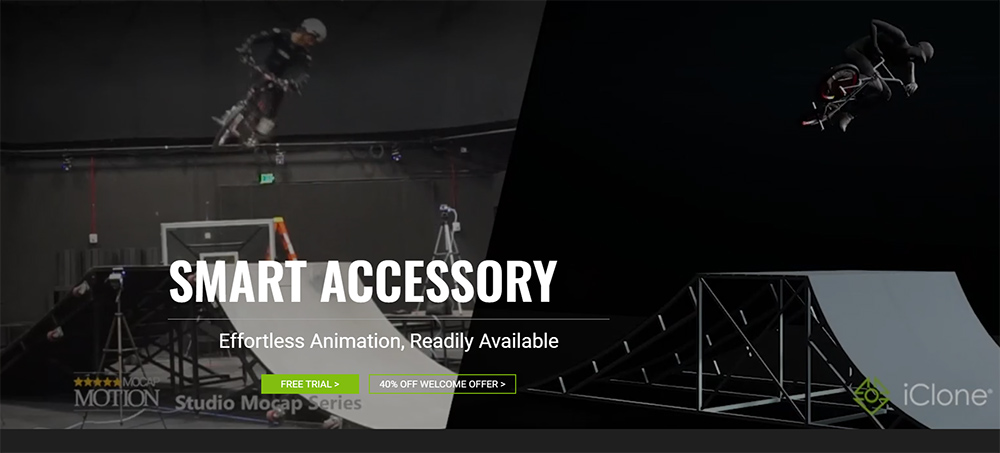
Before I close this out please keep in mind that this only covers the MD Props, there is also a new Smart Accessory feature that greatly simplifies the use of accessories like MD Props does for props. For more information see this article.
The iClone Smart Accessory system simplifies the entire process of editing motions and loading accessories. It is now possible to spawn a crowd of characters with unique accessories for each individual, automatically associate mocap motions with prop animations like skateboarding, or trigger MD performances for held objects.
Summary
Just because it may seem like it’s a complicated tool doesn’t mean it is as Reallusion has a reputation for creating user-friendly animation tools and this fits that mold. As usual Reallusion has provided lots of tutorials and I’ll be adding my own take for the Beginners Guide to get new iClone users up to speed quickly.
MD Props is another big leap towards that animation “easy button” we’d all love to have. It does the work while we have the fun. In fact, it almost feels like cheating because it accomplishes so much in such a short time with a small learning curve.

MD McCallum – WarLord
Digital Artist MD “Mike” McCallum, aka WarLord, is a longtime iClone user. Having authored free tutorials for iClone in its early years and selected to write the iClone Beginners Guide from Packt Publishing in 2011, he was fortunate enough to meet and exchange tricks and tips with users from all over the world and loves to share this information with other users. He has authored hundreds of articles on iClone and digital art in general while reviewing some of the most popular software and hardware in the world. He has been published in many of the leading 3D online and print magazines while staying true to his biggest passion, 3D animation. For more information click here.