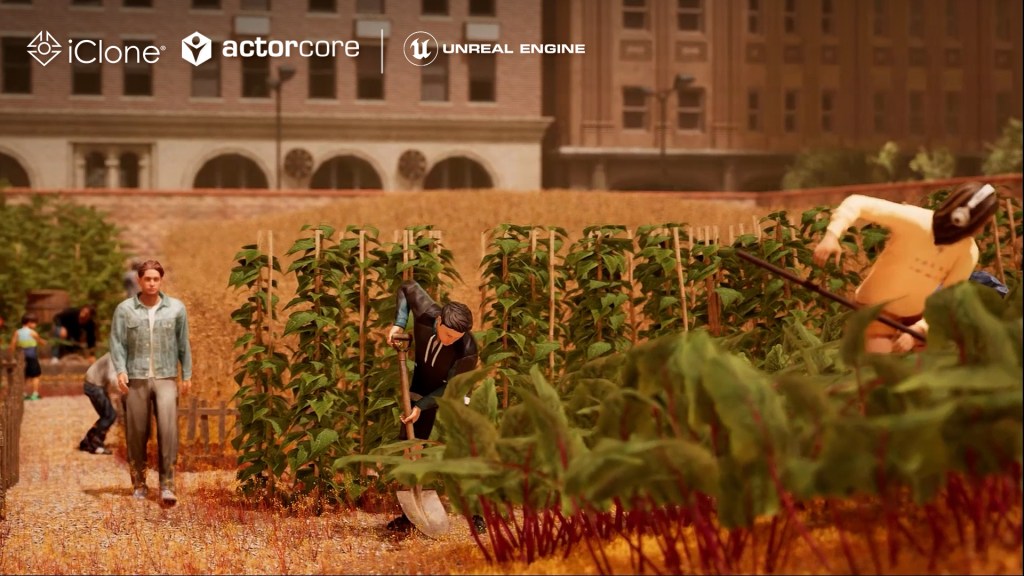
iClone Crowd Simulation and Prop Interaction allow characters to seamlessly integrate into any environment.
José Antonio Tijerín
José Tijerín, digital illustrator and 3D sculptor, is the creator of the video game ‘Dear Althea’ on Steam and the content pack ‘We’re Besties’ available on the Reallusion Content Store. In this tutorial, he will show how to customize actions for multiple actors for the simulation scenario, enabling them to interact authentically with their environment using iClone Motion Director props (MD Props).
Bring scenes to life with iClone
People often notice the autonomous behaviors of characters in simulation games like Civilization or Age of Empires. Animating the characters that inhabit 3D scenery, even if they are just background characters, is essential to showcasing good work. When a set is inhabited by characters that interact with it, it conveys a sense of authenticity and life that really makes a difference to the final result.
The challenge for animators has always been the hours of work that would be required to animate hundreds of characters and they have been forced to find a balance between manual control and automation. This is no small effort, however, as it is necessary to achieve natural movements and behaviors in these characters. The integration of advanced tools such as iClone Crowd Simulation and Prop Interaction (MD Props) have transformed the way we can address this challenge, offering innovative and accurate solutions to create more natural and realistic interactions in a very short time.
MD Prop: Expanding simulation possibilities
MD Prop stands as a revolutionary extension to iClone Crowd Simulation, providing a new tool that multiplies our possibilities in creating animations with objects. It gives us the ability to add realism and depth to multiple scenes or scenarios and it is an intuitive and efficient system.
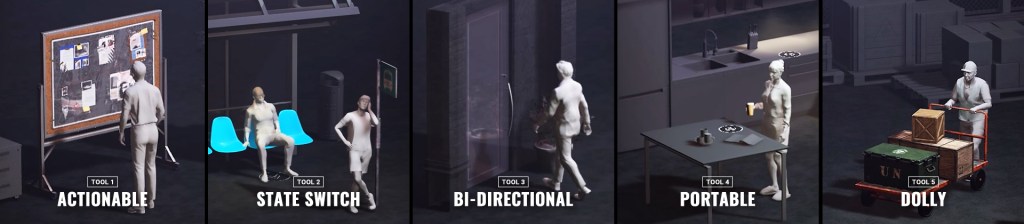
The key to this tool lies in its ability to generate realistic reactions based on the proximity of props and context of the scene, allowing characters to dynamically adapt to their environment. If you create interactive worlds, you know that this system has been used extensively for background NPCs (non-player characters) in major video games. This system takes that idea and improves on it, allowing for fantastic customisation and a huge number of interactive possibilities with both portable and static objects.

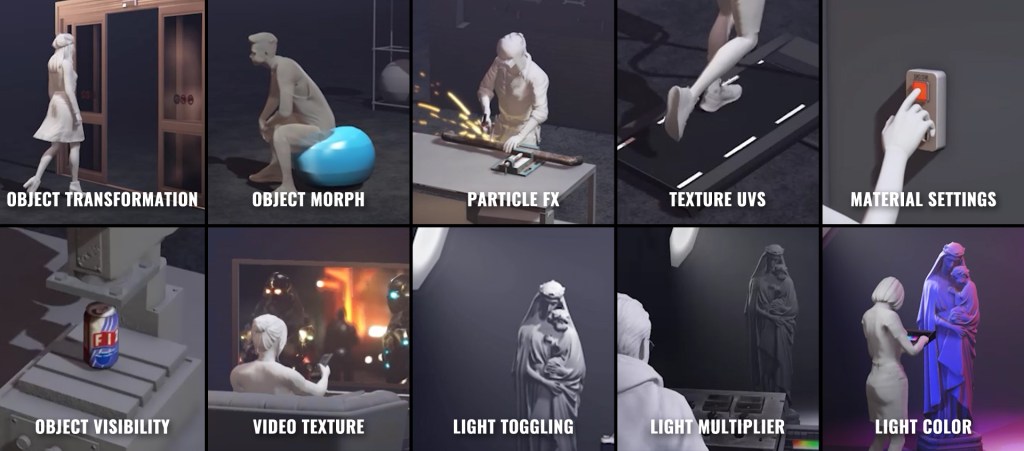
For example, being able to modify the emissive properties of an object’s material or its morphs allows us to find new ways of interacting with objects. Also, remember that you are not limited to iClone and that you can render the final result in game engines like Unreal, where these options look great. If you can, take a look at the final render of the tutorial to see the result without needing advanced knowledge in rendering or animation.
The flexibility of iClone Prop Interaction technology also allows even non-animators who rely on movements from the ActorCore gallery to easily customize interactions. By doing so, they fit seamlessly into our scenes and with the objects that are needed. Whether it’s a modern construction project, a medieval marketplace or a futuristic city, this tool offers a scalable and efficient solution for populating scenes with believable background characters.
iClone Crowd Sim: Simulating crowds with precision
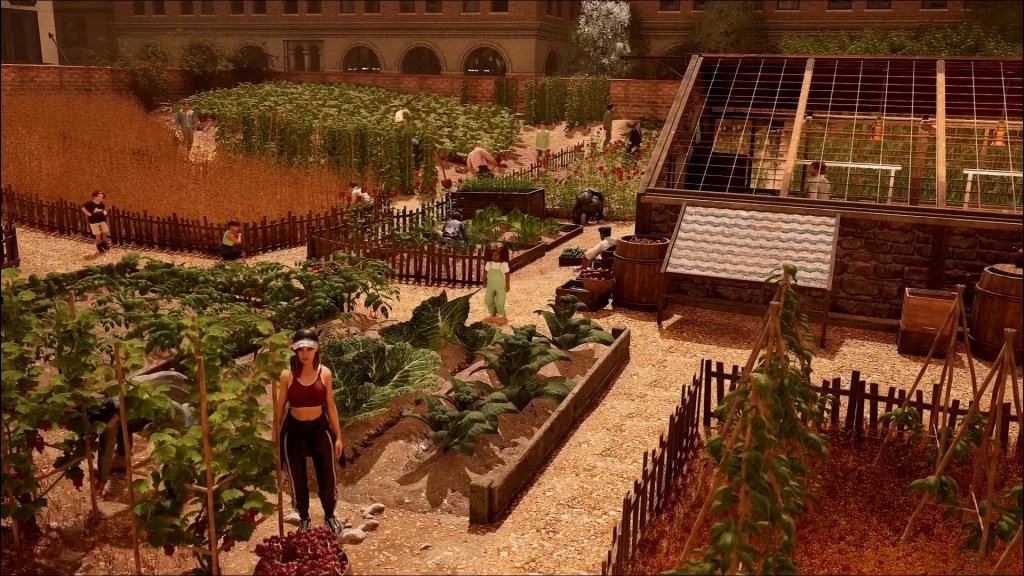
iClone Crowd Sim is a powerful tool that enables fast and efficient crowd simulation with surprising results. By integrating with MD Prop, it offers the ability to create complex scenes where background characters interact coherently with their environment and with each other, adding an extra layer of realism to productions.
One of the highlights of iClone Crowd Simulation is the system that allows you to define behavioral patterns for each character in the scene. This means that, instead of repeating preset movements, it creates a much more immersive visual experience.
Creating our own MD Props
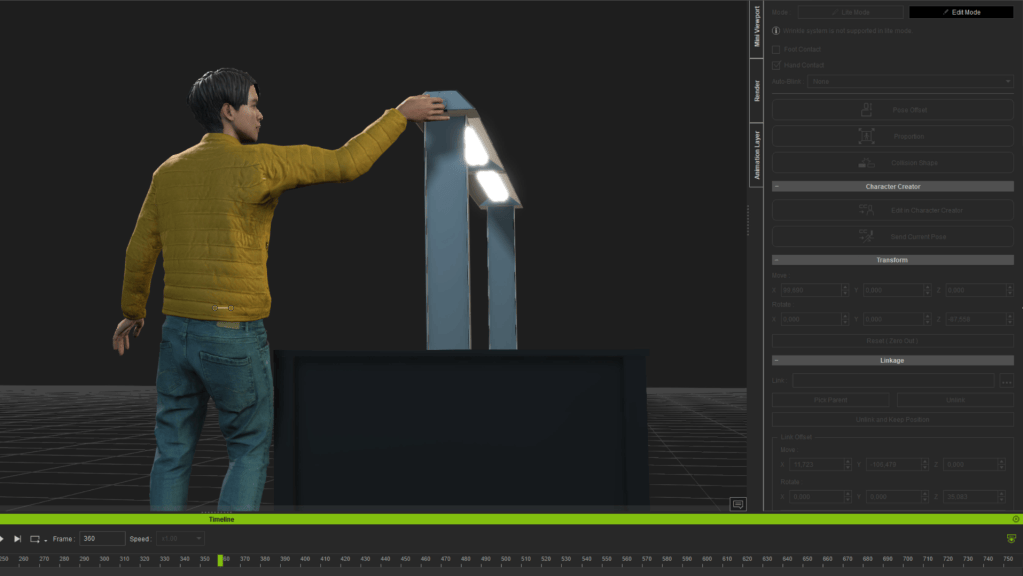
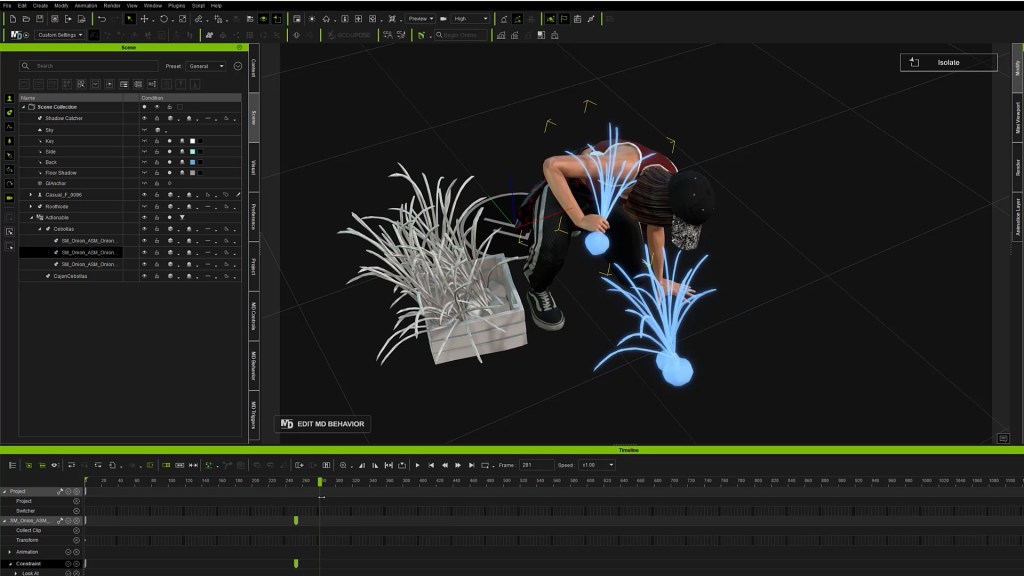
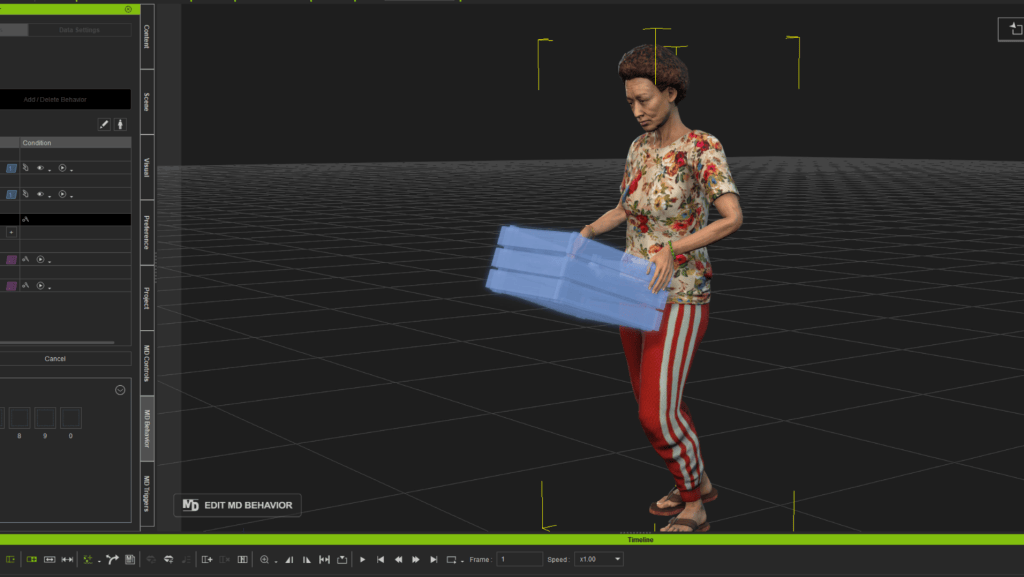
Using the animations we already have in our motion gallery we can generate our own custom MD Props. As you may already know, these are moments of interaction with specific animations for different types of events within the simulation. Once we create an MD prop, we can scatter it around various places in various scenes in a smart way and with just a couple of clicks. Characters zoom in, blend in with the animations of our MD props, eliminating the rigidity of reprogrammed movements and brings an organic feel to scenes populated by large numbers of characters. I myself end up being surprised, when I start the simulation, at how a large number of characters move and interact with the scenery. When you see something like this, I can’t imagine what it would be like if you had to animate the characters individually and correct their animations to adapt them to the environment.

Smarter content search
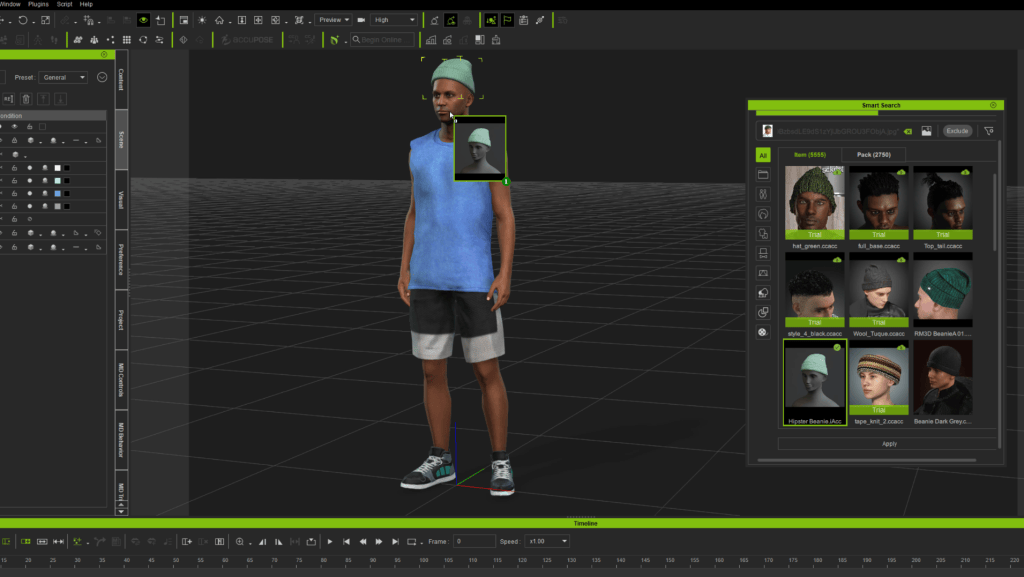
In this way we save an enormous amount of time in the animation process, but we can also save time in the search for suitable resources, which is crucial. Tools like Deep Search in iClone facilitate this task, allowing us to quickly find characters, plug-ins and objects. This is really necessary when we manage large crowds and want to avoid the unpleasant feeling that all the characters are clones of each other and offer us a much-needed variety in the population we manage. This search optimization helps to speed up the workflow and maintain consistency in the quality of the resources used.
Deep Search also allows us to use images that ensure that the selected objects and characters perfectly match what we are looking for without wasting time. Thanks to its visual recognition algorithm, one can find items of specific aesthetics with a simple image search, making it an indispensable tool in the digital animation ecosystem.
Integration for more efficient workflows
The synergy between iClone Prop Interaction, Crowd Simulation, and Deep Search creates an efficient workflow for animators. Automating certain processes within these tools also frees animators to focus on the creative aspects, rather than spending time manually adjusting each background character. This not only increases the efficiency of the project, but also raises the overall quality of the animation.
The adoption of these advanced tools is redefining the standards of background character animation. These innovations not only improve visual quality, but also enrich the narrative experience, offering viewers more immersive and authentic worlds. With the constant advancement of digital animation technology, tools such as these will continue to evolve to offer creators even greater flexibility in constructing vivid and realistic scenarios.

Related Posts
- Engaging Environments with Interactive MD Props and Intuitive Controls in iClone 8.5
- iClone 8.5 Free Update: SIM Builder with Prop Interaction & Smart Accessory