

David Sujono
Freelance 3D Motion Designer David Sujono has built a reputation for cinematic, motion-driven visuals that fuse technical precision with artistic flair. Based in Sydney, Australia, David collaborates with agencies and studios worldwide — formerly serving as 3D Lead at Collider Studio, and earning top honors such as 1st place in Rokoko’s Perfect Loop Challenge and 2nd place in Pwnisher’s Chasm’s Call Challenge.
Today, he’s pushing his creative boundaries even further with Character Creator 5, iClone, and the CC4D Tools, crafting high-fidelity digital humans and dynamic animation workflows directly inside Cinema 4D + Redshift.

Building the Hero: From CC5 Base to Tron’s Digital Realm
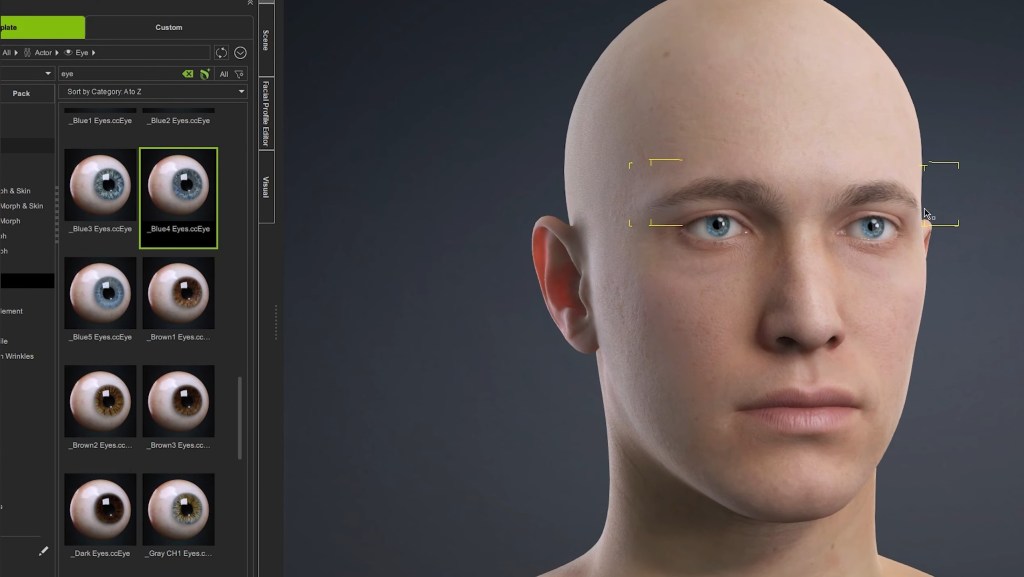
David’s latest short film project revisits the visual language of Tron, with a reimagined protagonist inspired by actor Bruce Boxleitner. Using the new CC5 base character, he explored different head and body variations in the Character Creator 5 and its ActorMIXER feature, blending multiple morph sources to fine-tune ethnicity, facial structure, and overall proportions — all in a non-destructive, real-time workflow.

“It was awesome seeing how close I could get — CC5 has so many specific morphs that let me tweak every aspect I wanted,”
David Sujono, Freelance 3D Motion Designer
Armed with a side-by-side reference board, he focused on sculpting subtle details like the nose bridge, eye depth, and head silhouette, leveraging CC5’s new HD morphs and corrective systems. The improved eyelash system and HD eye shaders provided an extra layer of realism, while the new aging morphs opened creative possibilities for his next film — featuring a father-and-son narrative.
CC4D Integration: Seamless from iClone to Cinema 4D
The technical backbone of David’s project lies in the CC4D Tools 1.0.5, which now fully supports CC5’s HD facial rig and Redshift materials.
Using the Import Character feature within CC4D, David brought the entire rigged character into Cinema 4D — automatically linking the control rig, materials, and shaders in one go.

“The CC4D plugin is amazing — it automatically sets up Redshift materials and the control rig, saving me hours,” he said.
“The iClone HD face control rig transfers 1:1, and the new facial rig gives me insane control over nuance and expression.”
This seamless bridge allowed him to iterate on animation in iClone, export facial and body motion separately, and swap takes without breaking rigs — a huge efficiency gain for solo creators managing full CG productions.
Animating the Light Cycle: Rokoko Meets iClone
To bring the iconic Light Cycle sequence to life, David used his Rokoko Smartsuit Pro II with a custom saddle setup — simulating motorcycle posture for realistic performance capture.
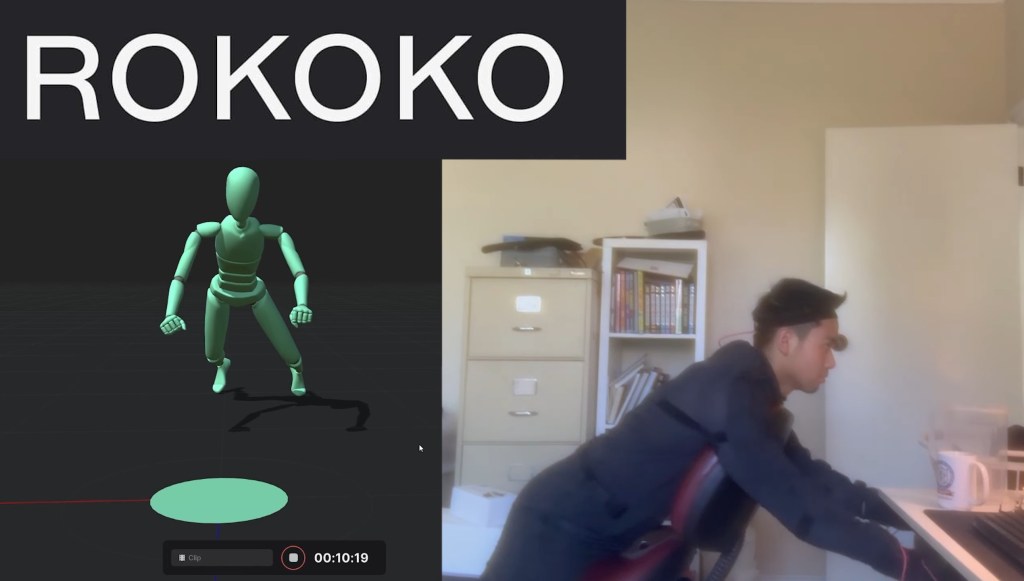
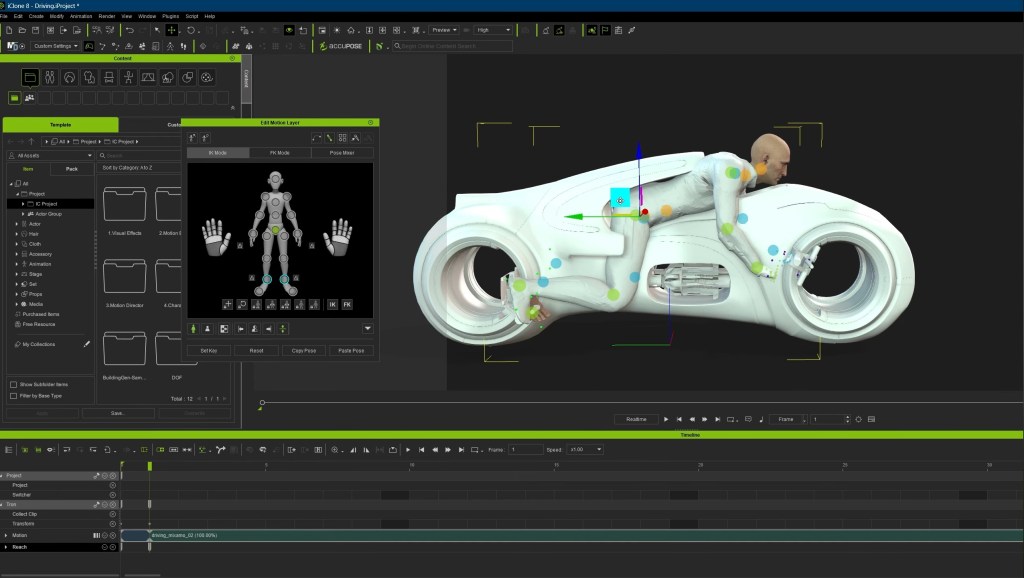
He captured multiple takes while referencing a previz timeline to sync motion with camera beats, then brought the mocap data into iClone, where he refined movement using reach targets for the hands and feet.
“Capturing movement was crucial. Doing this all by hand would’ve taken weeks,” David explained.
The Motion Layer system helped fine-tune subtle movements — adjusting neck rotations, torso lean, and timing for cinematic emphasis. After smoothing and baking, the results delivered an authentic, weighty performance for the Tron rider.
Facial Motion & Lip Sync: Precision with Dollars Link and AccuLips
Facial performance was handled via Dollars Link, pairing David’s iPhone Live Link app directly with iClone to capture real-time facial mocap. He carefully tuned brow, cheek, and eye movements to keep the performance expressive yet natural.
For speech, David relied on AccuLips to manually refine visemes and enhance lip-sync precision.
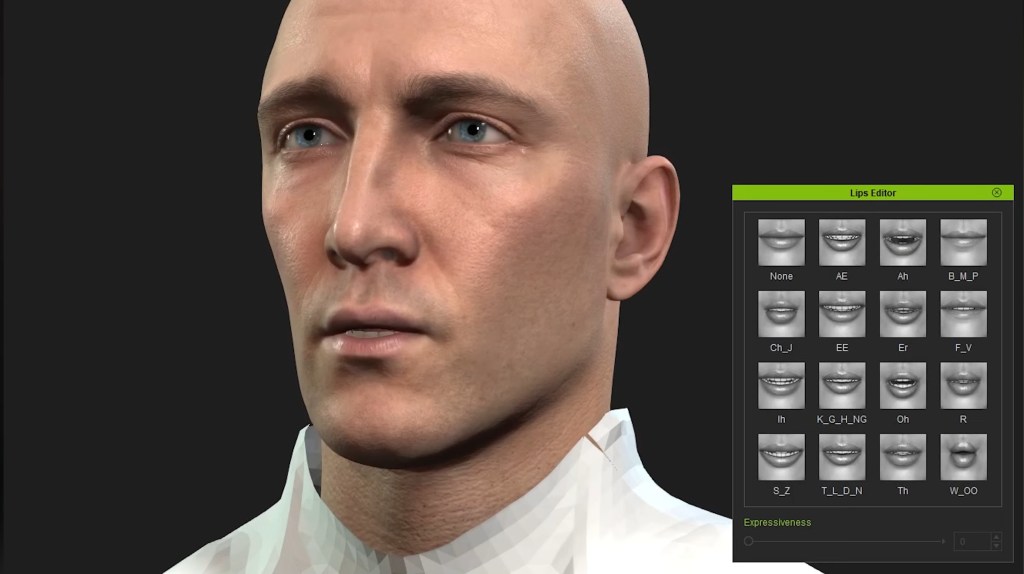
“AccuLips is a lifesaver. Facial mocap alone never nails dialogue perfectly — being able to hand-adjust visemes brings the realism up a notch.”
The final animation pass was polished using iClone’s new HD Face Controls, then imported seamlessly back into Cinema 4D via CC4D Tools, maintaining perfect alignment and material fidelity.
Designing the Tron Universe: Procedural Worlds in Cinema 4D
David’s film unfolds across two primary environments: a mountainous tunnel and a vast digital landscape.
He built the terrain using Cinema 4D splines and procedural noises, shaping the tunnel path and animating the Light Cycle along it. For the open-world shots, he combined spline extrusions, displacements, and greeble generators to create depth and complexity with minimal manual modeling.
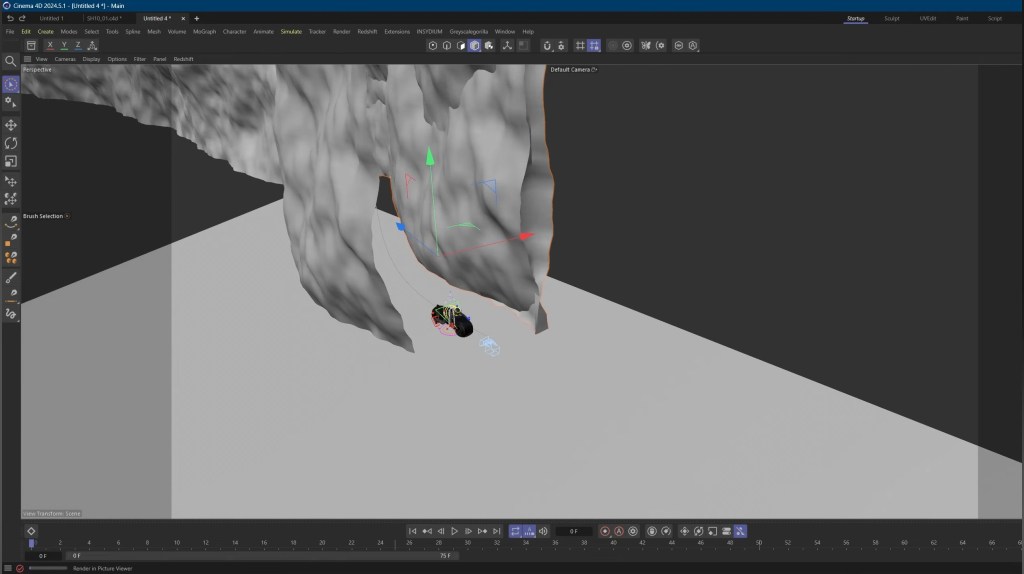
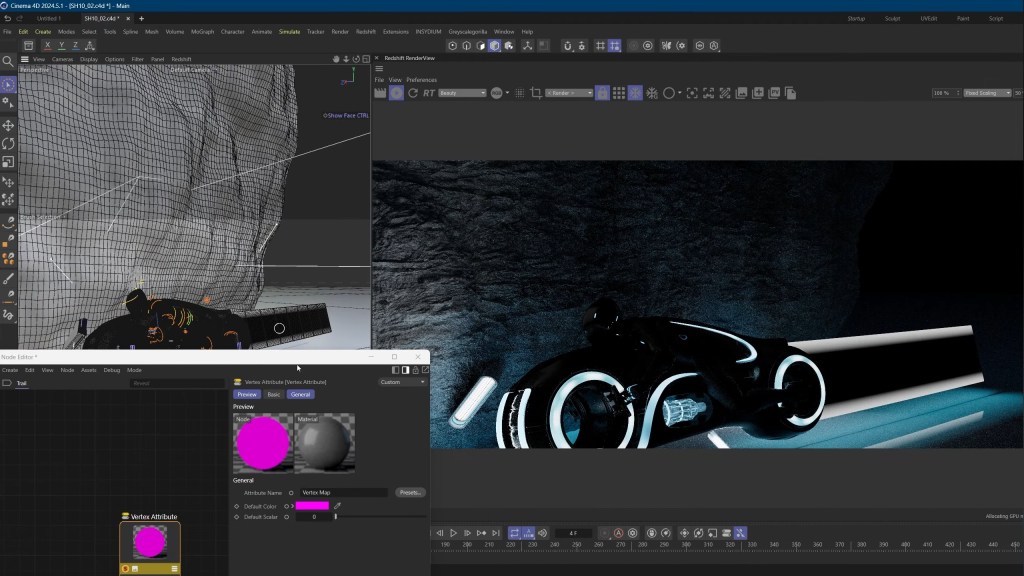
Textures generated in JSplacement added a futuristic edge through emission maps and digital noise patterns. He layered volumetric lighting, VDB clouds, and soft atmospheric gradients to achieve the film’s signature neon glow.
Final compositing in After Effects involved film grain, glow effects, lens dirt, and cinematic color grading, delivering a look that feels both nostalgic and modern.
Reflections on Workflow & What’s Next
“The fidelity I can achieve with CC5 is incredible — and CC4D makes it effortless to move between tools,” David noted.
“Having materials auto-convert to Redshift saves so much time, and iClone gives me the flexibility to iterate animation faster than ever.”
Looking ahead, David is developing a new short film slated for next year — a heartfelt father-and-son story. He plans to push realism even further using ZBrush detailing, CC5 HD morphs, and iClone’s performance capture tools to create his most photorealistic characters yet.
Related Posts
- CC4D Tools 1.0.5 is Now Released — Bringing CC5 Characters to Life in Cinema 4D
- Fail Forward Faster: Why Nick Shaheen Recommends CC4D Plugin for CC Cinema 4D Pipeline
- Design Toon-Shaded, Sci-Fi 3D Characters Using CC & Cinema 4D






2 comments
Wow! It’s crazy how much work went into a just a few seconds of the film, but i think it was worth it!
That’s intense! Seeing the breakdown of the CC5 and Cinema 4D workflow really highlights the dedication needed for this kind of animation. Makes me appreciate the final product even more.