Character Creator’s SkinGen MasterClass – with Luis Duarte

Hi guys, I’m Luis Duarte, a digital artist, 3D modeler, content developer and instructor on Libel Studios.com
Welcome to this Character Creator MasterClass for Character Creator’s SkinGen plugin, where I will explain tips and tricks on the new surprises that the latest Character Creator 3 updates bring us with tools such as the new SkinGen texture editor, compatibility of models with system UDIM, the new improved topology and many others.
This MasterClass comes in #4 parts, each carries its own tutorial video to guide you through the entire process. You can find links to the other 3 tutorials below. I hope this helps you!
Tutorial 4: Custom SkinGen Asset Creation with Texturing.xyz
26. We can further customize the textures of our character, including the XYZ asset scene. In this project, I will use a displacement material for Face, Hand, Elbow and a Normal Micro detail map.

For the Micro detail map, we simply import it from the Material editor into the Micro Skin box.

27. Before importing Displacement maps, you need to edit them in Photoshop; In a 4k resolution document, with the reference UB and the base color, I place the parts of the map following the pattern of the face so that they remain in their corresponding places.

At the end we apply a level effect and finally a Normal map filter – remembering that this process also applies to the Arm maps, using the same procedure.

28. To integrate the new facial texture, we activate the Skin Appearance editor and include a Part Normal layer in the scene. Then we include a Face mask, which we can take from the CC3 HeadShot plugin, or just paint it from Photoshop. Below is the newly created Normal map. I repeat the same process for the arm texture.

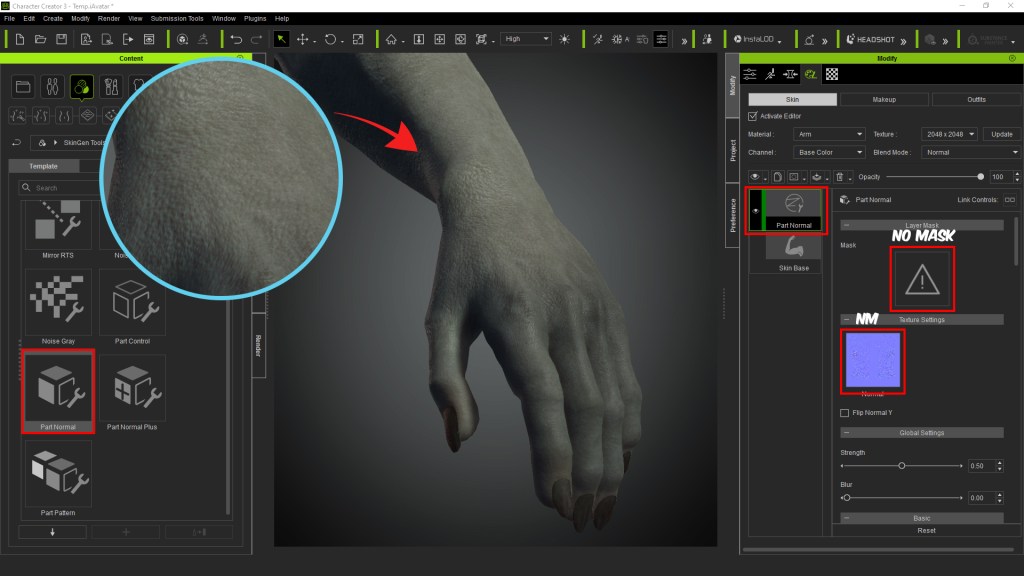
29. As an additional point, we can save the new textures by right-clicking on the layer, and going down the Effect category. We select Normal effects, Face Levels and, finally we add it to the library in its corresponding place.

When working on future projects, we can reuse these materials on new characters and the results will be very interesting.

30. Now, for the texture of the relief tattoo, what we will do is include a layer of Decal; then we insert the mask we made in Substance Painter; taking into account that it shares the UV of the head, arm and body. The other maps will be the traditional ones that were previously exported; base color, Normal map and Roughness.

We do the same with the other UVs.

31. To save these textures in our Content library, the process is similar to the previous one. Right-click layer / Effect category / Skin details / Other decal; It is important to repeat the same process with the two remaining UVs (body and arm). In the end we add and change the name.

We can do the same exercise of testing the new material layer on a new model.

32. To finish, we insert on the face a few effects layers, some of which include Color Noise to contrast with skin tones; Lip Wrinkle to enhance the appearance of the lips; Oily to increase facial shine and a couple of scars on the upper part of the brow.

Next, we take the opportunity to include some scars on the abdomen and arms as additional elements.

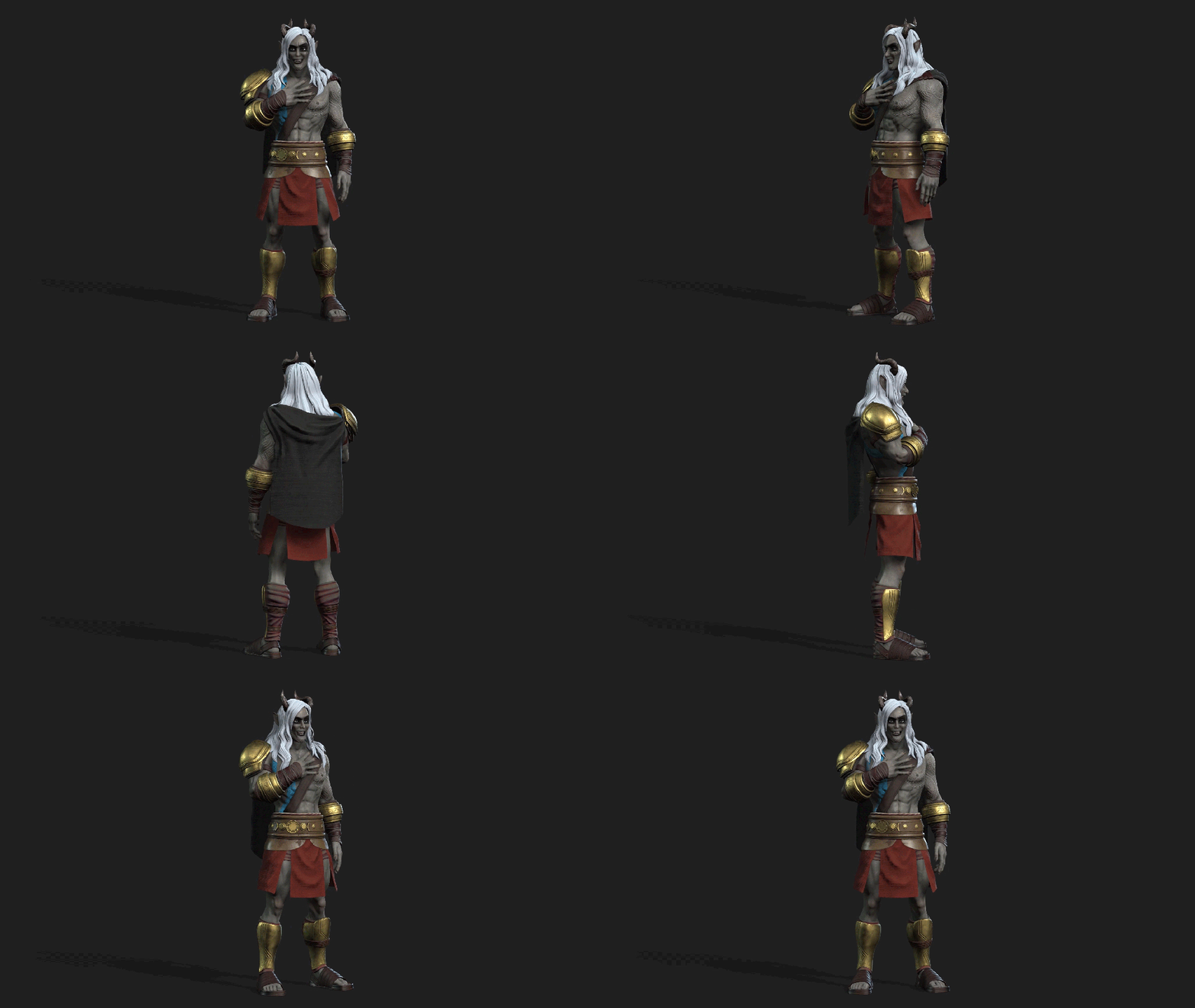
With this step, we have finished this tutorial; As can be seen, these tools are compatible with different programs, which allow us to enrich the quality of our skin assets for any Character Creator projects. All we need is a little common sense and some observation.
Thanks for reading!
Follow the other 3 tutorials in this series:
Tutorial 1: Character Creator 3 SkinGen Workflow with new CC3+ Base Advantages
Tutorial 2: Workflow with Substance Painter, UDIM, and Full body cross for body texturing.
Tutorial 3: ZBrush 2021 Cloth workflow System for Character Creator
—————————————————
SEE MORE OF LUIS:
Luis’ ArtStation: https://www.artstation.com/luduart
Luis’ YouTube channel for the Spanish version: https://youtu.be/hvCoX_Zrcbo
Luis’ Kids & Teens pack: https://www.reallusion.com/ContentStore/Character-Creator/Pack/3D-Toon-Kids-&-Teens-On-Campus/default.html