

If you have ever felt the urge or desire to be an animator, there is no better time than now with all the tools and features that are available today. When I got into 3D animation over twenty years ago tools like 3DS Max were thousands of dollars and you would be very thankful to work for a studio that provided a floating license but there was no cheap way to get into 3D animation at the time.
COST PER MINUTE OF ANIMATION
Nor was there a cheap way to produce 3D animation back then either. The cost per minute could be astronomical on even a small production. With real-time tools like iClone, the cost per minute has dropped dramatically. Big studio productions with teams of animators and support staff are still expensive but it is now possible for beginners, writers, producers, hobby animators, and just about anyone to produce animations or pre-visualizations at little cost.
If you are a one-person studio or hobbyist, the cost per minute is the cost of your software and other assets you gather up for a project. I’m not saying your time is not valuable, but that time can greatly offset the cost of production making it feasible to be a 3D animator without a huge budget or immediate commercialization.
The drastic drop in cost, including the associated software, opens the field for a lot of new animators, including hobbyists.
NO DRAWING SKILLS REQUIRED
Let’s get this out of the way. 3D animation is not cell animation or hand-drawn 2D animation. It is unique and being a 3D animator does not require drawing skills. It does require eye-hand coordination but nothing near fine art abilities. Imagination and problem-solving will be much more important.
EASY BUTTON
At present, there are a lot of ways to animate but there is still no single “Easy Button” to click that takes care of everything. While the future holds a lot of promise for innovative animation tools, software like iClone for animation and Character Creator for custom characters (actors/avatars) are already available. At present, few applications, if any, rival iClone and Character Creator’s ease of use for beginners and adaptability for professional animators.
When I say there is still no easy button, I don’t mean animation is as complex or as difficult as it used to be. Quite to the contrary, almost anyone with the desire and strong basic computer skills can become an animator. With iClone and its drag-and-drop motions, you can have your first animation produced within hours of downloading the software.

A FEW THINGS TO BE AWARE OF
It’s a learning experience that depends on the 3D application you choose. The learning curve itself can be greatly reduced by applications like iClone and Character Creator where you start animating immediately and improve as you learn.
Animation is about bringing ideas to life. Creativity and strong storytelling skills are crucial for engaging audiences.
Whether dramatic or comedic, timing is a critical skill. You must understand and grasp the flow of storytelling. This doesn’t mean you have to be smooth and have perfect camera movement or animation. It just means you need to understand how things flow together to create a good animation.
By now some of you may be saying “Wait I’m not a storyteller I just want to be the animator”. YOU ARE a storyteller as an animator. It doesn’t matter if it’s your story or someone else’s, if you are an animator, your animations will shape (tell) the story.
3D animation can be time-consuming and complex if you let it get out of control. Develop good time management skills and be patient with the learning process. Rome wasn’t built in a day, and neither are great animations. Animation can involve collaboration with other artists, animators, and directors. Networking within the animation community can lead to opportunities for learning, feedback, and collaboration on projects.
TOOLS, TUTORIALS & CONTENT
Some new animators can fall into the trap of starting with tools that are overly complicated, slow, and lack real-time functionality and feedback. While these tools like ZBrush, Blender, Maya, Cinema 4D, and 3DS Max can turn out great animations they require equally great skill to do so. If you are just starting on your animation journey don’t over-complicate your learning experience with software that even some pros struggle with from time to time.
iClone and Character Creator have a huge library of tutorials. First, there are Reallusion Courses, the official and free tutorial resources that strive to provide as much information as possible in as short a time as possible. There is also my “WarLord’s Beginners Guide” section in Reallusion Magazine which is filled with articles and tutorials to get a quick start. Search YouTube and you’ll find many more iClone tutorials from users both amateur and professional. There is no shortage of tutorials available for Reallusion products.


Moreover, you get direct access to over 2,000 3D embedded assets with iClone and Character Creator. Characters, scenes, props, accessories, and other assets are available for download via the Smart Content Manager which keeps track of your free and purchased items.
TERMINOLOGY
I’m not going to list everything here but if you can learn the terminology of 3D animation, you will be ahead of the game. You are not expected to work at the level of detail concerning most of these terms as iClone and Character Creator take care of this for you. You need to be familiar with these terms as they will be mentioned frequently in tutorials and articles.
- Modeling:
Mesh: A collection of polygons that creates the 3D shape of an object.
Vertex: A point where two or more edges meet in a mesh.
Edge: A line connecting two vertices in a mesh.
Polygon: A basic building block of a mesh, usually triangular or quad-shaped.
UV mapping: Assigning a 2D image texture to a 3D model.
Normal Map: Another method of detail projected by the map instead of vertex modeling. In the image below you can see the detail of the rifle improve as the normal and diffuse maps are applied. It is typical to model these details into the original mesh then saving the details as a normal map that is applied to a lower resolution version of the mesh to cut down on computational overhead as a map takes less resources.


- Animation:
Keyframe: A point in time where the pose or position of an object is defined.
Tweening: The process of automatically generating frames between keyframes for smooth animation.
Rigging: Creating a bone structure to control the movement of a character or object.

- Materials and Textures:
Material: Defines the surface properties of an object, like color, roughness, and reflectivity.
Texture: An image map applied to a material for detailed visuals.
Bump map: Adds surface detail without changing shape, affecting lighting and shadows.
Displacement map: Physically displaces the geometry of the mesh based on the image information.


- Rendering:
Render: The process of generating a final image or animation from a 3D scene.
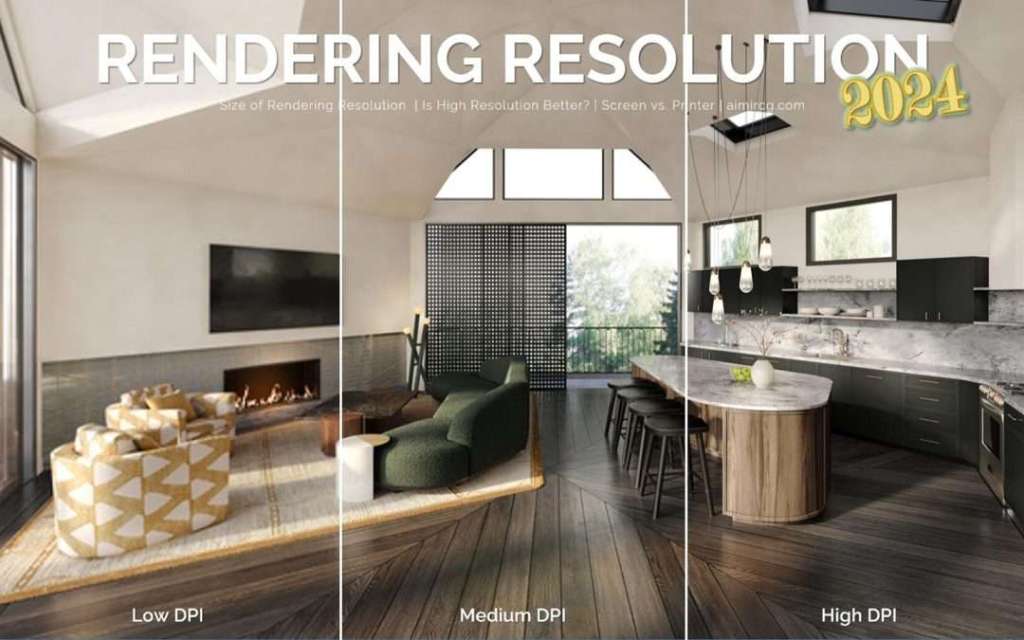
Resolution: The number of pixels in the rendered image, affects quality and file size.
Anti-aliasing: Smoothing out jagged edges in rendered images.
If this all seems very confusing at this point, don’t worry. As you gain in 3D animation proficiency, knowing the terminology beforehand can make the learning process easier when it all comes together over time.
SUMMARY
Community is key. Connect with other animators online and offline for support, feedback, and inspiration. Find your niche. Explore different animation styles and specializations to discover your passion. Have fun! Learning should be enjoyable. Let your creativity flow and celebrate your progress. You can be an animator with the right software, a little time, determination, focus, and creativity.

MD McCallum – WarLord
Digital Artist MD “Mike” McCallum, aka WarLord, is a longtime iClone user. Having authored free tutorials for iClone in its early years and selected to write the iClone Beginners Guide from Packt Publishing in 2011, he was fortunate enough to meet and exchange tricks and tips with users from all over the world and loves to share this information with other users. He has authored hundreds of articles on iClone and digital art in general while reviewing some of the most popular software and hardware in the world. He has been published in many of the leading 3D online and print magazines while staying true to his biggest passion, 3D animation. For more information click here.




1 comment
Your article is highly informative and easy to follow. For anyone interested in pursuing a career in animation, checking out an animation institute in Pune could be a great next step!