
Lucky Planet’s self-introduction
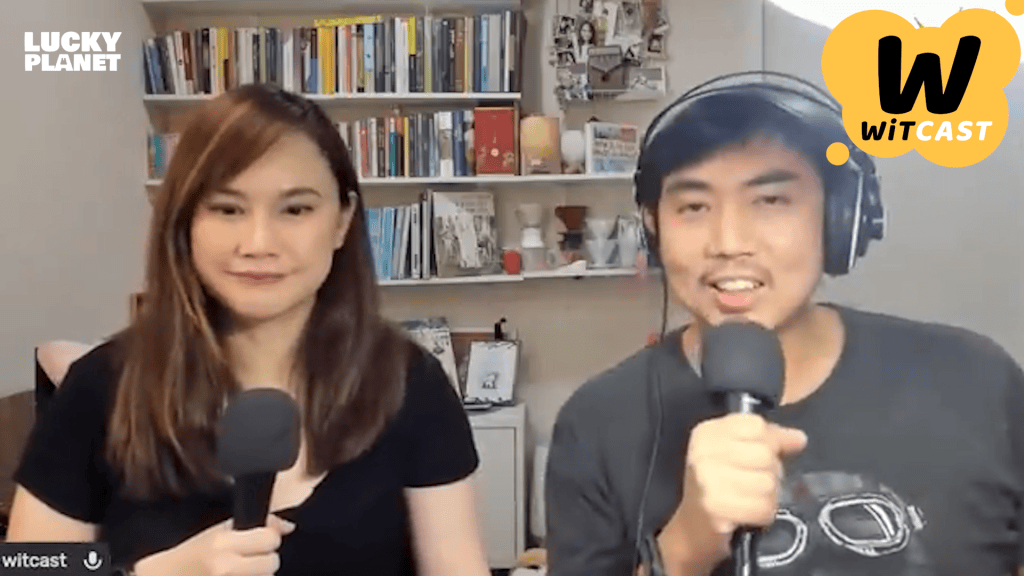
Hi, I’m Lucky Planet. I’ve been a huge fan of “WiTcast,” one of Thailand’s first science podcasts, since 2012. Their stories always spark my imagination, and I thought it would be amazing to visualize them. So, one day, I reached out to see if they’d be interested in turning their stories into animations. That’s how it all started. The idea was simple: take a 3-hour podcast episode, distill it down to its key message, and create a vibrant 3-minute animation. This project got its initial boost from the Thai government media fund, which supports great content for all ages — exactly what we’re doing here!
From live broadcast to 2D character animation
Designing the 2D character animations took some time. I sketched a lot until I found the perfect designs. To cut down on production time and costs, I gave the characters longer arms and legs, which made their gestures more articulate and expressive. And, since they mostly stood or sat during the show without much action, this approach was ultimately the right decision.

Meet Professor Almond, our main host. He’s an alien dedicated to unraveling the mysteries of our world as a science communicator and advocate. I drew inspiration for his appearance from renowned science figures like Neil deGrasse Tyson and Bill Nye. His facial features are simple, mostly circles and squares, with distinctive rabbit ears to highlight his non-human origin. With broad shoulders, Almond defies the typical scientist stereotype. His signature color is blue, reflecting his cosmic origins and evident in his choice of fashion.

Next is Cookie, Almond’s co-host. She has no background in science, but dreams of becoming a YouTuber. To pursue this ambition, she’s teamed up with the Professor. Cookie’s design contrasts Almond’s — her color is red, and she wears huge pants to make her lower half look bigger compared to Almond’s top-heavy frame. We’re not sure if Cookie is human, since she has a big lucky clover on top of her head — a mystery for another day.
The most important feature for both 2D characters are their big, expressive eyes with large white areas. This allows them to clearly connect with the audience as they guide us through the amazing world of science.
Animating dynamic facial expressions
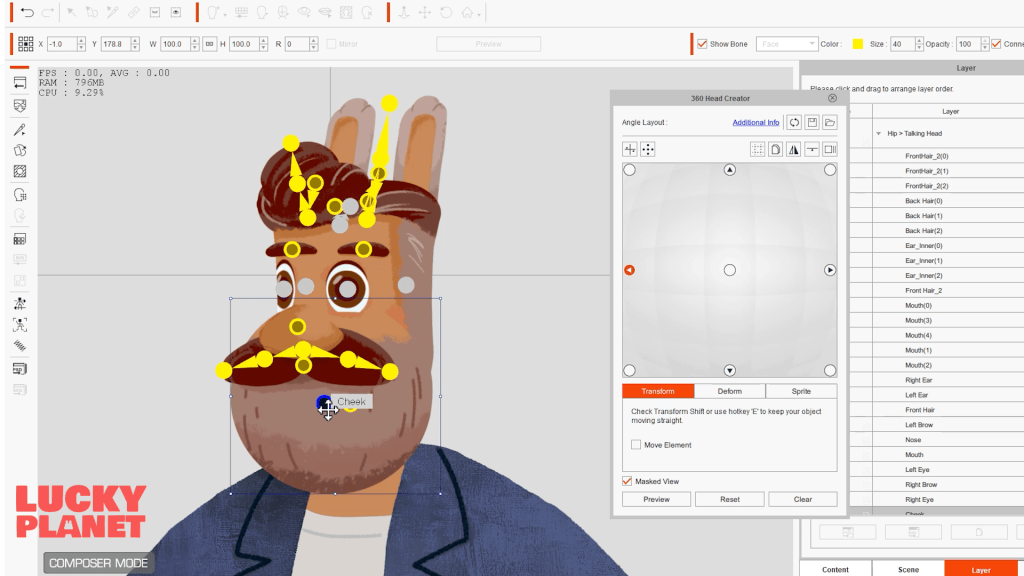
The audience will watch these two hosts’ faces for three minutes in every episode. In that timeframe, their facial expressions have to be interesting and relatable. Mostly, the characters would be talking directly to the camera or interacting with each other, keeping the 2D character animations dynamic. To achieve this, I used CTA’s “360 Head” feature, which allows for natural-looking and easily controlled head movements.
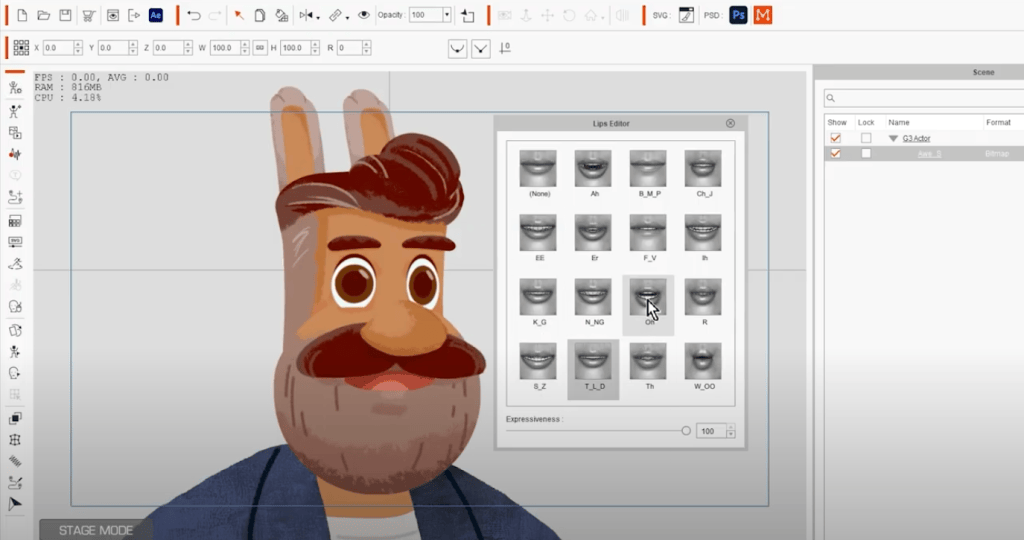
As expected, the voice actors really nailed it on their podcast. My only sole concern was to animate them as authentically as I could; and having known them for years definitely helps. I crafted approximately 10 mouth shape designs, and then let the software handle the lip-syncing automatically. However, it didn’t quite sync up perfectly with the Thai audio. With CTA version 4, I had to manually adjust about half of it. Interestingly, in version 5, I’ve noticed a significant improvement — it only requires about 30% manual editing now.
Enhancing character motion with spring bones
“Spring bones” is a fresh addition in CTA version 5. It effortlessly applies dynamic movements onto stiff bones, as seen in elements like the rabbit’s long ears, hair, and the fluttering leaf. Once I animate the head and body, the rest simply falls into place, resulting in 2D character animations that are even more endearing.

The key lies in striking the perfect balance: Too many bones can bog things down, whereas too few can result in choppy movements. Cartoon Animator 5 offers a range of spring types to suit your needs, from highly elastic for exaggerated, cartoony motions to stiffer options for more nuanced or realistic movements.
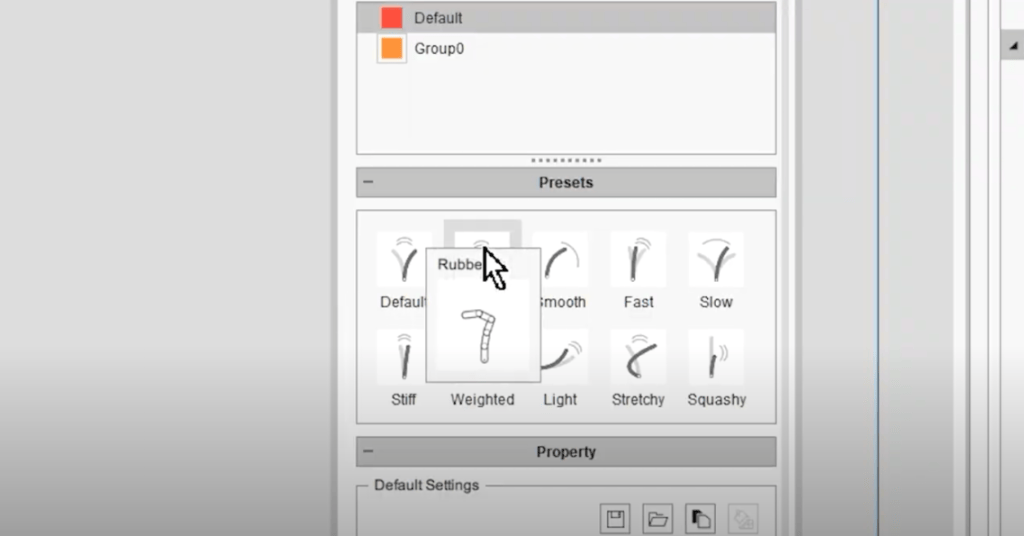
Given that our 2D character animations steer clear of the exaggerated movements found in Looney Tunes, I prefer stiffer springs. This choice also helps keep the audience’s attention on the characters’ facial expressions. Setting up Almond’s ears posed a challenge, especially with the 360 Head feature in use. At certain angles, the inner and outer ear parts move independently. To manage this, I had to incorporate two separate bone sets for precise control.
Behind the scenes on character setup and storyboarding
With the character setup complete, it was time to dive into animation! I began by sketching out a basic storyboard to outline the timing and pacing. Given that it’s a talk show format, the animation remained fairly straightforward. I implemented a breathing motion clip as a default loop cycle and then layered on the arm and body movements. However, the main focus was on animating the facial expressions, as they’re crucial for engaging with the audience. It took me about a week to animate a single episode, followed by another week to create and integrate the illustrations into the storyline.
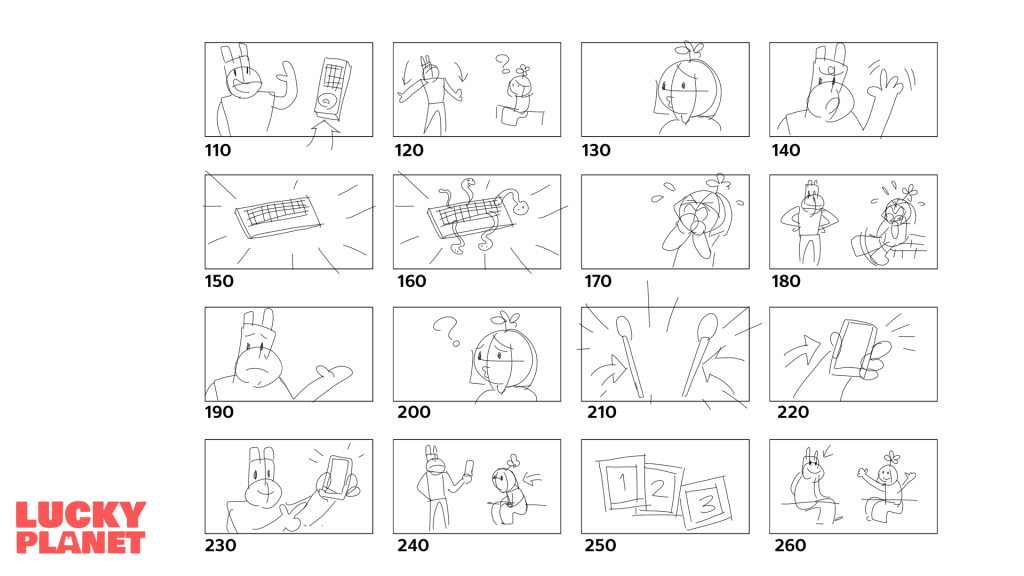
The show’s production kicked off in 2023, and we’ve now wrapped up the first season comprising 25 episodes. The response from Thai audiences has been phenomenal, with one episode even surpassing 3 million views on TikTok! This project initially received a boost from the Thai government media fund. However, I have grander aspirations — I aim to dub it in English and introduce it to a global audience. With this journey just starting, I’m in the process of securing funds and seeking out potential sponsors to make this vision a reality.
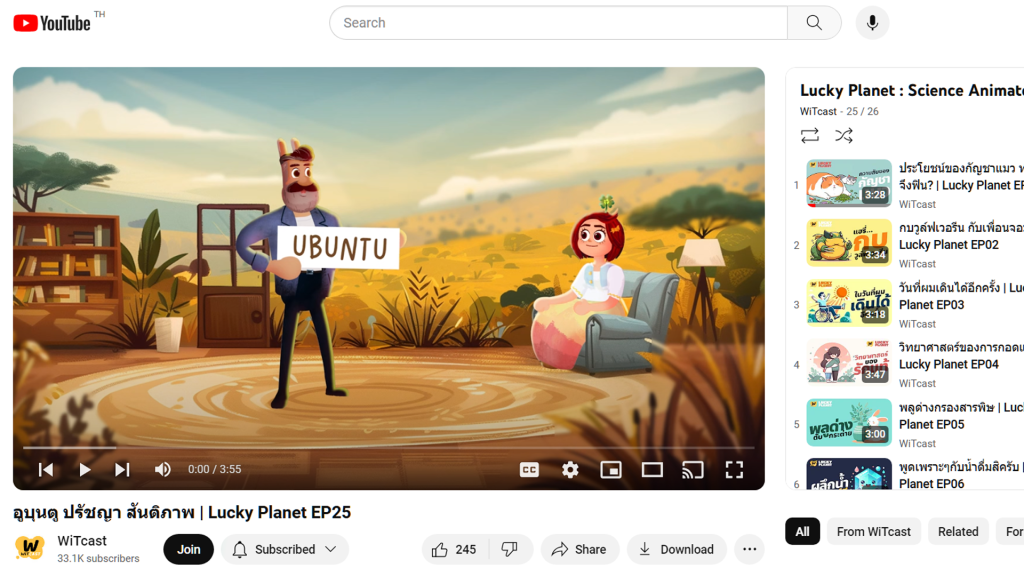
If you’re keen on helping this science show become a global sensation, feel free to reach out to me to discuss potential opportunities. Let’s collaborate and share the magic of podcasts with audiences worldwide!
Follow Lucky Planet
YouTube: https://www.youtube.com/luckyplanet
X: https://x.com/LuckyPlanet_One
Email: wonderlugia@gmail.com
Learn More
Official product page:
2D Animation Software for Cartoon Maker | Cartoon Animator
FREE for 30 days & get 1,700+ ready-made assets:
2D Animation Software Download | Cartoon Animator
Related Posts
————————————————————————————————————————————————————————————
The original article was written by Lucky Planet and is also featured on Cartoon Brew.






1 comment
Speccc-TAC-u-lar!