Jakub Kaźmierczak
Hi, I’m Jakub Kaźmierczak, a concept artist specializing in environments and keyframes. I’d like to show you how we at OUT Studio designed sets for “Three Body Problem” previz and how I used Character Creator to save time during production.
Check on Jakub’s ArtStation

About OUT Studio
OUT-Studio is a concept art studio that brings talented artists and agile management together to efficiently visualize our clients’ storytelling. We are based in the UK and Poland, although we collaborate with artists from around the world. We build highly effective teams tailored to the client’s individual requirements to achieve innovative and cost-effective solutions.
Interview with Jakub
Today, we are fortunate to interview the experienced 3D concept artist Jakub, who recently collaborated with Out Studio on the popular Netflix series “3 Body Problem.” Jakub was responsible for some of the previz scenes and used Reallusion products such as Character Creator, Headshot, and ActorCore in the process. We invited him to share why he chose Reallusion products for previz and the benefits they brought to the production.
Q: Please share why filmmakers need concept art and the challenges you have encountered.
Why do filmmakers need concept art in the first place? Short answer is to save money. If you sweat more in preproduction you will bleed less when shooting. The sets are being physically built so the team has to know what they are building, how the material samples will look on the elements and if the camera crew can squeeze in there with all the equipment. Even if the design won’t be used at the end or it will be on the screen for 3 seconds it will definitely help with making the right choice.
Q: Could you please describe what it looks like in practice?
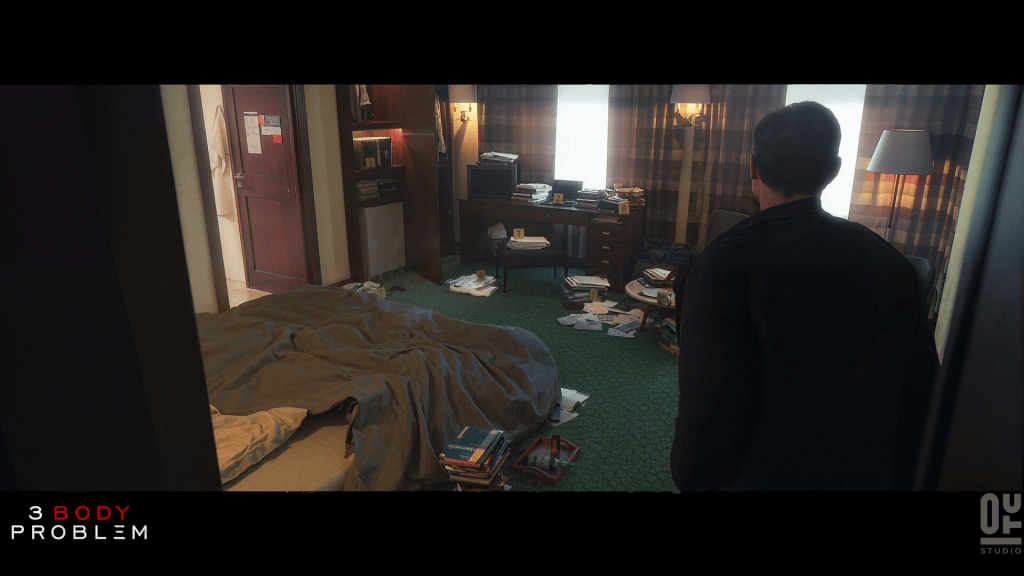
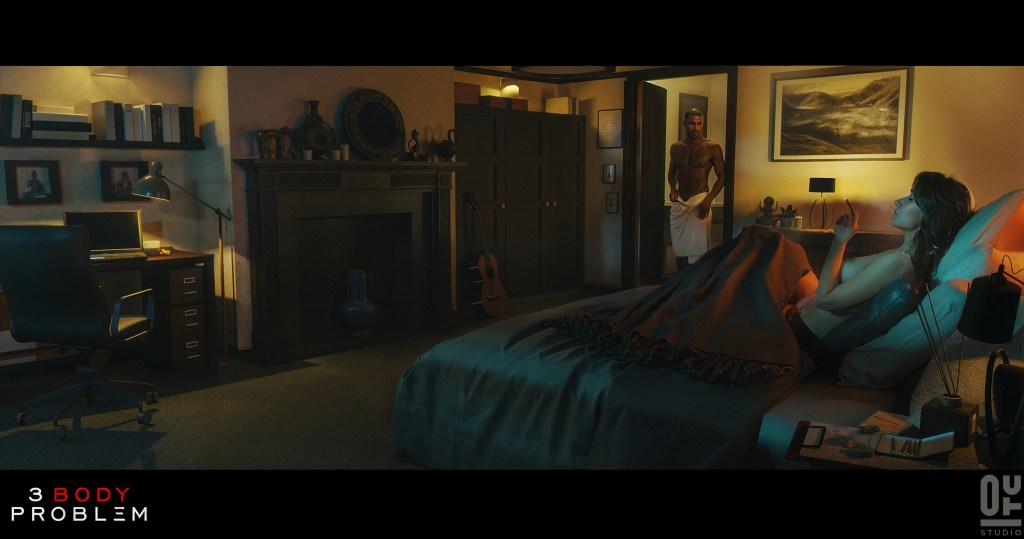
For instance, on one set I worked on, I was provided with a simple 3D model of the room with all the real-life measurements. They wanted to see three specific shots: the main shot of the room, the view from the room into the bathroom, and the dead body in the bathtub. I had to use specific materials provided by the client for the curtains, walls, and floor. For the smaller elements, I used scans of the books and papers I had in my room.
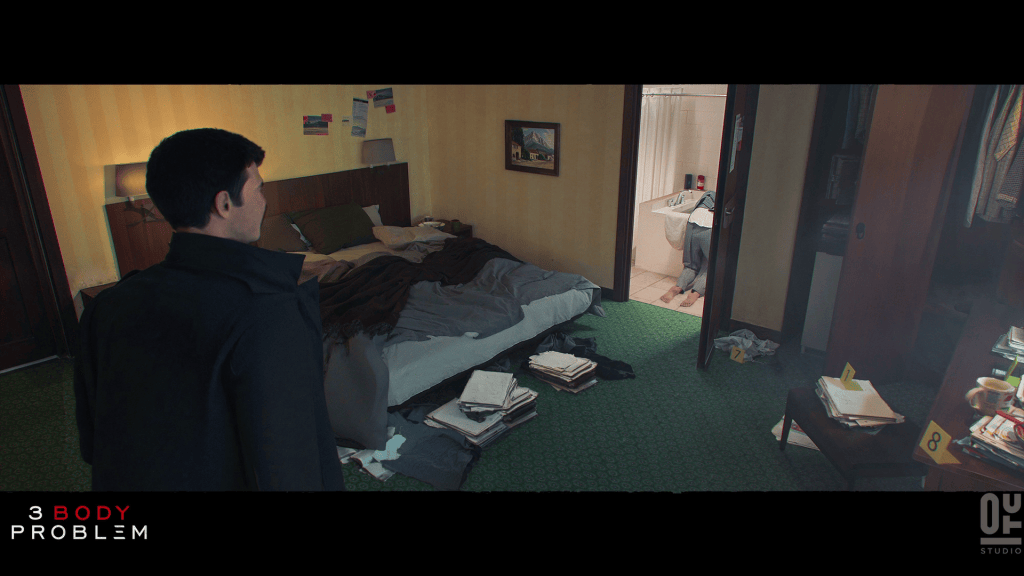
Q: Is there a reason why characters are included in concepts for set environments?
Besides the design of the environment, I have to show the story moments that are happening in the script. Like the dead body in the bathroom. Unfortunately I don’t have a lot of time to do everything from scratch and model every face and outfit. That’s where the Character Creator comes into play and saves my time allowing me to focus on the task and iterate on the idea with ease.
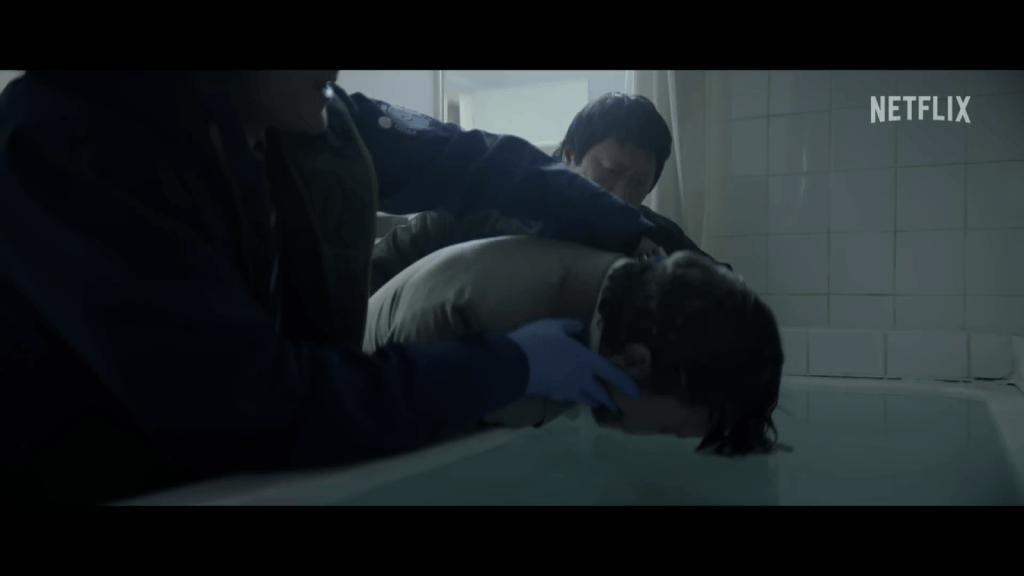
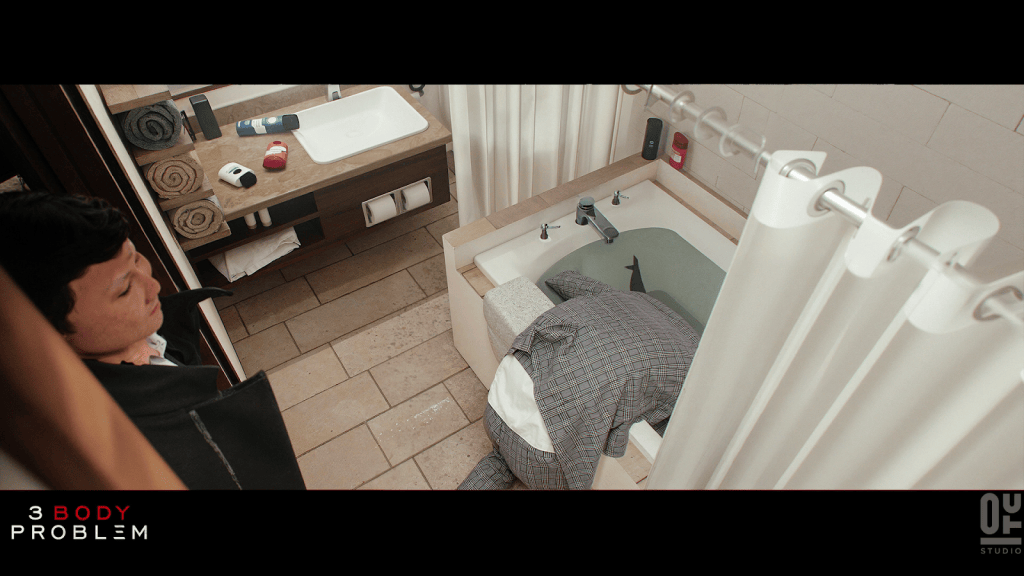
Q: Please talk about your technique of mixing scans with characters.
Back in the day I used to use posed scans with kitbashed heads from the character creator. It’s a fast workflow but it gets tricky when I have to change the pose of the character. In the past years the workflow got a bit of an overhaul that I’m going to show you.
When I can, I scan the elements that could be helpful with the project, books, papers, clothes or full characters. So I get dressed in an outfit that resembles the character in the scene. I record myself or take pictures for reconstruction.
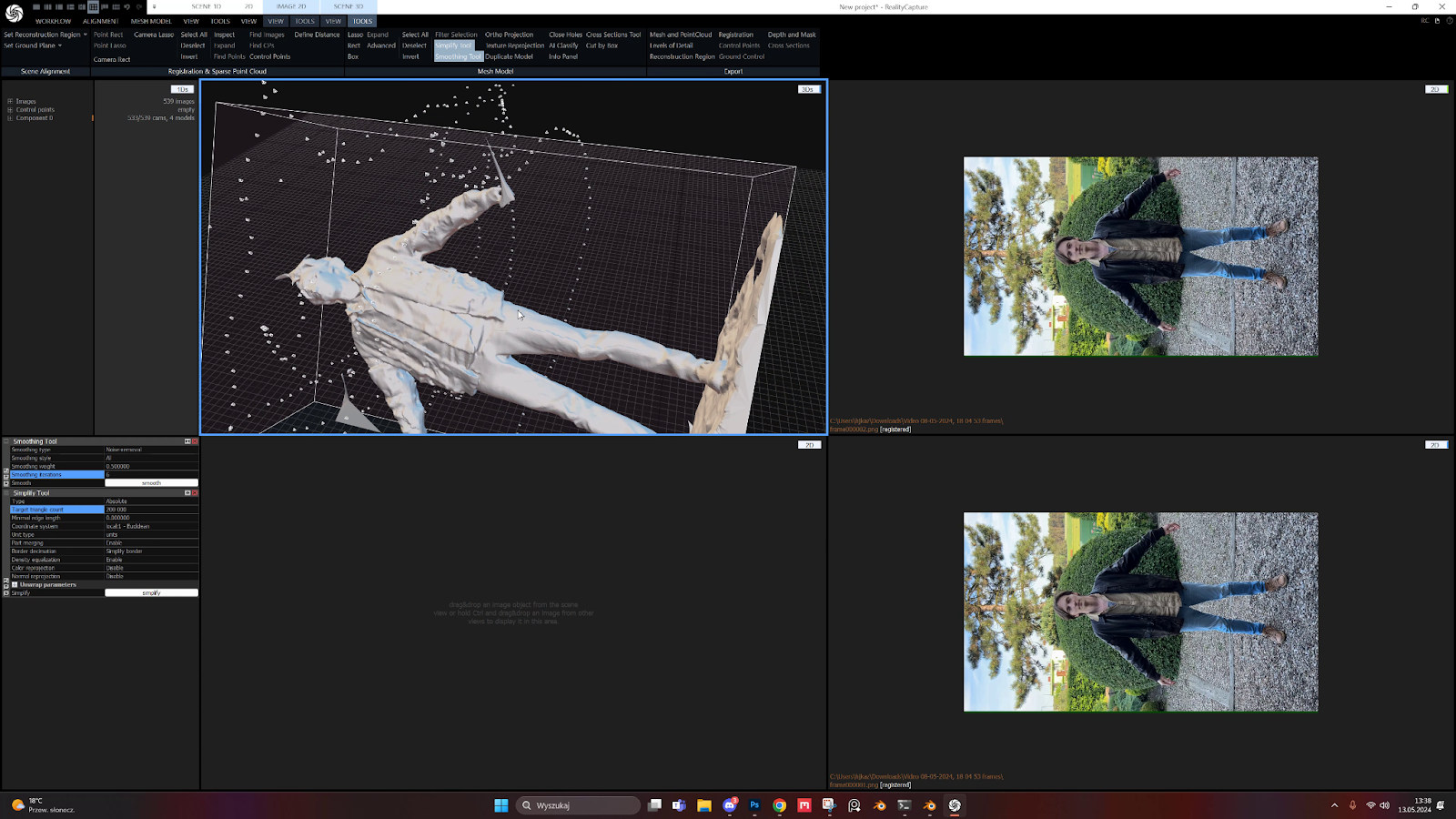
I use reality capture or reality scan for processing. Both tools are free.
The best practice involves capturing RAW photos and adjusting shadows and highlights in Lightroom to achieve low contrast. Recording is also an option, but it may impact the quality of the 3D model. In Reality Capture, I follow the standard procedure: aligning images, reconstructing the model, decimating, smoothing, and applying textures. With the model prepared, I’m set to create the character.
Q: Please reveal your five reasons for choosing Character Creator for previsualization!
There are five aspects where I believe Reallusion products are particularly suitable for previz:
Let’s talk about those in detail…
Headshot
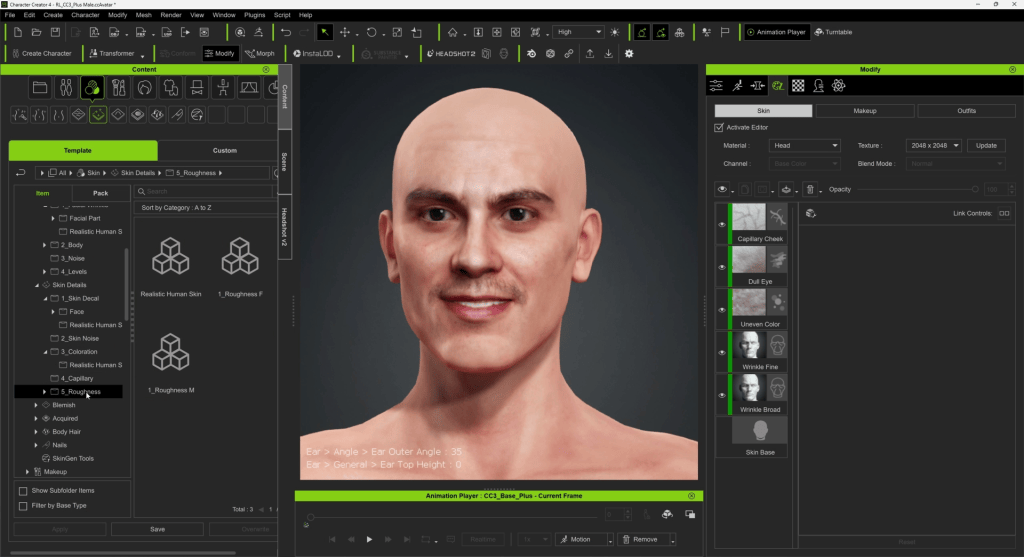
Sometimes I know the actor who will play the role, and I use their face for the 3D double. When I don’t have that information, I create a face that closely resembles the script’s description. Headshot is a valuable tool for this, producing results that reach the benchmark of professional concept work.

Comprehensive content
To enhance my work further, I utilize my scan for clothing and refine the remaining elements using the program’s extensive content, including hair elements and skin decals.
Fast posing
At the beginning of my work, I always place a T-posed character in my scene as a reference for scale. As mentioned earlier, I need to show the scene from multiple angles, and my characters must perform various actions according to the script and director’s requirements.
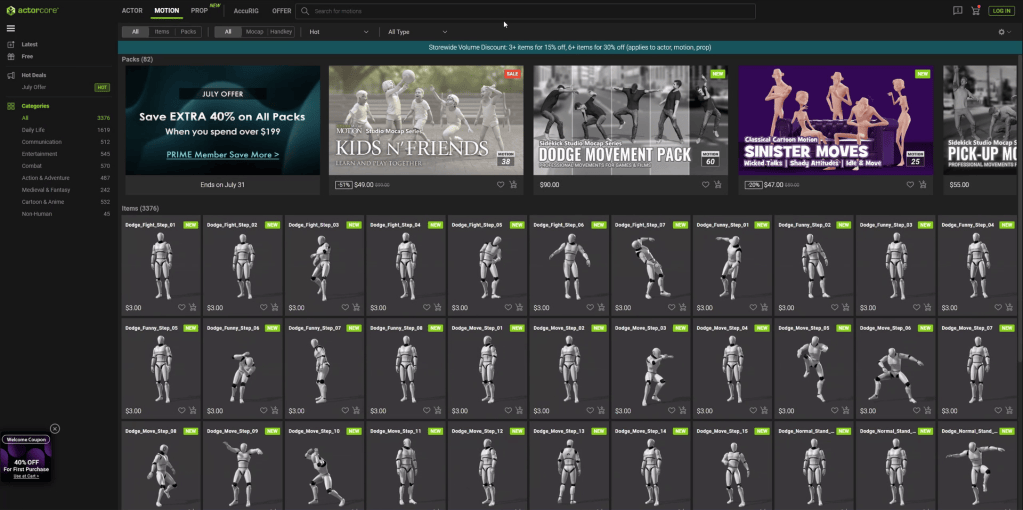
Reallusion offers a vast library of motion captures Actorcore that assist me in this task. Typically, I duplicate the folder containing my characters to create copies for each required shot. This allows me to easily apply motion capture data to the characters, find suitable poses, and create realistic interactions between them.
Fast material editing
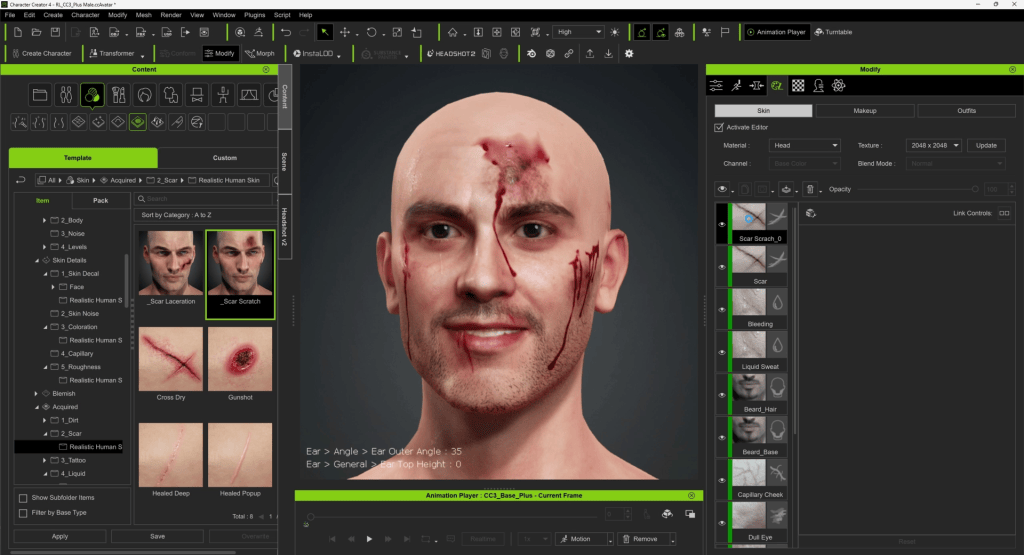
If I receive feedback from production requiring changes to the character, such as adding bruising from a fight, I can incorporate these adjustments using Character Creator and seamlessly re-import them into Blender. Fortunately, I don’t need to reposition or pose the character again. With just two clicks, I can update the materials using SkinGen on the main model and continue working on the scene.
AccuRIG for crowd posing
To fill the scene with background characters that don’t require anything specific, I usually rely on scans, either purchased or captured by myself. Thanks to the intuitive interface of AccuRIG, I can get them rigged with just a few clicks. It also works seamlessly with mocap packs, allowing me to easily pose the characters without having to do everything manually.

Conclusion
After completing the initial setup, I overpaint and color grade the image before delivery. Sometimes the concept is approved instantly, while other times it requires iterations. Using Blender and Character Creator, I can efficiently apply even the most challenging and time-consuming changes without any issues. This streamlined workflow helps the team produce their best work for the show.
Related Posts
- The Making of Bank Heist Mocap Series for Action Films
- Italian Director turns to Realtime 3D Software with Digital Doubles for Star Wars Fan Film Previz
————————————————————————————————————————————————————————————
The original article was written by Jakub Kaźmierczak and is also featured on befores and afters.