Overview
TL;DR: This is a behind-the-scenes look at how Hip Hop artist and 3D animator Ali Tomineek used a complete Character Creator to iClone animation workflow to build a fully populated hip-hop music video scene in seven days. The pipeline moves from CC5 character sculpting through iClone 8 facial and body mocap, into scene building with Reallusion Content Store assets, and finishes with ActorCore-driven crowd simulation, all sent into Blender via Blender Auto Setup for final polish.
The full Reallusion 3D Suite, including Character Creator 5, iClone 8, and ActorCore, handles every stage from concept to final render. The 7-day format forced one rule: every step had to be fast, repeatable, and production-ready.
Day 1: Brainstorming and Following the Passion
Rather than rush to open a 3D application on the first day, Ali spent it thinking. The concept came before anything else: an animated hip-hop music video featuring a rapper character, with lyrics he would write and perform himself. The vibe, the mood, the lyrical content all had to be locked in before the tools mattered.

For a self-taught artist with over a decade of music-making behind him, that creative direction wasn’t an abstract exercise. It was the foundation that everything else would serve.
“One of the most important parts of creating is following the fun. Whenever I create things solely for the purpose of fulfilling that passion, that’s when I create what I consider to be my best work. I try not to overthink anything. I trust my instincts, keep it simple, and follow the passion.”
Ali Tomineek, Hip Hop artist and 3D animator
Every tool choice across the next six days was made in service of the moment Ali had already committed to on day one.
Day 2: Crafting the Character in Character Creator 5
With the concept settled, the second day moved into Character Creator 5. For hero character creation, Ali approached CC5 as a sculpting environment rather than a quick generator. The Proportion Editor and the extensive morph slider library gave him the surgical control he needed for likeness work.
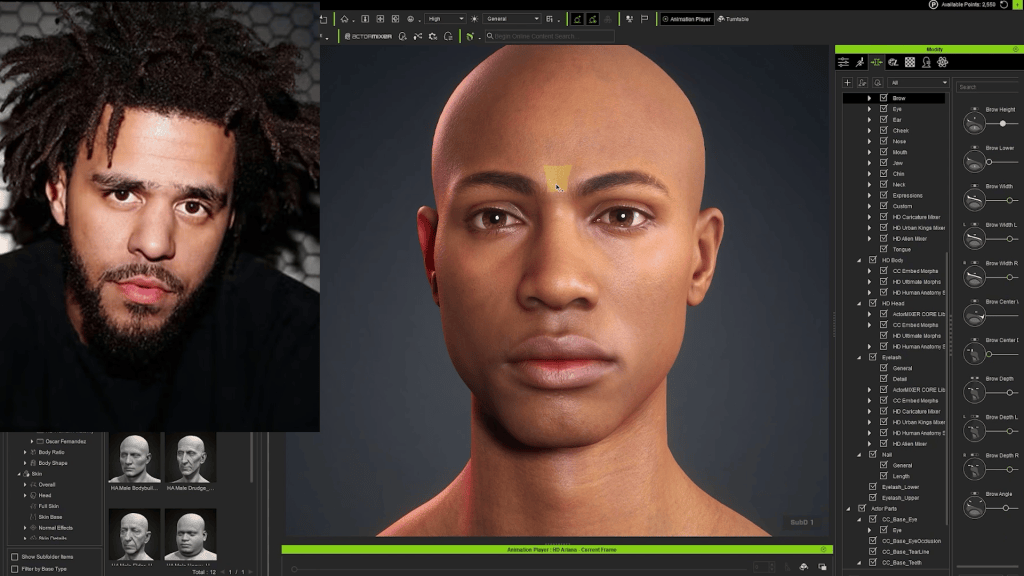
CC5 ships with a deep library of named morph sliders. Searching for a feature like nose width, eye shape, or jaw angle surfaces the relevant control, and a single drag dials in the exact value. That searchability is what shifted CC5’s role in Ali’s pipeline from background-character tool to hero-character tool for the first time.
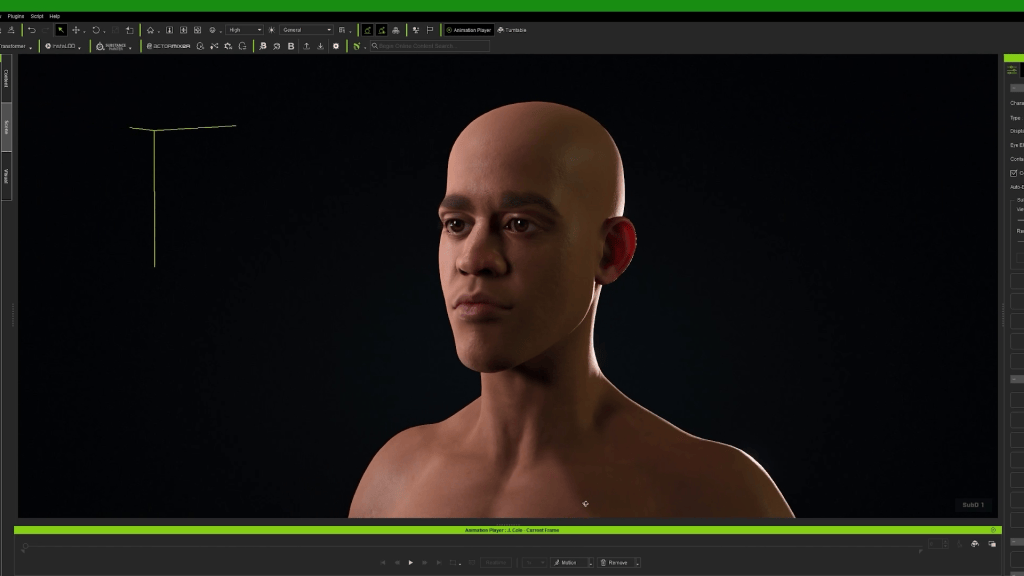
“This was the first time I used CC5 to create one of my main characters. I normally use it for extras or background characters that aren’t the prominent focus of the scene, but with CC5 Deluxe, the amount of tools, features, and control that I have at my disposal made using the software a no-brainer.”
Ali Tomineek, Hip Hop artist and 3D animator
Equally important was the round-trip with Blender. Ali is, by his own description, a Blender addict, and every project he ships passes through Blender at some point. The Blender Auto Setup plugin reduces what used to be a multi-step export-convert-import process to a single click: select the character in CC5, send to Blender, done. The existing pipeline stays intact, and the Reallusion ecosystem just layers on top.

Day 3: Lip Sync with AccuFACE in iClone 8
Day three tackled what is, for Ali, the most expressive part of any performance: facial animation. He doesn’t treat lip sync as a technical step. Getting the character’s emotions to bleed through the animation is where the work either earns its keep or doesn’t, and historically that meant hours of manual keyframing per minute of dialogue.
“Before using AccuFACE, animating one minute of talking or lyrics could easily cost me four to five hours of meticulous manual work, tweaking each facial muscle, and that’s with an asset library of pre-made mouth shapes that I could reference to speed up the lip syncing process.”
Ali Tomineek, Hip Hop artist and 3D animator
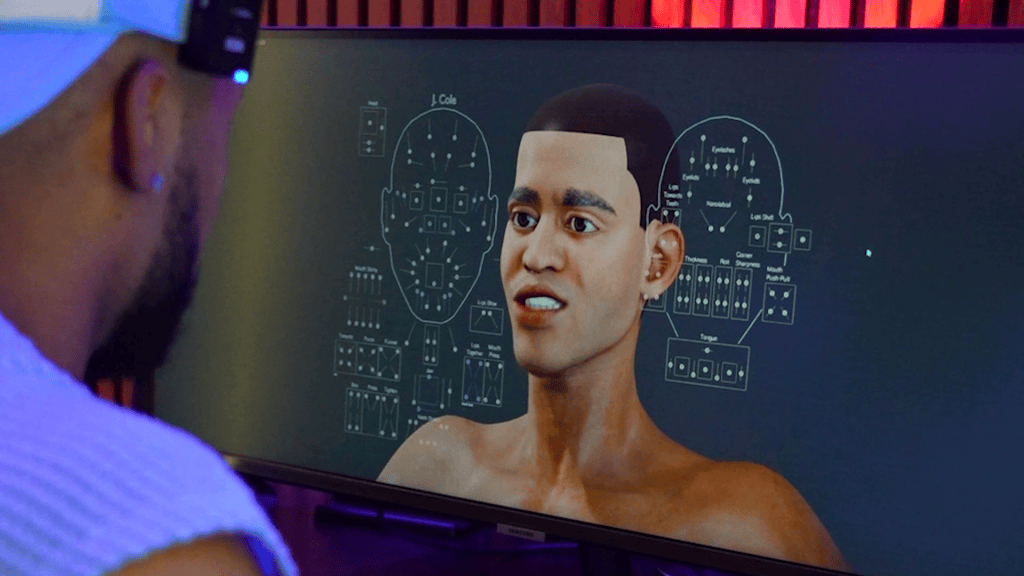
AccuFACE in iClone 8 collapses that timeline. Ali recorded himself performing the lyrics on camera, fed the footage into iClone, and AccuFACE mapped his facial performance onto the character. What used to be the entire job is now the first pass.
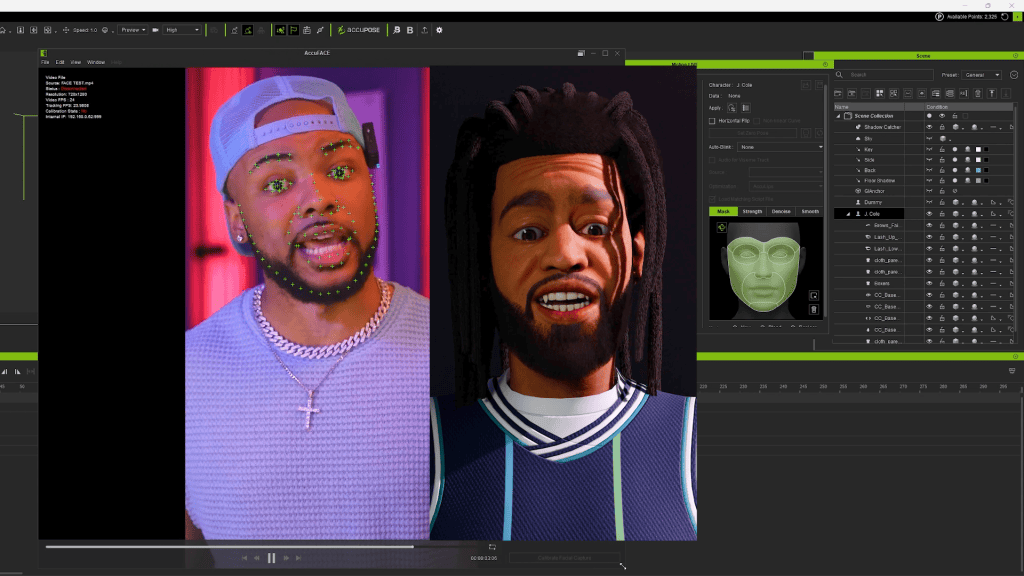
The second pass is where Ali still does his real work, going over the AccuFACE baseline and tuning subtle movements, timing, and the moments where lip sync needs to land precisely. The plugin handles the structural performance, and the artist handles the nuance. It’s not animation replacement; it’s animation acceleration. Skip the repetitive 80% and concentrate effort on the 20% that actually elevates the result.
Day 4: Full-Body Motion Capture with Video Mocap
By day four, Ali was halfway through the challenge and increasingly conscious of where his hours were going. His usual body capture path runs through a Rokoko suit, gear he loves, but suiting up, calibrating, and managing extra hardware between tools costs setup time he didn’t have.
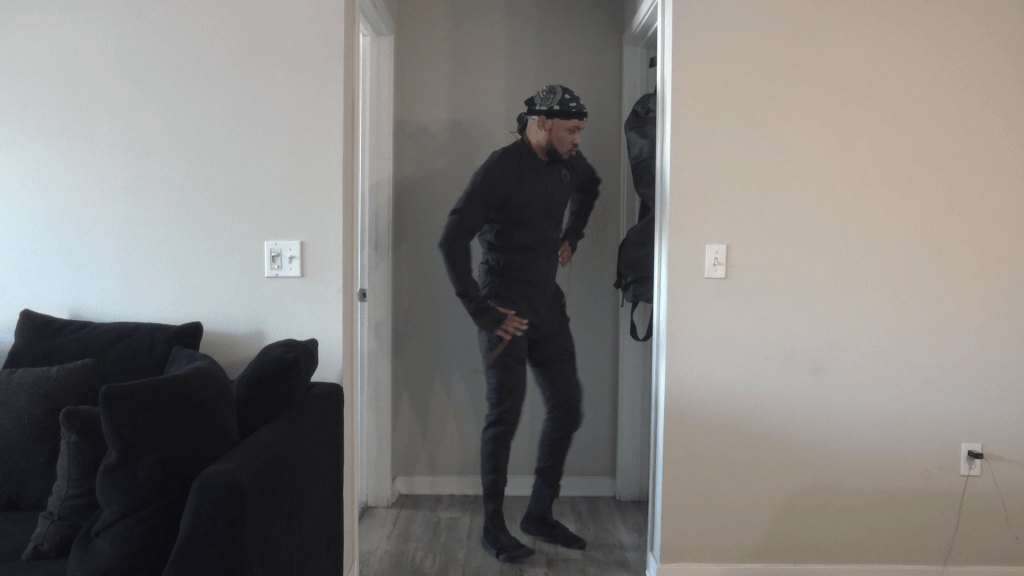
Video Mocap inside iClone 8 removed the suit from the equation entirely. He set up a phone, performed the movement, and the plugin extracted motion data ready to apply to the character.
“If I can cut down the number of tools I’m switching between, I speed up the process, and for a 3D artist, time is everything.”
Ali Tomineek, Hip Hop artist and 3D animator
The same two-pass logic from AccuFACE applies here. Video Mocap delivers the base animation, and Ali refines key poses over the top. What changes between traditional mocap and video-based capture isn’t the underlying craft. It’s the friction. No suit, no calibration, no app-hopping. For solo artists working against the clock, friction is the enemy.

Day 5: Setting the Scene with Reallusion Content Store Assets
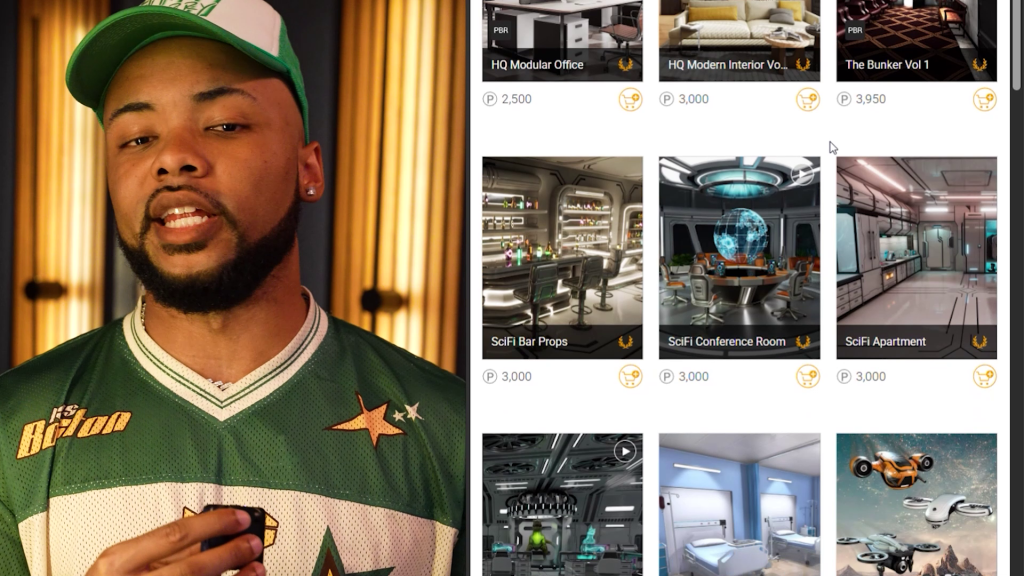
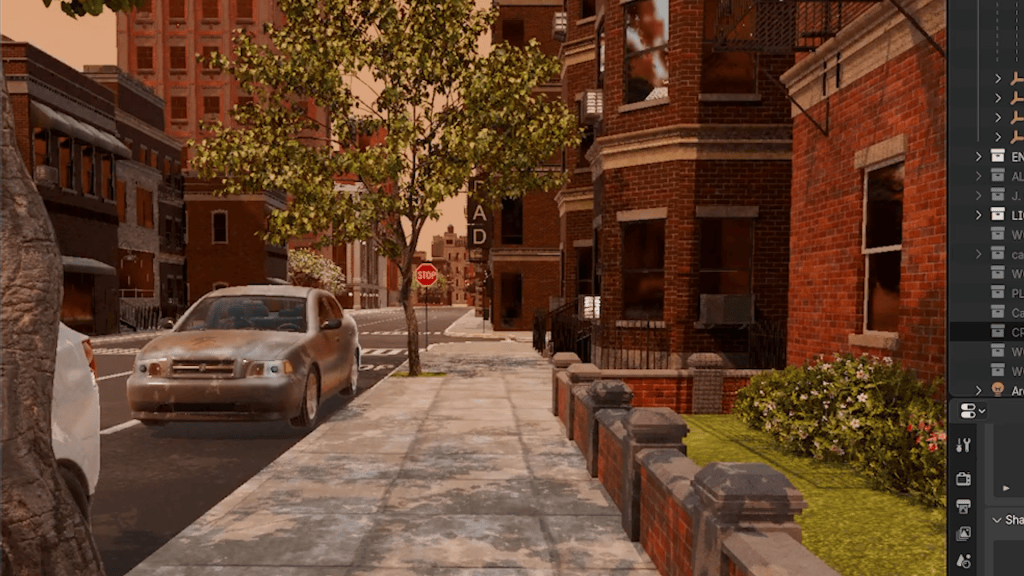
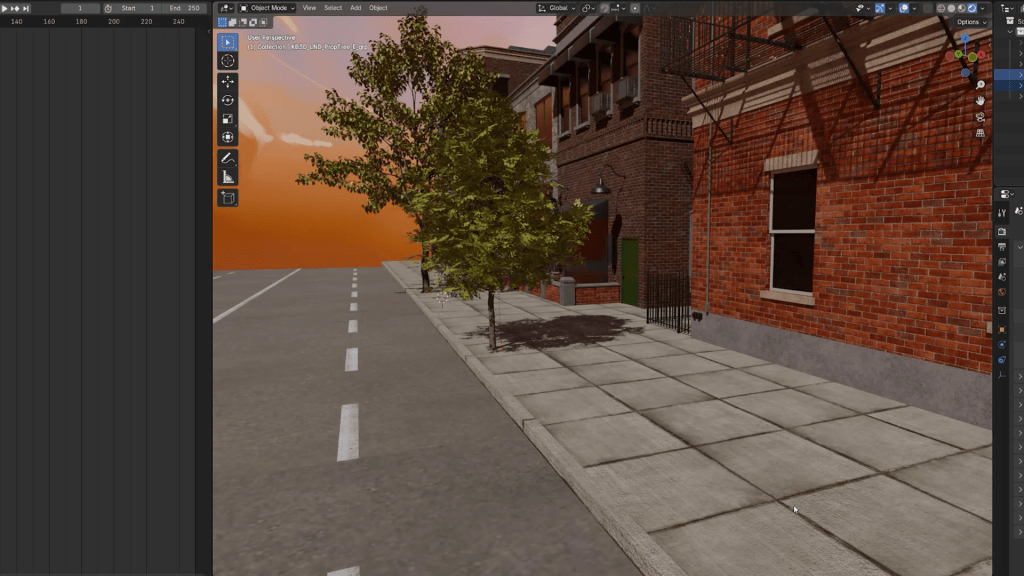
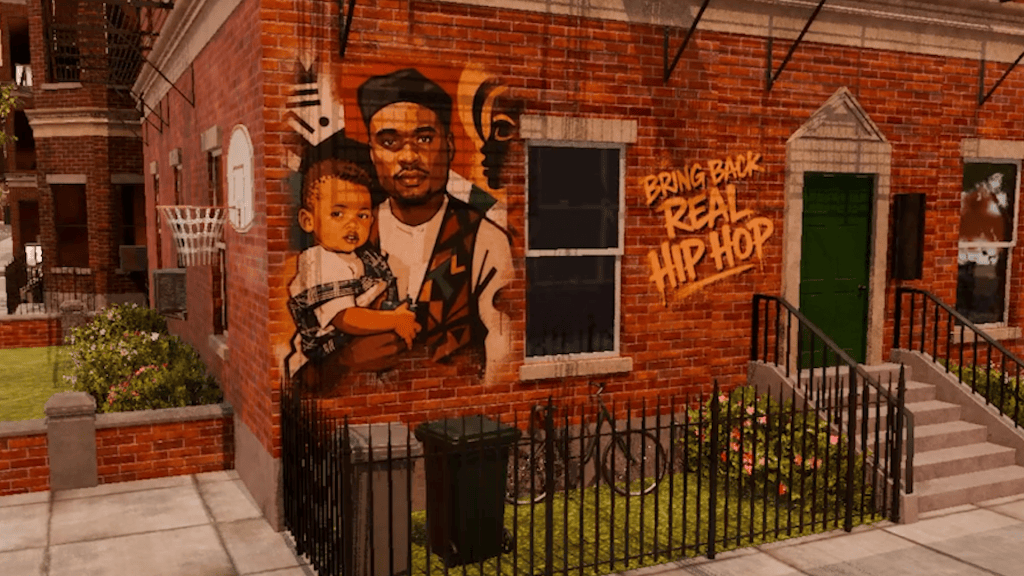
With the character performing, day five turned to environment work. The video called for a New York-style street scene with brick buildings, sidewalks, trees, and the boom-bap urban aesthetic. Rather than model the world from scratch, Ali pulled assets from the Reallusion Content Store and assembled a walkable street block for the rapper character to inhabit.
The restraint here is worth noting. He didn’t build a grand, meticulously detailed environment. He built just enough world to make the performance land.
“I didn’t need to make a whole grand, meticulous, and elaborate idea to animate. I just needed to set the scene and create a moment. That’s what I believe true art is. Moments.”
Ali Tomineek, Hip Hop artist and 3D animator
It’s a principle that scales beyond this project. Over-engineering an environment is one of the most common time sinks for solo animators, and it rarely improves the finished piece. The scene serves the moment, not the other way around.
Day 6: Populating the World with ActorCore Crowd Simulation
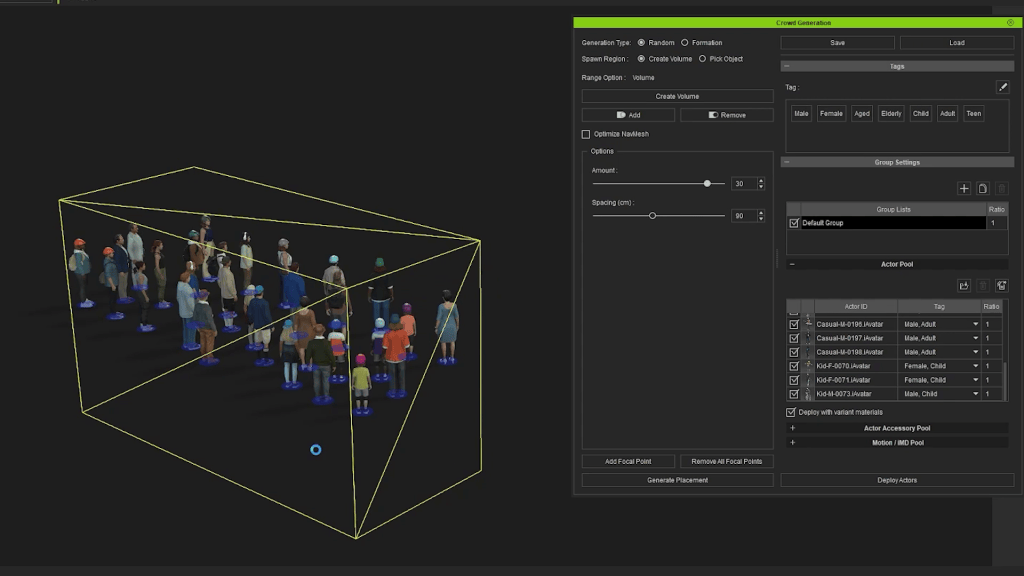
A single character walking down an empty city street doesn’t read as a city. It reads as a ghost town. To make the urban environment believable, the scene needed crowds. Manually placing and animating 50 to 100 background characters in a single day isn’t viable, but iClone 8’s built-in crowd simulation, powered by ActorCore assets, made it routine.
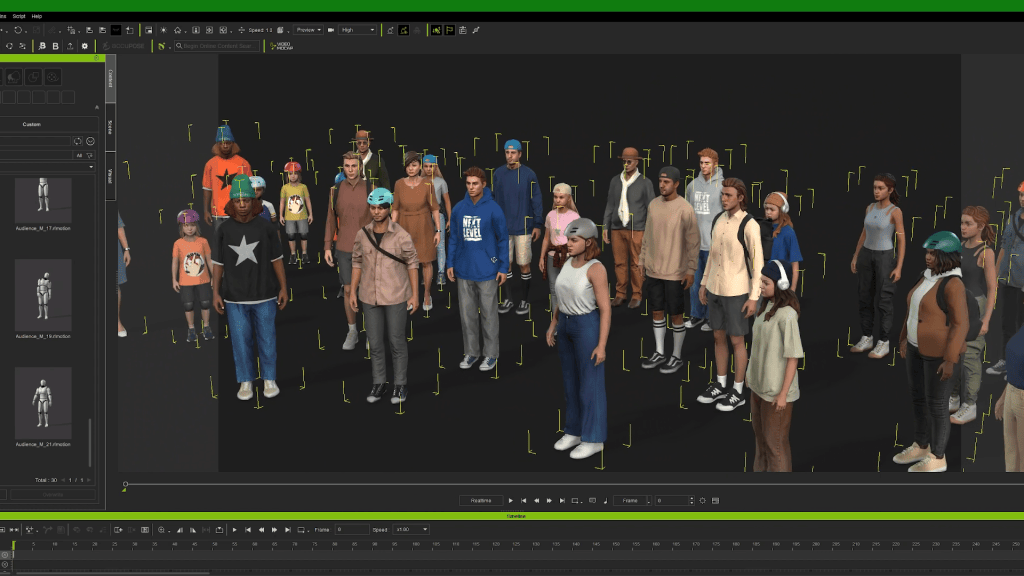
Ali pulled character packs and motion packs from ActorCore, combined them inside iClone, and let the simulation handle placement, variation, and movement logic. The division of labor across his pipeline is the real insight. Hero characters get built from scratch in CC5 with full likeness and custom morphs, while background characters come from ActorCore as production-quality, ready-to-animate assets.
“I take pride in crafting my main characters from scratch, especially when they’re front and center. But when I need to fill a scene with background characters or a lively crowd, ActorCore is my go-to. I can download character packs and motion packs, combine them together, and let iClone do all the heavy lifting.”
Ali Tomineek, Hip Hop artist and 3D animator
The result is a scene with depth: background characters living their own moments, stories unfolding past the main camera frame. That’s what production value actually looks like, and for a solo artist working in a 7-day window, ActorCore is what makes it achievable.
Day 7: Final Polish, Lighting, and Render
By day seven, the hardest creative decisions were behind him. What remained was the work that separates a sketch from a finished piece: lighting setup to establish mood and direct the eye, camera angle selection to frame the performance, and continuity passes to make sure every detail flowed shot to shot.
Polish work is rarely glamorous, but it’s where the deliverable either crosses the line from animation to film or doesn’t.
“By the end of day seven, it wasn’t just an animation. It was a moment.”
Ali Tomineek, Hip Hop artist and 3D animator
Summary
This Character Creator to iClone animation workflow shows how a complete music video scene, from hero character through full performance, populated environment, and final polish, can be built in seven days using the Reallusion 3D Suite end-to-end. CC5 handles hero character creation, iClone 8 covers facial and body mocap through AccuFACE and Video Mocap, the Content Store supplies the environment, ActorCore populates the world, and Blender Auto Setup keeps an existing Blender pipeline intact. The key insight from Ali’s run: combining purpose-built tools at each stage compresses what used to take weeks into a workable production schedule for solo artists.
Key Takeaways
- Lock in the concept before opening any software. Tools serve the creative direction, and committing to the moment first prevents pipeline decisions from driving the project sideways.
- Use CC5’s named morph sliders for hero character likeness. Searchable, dial-in control over individual facial features makes Character Creator 5 viable for main characters, not just background extras.
- Treat AccuFACE and Video Mocap as a two-pass system. Capture the baseline performance first, then refine on top. This skips the repetitive 80% of mocap work and concentrates effort on the 20% that elevates the result.
- Combine hand-crafted hero characters with ActorCore crowds. Custom-build the leads, fill the background with production-ready ActorCore assets. This is how solo artists deliver populated scenes without burning weeks on extras.
- Use Blender Auto Setup to enhance an existing pipeline, not replace it. One-click round-tripping between CC5 and Blender means a familiar Blender workflow gains the Reallusion ecosystem without giving anything up.
Ali Tomineek
My name is Ali Tomineek. I’m an artist and 3D creator born and raised in Phoenix, Arizona. To be clear, I’m a Hip Hop Artist. Not just a rapper. Everything I do is rooted in Hip Hop culture.
The way I animate, direct, write, and tell stories all come from that same foundation. Hip Hop isn’t just something I listen to; it’s how I see the world.
I’ve been creating music and videos for over 15 years, but my journey into 3D animation began around six or seven years ago. Like many self-taught artists, I learned Blender through YouTube tutorials, online articles, and community forums. In 2021, I started posting my viral celebrity animations featuring my signature animated character, Lil’ Ali. Those videos quickly took off, reaching over 100 million views, and opened doors to collaborations with brands like BET, ESPN, Hulu, and NBC.


FAQs
Can I use AccuFACE with just a webcam, or do I need an iPhone?
AccuFACE works with a range of inputs, including live webcam, recorded video files, sports cameras, and phone footage. Specialized hardware is not required. For the best results, capture in good lighting with the face fully visible, then run a second refinement pass inside iClone 8 on top of the AccuFACE baseline.
How does Video Mocap compare to wearing a mocap suit?
A suit like Rokoko delivers higher-fidelity capture, especially for fine finger or hip movement. Video Mocap trades some of that fidelity for setup speed: no suit, no calibration, just a phone or camera. For solo artists working on a deadline, the time saved on tool-switching often outweighs the fidelity gap.
Do I need to abandon Blender to use Character Creator and iClone?
No. The Blender Auto Setup plugin makes CC5 to Blender a one-click transfer. An existing Blender pipeline stays intact, with the Reallusion ecosystem layered on top. Character creation, facial mocap, body mocap, and crowd simulation all feed into the Blender scene the artist already knows.
Is the Reallusion 3D Suite subscription worth it for solo creators?
For independent artists, the subscription model lowers the upfront barrier. Character Creator, iClone, and the plugins can be explored month-to-month rather than committing to a large one-time purchase. That flexibility makes it practical to test the full pipeline before scaling commitment.
How long does it actually take to learn this full workflow?
The 7-day challenge format works because the tools are designed for fast onboarding. AccuFACE, Video Mocap, and ActorCore each abstract away the most repetitive parts of their respective domains. A working Blender artist can be productive in CC5 and iClone within a few sessions, and the deeper craft (refinement passes, polish, lighting) is where the long-term skill investment lives.
Related Posts
- How Ali Tomineek Turns Himself into an Animated 3D Character with Character Creator & Blender
- Creating a Stylized Arnold Schwarzenegger 3D Caricature with CC5, ActorMIXER & Blender
- CC5 HD Pipeline Workflow: Creating Fortnite-Style Action Heroes for Animation