Mohammad Khalikh, trained and educated in India, is a skilled previs artist renowned for his contributions to both live-action and animation projects. His clientele includes prestigious names such as Lenovo India and Xolair, with one of his previz works notably featured in a war movie available on Amazon Prime Video India.
To explore more of Mohammad’s artwork, follow his portfolio on ArtStation under the username @grizzlyartist.
Khalikh’s Contest Entry
The artwork was a submission to the Pwnisher Boss Fight 3D Montage Challenge in 2023. Utilizing seamless integration with Unreal Engine, iClone, and Character Creator, Mohammad showcased an epic fight between the hero and the ultimate boss with imaginative storytelling and precise technical execution.
Concept Phase
The moment I saw the template for the Boss Fight, I realized I wanted to create a sequence from the epic Ramayana where Lord Ram fights Kumbhakarna. Additionally, I chose Unreal Engine for this project, as I had very little time to execute this challenge.
Using Proxy Models
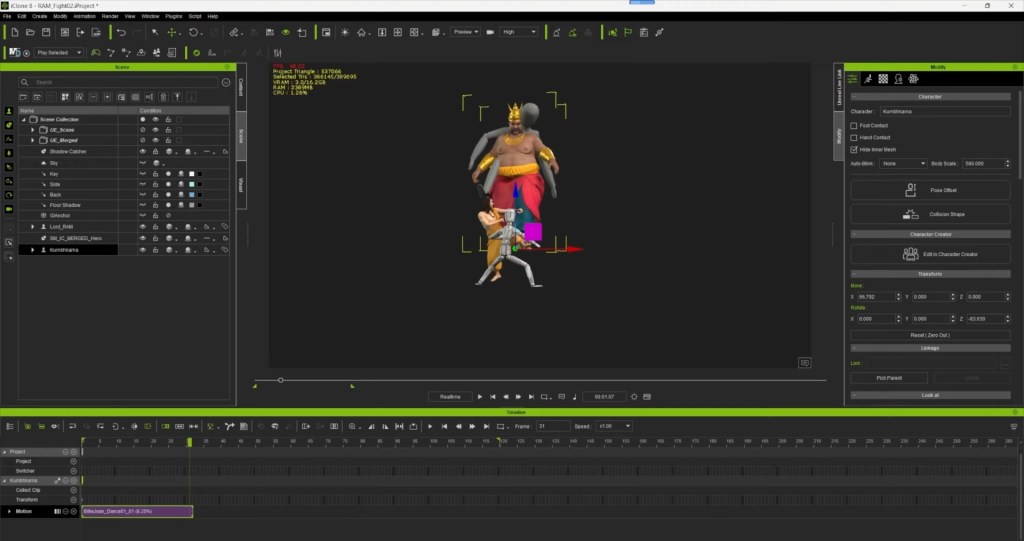
An important aspect of using the Unreal Live Link with iClone is understanding the correct layout and measurements. Using the Unreal template I received from the 3D challenge, I exported the proxy models from Unreal to iClone with just a click. This helped me understand the layout of the characters in the scene, enabling me to place them in the correct positions accurately.
Generating Crowds
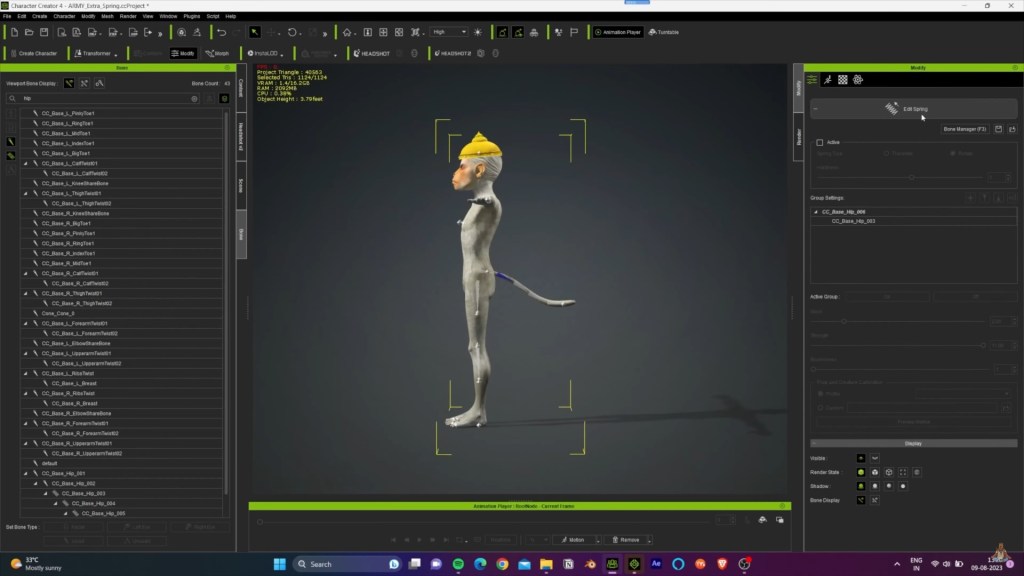
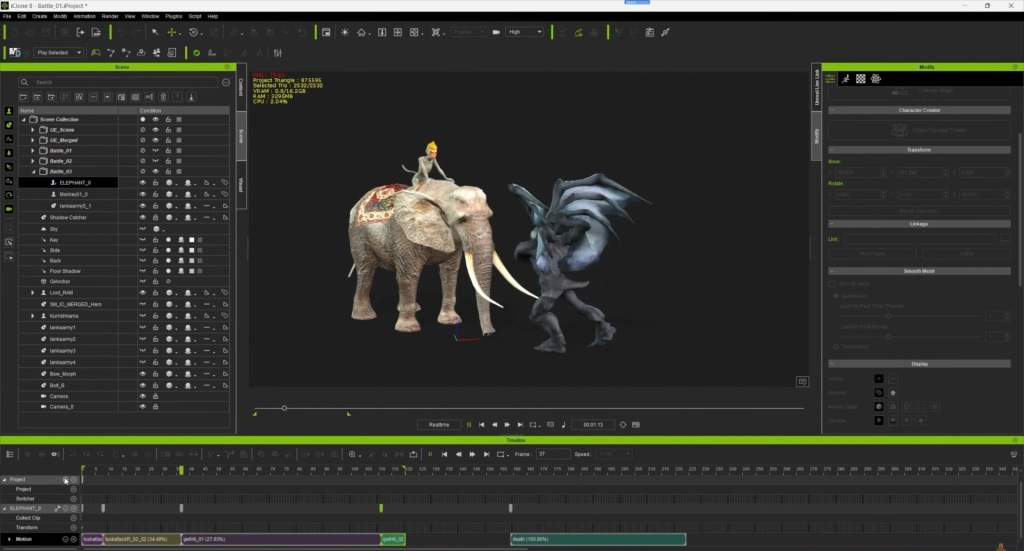
Another critical aspect of this challenge is that it involves a war sequence, which requires crowds. To address this, I quickly created a humanoid monkey soldier using the Headshot 2 plugin. I then used Blender to add a tail with springbones to the monkey character. Additionally, I utilized the available Gargoyle and elephant characters from the Reallusion store. My focus was on creating various animations. And these characters are engaging in combat with each other.
Crafting Characters
The characters were put together with ease in Character Creator. The clothing for the characters was readily available, as it had been prepared for some of my previous projects involving Indian characters. One of the greatest advantages of using CC characters is that the clothing can be easily saved and reused for multiple human characters. It’s as simple as drag and drop!


Making Prop Animation
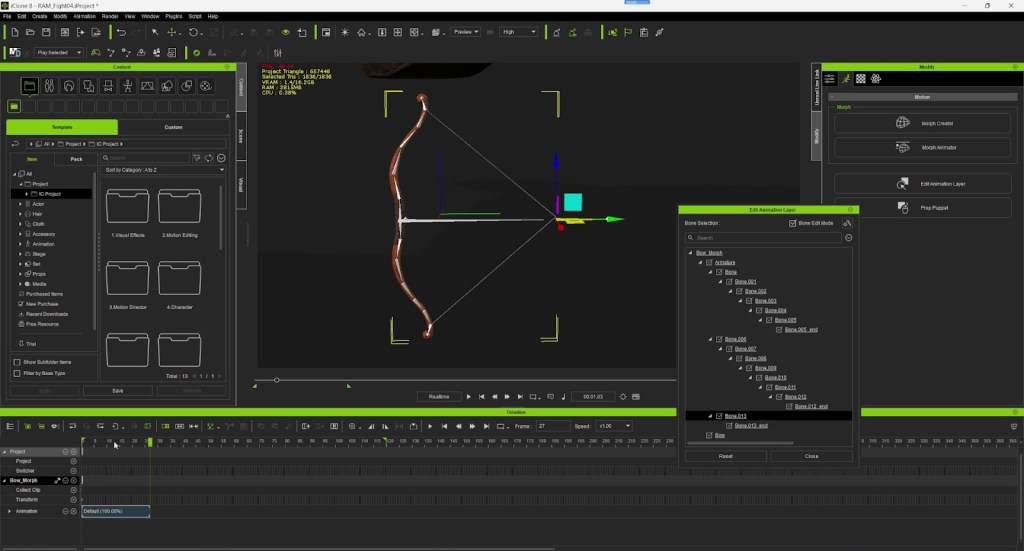
Animating the bow and arrow is a must. So, I exported the bow from Character Creator and rigged it in Blender. Then, I easily animated it in iClone using the Edit Animation Layer feature. The bones created in Blender were accessible here to create motion for props.
Using Unreal Transfer
After having all the main characters, crowds, and props animations ready, I utilized the Unreal plugin and CC auto setup to export all the characters along with the animations into Unreal Engine. This process also facilitated the reassignment of textures and shaders in Unreal Engine.

Composition in Unreal Engine
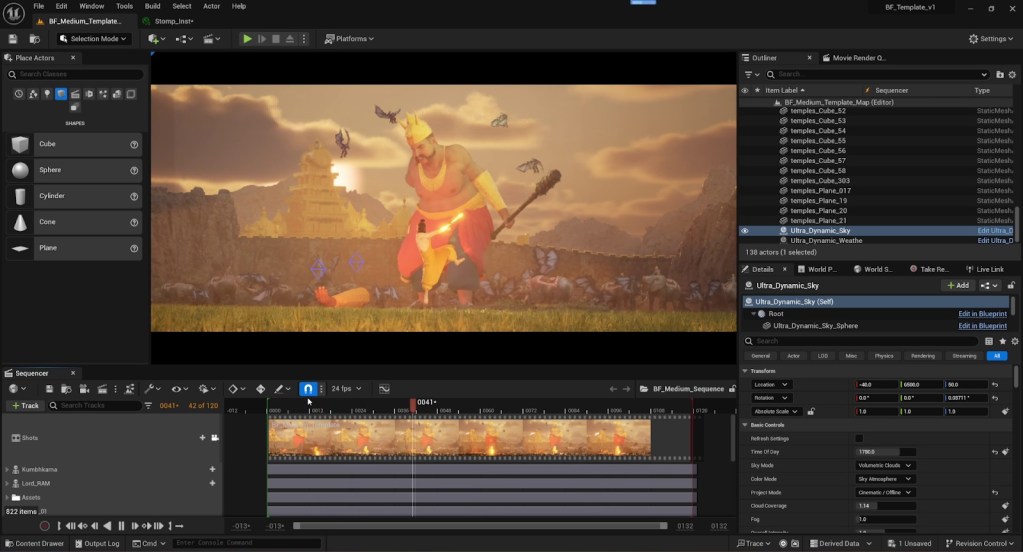
After setting all the animations, I utilized the free available models from Sketchfab and other sources like Quixel Megascans to create the 3D environment. Additionally, I incorporated the Ultra Dynamic Sky. This add the sky and lighting for the scene, resulting in the final render.
Thoughts
Creating this boss fight scene was a thrilling and challenging experience. It pushes the boundaries of my skills in Character Creator and iClone. The integration with Unreal Engine allowed me to bring my vision of an epic showdown from the Ramayana to life with vivid detail and dynamic animations.
From generating crowds to crafting intricate character animations, each step of the process showcased the flexibility of these tools. I hope this scene inspires others to explore their creative limits and leverage the incredible capabilities of modern 3D software. Thank you for joining me on this journey! I look forward to sharing more of my work in the future.
Related Posts