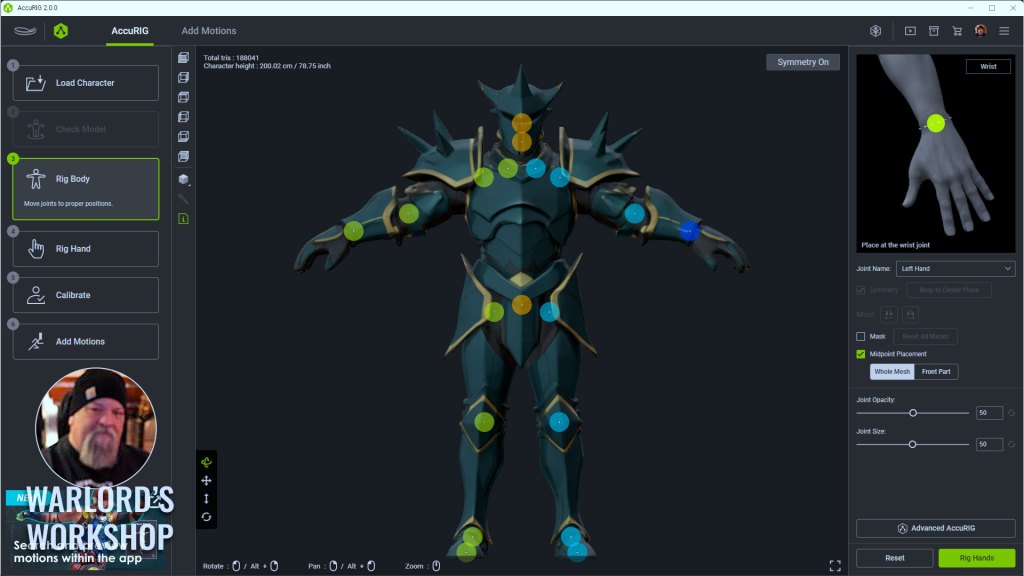
With the release of AccuRIG 2, now available free for download at the ActorCore online store, we can enjoy the improvements of the next generation of easy 3D character rigging and motion. As mentioned in Reallusion release information, AccuRIG has become a worldwide leader in rigging 3D characters for the gaming and entertainment industries with over 200,000 users worldwide.
Designed for creators across gaming, film, and simulation, the new version introduces AI-powered motion search, multilingual support, and an integrated workflow that eliminates the need for external browsing or manual retargeting. With enhanced preview capabilities and broad platform compatibility, AccuRIG 2 positions itself as a fast, accessible solution for high-quality character animation.
What is ActorCore
Before we get started let’s take a brief look at ActorCore for those not familiar with it. ActorCore is Reallusion’s cloud-based platform for 3D character animation, offering a massive library of motion assets and fully rigged characters optimized for real-time production.
It provides creators with thousands of professionally crafted animations, ranging from everyday actions to cinematic sequences, designed for compatibility with major 3D tools like Unreal Engine, Unity, Blender, and Maya. ActorCore also includes lightweight, animation-ready characters built for crowd simulation, business visualization, and digital twin applications.
With support for facial expressions, lip-sync, and precise body articulation, the platform enables high-quality results across gaming, film, and simulation workflows.
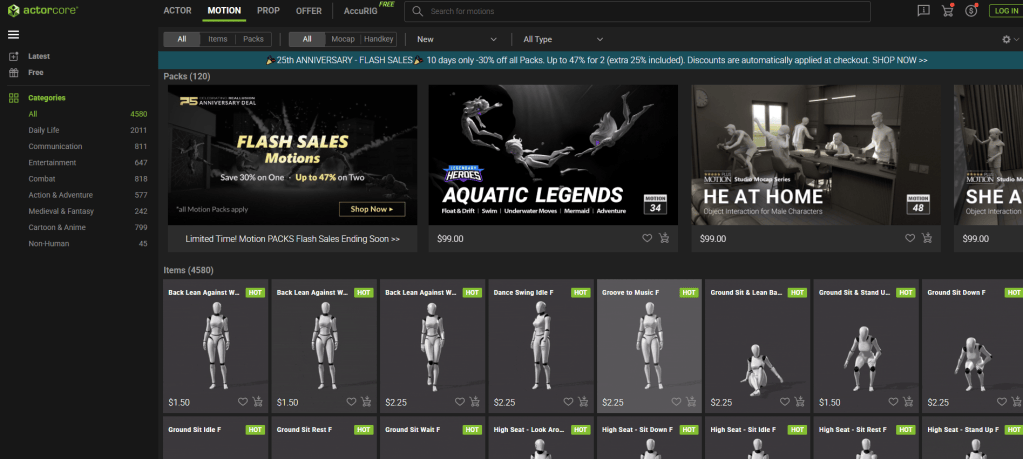
Over 4,500 Premium Motions
A notable enhancement is the direct in-app integration of over 4,500 ActorCore motions, allowing users to rig, animate, preview, and export characters without leaving the platform. This streamlines the entire workflow, making it faster and more efficient for both studios and individual creators.
AI Smart Search
The AI Smart Search feature in AccuRIG 2 is designed to simplify and accelerate the process of finding suitable animations for 3D characters. Instead of manually browsing through external libraries or switching between applications, users can now search for motions directly within the AccuRIG interface.
The system supports multiple search methods, including category-based filtering and natural language input, which allows users to describe the type of motion they need in everyday terms. This functionality is multilingual, supporting over 100 languages, making it accessible to a global user base.
The search engine is built to interpret descriptive queries and match them with relevant animations from the ActorCore library, which containing the aforementioned 4,500 plus motion assets can be a real time saver and limit frustration. This integration not only saves time but also enhances selections of animations that fit specific project needs.
This feature is particularly useful for creators working across diverse industries such as gaming, film, and simulation who require quick access to high-quality, retargetable motions without interrupting their workflow.

Group Interaction Motion Search
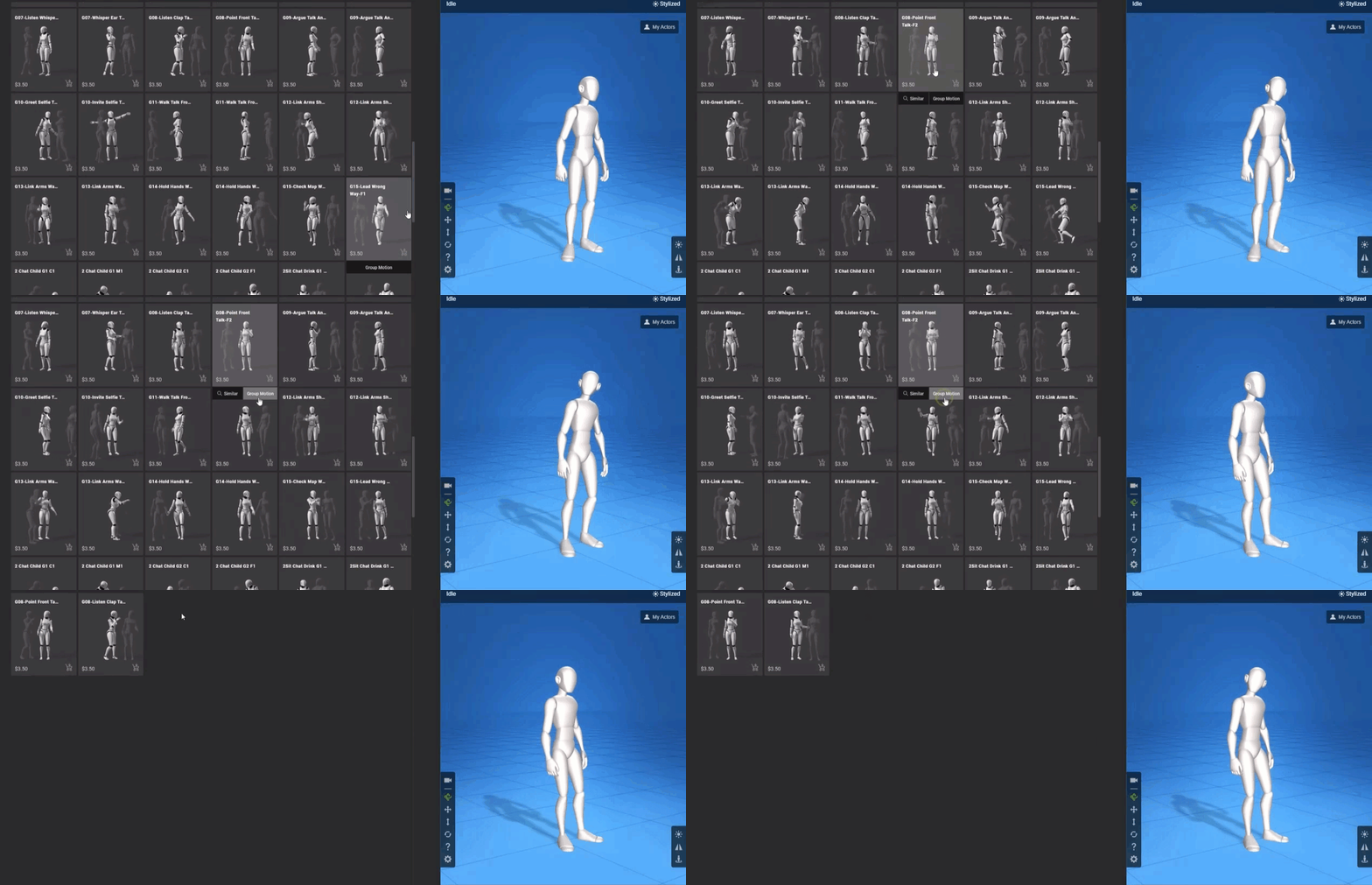
We can also search similar interactive motions as shown in the video above. These can be used to enrich conversations, highlight how characters relate to each other, and add depth to acting performances. The goal is to find gestures and motions that make interactions feel more natural and expressive. We can hover over a motion thumbnail to bring up the Group Motion tab. This will identify any related group motions for that particular type of interaction.
With Group Interaction Motion Search we can very quickly and efficiently locate related motions that will enhance the visual performance of our characters. Another tool to save time and cut down if not eliminate frustration in the search for the proper motions. Less time on such aspects of a project as these can translate into more creative time to build audience rapport.
Finding Similar Motions
Just like searching for Group Interaction Motions we can also search for Similar Motions. As explained in the video above this is useful for locating similar motions so you can explore more possibilities based on the original motion you are working with. This can also serve as a placeholder motion during the initial layout which can be replaced using this advanced search feature when actual final production work begins.
Natural Language Search with Multi-Lingual Support
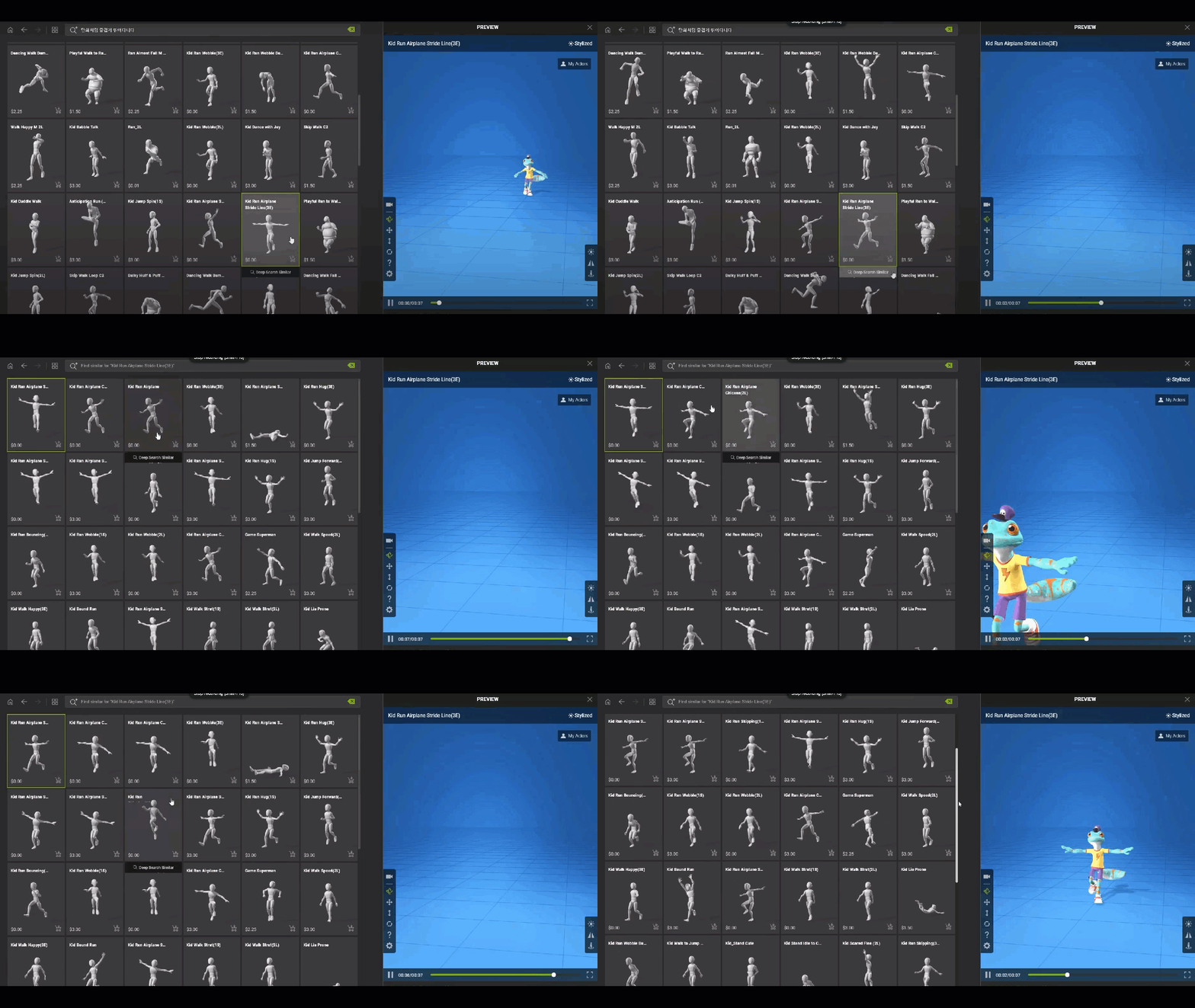
We can use simple one word searches such as “jump” or we can further refine the search with something like “backflip jump”. The best feature with the Natural Language support now baked into the AI Search is the ability to use a natural language prompt as shown in the tutorial. The tutorial uses an example of “crouch walk while peeking around” which can return results showing similar motions where the character looks around the environment as they move.
The video further goes on to show how we can add “in a cartoon style” to the prompt to return relevant results showing cartooning motions. An even more telling demonstration of the AI Search Nature Language support shows how adding “cat woman” to describe a cat like female fighter to find motions that best match those characteristics. Summarize the scenario, style, or character traits in clear, simple terms to quickly identify appropriate motions.
Multi-lingual support allows us the possibility of searching in our native language and we are encouraged to experiment with creative prompts to find what we need.
Motion Retargeting
Retargeting motions used to be a major part of 3D animation. There were tools and applications focused on retargeting to ensure everything matched up to enable the character to move like it was supposed to move. Retargeting could be time-consuming and always had to be taken into account in terms of time allocation.
Now, with AccuRIG, we don’t even think about retargeting in the same way anymore. In fact, we don’t think about retargeting or deal with it at all except for the initial marker placements on the limbs. It’s all done behind the scenes, under the hood, while we sit back waiting for the rigging to complete.
Set the markers, refine and adjust, then skin the character (one-click skinning) after telling it how many fingers from zero to five. That is all there is to it. AccuRIG takes care of the rest.
Go to the ActorCore website to download the free AccuRIG 2 application and see for yourself. There rare plenty of motions to test your automated rigs once they are ready.

Rig Once for Multiple Applications
Another great feature of AccuRIG is the “rig once and use” feature. This allows the skinned 3D Character to work with many different applications thereby eliminating the unnecessary complexity of working with a large group of applications in the same project. The universal FBX or USD export is recognized by most leading 3D applications today.
| – Unreal Engine – Unity – Maya – MotionBuilder – 3DS Max | – Blender, – Cinema 4D – NVIDIA – Omniverse – Character Creator and iClone |
This includes any software that can import FBX or USD 3D file formats. That covers a lot of applications and makes distribution of assets much easier in a multi-tool pipeline. As long as any pipeline utilizes those formats it will remain open to any characters created by AccuRIG 2 and other Reallusion products.
More Time Creating, Less Time Rigging
As mentioned earlier, the speed of AccuRIG can reduce the frustration of rigging characters for many differ 3D applications. This means you get to spend more time on the fun stuff, being creative, instead of wading hip deep into a technical morass of how to do something. Frustration can definitely slow down the creative process so anytime we can avoid that frustration means more creative time.
And there is never enough creative time.
Advanced AccuRIG
Advanced AccuRIG is available only in Character Creator and it greatly enhances the tools and features of AccuRIG.
At its core, Advanced AccuRIG retains the intuitive five-step rigging process that made the original tool accessible to a broad user base. However, it introduces a suite of manual refinement tools that allow users to precisely adjust joint positions, correct poses, and fine-tune skin weights. This added control is especially valuable when working with complex character meshes or non-standard proportions.
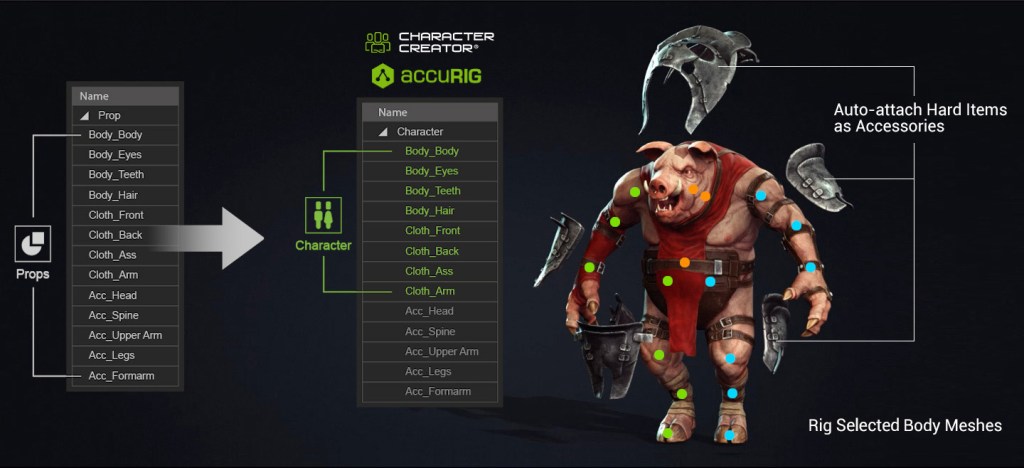
One of the key differences is multi-mesh support, enabling users to rig characters composed of separate geometry groups without merging them. This preserves the integrity of original assets and simplifies editing. Additionally, Advanced AccuRIG offers enhanced skin weight painting, allowing for smoother deformations and more natural motion transitions.
While the free version is well-suited for rapid rigging and general-purpose use, Advanced AccuRIG is designed for creators who require precision, flexibility, and compatibility with high-end production environments.
Summary
AccuRIG has always been one of the simplest and most reliable auto-rigging tools on the market today. Its main selling point lies with its ease of use and rigging speed. The only things that my trip up the rigging are non-standard proportions and characters. Even then those are usually extreme characters to start with.
With it being a free download there is no reason to not at least give it a try. It could certainly be worth a few minutes to see if AccuRIG can work magic on your characters too. When you also consider you can evaluate the rigging using thousands of motions, preview, and select suitable motions for 3d models all within the app how can you afford to NOT to give it a go?
Join over 200,000 users that rely on AccuRIG for 3D character rigging at no upfront cost, extremely small learning curve and universal FBX or USD export to 3D applications used by studios, small teams and indies.

MD McCallum – WarLord
Digital Artist MD “Mike” McCallum, aka WarLord, is a longtime iClone user. Having authored free tutorials for iClone in its early years and selected to write the iClone Beginners Guide from Packt Publishing in 2011, he was fortunate enough to meet and exchange tricks and tips with users from all over the world and loves to share this information with other users. He has authored hundreds of articles on iClone and digital art in general while reviewing some of the most popular software and hardware in the world. He has been published in many of the leading 3D online and print magazines while staying true to his biggest passion, 3D animation. For more information click here.