Animation Journey: From Drawing Cartoons to 3D Worlds
This article is the forth installment of my Garry’s ongoing journal series, From 2D to 3D. If you haven’t read previous posts, then we recommend starting there:
- From 2D to 3D: Why After 10 Years I Moved to 3D Animation
- From 2D to 3D: My First Steps with iClone and Character Creator
- From 2D to 3D: Building My First Custom Character in CC4
In the first post, I shared the pivotal moment that led me to transition from a decade of 2D work into the world of 3D animation. In the second, I explored the tools, challenges, and creative breakthroughs that shaped my early steps.
In my third entry, I took on the test of building my first fully custom 3D character from scratch. And in this forth article, I share with you how I overcame eye-blinking issues in Character Creator!
Entry 4 – Overcoming Obstacles
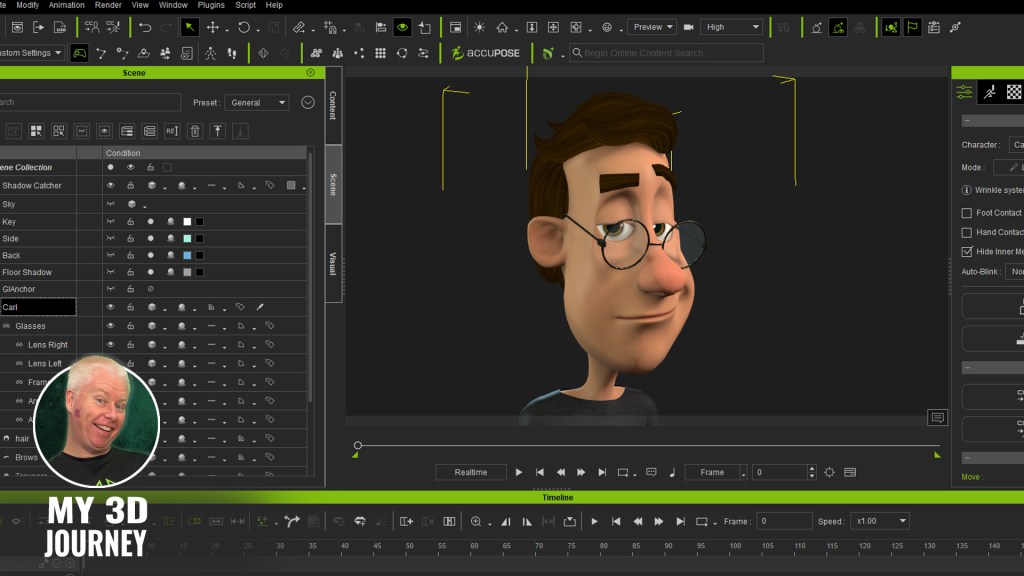
By this point, I have affectionately named my first 3D actor, Carl, and I was feeling like a creative genius. I’d customised his proportions, sculpted him into an original-looking cartoon character, and was finally starting to feel like I had a handle on this whole 3D thing.

And then he blinked…
Except he didn’t really blink. His upper eyelids came down, sure, but instead of closing over the eyes like a normal human, they pushed right through them. And I don’t mean subtly. Carl’s big, expressive cartoon eyeballs shot halfway out of his skull like he’d just seen a ghost.
It was my first proper speed bump. The moment where I thought, well that’s horrifying. Guess I broke it. But Carl wasn’t broken. It was me. Of course it was me.

In my pursuit of stylisation, I had given Carl huge, bulging eyes, so very different from the more realistic human eyes of the original base model. I’m not interested in realism. I wanted a cartoon appeal. And cartoon eyeballs come with consequences.
Luckily, this was also the moment I discovered one of my now-favorite tools in Character Creator – Edit Mesh.
With Edit Mesh, I was able to grab Carl’s upper eyelid geometry and carefully pull it outward, one vertex at a time, to better wrap around his large spherical eyes. It was a matter of tweaking, then testing. Over and over again.
But it worked. Sort of.
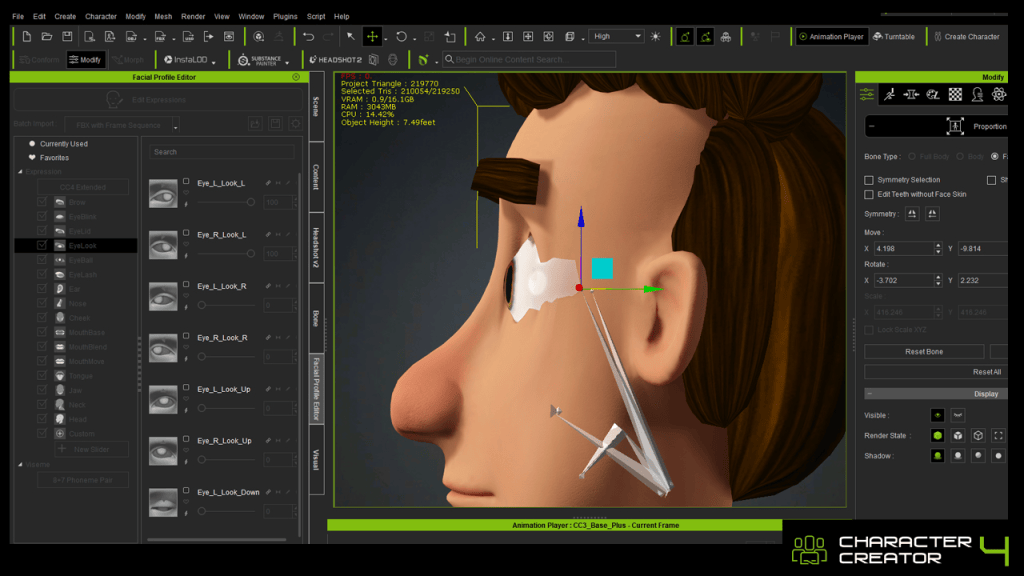
The eyelid now cleared the eyeball, but it still didn’t perform quite right. When Carl looked left or right, his eyeballs once again pushed forward, right through the skin of his eyelids. That’s when I returned to the Proportion Tool and repositioned Carl’s eyeballs slightly deeper into his head, away from the eyelids. Just a few subtle nudges backward. And somehow, that was the magic combo.
The eyelid cleared. The blink looked clean. And Carl no longer looked like he was trying to eject his own eyeballs every time he closed them.
It was my first proper frustration, and also my first real victory. Because I hadn’t given up. I hadn’t deleted the project in rage. I’d fixed it. Sure, it was one blink. But for me? That blink was a breakthrough.
And that’s the lesson I wasn’t to impart to other newbies myself in this entry of my journey. The importance of not throwing in the towel. If I had walked away at that point, and trust me, there were times where it was close, I would have missed the moment where things finally clicked. It’s so easy to assume the software is at fault, or that we’re just “not cut out” for 3D animation and rigging. But sometimes, it’s just one or two missing pieces. A tool you haven’t used yet. A solution you haven’t thought of.
There are so many resources out there that can help. The Reallusion YouTube Channel is a goldmine not just for tutorials, but for showing what’s actually possible. The community forums and user groups are full of people who’ve already faced (and solved) the weird problem you’re currently swearing at. And the support I have received on my journey so far has been overwhelmingly positive.
Even ChatGPT has been incredibly helpful when I hit a wall and just need a clear explanation or a gentle “here’s what you’re probably doing wrong.”
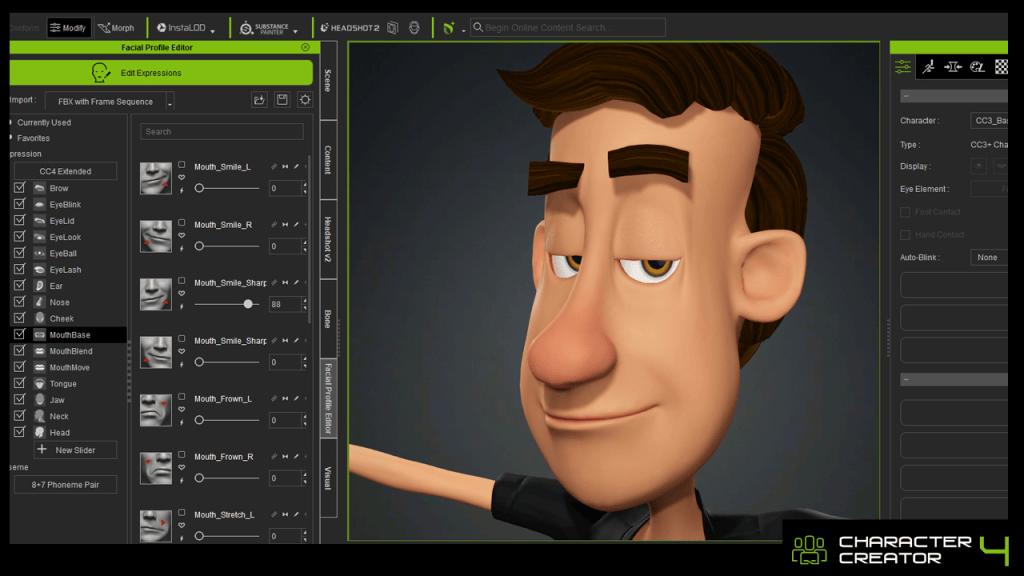
And more than anything, just turning up matters. Sitting down, opening the file, poking around.
You don’t have to know the answer, you just have to stay curious long enough to find it.

Garry Pye – 2D/3D Animator | Content Developer
Garry Pye is an Australian illustrator, animator, and Cartoon Animator instructor with over a decade of experience in the animation industry. Known for his unique blend of creativity and humor, Garry’s work spans from teaching animation techniques to creating innovative content that helps both novice and experienced animators improve their skills.
Garry’s enthusiasm for storytelling and animation shines through in all his projects, whether it’s creating animated shorts, preparing educational tutorials, or sharing his expertise by teaching. With a passion for making animation accessible and fun, Garry has built a community of learners who not only appreciate his knowledge but also his infectious sense of humor and dedication to his craft.
Follow Garry Pye’s iClone Page|2D Animation Page|2D Marketplace
Related Posts
- The Evolution of Cartoon Animator: A Conversation with Garry Pye
- Control Diverse Characters for Live Performances with CTA5.3
- How to Level Up Your 2D Animations Like a Professional