
Todor / CGDive (Blender Rigging Tips)
Hi, I’m Todor of CGDive. CGDive is a Blender-focused YouTube channel dedicated to making complex 3D concepts clear and approachable. The channel is known for deep-dive explorations, structured workflows, and tutorials that go beyond button-pressing. CGDive aims to teach the why and how behind the tools. We break down technical topics such as rigging, add-ons, or new Blender features into actionable steps that artists can immediately apply to their own projects. Our goal is simple: help beginner to intermediate Blender users master technical 3D skills without the overwhelm and move towards the advanced level.
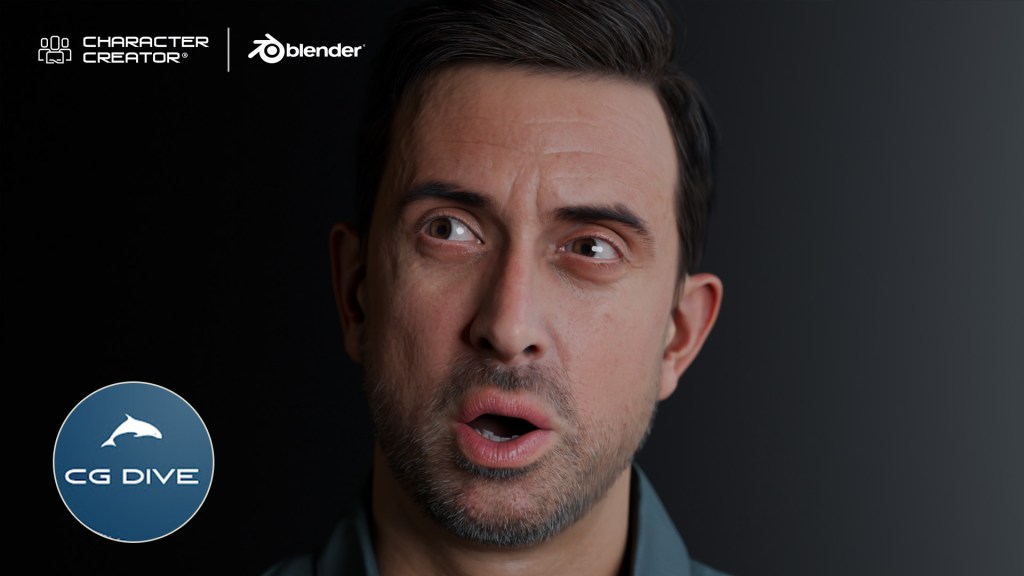
My Experience with Character Creator 5
I’ve heard a lot about Character Creator from some of the most productive CG artists I know, who absolutely swear by it. So, I dived in and explored the new Character Creator 5. As a longtime Blender user, I was surprised by how much time it can save me. Blender gives us incredible freedom, but when you have to create multiple human characters, especially as a solo creator or a small team, all the modeling, texturing, and rigging quickly turns into a mountain of work.
CC5: The Dedicated Digital Human Solution
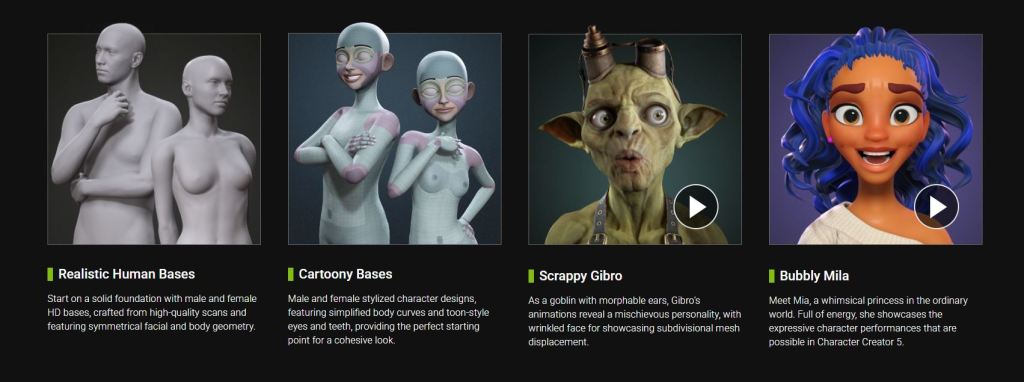
Character Creator addresses exactly these pain points by giving you a full production-ready human base that you can customize as much as you want. You can achieve any style from realistic to cartoony and even bespoke characters sculpted by hand. So, what is Character Creator 5? It is the latest version of a standalone application from Reallusion that specializes in one thing: high-quality humanoid characters. It gives you a fully customizable human mesh and textures, clothes that adapt to the custom character’s shape, an automatic body and face rig, and easy export pipelines not just to Blender, but to almost any popular 3D software like Unreal, Unity, ZBrush, and many others.
Diving into Character Creator 5
You have a couple of approaches for generating characters in CC5. If you just need a great-looking character quickly, you can drag and drop a preconfigured character and use it as-is or continue customizing. Alternatively, start from a neutral base (male/female, realistic/cartoony). Enable morphs and start clicking on parts of the character to tweak them. The morph sliders offer an enormous amount of customization — you can even tweak the shape of each individual tooth. This deep customization is simplified because every character uses the same core system (topology, rig, materials, and facial animation). The choice is simply where you begin.
The ActorMIXER Workflow
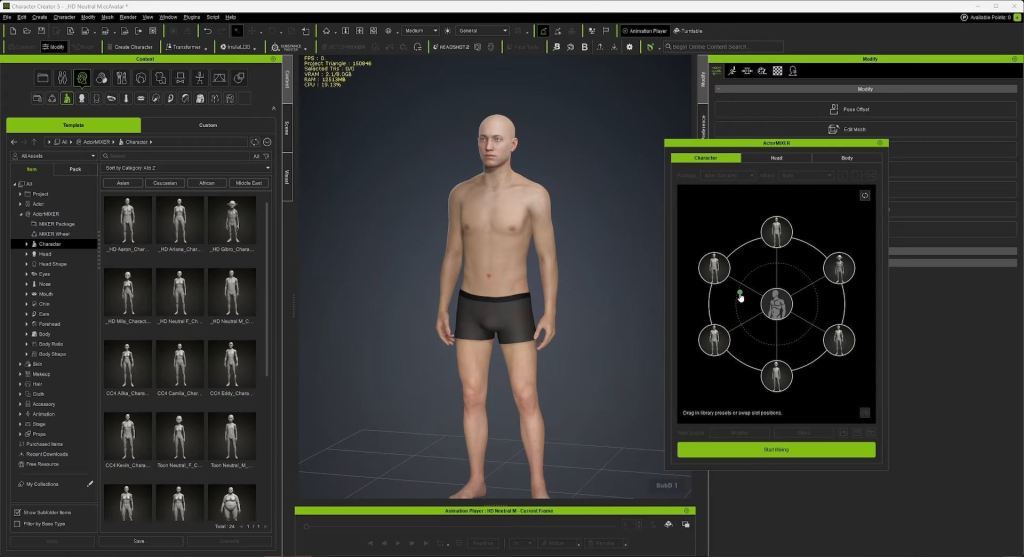
My favorite workflow is the ActorMIXER. It consistently helps create appealing characters. Start with a new base male (or female). Click “Start Mixing” and drag a dot towards other preset characters to blend shapes. You can mix between three characters at once: the base and the two in the dot’s current section. Play around to find the shape you like. If needed, stop mixing, replace the blend characters, and mix again. You can then focus on the head, tweaking its overall shape and then individual parts like the eyes, nose, mouth, and ears.
Texturing and Detailing
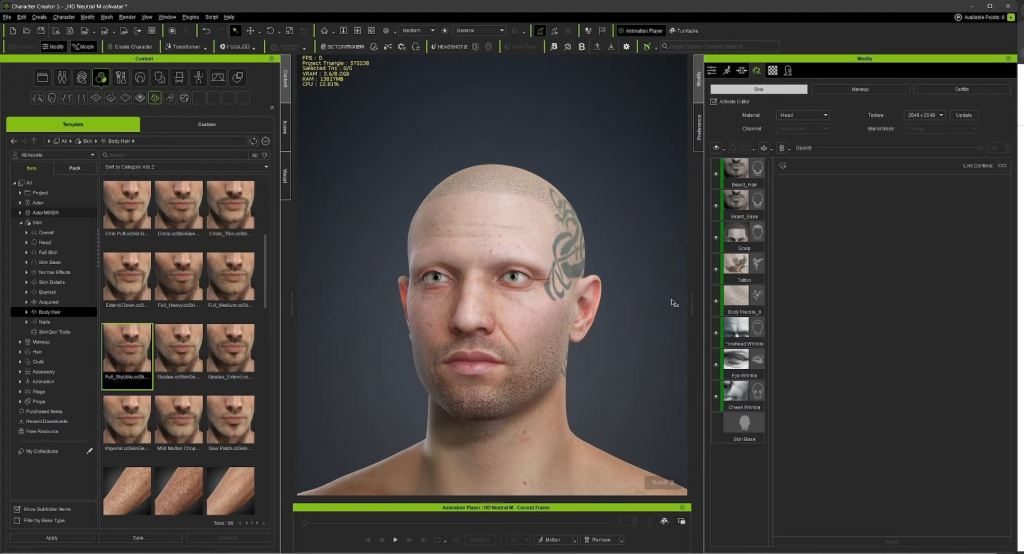
Once satisfied with the shape, focus on textures. After selecting a base skin, use the texture layering utility to add effects like dynamic wrinkles, imperfections, tattoos, scars, and facial hair. You can detail both the head and the body this way. If your texture looks good but needs a slight color tweak, go to the texture tab and adjust the color. You also have the option to apply makeup. Hair is crucial, and you can layer different hair parts for unique looks.
Clothing and Final Touches
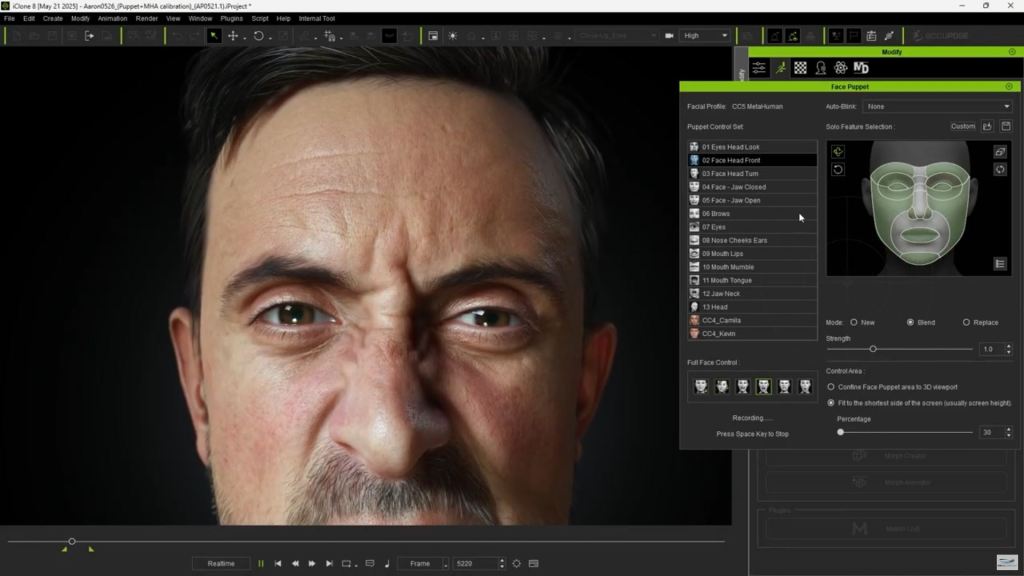
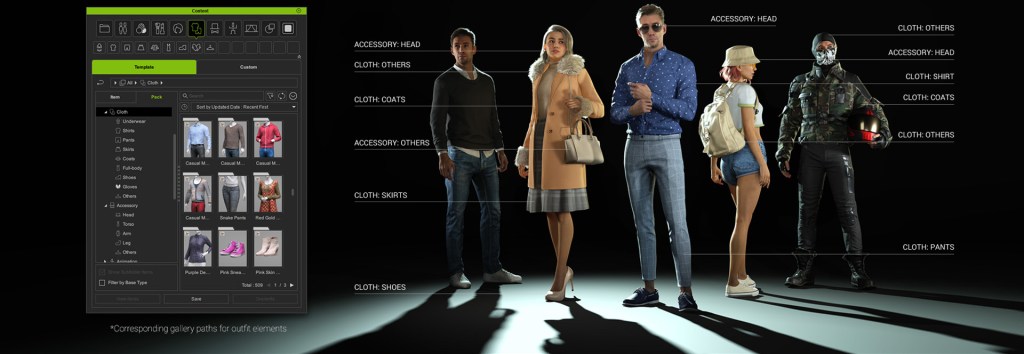
Finally, add clothing using the usual drag-and-drop functionality. Shoes change the character’s height; for example, high heels will adjust the height accordingly. What’s cool is that you can keep tweaking the character’s shape even after the clothing outfit system is applied, and the garments will react to the changes.
HD Morphs
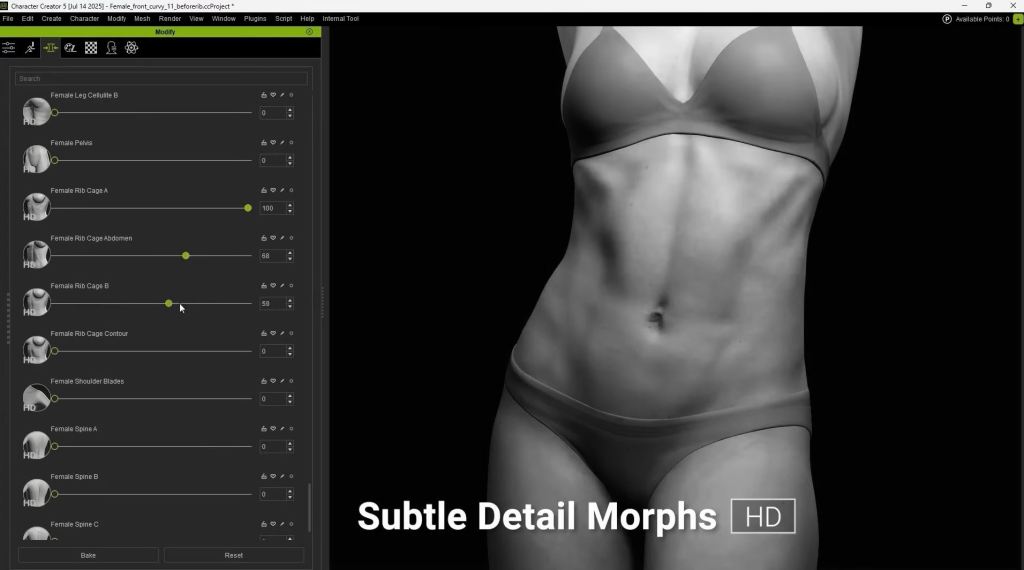
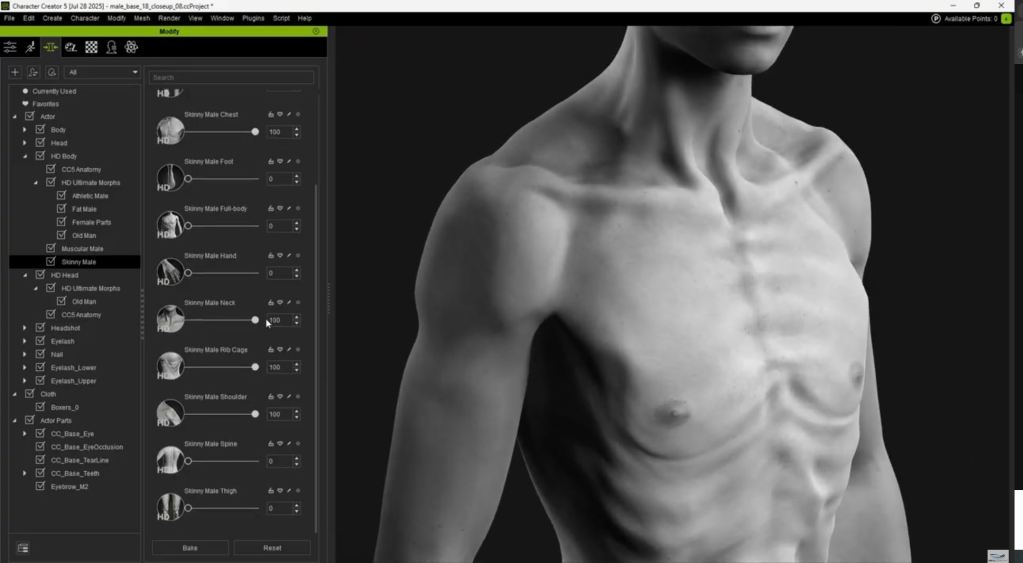
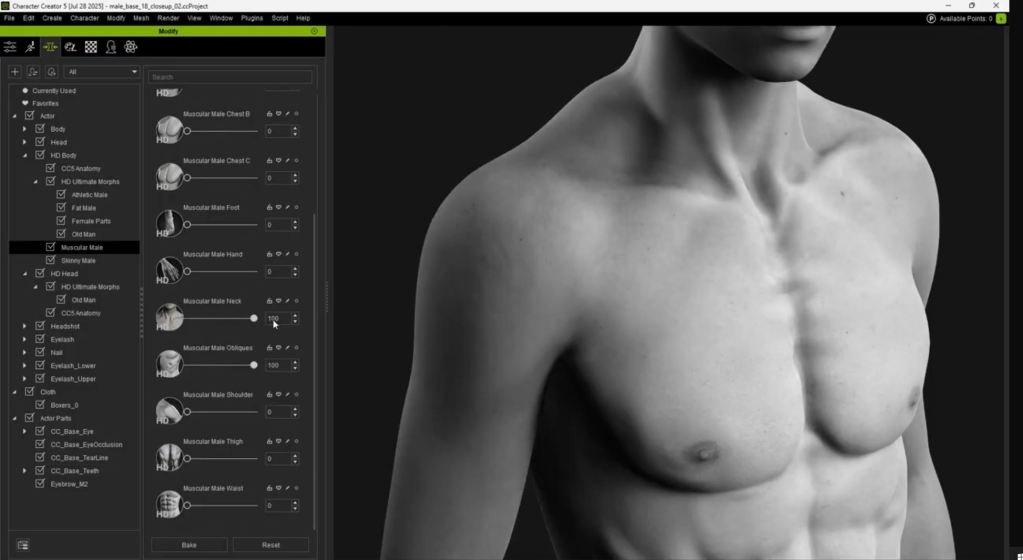
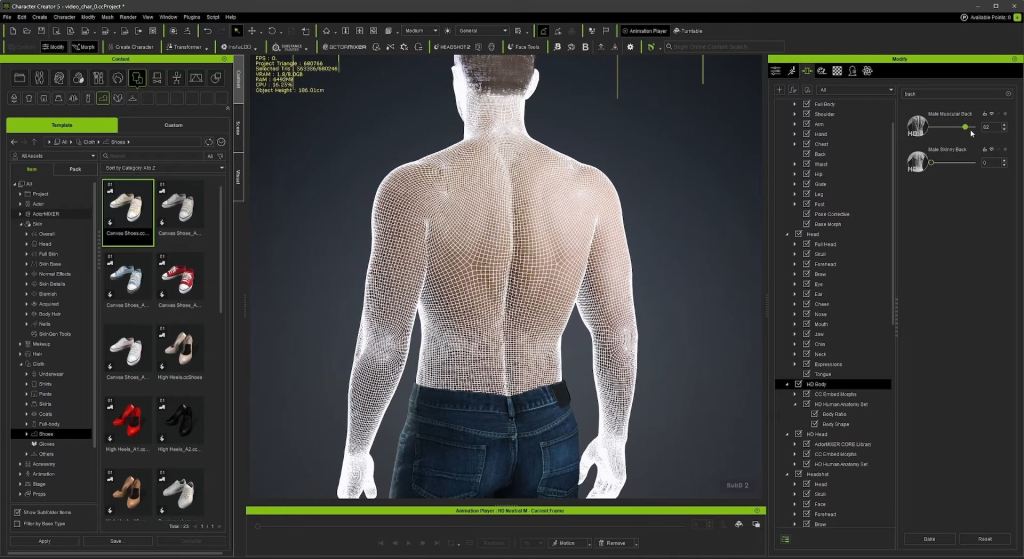
If you temporarily delete the shirt, you can see the HD Morphs. CC5 characters can be subdivided. Using the highest subdivision of two, you can find the morphs labeled HD. These are fine details that displace the geometry and change the silhouette, making your character look professionally sculpted. They are great for adding muscle details, and unlike normal maps, they are true geometry displacement. They can also be used to simulate aging.
Blender Pipeline
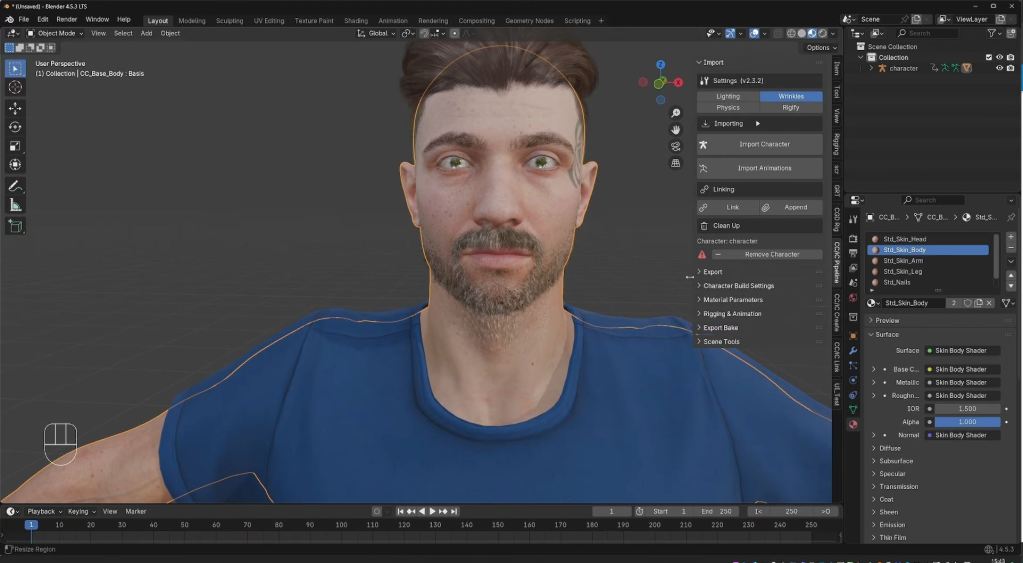
Now, let’s get into exporting this character into Blender. That used to be possible and fairly easy, even in older versions of Character Creator, but now, under plugins, we have a Blender Pipeline plug-in. You simply click “Export Character to Blender” to export and start Blender. In Blender, you need to install the official and free Character Creator pipeline add-on. In the pipeline tab, you can go to “Import Character” and import the FBX. You will get the character exactly as you designed it. This add-on has a ton of features, including the ability to tweak the parameters of your materials, such as adding an overlay color over the skin or changing the roughness.
Automatic Rigging
For animation, you can generate a Rigify rig with just one click. This will take a while, but when it is done, you will be happy with the results. The advanced face rig is particularly impressive. This is the most complex face rig I’ve ever seen inside Blender. If this reminds you of the MetaHuman Meta rig, that is because the CC characters are compatible with MetaHumans, which is a whole other topic often covered by channels focused on Unreal. Reallusion has a dedicated tutorial for this, and I will share it below.
Final Thoughts
These are some of the core workflows with CC5, and I wanted to talk about the limitations. Character Creator focuses on humanoids. So, it might be challenging to create your full production inside CC5, but that is what we have Blender and Unreal Engine for. As long as your character has two arms and two legs, you can easily customize it to your liking, but non-standard and non-humanoid characters are outside the scope of the program.

For many Blender hobbyists, there are modules within, and the final fee might add up. So this may turn off some hobbyists. On the other hand, busy professionals may instantly see the value of the software in the time it will save them. My advice is to only buy it if you can clearly see the value. Yet, Character Creator 5 isn’t here to replace Blender. It is an extension to help you speed up your character workflow and let you focus on the storytelling and the bigger picture of your production.
Related Posts
- Influencer Spotlight: Character Creator 5 Review by Deli Productions
- Influencer Spotlight: Building and Animating My Custom 3D Fighter by Round Table Animation