
Reallusion has been building simulation solutions for years with world-class brands and enterprise teams. We’re proud to deliver what many simulation pipelines still lack: realistic human behavior derived from capturing the timing, variability, and decision points that make results more trustworthy. Building on that foundation, the Motion Planning plugin is our next step toward larger-scale, real-world simulations with believable, repeatable outcomes.
With Motion Planning, teams can build simulations from modular blocks, link workflows across multiple areas, and quickly iterate on layout and process changes to compare results. Setups can then be reused and scaled for high-volume runs.
Key Highlights
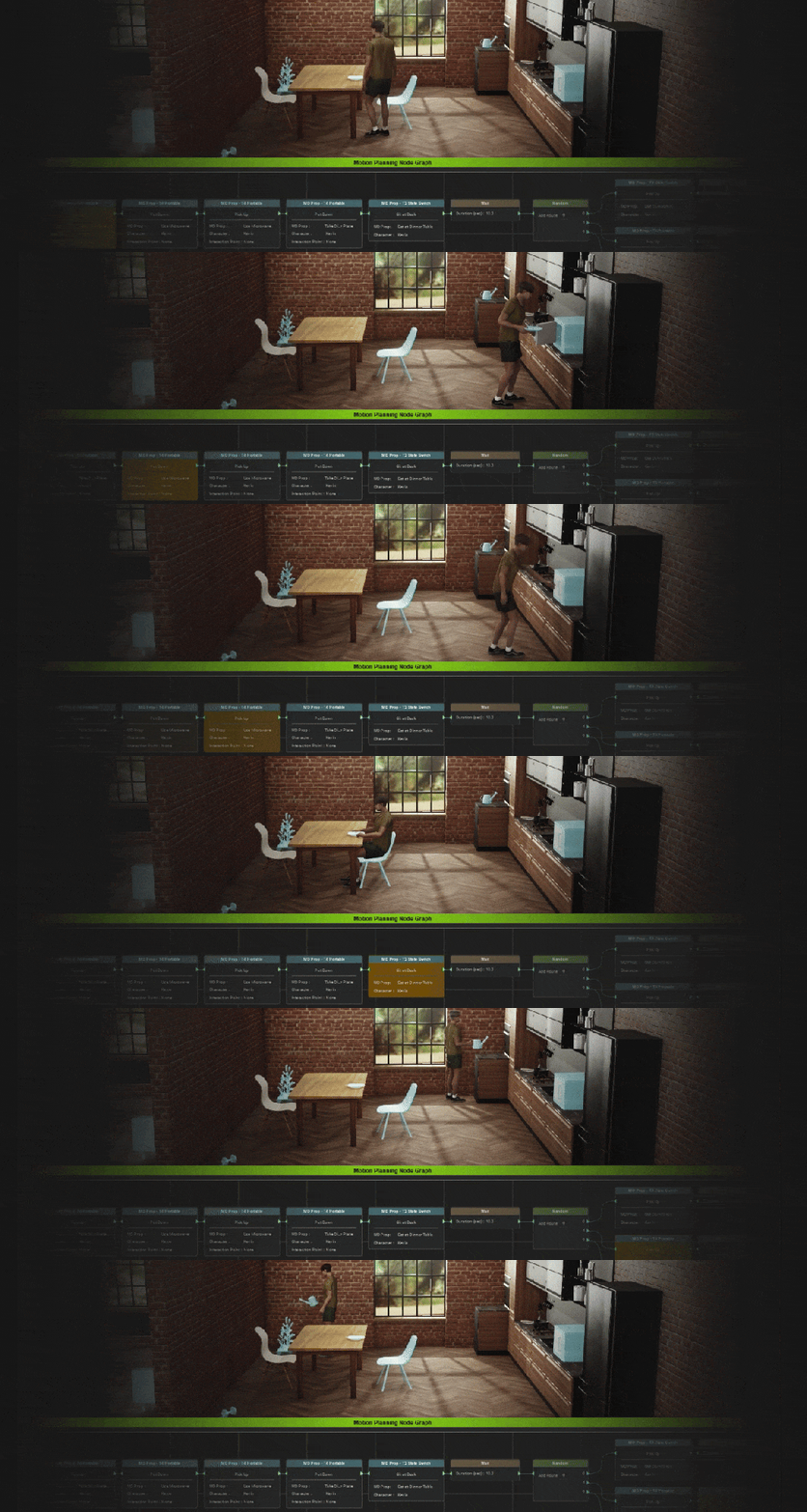
1. Build Behavioral Logic with Visual Graph Editor
Manage and edit simulation logic with a node-based Graph Editor. Design coherent animation flows, extend scripts, set conditions, and add random behaviors. This will help to make your simulations feel more realistic, intelligent, and flexible.
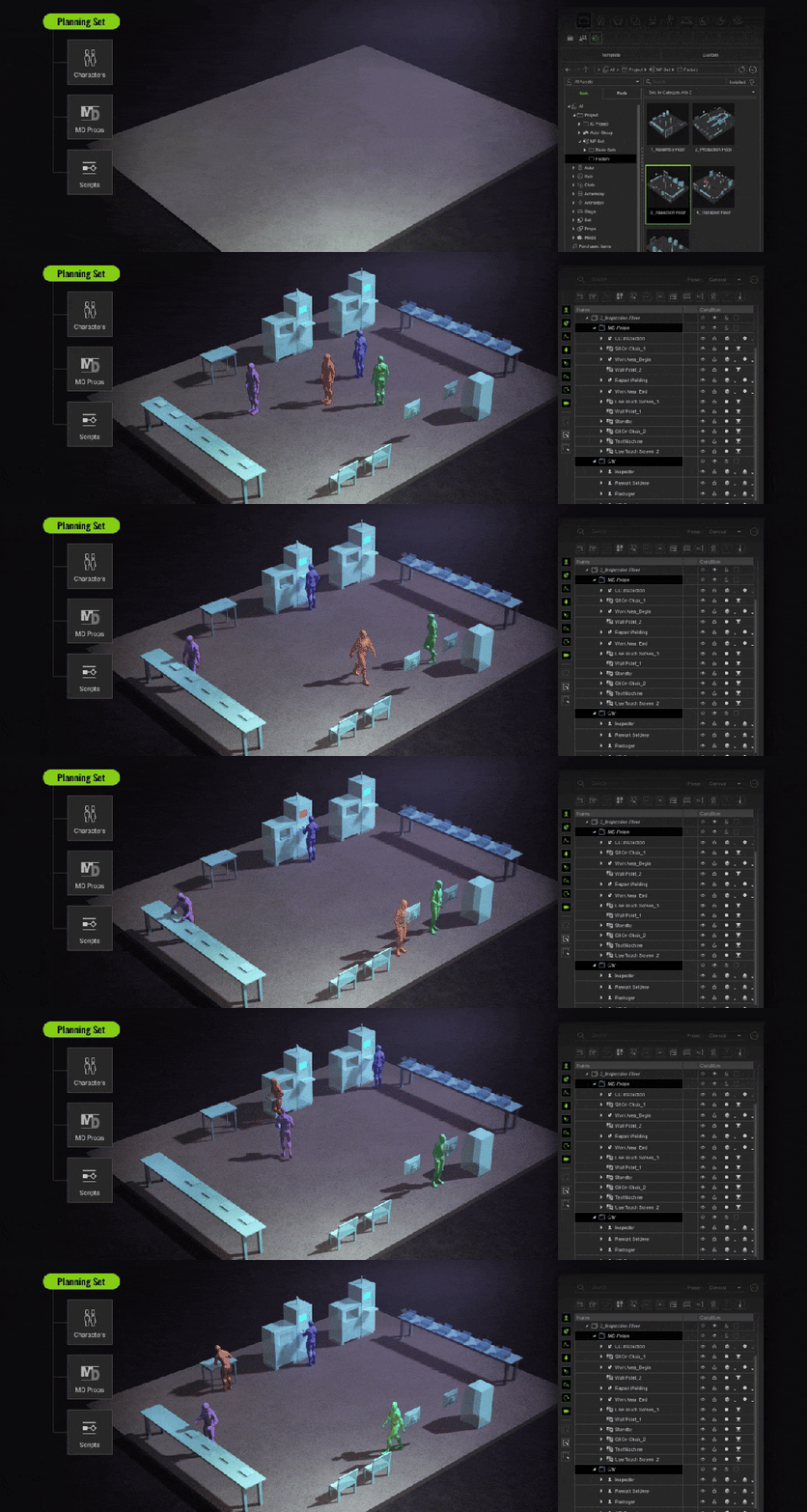
2. Planning Sets: modular building blocks for rapid simulation
Built on top of iClone Motion Director (MD), a Planning Set bundles Characters, MD Props, and Scripts into a reusable module for fast deployment. Choose an existing or custom Planning Set, drag and drop it into your scene, assign tagged characters, make quick scene/prop adjustments, then click Go MD (Run Simulation) to generate an animated simulation instantly.
To help teams get started quickly, Motion Planning includes free embedded starter content in iClone ( including simple Planning Sets and essential props ) so users can run examples right away and understand the workflow in minutes.
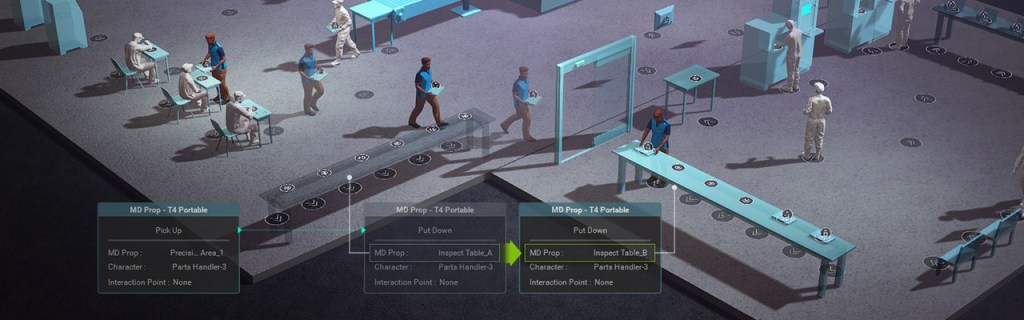
3. Scale from one area to an entire system
Motion Planning is not limited to a single department or zone. Using the Graph Editor, you can chain multiple Planning Sets together to build anything from a production line and crowd flow route to a large-scale factory or city-level simulation by combining Planning Sets of different sizes.
From Individual Actions to Large-Scale Scenarios
Reallusion’s human-centric simulation workflow (now completed with the newly added Motion Planning) scales from single-person actions to system-level operations, with modular logic to connect everything at scale:
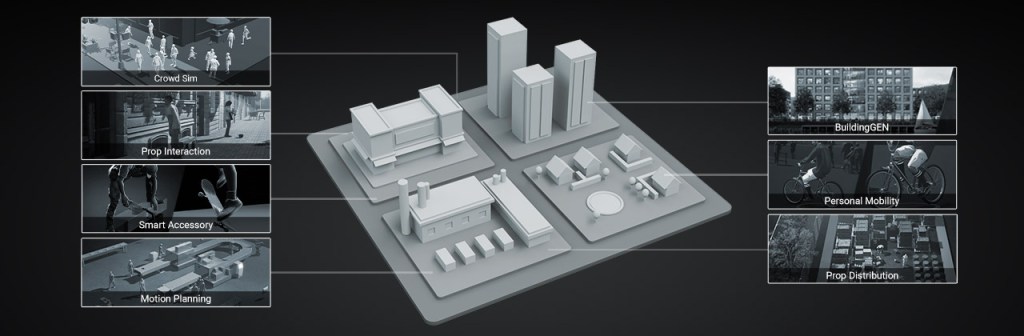
- Individual actions and mobility: Motion Director + Personal Mobility
- Group movement and flow: Crowd Sim
- Object interactions and tool assignment: Prop Interaction + Smart Accessory
- Environment setup and scene readiness: BuildingGen + Prop Distribution
- System-wide logic and scalability: Motion Planning
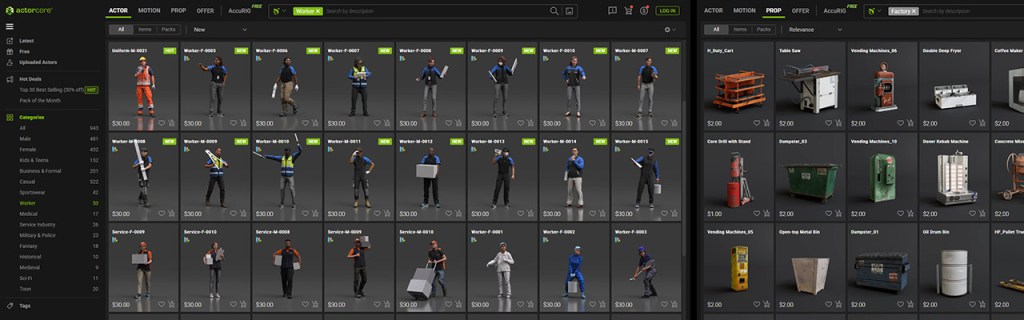
Reallusion is backed by the industry’s largest asset ecosystem, led by ActorCore for premium characters, props, and motions. Plus, it’s also supported by the Content Store and Marketplace for additional resources. This gives teams scenario-ready assets for everything from factory planning to driving and public-space simulations, so they can build faster without creating assets from scratch.
Proven in Real-World Deployments
World-class brands such as NVIDIA, Google, Samsung, LG, BMW, Ford, Toyota, Hyundai, GM, Motorola, and Axis Communications have leveraged Reallusion’s simulation solution for machine learning training. Motion Planning has also been tested by industry leaders, includingDelta Electronics and Foxconn, global frontrunners in electronics and manufacturing. The solution has supported plant planning initiatives, and relative.berlin—a Berlin-based CG/AI studio specializing in immersive VR/AR experiences—evaluated the workflow through a VR project for the German government.

To bring simulations closer to real-world scenarios, the newly released Video Mocap plays a key role by converting ordinary recordings of real human operations into editable 3D motions, so teams can incorporate authentic timing, posture transitions, and task-specific movement into their simulation workflows.

Common Use Cases
Digital twins and production planning
- Compare before/after results and quantify time savings and efficiency gains.
- Simulate layout changes in real time and observe downstream impact.
AI and machine learning data generation
- Rapidly generate large volumes of simulation footage for training datasets.
- Support workflows such as anomaly behavior detection, motion prediction, and improving model accuracy through synthetic simulation data.
Presentation, training, and operational demonstrations
- Create realistic operational workflow simulations for training videos.
- Clearly communicate processes and results with higher realism and credibility.
Graph Editor Workflow: Expand Faster, Simulate Smarter
Quickly scale up scenes and assignments:
- Add props and duplicate/edit nodes to expand production line scale.
- Increase character count and copy/adjust relevant nodes for fast task assignment.
- Add random behavior nodes to produce more natural actions.
- Use Auto Assign to randomly distribute tasks for quick rotation workflows, and simultaneously generate simulation data for machine learning.

View full demo on the product page
Five conditional nodes for intelligent behavior
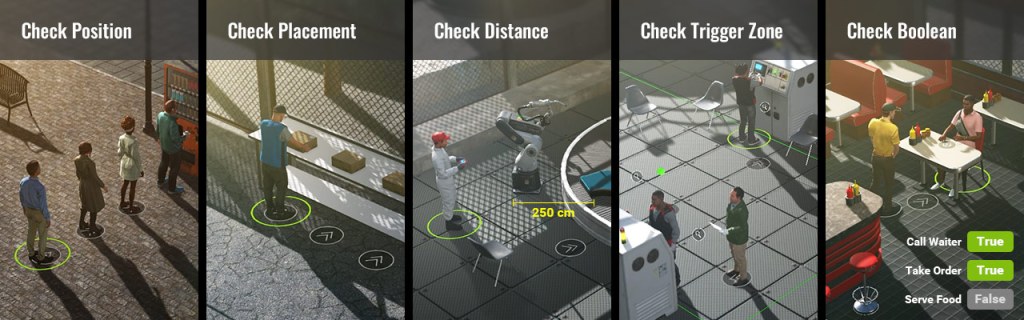
Within the Graph Editor, Motion Planning includes five major condition nodes that enable characters to evaluate the environment in real time and respond appropriately:
- Position: Detect whether a position is occupied to prevent overlaps and ensure logical flow.
- Placement: Evaluate object placement state to control process logic.
- Distance: Trigger behaviors based on proximity like “approach”, “interact”, “stop”, etc.
- Trigger Zone: Fire events when entering/leaving areas to manage zone-based logic and flow switching.
- Boolean: Use custom boolean conditions to build complex logic chains and behaviors.
Validate with Logs and On-Screen Feedback
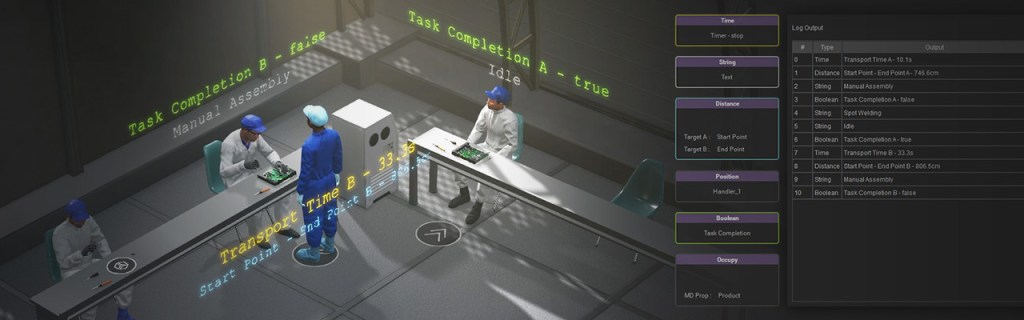
With the Print Node, teams can log key data, such as time, distance, occupancy state, boolean values, and position, to compare before/after changes and evaluate layouts and workflow plans. These values can be written to logs and displayed directly in the viewport for clear, real-time validation.
Clean, Reusable Script Management
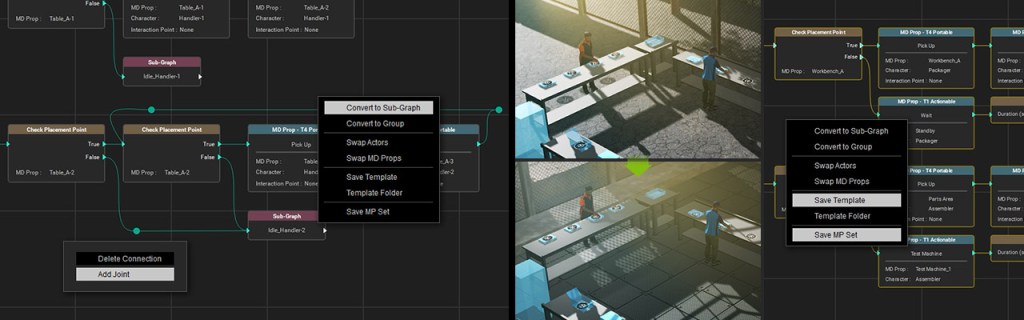
The Graph Editor offers flexible tools to keep complex logic manageable and maintainable:
- Sub-Graphs for modularizing larger workflows.
- Expandable Joint for extending connections and data flow.
- Group editing to organize and arrange complex node graphs.
You can also save your work for fast reuse:
- Save scripts with node logic as Templates.
- Save complete setups (scene + scripts) as Motion Planning Sets(MP Sets) for rapid reuse and scalable expansion.
Better Review and Smooth Collaboration
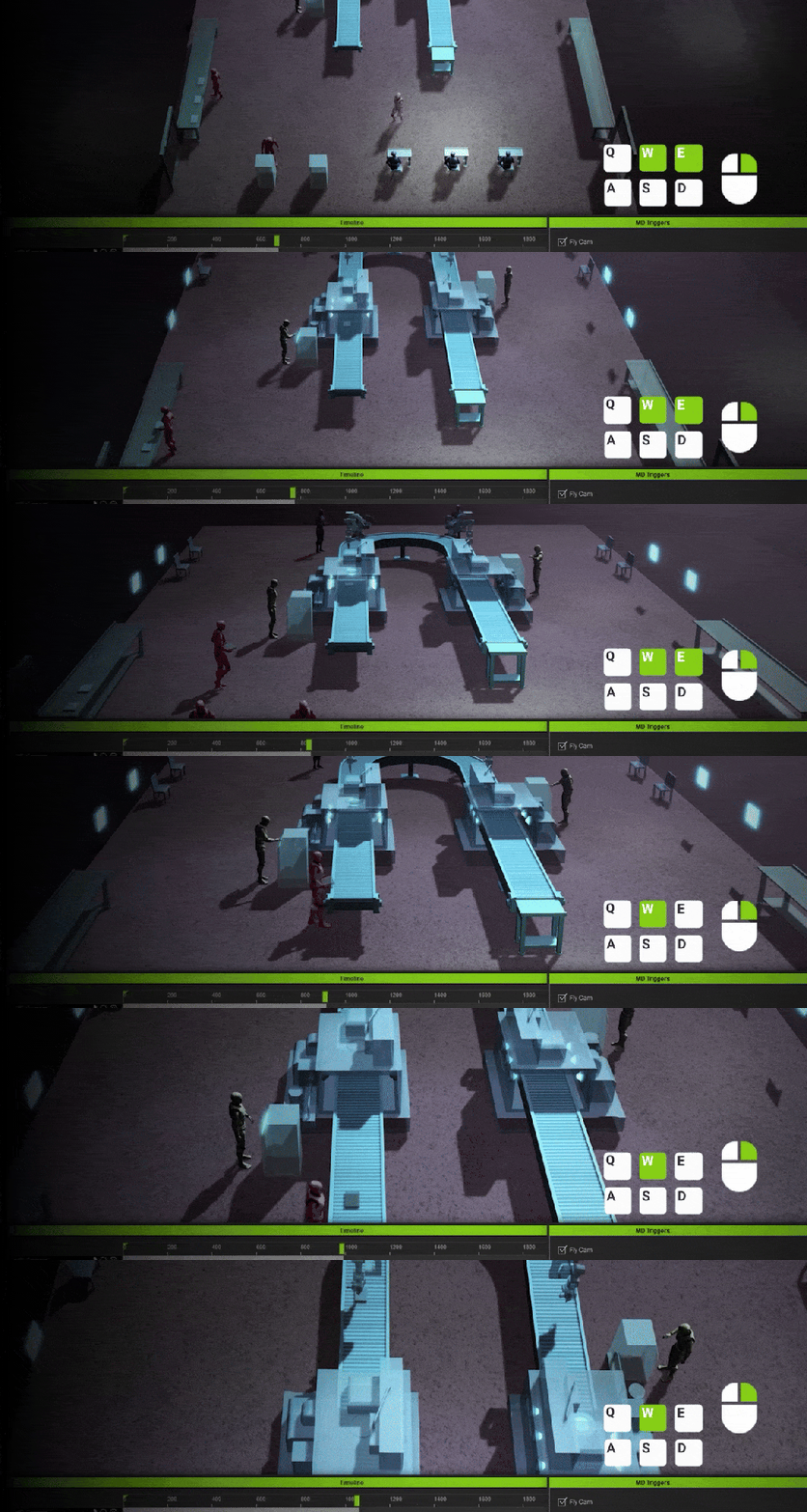
With the addition of Fly Camera, you can freely navigate the simulation space—view from above, follow production flow details, and record camera paths for replay and keyframe refinement.
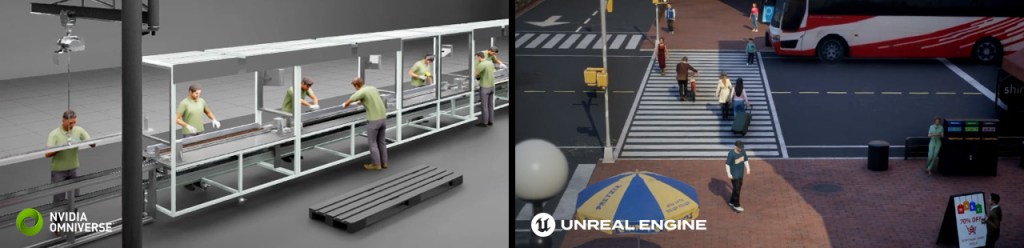
Export characters, props, lights, and cameras to downstream tools such as NVIDIA Omniverse, Unreal Engine, Blender, even Maya (with Live Link support for smoother data transfer) or complete production directly in iClone with real-time rendering preview, enabling a streamlined collaboration and optimization pipeline.
Next-Gen Simulation Starts Here
Reallusion’s focus has been to bring realistic human behavior into simulation, so digital twins reflect how people actually work in the real world. With the launch of Motion Planning, human realism can now scale enormously. This modular, logic-driven workflow connects 3D people, actions, and environments, enabling larger, repeatable simulations and giving confidence to users.
Jumpstart with Motion Planning Content Packs
Beyond the free starter content included in iClone, Reallusion also offers content packs designed for Motion Planning to accelerate factory automation and industrial digital twins setup.

Factory MP Set (Motion Planning Set Pack)
Get started on industrial simulations with 12 factory Planning Sets (Assembly, Production, Transport, Maintenance, Inspection), 25 standalone MD props for common tasks (robotic arm operation, precision processing, machine repair), and 73 factory motions (assembly, supervision, wrench/drill use, packing, and more). Use it with Motion Planning to build modular, repeatable factory workflows faster.
Industrial MD Props Pack
Add realism with 15 heavy-duty interactive props for industrial scenarios. With tools ranging from levers and pressure valves to control panel operations, use a simple drag-and-drop setup for fast deployment.



1 comment
looks good.