AI is transforming 3D character creation. What once took weeks of modeling and sculpting can now be generated in minutes, unlocking unprecedented speed, detail, and creative possibilities.
But a stunning 3D mesh isn’t a production-ready character.
Characters need to move, talk, express emotions, and wear interchangeable outfits. Until now, getting there meant juggling multiple tools for generation, retopology, rigging, and animation.
CC 5.2 Brings the Entire AI 3D Workflow Together
With the free Character Creator 5.2 update, Reallusion takes a major leap toward a unified AI character production pipeline. From AI model generation and character wrapping to automatic rigging, wearable outfits, and real-time animation, CC 5.2 brings the essential tools into one connected ecosystem.
Generate it. Wrap it. Dress it. Animate it. All in Character Creator.
1. AI 3D Model Generation
Turn AI Ideas into Production-Ready 3D Assets
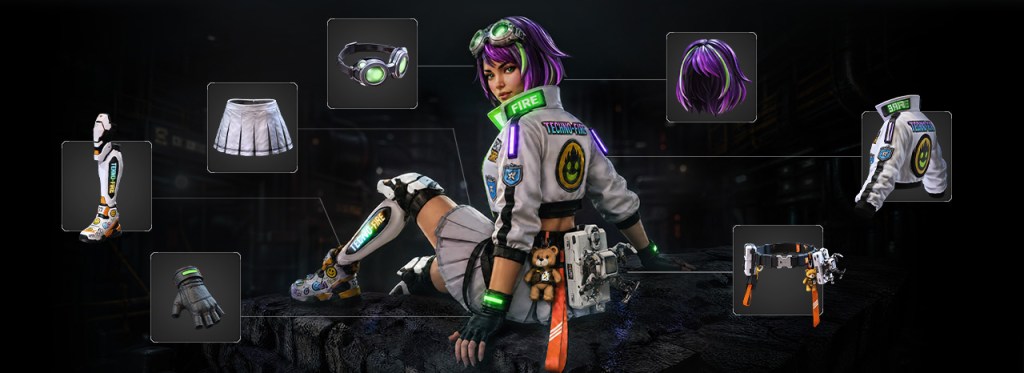
Generate characters, clothing, hairstyles, and accessories directly within Character Creator and iClone through integrated AI services.
Powered by Tripo and Hunyuan, creators can choose Tripo P2 for clean, quad-based topology suited for animation and mesh editing, or other AI models for highly detailed geometry and texture generation. From realistic CC Characters to low-poly NPCs and crowds, the possibilities are wide open. Dedicated concept design modules further guide AI generation to produce assets optimized for character fitting and wearable outfit creation.
The AI Model Generator supports the following CC and iClone asset types:
- Full characters and CC character bases
- High-detail heads for Headshot workflows
- Clothing, shoes, gloves, and wearable accessories
- Hairstyles, hats, and attachable accessories
- Buildings, props and scenes

2. CC Character Wrap
Turn Any Humanoid into a Fully Functional CC Character
A game-changing breakthrough that converts virtually any humanoid model into native CC topology, unlocking facial and body animation, morph customization, wearable outfits, and the entire CC content ecosystem.
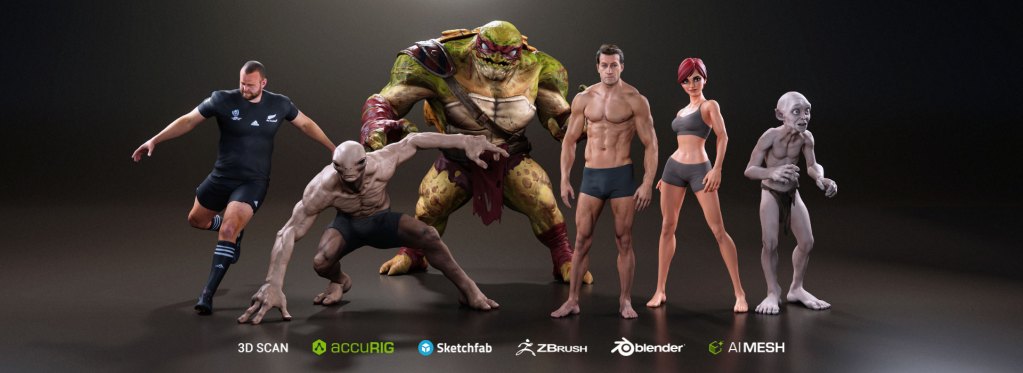
Two Flexible Wrapping Methods
- Template Wrap: A guided workflow using AccuRIG joint detection and step-by-step wrap point placement. Add points anytime to preserve character likeness.

- Free Wrap: Complete control for experienced artists. Place wrap points freely to handle unique proportions and stylized characters.
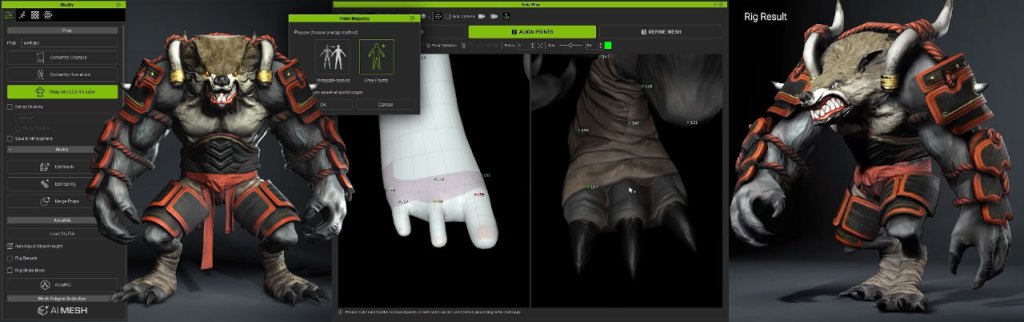
Topology Presets for Every Character Type
Go beyond standard humans with topology presets supporting diverse eye, nose, ear, finger, and toe designs, while maintaining mesh integrity during wrapping and editing.
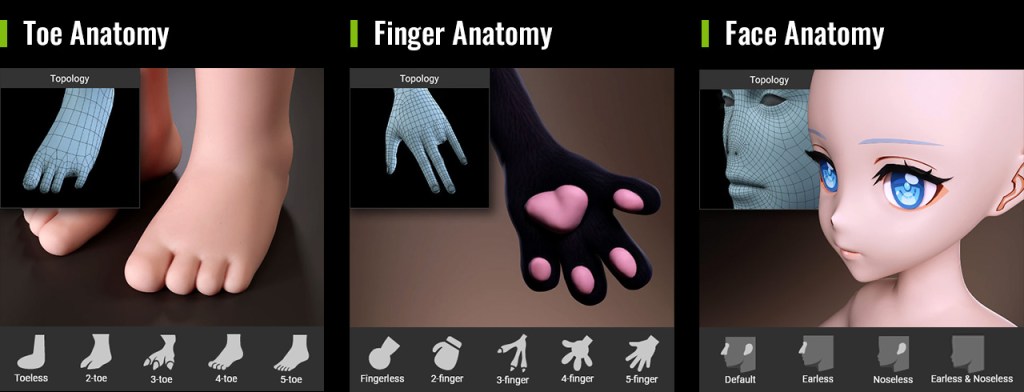
Advanced Mesh Refinement
Use refinement brushes to perfect alignment around eyes, mouths, fingers, and other intricate features, or automatically project high-resolution source details onto subdivided CC topology.

3. Wearable Outfit Design System
Turn AI-Generated Assets into Animation-Ready Outfits
A beautiful 3D garment isn’t necessarily wearable. CC 5.2 bridges that gap with integrated tools to transform AI-generated clothing, accessories, and hairstyles into optimized, rigged, and layered character assets.
- From Concept Design to Model Generation: Easily develop visual concepts using text prompts, reference images, or ready-made presets. For precise model generation, use AI Studio to create four-view character references, complete outfit and accessory breakdowns, and high-resolution front, left, right, and back views to ensure model consistency and accurate pose alignment.

- Auto Skin Weight Transfer: Automatically bind outfits to character rigs with intelligent skin-weight templates.

- Quad Remesher & Texture Baking: Optimize mesh topology and polygon count, and bake high-poly details onto low-poly meshes using normal maps and PBR textures to preserve visual quality while improving performance.
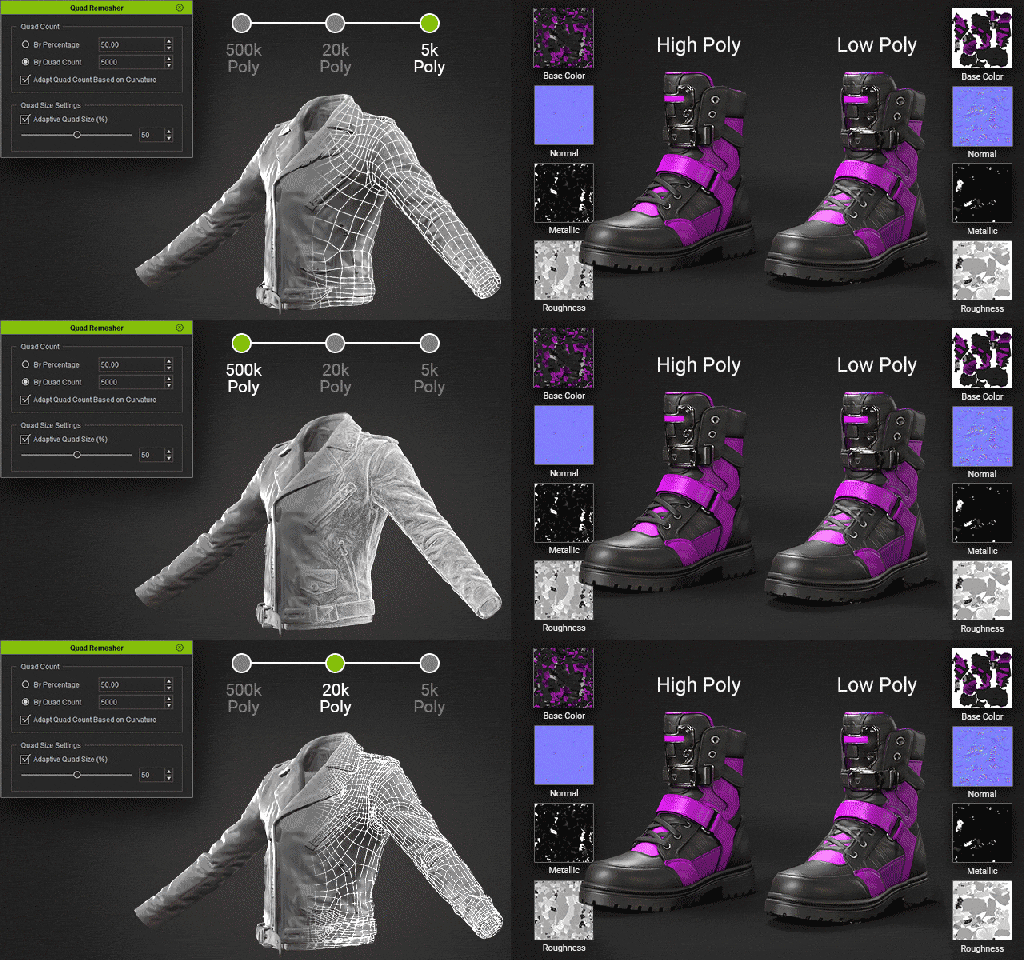
- Mesh Editing & Skin Weight Refinements:
- Enhance mesh editing with powerful tools, including angle-based inner face removal, edge loop selection, and edge ring editing.
- Achieve more natural clothing deformation with the Skin Weight Copy tool, enhanced edge loop and edge ring selection, and pose switching for precise skin weight adjustments.

- Smart Outfit Layering:
- Manage interchangeable clothing and accessories with drag-and-drop layer ordering, tuck-in options, and mesh collision detection.
- Fine-tune shrink intensity and tuck-in blend ranges for a natural, seamless fit between garments.
- Assign Clothing Types for easy same-type swapping
4. Other Feature Enhancements
Faster, Smarter ActorMixer
ActorMixer receives major performance and workflow improvements, making character variation and custom content creation easier than ever.
- Improved Mixer package loading performance and automatic part assignment.
- Convert custom body mixers into Ratio, Shape, or Full Body sliders.
- Automatically generate thumbnails for custom Mixer assets.
- Added support for characters with custom teeth and eyes.
- Enabled Marketplace support for developer-created Mixer packages.
Expanded 3D Workflow for CC and iClone
- GLB Import: Bring AI-generated 3D models and web 3D assets directly from external services to CC and iClone.
- Mesh Consolidation & Material Unification: Improve scene performance by merging compatible meshes and unifying shared materials to save memory, reduce draw calls and optimize rendering efficiency.
- Along with the CC 5.2 release, numerous enhancements and bug fixes have been introduced. Please refer to the Release Notes for more details.
5. One AI Credit System. Endless Creative Possibilities.
AI-to-3D and 3D-to-AI, All Under One Roof
Reallusion AI Cloud brings leading AI services together under one unified credit system, supporting everything from 3D generation and motion capture to AI image, video, and audio creation.
- AI 3D Generation: Tripo, Hunyuan
- AI Motion Capture: Quick Magic Video Mocap
- AI Studio: Nano Banana, GPT Image 2, Seedance, Kling, MiniMax, and more
- Headshot: AI-powered 4K head image generation

Related Links
Product Pages
- Next-Gen AI 3D Character Workflow
- AI 3D Model Generation
- CC Wrap
- Smart Cloth Layering
- Skin Weight and Mesh Editing
- Turn AI Mesh to CC Cloth
- AI Studio: Image-Guided 3D Generation
- ActorMixer