Why I Chose This Character
In popular culture, witches cover an incredibly wide spectrum: scary, demonic, silly, or realistic herbalists who don’t necessarily cast cinematic spells. For my project, I wanted to create a witch that incorporated the fun, classic elements. The witch should be flying around on a broom, but also feel like a real, flawed human being.
I initially based her appearance on my wife and started building her in Daz and Blender, even sculpting her broom in the Nomad iPad app. However, as I developed the character’s look, I hit a wall where close-up shots just weren’t holding up. I couldn’t quite get the look right, which limited me to medium or wide shots where facial detail wasn’t an issue. I wanted to bring her to life in a believable way that could support a variety of narratives and give her a true sense of history and depth. That’s when I realized I needed a different approach.
“There’s no way I could have gotten as far as I did without the use of iClone. The mocap informed not only the timing and energy but also the character as a whole.”
Joseph Hoback — VFX Animation Artist
Building from Character Creator
Rebuilding the witch in Character Creator 5 changed everything. While she didn’t look exactly like my wife, she instantly became much more realistic. This allowed me to see her as a living human being.
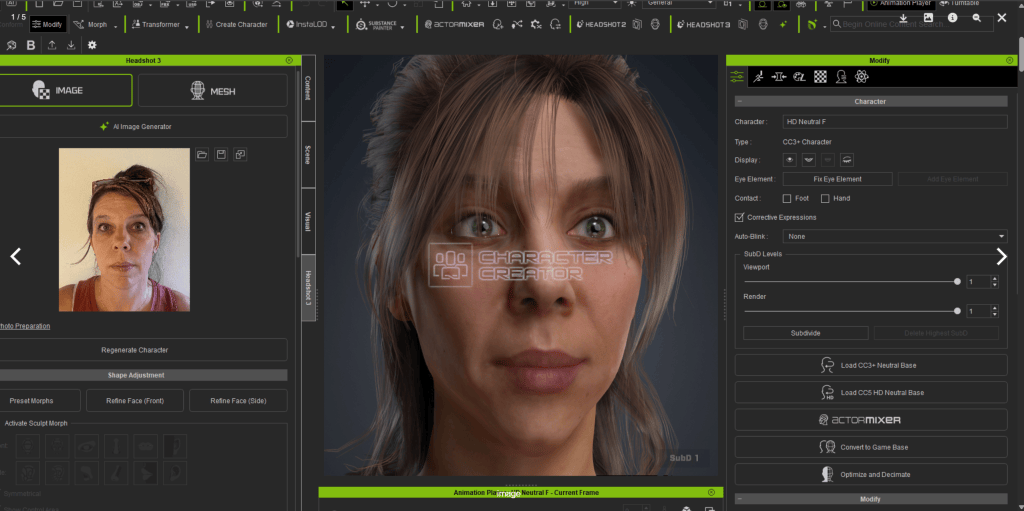
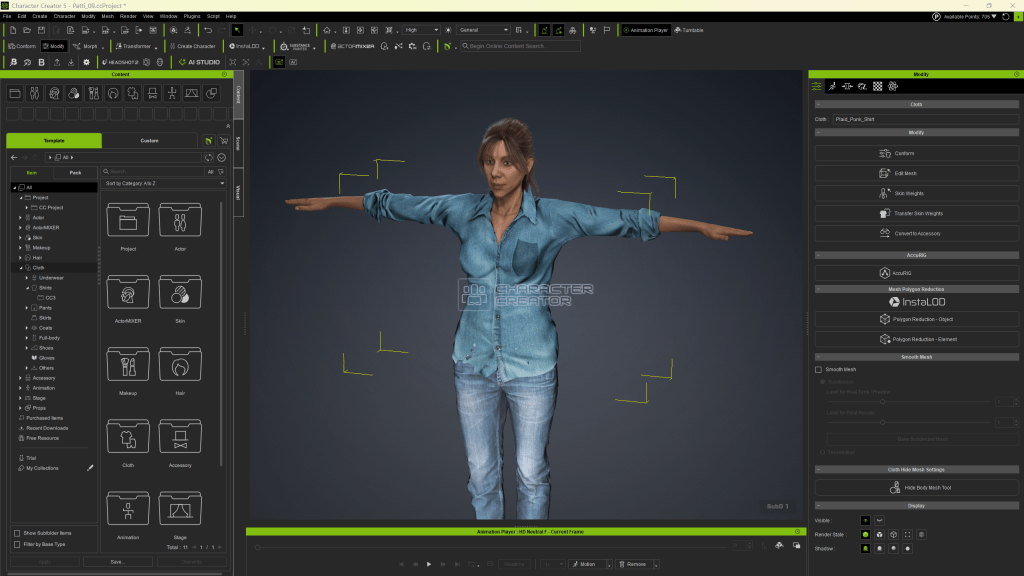
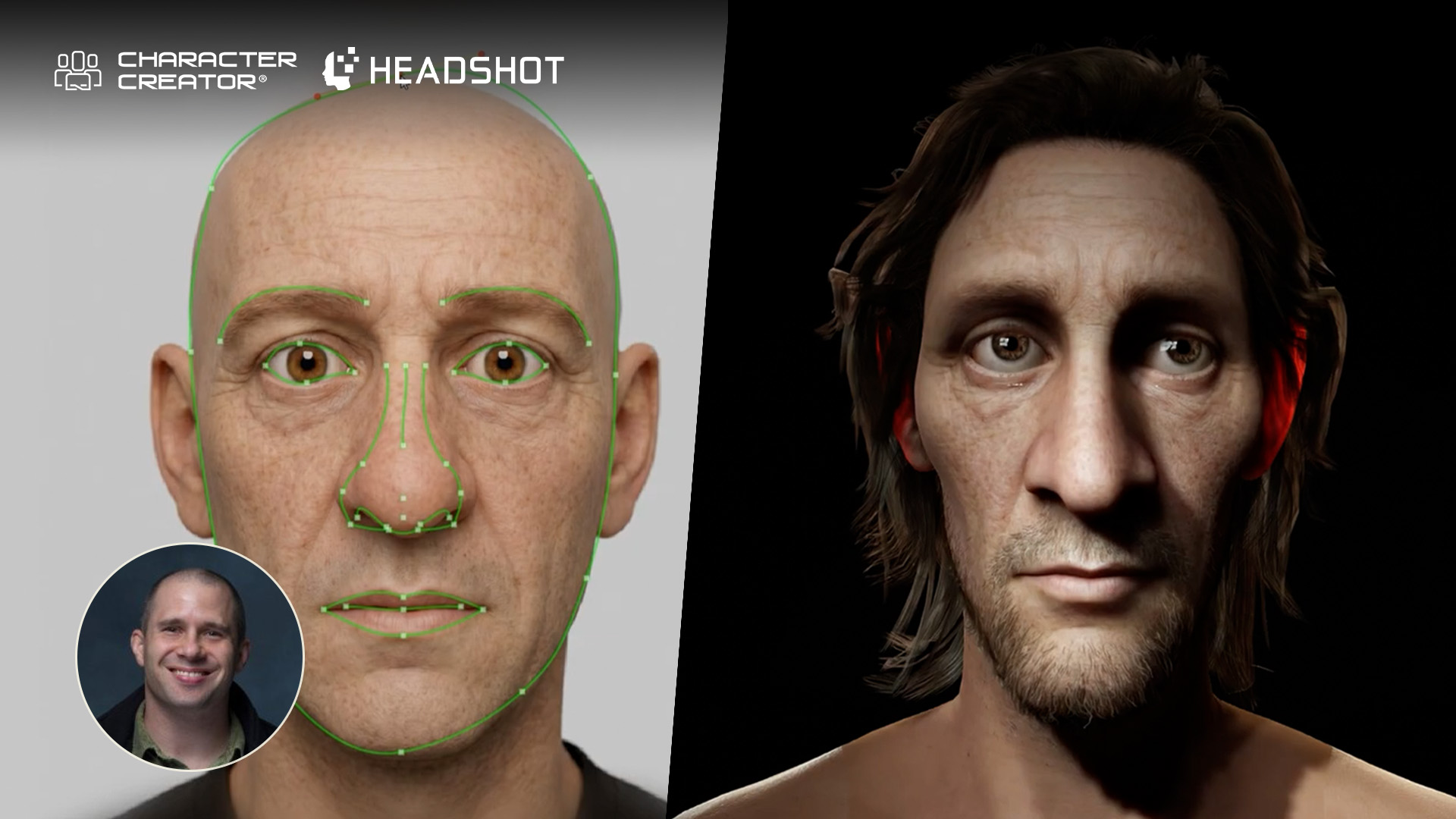
During the contest, I had access to much of Reallusion’s software suite through its Portfolio Artist Program. I used the Headshot 3 plugin to help match the witch’s face to a photo of my wife, and this is something I’d been eager to try. Starting with the CC3 character “Camilla” as a base, Headshot gave me an incredibly strong foundation out of the gate. It allowed me to trace the contours of facial details within the photo and automatically transfer those adjusted curves onto the geometry. After bringing her into Blender, I sculpted her a bit more to achieve a slightly stylized, harder version of my wife, which fit the character perfectly.
Stylizing the Witch Character with Marvelous Designer
For her clothing, I initially designed a beautiful dress in Marvelous Designer. The cloth should also pass my animation testing, because I made the witch jump off rocks, flop onto robots, and straddle a broom.
However, once the shots started taking shape, managing the cloth physics for a full dress became way too tricky. To solve this, I threw some men’s jeans on her and chopped the bottom of the dress off to turn it into a shirt, running cloth simulations on the shirt while keeping the jeans static.
Animation in iClone
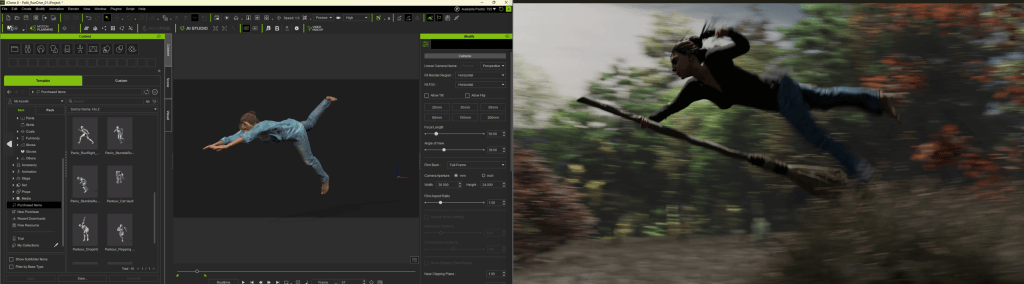
With the character built, I spent the first couple of weeks bouncing seamlessly between Character Creator, iClone, and Blender. A good portion of the witch’s performance when she’s on the ground is the result of kitbashing different motion capture clips in iClone, which I later adjusted with heavy keyframing in Blender. For her facial performance, I used the AccuFACE 2 Plugin to capture my own expressions, which really helped her personality emerge and guided my creative choices moving forward.
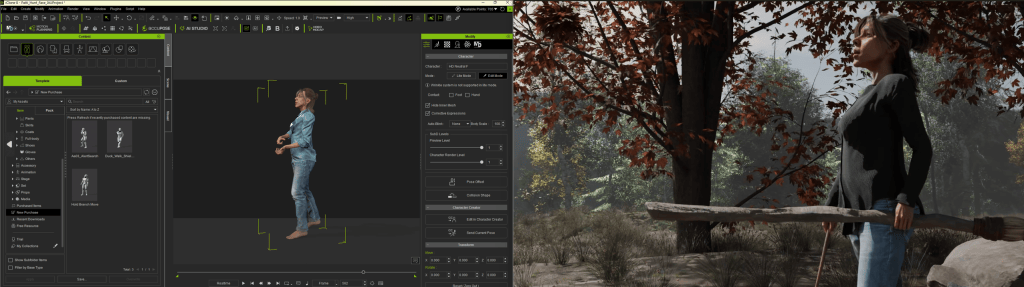
When it came time for the broom-flying sequences, I had to get creative. I started with iClone’s Video Mocap, filming myself sitting on a weight bench while straddling a painter’s extension pole.
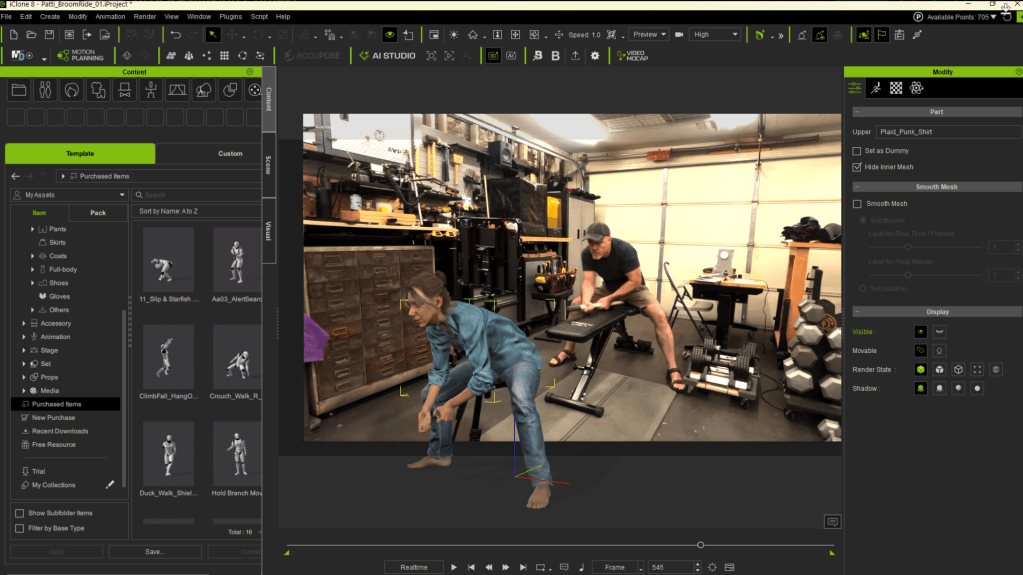
Acting out the way she would lean into turns and dip under branches gave me the perfect foundational weight and physical momentum. From there, I expanded the animation using keyframes to finalize the dynamic flight.
VFX, Environment Composition in Blender
Since I was juggling between projects, I ended up with only six weeks remaining until the deadline. I realized I couldn’t pull off complex hair simulations, wand effects, or fully animated trees as I had in my early tests. Instead, I pivoted to make it a fast-moving action sequence, relying on cloth physics for the hair cards imported from Character Creator.
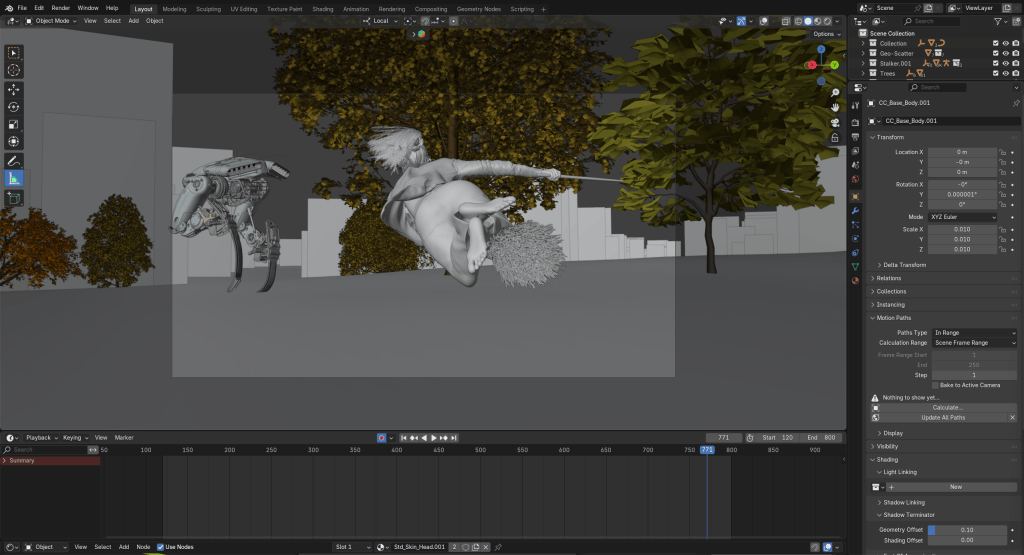
The environment was crucial to grounding the chase. The forest was built using the GeoScatter add-on in Blender. To optimize the scene, most of the distant foliage consists of special light-reactive 2D cards generated by the Alpha Trees add-on, while the trees and shrubbery closer to the camera are detailed 3D instances from the Botaniq add-on.
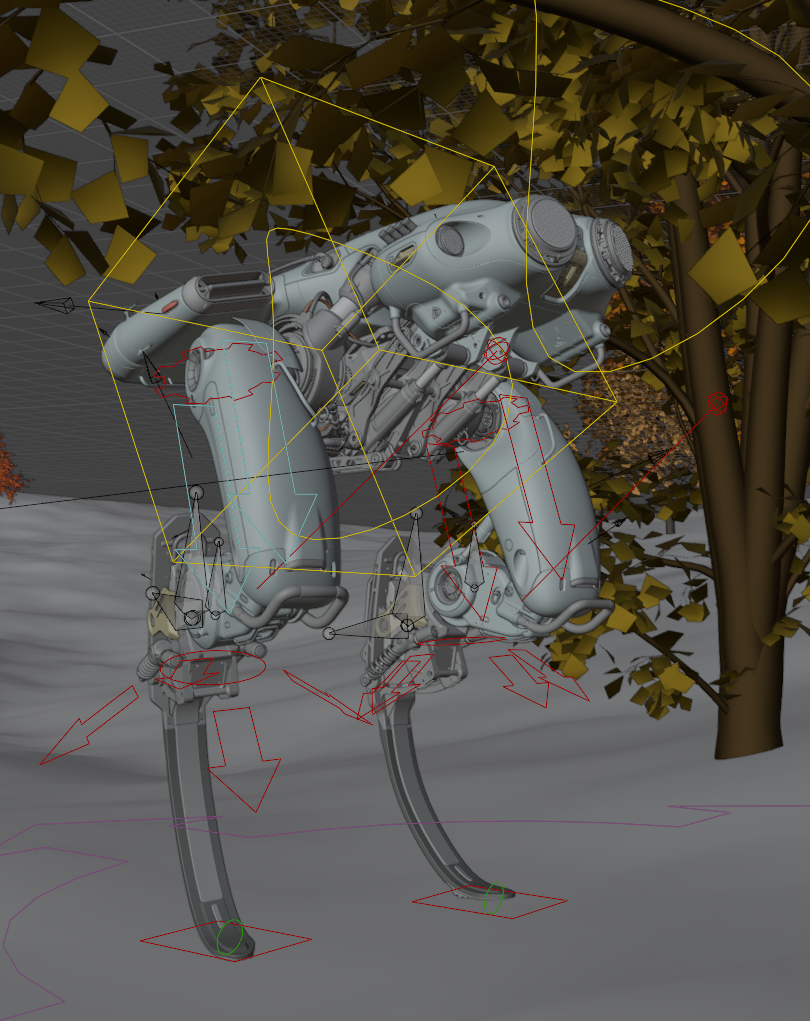
For the witch’s robotic pursuer, I purchased a stationary model from website and rigged it using other tools. I had a buddy help me rig the legs so the springs and pistons worked correctly. Because of the robot’s rigid running blades, it couldn’t turn without losing foot contact, which dictated the scene’s choreography, forcing the robot to mostly charge in straight lines.
Final Touch and Testimonials
On the final day, I brought everything into Premiere Pro for audio. I used a snippet of a John Williams Indiana Jones score that miraculously aligned with the robot’s run cycle tempo. The mechanical sound effects were layered together using free Pixabay clips of sewing machines, old bedsprings, an industrial hoist, and an electric wheelchair. In the end, I was of two minds. I was surprised I had gotten as far as I had, but as an artist, I also saw all the areas that felt underdeveloped. I was apprehensive about entering the contest at all, but my wife convinced me to submit it, and I’m incredibly glad she did.
Since the contest ended, I’ve continued refining the project: replacing hair cards with Blender particle hair, tweaking cloth physics, and weathering the textures. Interestingly, when looking back at my original contest submission, I realized that the simpler original animation had more room to breathe, and the basic HDRI lighting possessed a realistic charm that made the impossible action feel feasible. My goal now is to find the sweet spot between that raw original and the new, polished version.
Without the use of Reallusion’s software, and without the opportunity to participate in this contest, I’m not sure how long it would have taken me to build the momentum needed to attempt independent storytelling in this medium. I am very grateful for that, and I can’t wait to use iClone and Accuface to finish the third act of this story!
Frequently Asked Questions
Q: Why did Joseph rebuild his witch in Character Creator instead of Daz?
A: He hit a wall with his original Daz model because it lacked the realism needed for close-up shots. Rebuilding her in Character Creator 5 provided the high-fidelity detail necessary to make her look like a believable, flawed human being with real depth.
Q: How did he achieve the witch’s facial likeness?
A: Joseph used the Headshot 3 plugin in Character Creator to project a photo of his wife onto a base model. This gave him a strong foundation to trace facial contours, which he later sculpted in Blender for a slightly stylized, harder look.
Q: What was his creative solution for animating the broom-flying sequence?
A: To capture realistic physical weight and momentum, Joseph used iClone’s Video Mocap to record himself sitting on a weight bench while straddling a painter’s extension pole. He used this footage as a base to animate how the witch leaned into turns, refining it later with keyframes.
Q: How did he handle the character’s clothing physics during the fast-paced chase?
A: Originally, he designed a full dress in Marvelous Designer, but simulating it during jumping and flying scenes became too tricky. To solve this, he chopped the dress into a shirt and dressed the witch in static men’s jeans, running cloth simulations only on the top half.
Q: How was the forest environment constructed and optimized in Blender?
A: The forest was assembled using the GeoScatter add-on. To keep the scene optimized, he used high-quality 3D models from the Botaniq add-on for foreground elements, and special light-reactive 2D cards from the Alpha Trees add-on for the distant foliage.
Read Next:
Winner Select: Creating Standout 3D Character Using Character Creator and Maya
How Adur Game Uses Stylized 3D Character Creator for Unreal
Headshot 3 Plugin Guide: AI 3D Head Generation in Character Creator