
Cartoon Animator 5.1 (CTA 5.1) is a powerful 2D animation software created specifically for illustrators and professionals in the field. It offers a wide range of features, including lip-sync generation, drawing tools, photo animation, and PSD/SVG animation capabilities. CTA has been continuously evolving its feature set in recent years, and the 5.1 update introduces two major additions.
The first significant feature is the roundtrip vector editing workflow with Adobe Illustrator. By leveraging the power of Illustrator, artists can bring their vector artwork seamlessly into CTA, enhancing their animations with detailed and scalable visuals. The second highly anticipated feature is the introduction of image sequences. This addition is particularly exciting for traditional 2D animators who excel at free-hand sequence drawings. With image sequences, artists can now unleash their creativity and explore a wide range of expressive possibilities beyond the limitations of 2D bone-driven animation. Furthermore, CTA 5.1 supports popular GIF or APNG sequences, offering the ability to apply instant animated effects sourced online or derived from third-party tools.
Cartoon Animator revolutionizes the world of design by bridging the gap between static graphics/images and captivating animations. Through the power of CTA and its compatibility with PSD/SVG tools, it effortlessly resolves all design challenges. Regardless of whether you’re undertaking ambitious projects or just beginning your creative journey, CTA 5.1 offers the ultimate solutions for achieving time-saving, high-quality production that propels you to new heights in 2D animation.
See the latest updates in CTA 5.1:
Sequence Image Animation
By utilizing image sequences, artists can explore various forms of hand-drawn animation to break free of prior limitations. This includes showcasing intricate frame-by-frame drawing processes, crafting dynamic 360-degree rotations, and integrating visual effects. It’s as simple as synchronizing the sequence image layers with your preferred PSD/SVG tools like Photoshop or Illustrator to achieve a fluid workflow.

*Having the PSD/SVG sequences stored in the Sprite Editor allows artists to apply frames to the timeline or start the animation directly from the Action Menu.

*A simple right-click gives access to various motion effects for the object.

New Key Features:
- Effortlessly import image sequences to CTA, with support for both PSD (bitmap) and SVG (vector) formats.
- Transform grouped sequences into multiple animations that can be triggered with a single click on the object.
- Refine sequence image effects using the Timeline Editor.
- Integrate motion enhancers, including free-form deformation.
- Supports ongoing modifications of sequence images via Photoshop and Illustrator.
GIF & APNG Animation
With CTA, users can effortlessly import animation assets in GIF or APNG format with ubiquitous support on the web. These assets can be easily obtained online or created by the artists themselves. Simply drag and drop premade GIFs or APNG files into CTA, or convert them into animation sequences for further editing with just a few clicks.
*Seamlessly integrate GIFs into CTA & retain their original animation settings

*High-quality transparent APNGs can be obtained from widespread auto-converters and image editors.
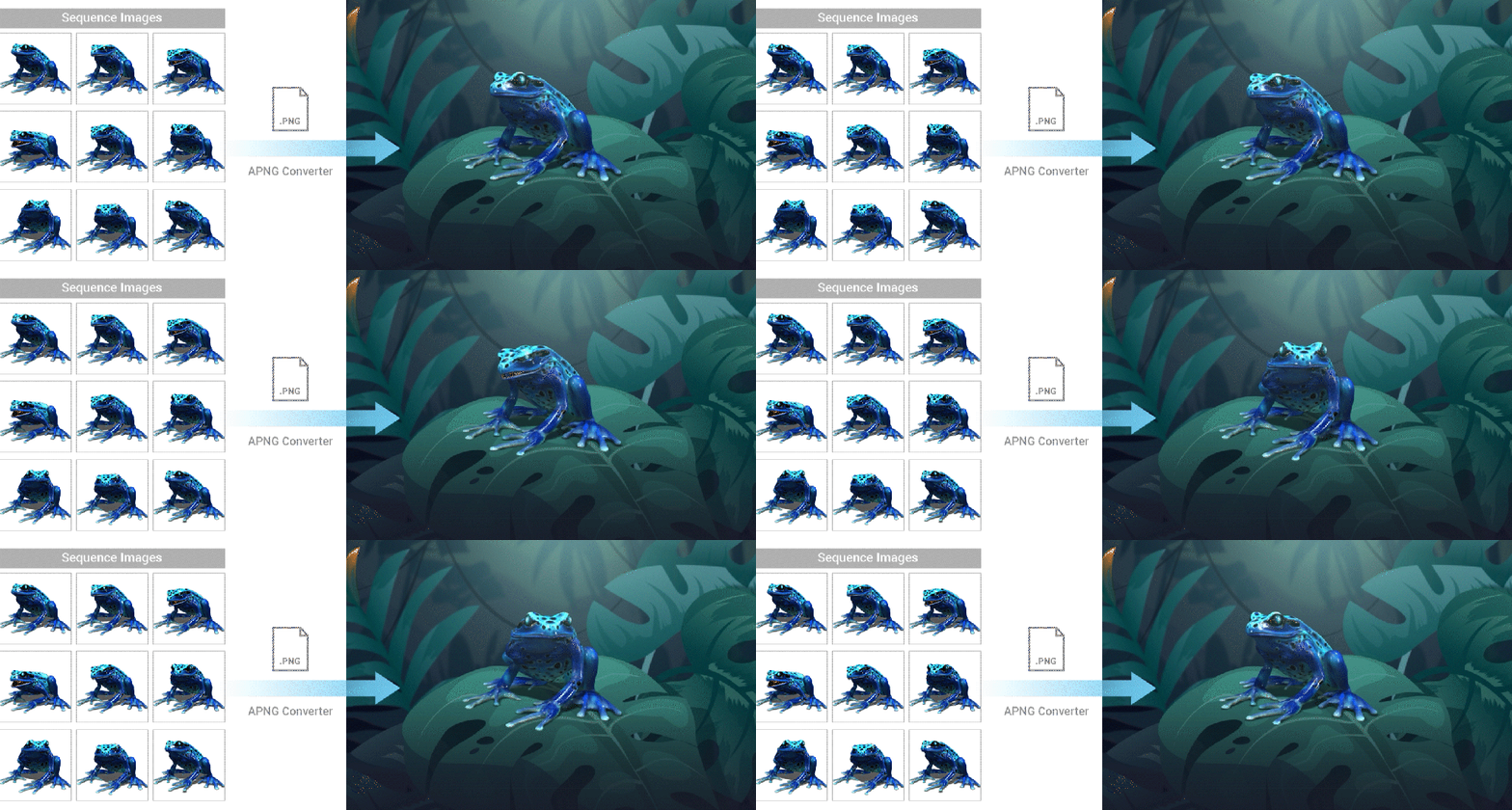
New Key Features:
- Once GIFs are imported into CTA, they are automatically converted into standard image sequences, opening new avenues for editing.
- Users can effortlessly create APNGs by generating 24-bit true-color frame data using 3D software or a video editor of their choice.
Vector Animation: Roundtrip Editing
CTA offers a comprehensive solution for animating in Illustrator by enabling real-time roundtrip editing of SVG files. By offering a way to unleash your creativity with highly optimized vector graphics, you can bring your ideas to life like never before.

New Key Features:
- Launch exciting vector characters or props to Illustrator and synchronize SVG updates with CTA.
- Add new elements to existing objects with bone-rig and motion effects while retaining the original settings.
Recommended Assets
To fully take advantage of CTA 5.1’s powerful new features and see what CTA5.1 can do, make sure to look into these new content series.

- Make Me Actor – Bring any object or image to life as a talking actor.
- Instructional Tools – Motion graphic templates for interactive learning.
Know more about Cartoon Animator 5.1:
2D Animation Software for Cartoon Maker | Cartoon Animator
FREE for 30 days, and get 1,700+ ready-made content:
2D Animation Software Download | Cartoon Animator



1 comment
exelent . thanks for this experience