Ping Chi Kuo (Big Tree)
Hello everyone, I am Ping Chi Kuo, often referred to as “Big Tree”. Presently, I hold the position of Art Director and Manager at Chinesegamer International Corp (CIC). It is with great privilege that I take this opportunity to impart my insights and experiences garnered from working in the 3D character art industry.

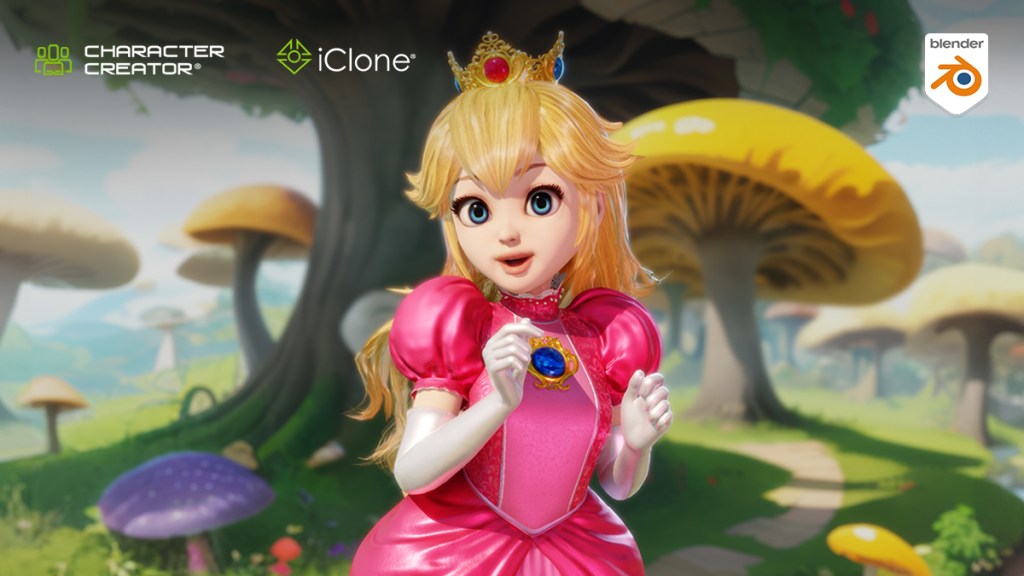
During my academic journey, I developed a strong passion for the realm of 3D art. I’m convinced that 3D art serves as a boundless canvas for infusing creativity and imagination into visual creations, thereby offering unique and immersive experiences to viewers. For this reason, I remain dedicated to expanding my expertise across various aspects of production, encompassing everything from crafting 3D models and materials to perfecting animation and artistic design. Today, I am very pleased to introduce how I made this Princess Peach character starting from the CC base model after discovering the Character Creator to Blender workflow.
My Experience with iClone and Character Creator
A few years ago, our company embarked on a journey to harness the power of PBR shader technologies for our new game. Our team eagerly embraced the challenge, even though the creation of a PBR character demanded significantly more time and effort than our conventional approaches. In my role overseeing both art direction and management, I keenly felt the pressure from all angles, necessitating a delicate balancing act.
Through a stroke of fortune, we stumbled upon Character Creator as a potential panacea for our ordeal. This software not only slashed production time by half but also enabled us to uphold exemplary quality standards. With Character Creator, we were able to craft dozens of distinctive and captivating characters, effortlessly achieving the majority of our objectives.


During that period, the capabilities of Character Creator were already impressive. We could swiftly generate a diverse range of martial arts characters while effortlessly fulfilling the need for an extensive array of weapons, apparel, and accessories. These components could be seamlessly combined and customized to achieve various visual styles. This streamlined approach not only facilitated the creation of fresh characters but also enabled us to meet stylistic demands swiftly and easily. Notably, our production efficiency experienced a substantial boost when it came to the creation of NPCs (non-player characters), which simply required the skillful combination of distinct elements.
Stylized Characters Made with Character Creator
As I continue my search for tools that can enhance our content creation pipeline, I’ve noticed that beyond Character Creator’s powerful versatility, Reallusion offers a range of other tools that greatly improve efficiency. Drawing from my own experiences, integrating characters into iClone while infusing them with visual appeal solely through imagination and creativity is truly unparalleled.
Notably, Character Creator excels in developing realistic characters and handling stylistic ones, significantly expanding the scope for introducing stylistic variety. A notable example from last year involves my use of Character Creator 3 to craft an adorable adaptation of Super Mario. If this catches your interest, feel free to explore the link below — just remember to enable English subtitles if Chinese isn’t your forte!
Making Princess Peach with Character Creator and Blender
The advent of Character Creator 4 (CC4) has ushered in a new level of simplicity in crafting stylized 3D characters, to the extent that virtually anyone can accomplish it with ease. On the back of this opportunity, I’m thrilled to present my entire creation process of another iconic character in the Mario universe: Princess Peach! The workflow for bringing Miss Toadstool to life can be summarized into the following key steps. (Please turn on the CC subtitles and select auto-translate for English subtitles)
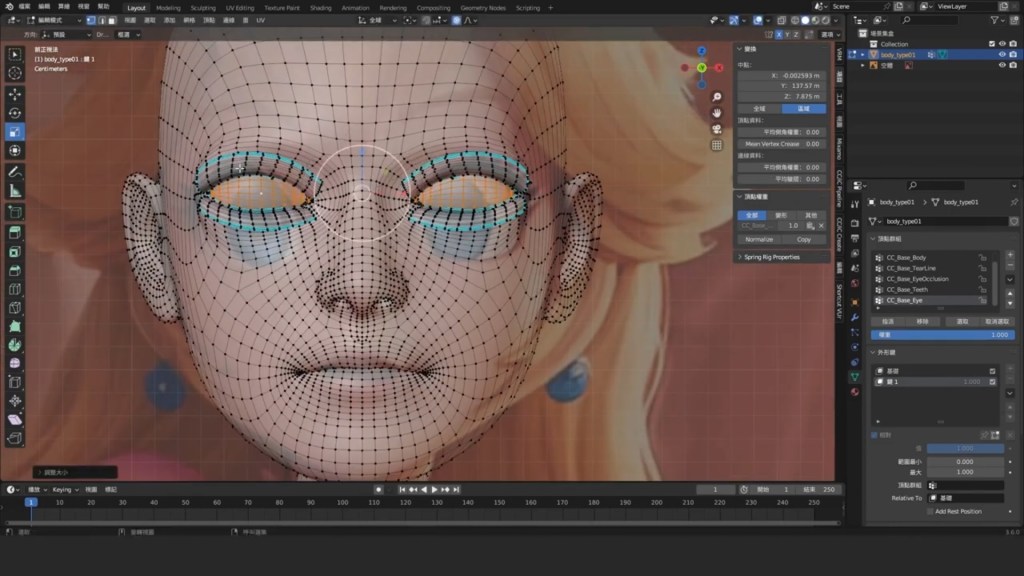
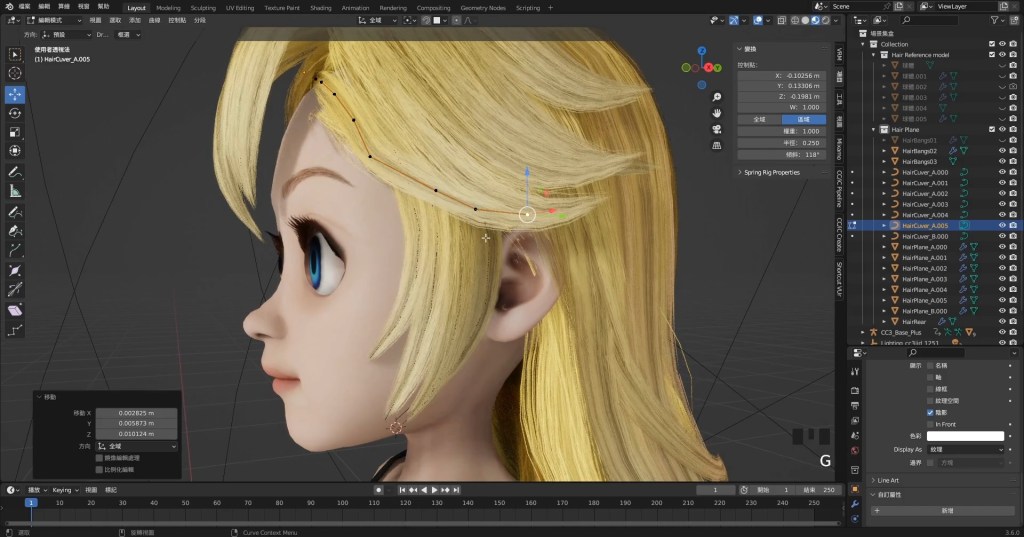


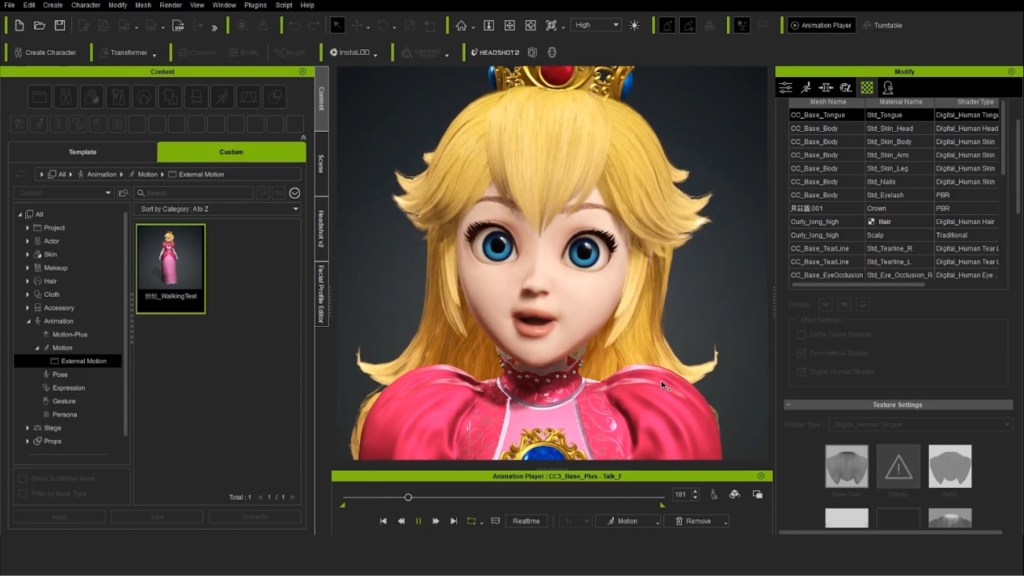
Send my custom character shape, hairstyle, and outfit design with skin weight, and material settings to CC4, and be able to further adjust materials and refine skin weights in CC4. Apply some motions to test the physics settings for her skirt and export to Blender to adjust the test motions.


Use the talking animations in CC4 to refine the details of the facial expressions.

Use the Reach tool in iClone 8 to create seamless interactive motions between Princess and Mario.

Final Thoughts
Integrating Reallusion tools into my Character Creator to Blender workflow has consistently brought me joy and satisfaction at every turn of the process. While their solutions are powerful and versatile, they still provide a stimulating environment for me to express my creativity.
Regarding CIC, the inclusion of Reallusion tools marks a revolutionary turning point in our 3D content creation process. They not only enable us to match our rapid turnaround pace but also uphold our morale and creative enthusiasm. By simplifying intricate processes and injecting excitement into routine tasks, Reallusion software empowers us to embrace more substantial challenges and attain new heights.
Ultimately, I firmly believe that technological advancements bring forth even more opportunities. Through the utilization of newer and more advanced tools and techniques, we can broaden the horizons of our creativity, delivering rich and stunning gameplay experiences like never before.

Learn More
- Blender Character Pipeline: Next-Gen Character Creation & Animation
- Body Animation Control in iClone
- Making 3D Facial Expressions
- Follow Big Tree’s Tutorial Channel
Related Posts
- Create Pixar-Styled Street Fighter Chun Li using Character Creator & Blender
- Posing John Constantine as a MultiVersus Character in Blender