
David Stapp / Virtual Production Insider
Hi everyone, I’m David Stapp. With over a decade of experience in the film industry, I’ve had many opportunities to hone my craft in post-production, VFX, and even cinematography. And over the past few years, I’ve been able to leverage the skills and insights I’ve gained from my experiences by channeling them into virtual production, which is a major passion of mine.
I now specialize in Unreal Engine environment creation and cinematics, along with ICVFX stage operation and supervision, blending creative vision with technical expertise. I’ve also launched a YouTube channel called “Virtual Production Insider” where the goal is to make virtual production as approachable as possible for people from all walks of life.

My Journey with Character Creation Tools
For the past few years, Metahumans have been the easiest way to create high-quality, realistic 3D characters. But now, Character Creator 5 is here, and it’s coming for the crown. And I’m not going to lie, it’s got me second-guessing my entire character workflow. I’m the director of virtual production at Form Studios. I use Metahumans a lot—like a whole lot. They really have been an integral part of my journey in Unreal Engine 5 and using it as a filmmaking tool.


We finally got some pretty big updates to MetaHumans in the recent release of Unreal Engine 5.6. I made a whole video that explores all of those upgrades and all those new features, so definitely go check that out. But there are still some areas where MetaHumans are lacking. I wanted to try out Character Creator 5 to see how it stacks up. Luckily, Reallusion hooked me up with a copy of Character Creator 5 and a lot of its plugins so that I could try it out. But I promise you that everything you’re about to read is my opinion. We’re going to dive deep into what this program can do, how it stacks up against the MetaHuman workflow, and honestly, who this program is for.

The Evolution: Major Upgrades from CC4
Before opening the program, I researched the upgrades from Character Creator 4. I’ve used CC4, but the quality wasn’t competitive with MetaHumans, and the transfer workflow to Unreal Engine wasn’t great. With Character Creator 5, they’ve heavily upgraded their character models. The new features include:
- More subdivision options.
- Skin textures that go up to 8K
- Way more blend shapes for way more accurate facial animation.
They also offer a wide variety of plugins for customization. For example, the HD ultimate morphs pack adds quick definition and facial features. The new ActorMixer Core Library lets you mix and match features from different presets. This is similar to the MetaHuman Creator mixer, but CC5 definitely offers more customization beyond the starting point.

Character Creation in CC5: A Quick Demo
I want to give you a quick demo of how easy it is to get up and running. I loaded the HD-based Aaron clothed avatar, which is a full character with hair, clothing, and high-quality skin textures applied. If you click the morph button, you can start adjusting features. And with the morph button enabled, you can highlight over different body parts and drag them to adjust things like cheekbones, the tip of the nose, ears, and eye size. The “Edit Mesh” feature can modify the character, showing the wireframe and allowing you to grow, shrink, or use other tools to really dial in the mesh. This applies to the body as well.

While Unreal Engine 5.6 has the parametric body system, CC5 is the winner when it comes to manipulating the body and adding imperfections or tweaks to the skin. For example, the realistic human skin pack gives you tons of options for adding wrinkles, acne, moles, scars, and even tattoos. Between the plugins and the marketplace, there are thousands of objects to customize your character. This variety is an area where Metahumans have been lacking, as the built-in options in the Metahuman Creator are pretty limited. CC5 wins on the sheer amount of assets, but with the caveat that many are paid options.
“I think this was super smart by Reallusion. They’re not looking at Metahumans as a competitor, but an extension of Character Creator 5. The updated bone structure can match with MetaHumans when using their new export preset, and the Auto Setup tool makes it super easy to take your character to other DCC platforms like Unreal Engine, Unity, Maya, and even Blender.”
David Stapp / Virtual Production Insider and Lead Virtual Production Artist at Forms Studio
CC5’s Greatest Strength: The Metahuman Workflow
It is now so easy to take your character out of Character Creator 5, import it into Unreal Engine, and swap it out with your existing Metahuman. Here’s how:
Creating the Control Rig Assets
Once imported, find the skeletal mesh asset. Right-click on the skeletal mesh and select Create CC control rig. This creates a new rigs folder with the essential body and face control rig assets.

Export & Import Summary
- In CC5, go to File > Export > FBX > clothed character. (Note: If the export button is hidden, check your Windows display settings to ensure scaling is at 100%.)
- In the export dialogue, select the Unreal Engine UE5 skeleton preset. Uncheck embed textures. Choose a higher subdivision level (like 2) for a more detailed mesh. Hit export.
- In Unreal Engine, ensure the Reallusion Auto Setup tool is installed.
- Install the Character Creator UE control rig plugin from Fab and activate it in your project’s Plugins menu.
- Drag the exported FBX file into a content folder. The Auto Setup window will pop up—select high-quality shader and hit okay.
- In the traditional FBX import box, make sure use T0 as ref pos is unchecked and import morph targets is checked, then click import.


Final Swap
In Sequencer, I have a Metahuman talking to the camera. Now we replace it.
- Click the Metahuman, and hit edit in the blueprint.
- Delete all hair from the face component (a Reallusion recommendation). (Tip: Duplicate your Metahuman blueprint first!).
- Replace the Metahuman body mesh with the imported Aaron body mesh asset.
- Replace the face mesh with the imported Aaron face mesh asset.
- Hit compile and save.
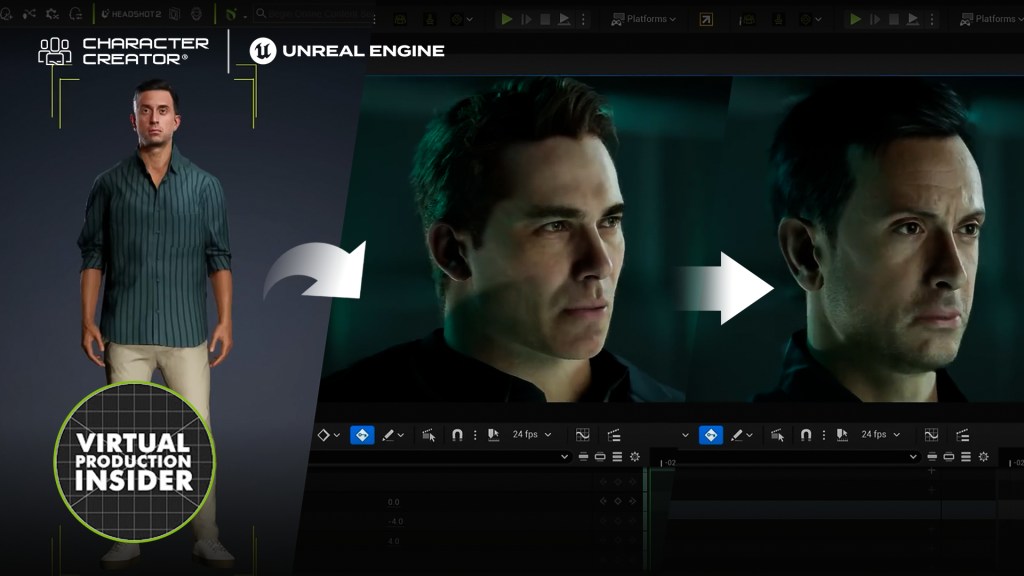
Just like that, the Character Creator 5 avatar is in our Sequencer, with the body and face animation applied. This truly opens up the possibilities for creating custom characters and using them seamlessly in Unreal Engine.


My Conclusion: Metahuman Companion
Character Creator 5 is pretty amazing. It has so much customization and so much at your disposal—something that I feel has been missing from the MetaHuman creator. Who is this for? If you are a casual user who creates Metahumans occasionally, CC5 may not be right for you. This is aimed more at professionals who need an easy, intuitive workflow for creating custom characters from scratch. If you constantly create characters for your cinematics, I highly recommend checking it out with a Free Trial of Character Creator.

I don’t view this as a Metahuman killer; I think this is a Metahuman companion. It works really well in tandem with it. I’m excited to integrate this into my workflow because it will give me so many more options for customizing the face and body, and it’s amazing that I can easily bring them into the Metahuman blueprint with very little effort. But if you want to upgrade your workflow and easily customize characters, I recommend checking it out—it’s very low risk with the free trial.
Related Posts
- Animate Epic Fight Scenes with ActorCore and MetaHumans
- Game Changer: iClone LIVE LINK and Control Rig for Unreal
- Filmmaker uses Character Creator and iClone to enhance MetaHumans and Unreal environments