
TL;DR:
- Reallusion’s 2026 Vision integrates Hybrid AI across its 3D ecosystem for enhanced production.
- Upcoming features include RTX Render, Headshot 3 for Character Creator 5, and the AI Studio for precise 3D control.
- This evolution addresses critical needs for VFX studios and film pre-viz teams, offering faster, higher-quality output.
- Game programmer Neri Neto highlights how these innovations empower artists to achieve unprecedented speed and quality in 3D content creation.
Reallusion is setting a bold trajectory for 3D production, unveiling its 2026 Vision focused on Hybrid AI integration. This initiative directly addresses the industry’s demand for advanced automation without compromising creative control, enabling VFX studios and pre-visualization teams to leverage cutting-edge tools like iClone 8 and Character Creator 5 (CC5) for faster, more realistic digital content. The core aim is to bridge professional CG workflows with intelligent generative capabilities, making complex tasks more accessible and efficient.
What is Reallusion’s 2026 Vision for Hybrid AI?
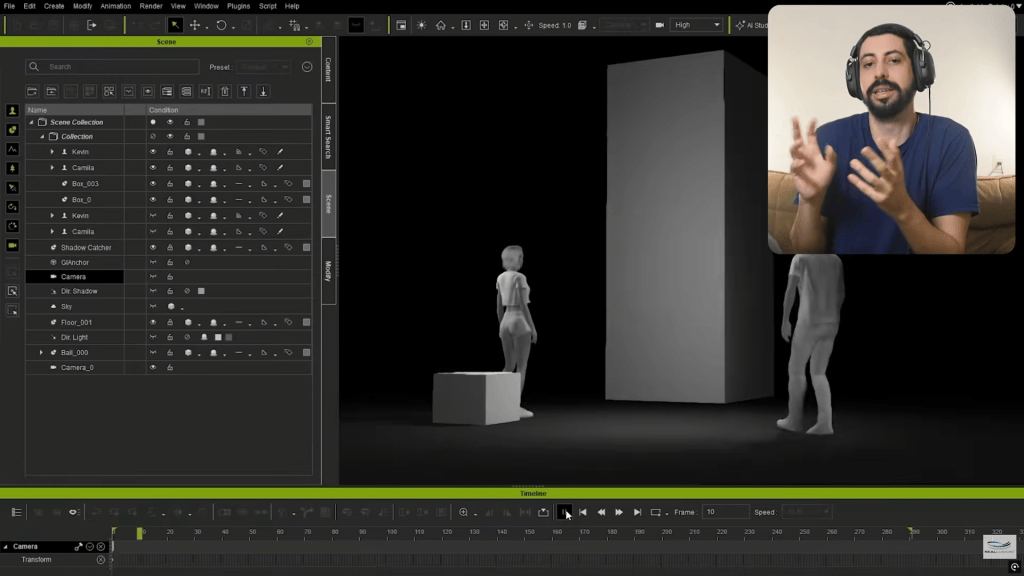
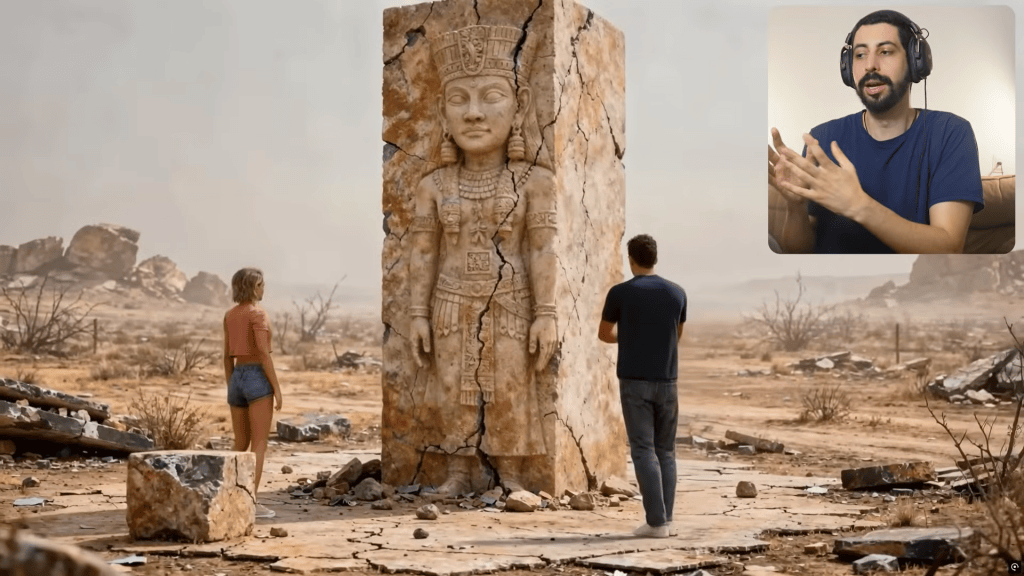
Reallusion’s 2026 Vision redefines 3D production by fusing traditional CG workflows with powerful Hybrid 3D+ AI. This strategy aims to accelerate character creation, animation, and scene rendering, providing artists with granular 3D control over AI-generated content. Instead of relying solely on text prompts, artists maintain complete artistic oversight within a robust 3D environment, ensuring high-quality, production-ready assets.
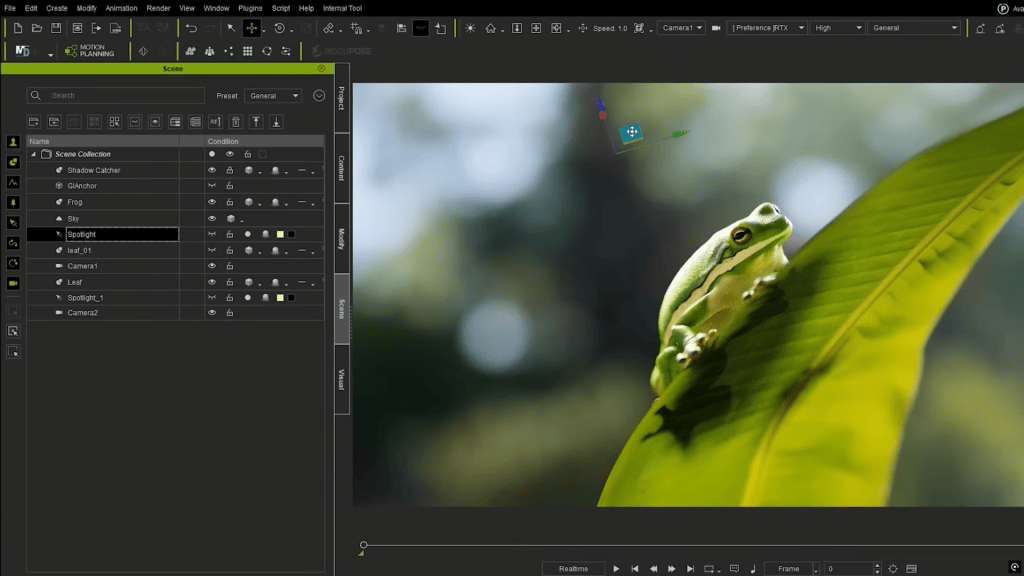
How Will RTX Render Enhance iClone 8 Real-Time Visualization?
The upcoming RTX Render integration within iClone 8, Reallusion’s flagship real-time animation suite, promises a significant leap in visual fidelity for scene visualization and animation previews. By leveraging NVIDIA’s ray tracing technology, artists can experience highly accurate reflections, realistic lighting, and intricate material definitions directly within the viewport. This partnership with NVIDIA enables rendering with higher quality previews, dramatically reducing iteration times.
“What’s impressive is the level of iClone control over every material layer, from reflections and lighting to facial detail and rendering accuracy. In partnership with NVIDIA Ray Tracing, the iClone RTX Render previews look incredibly realistic , especially the eyes. It gives artists access to much higher-quality renders and real-time previews, which is fantastic.”
Neri Neto – Game Programmer & Tech Journalist
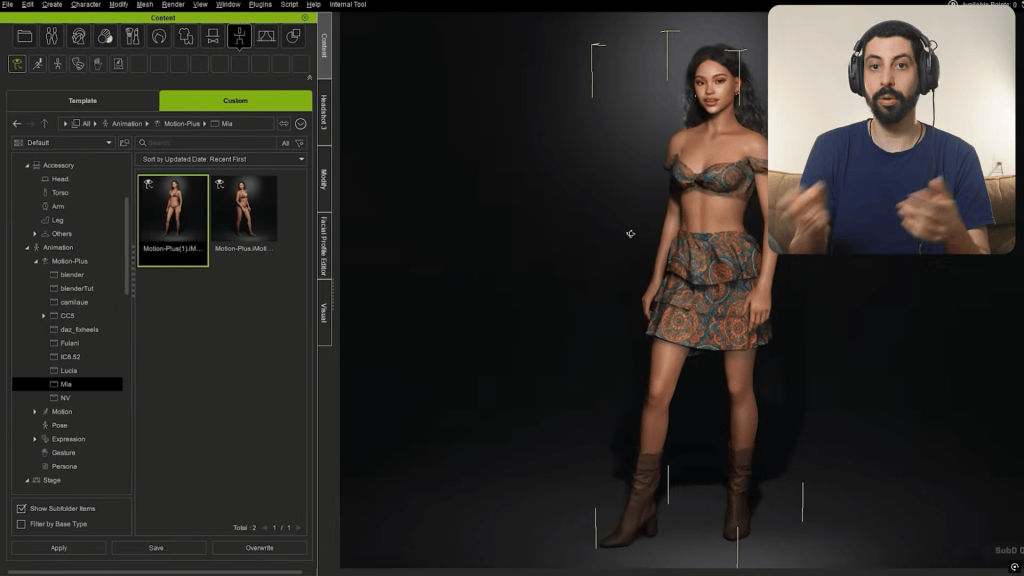
How Does Headshot 3 Transform Character Creation in Character Creator 5?
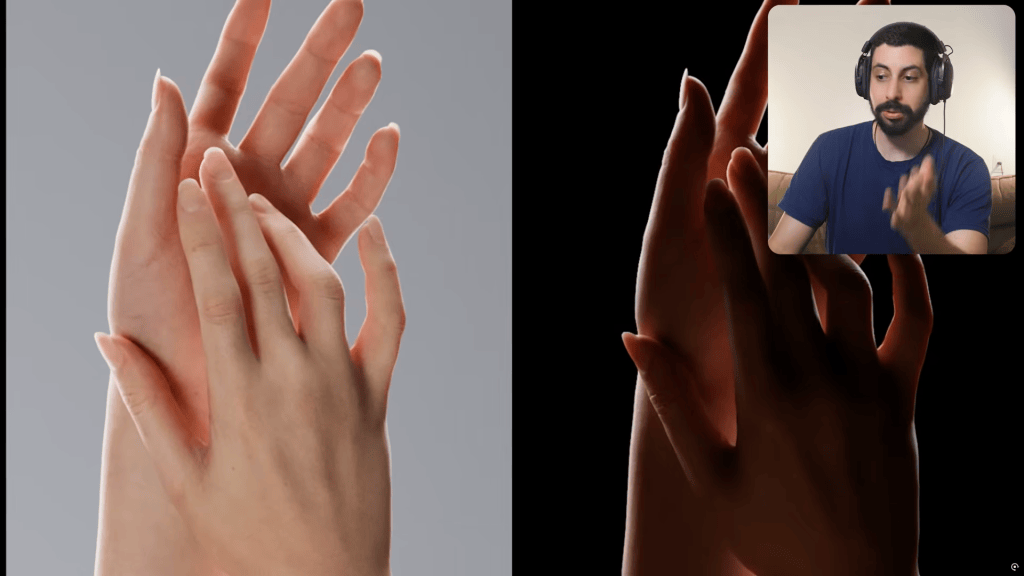
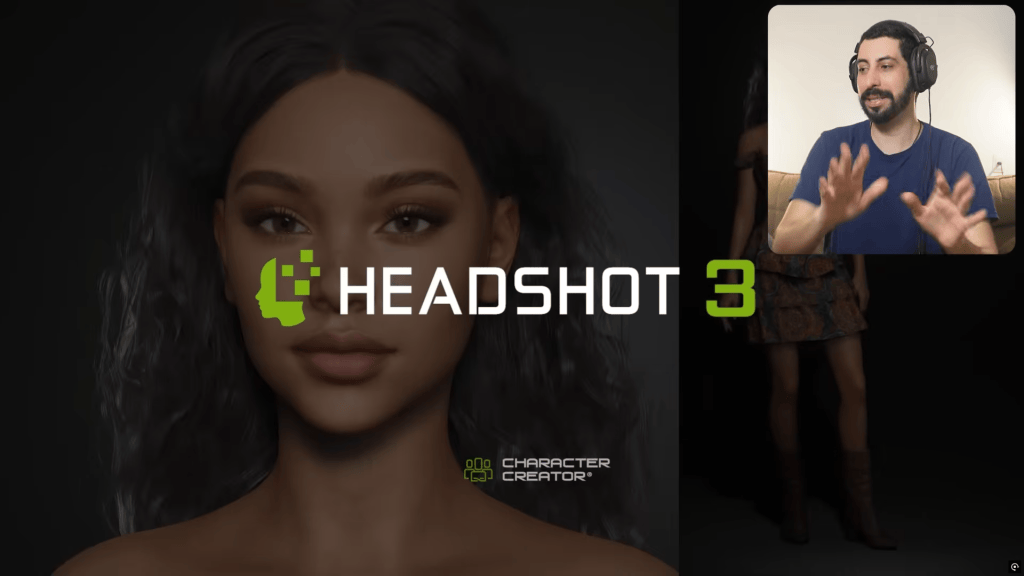
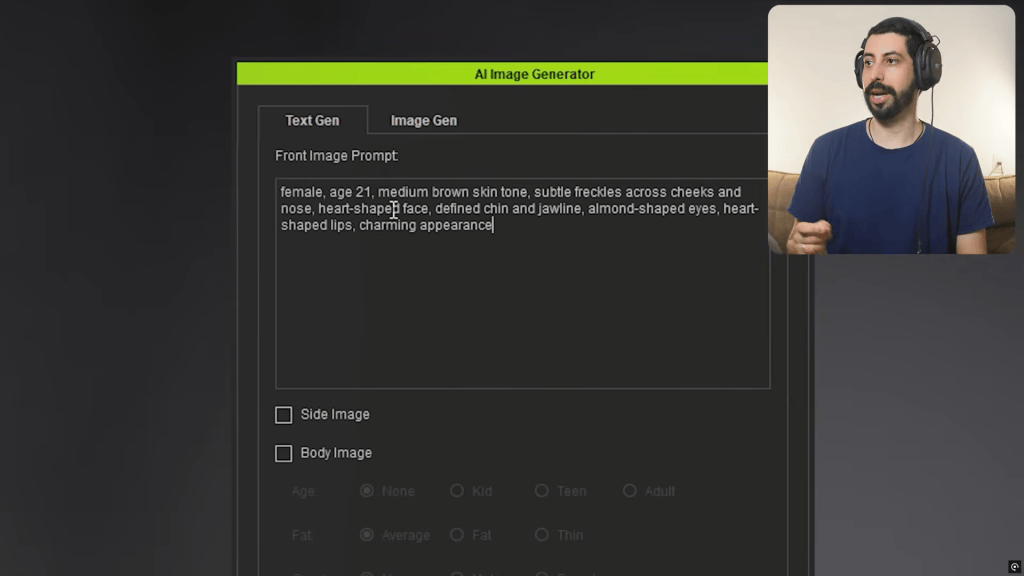
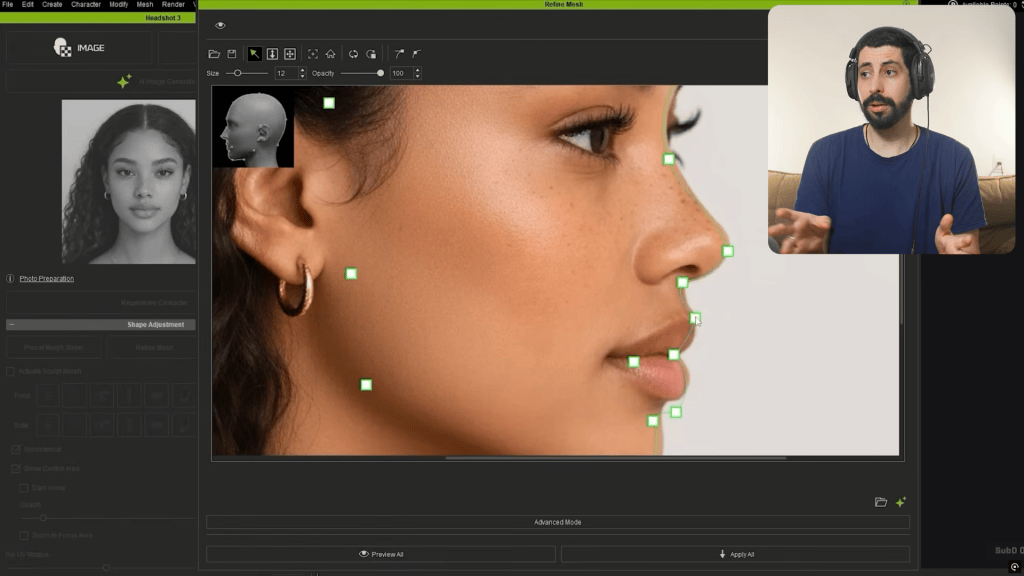
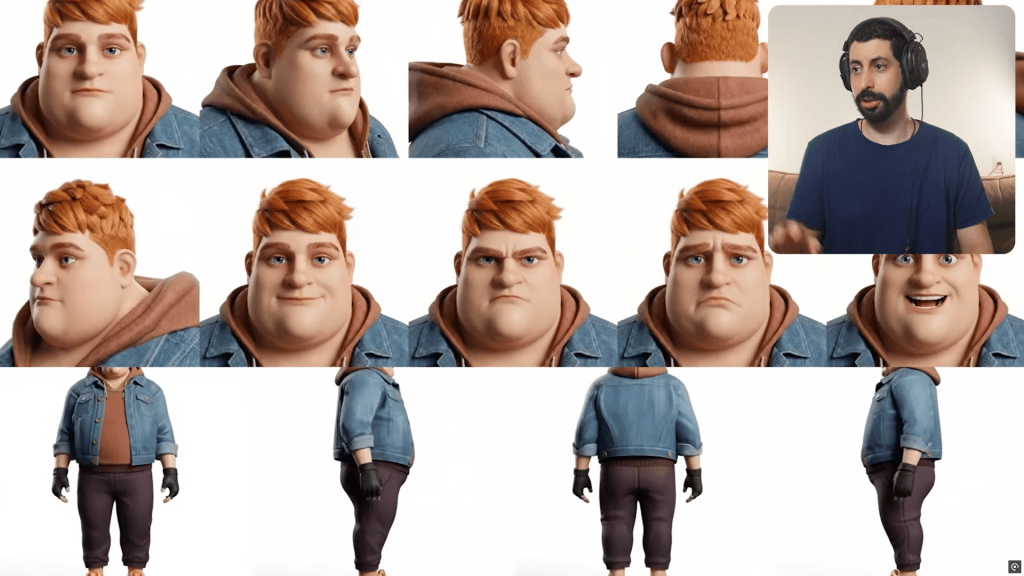
Headshot 3, a plugin for Character Creator 5, revolutionizes the digital human pipeline. It allows artists to generate fully rigged 3D characters from a single image or text prompt. This AI-driven tool produces characters optimized for pipelines like Unreal Engine 5, featuring customizable body morphology and enhanced facial precision. The refined input image correction features of Headshot 3 improve the quality of generated full-body characters, ensuring phenomenal quality even from imperfect source material.
Basically, with Headshot 3 for CC5 you can start with either an image, mesh, or a text prompt, and instantly generate a character from it. What’s really amazing is that all of this happens directly inside Character Creator. You end up with a fully compatible character ready for Unreal Engine 5, while still having complete control to customize every detail of the character’s appearance and body.
Neri Neto – Game Programmer & Tech Journalist
What is the Role of AccuFACE 2 in Advanced Facial Animation?
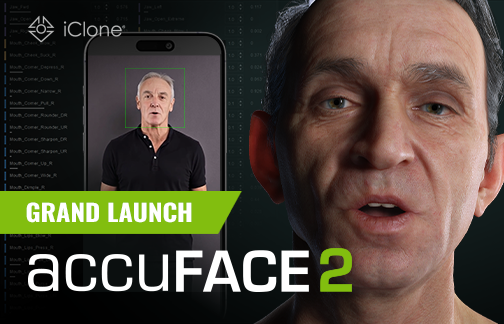
AccuFACE 2 facial mocap plugin for iClone 8 delivers unparalleled precision in facial motion capture and lip-sync. This new module simplifies the animation process, making it compatible with both Reallusion characters and Unreal Engine 5 MetaHumans. Artists can capture their own facial expressions using video mocap and transfer them to their 3D characters with highly accurate lip-sync, achieving natural, expressive performances previously requiring extensive manual keyframing. Mastering setting up the AccuFACE 2 pipeline can drastically improve character realism.

How Does CC5 Character Wrap Address AI-Generated Model Topology?
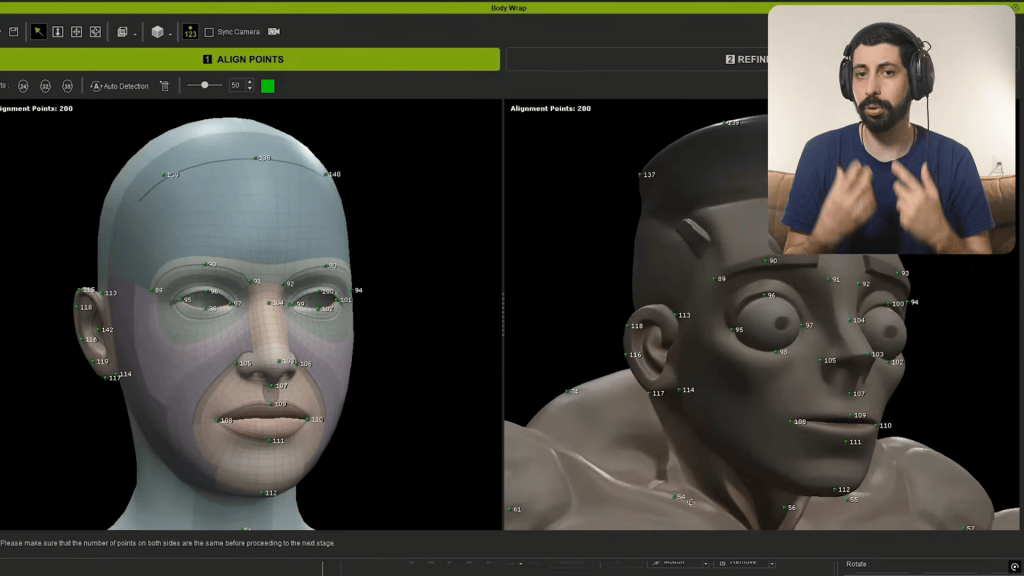
Reallusion’s CC Wrap (Character Creator Wrap) provides an AI-powered solution for restructuring the topology of complex 3D models, including those generated by other AI tools like Meshy. This feature is crucial for converting topologically challenging assets into animation-ready, performance-optimized characters. It automatically remeshes models to ensure clean edge loops and efficient vertex distribution, preventing common issues that can crash game engines or hinder animation. This capability allows artists to integrate diverse AI-generated content into their production pipelines seamlessly, thanks to the customization and rigging power of Character Creator 5.
Pro-Tip: Utilizing CC Wrap to automatically retopologize AI-generated models dramatically streamlines the character pipeline. This method can save artists months of manual retopology and rigging setup, allowing for rapid iteration and integration into projects.

What is AI Studio and How Does it Offer Fine 3D Control?
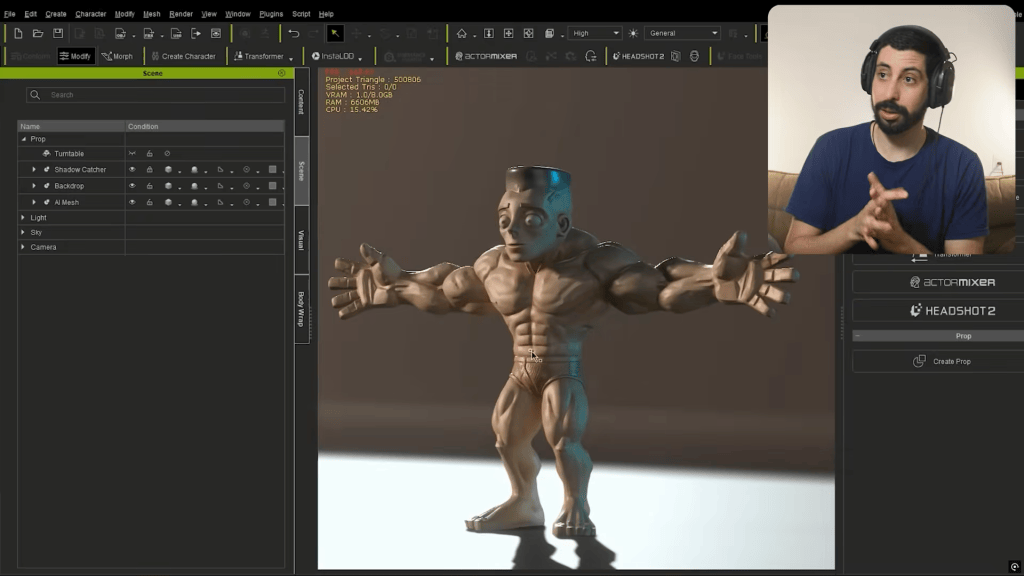
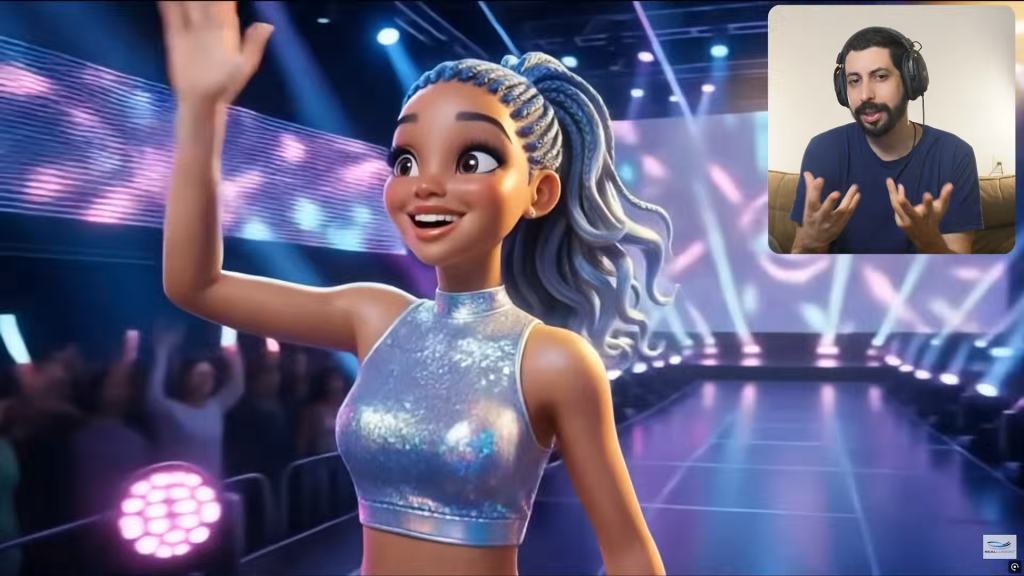
AI Studio emerges as a pivotal tool in Reallusion’s vision, offering precise 3D control over AI-generated assets. Unlike basic text prompt systems that offer limited control, AI Studio allows artists to start with basic 3D forms and motions, and iterate with AI, maintaining fine control over character design, body, facial features, and precise animations. This ensures creative intent is preserved while leveraging AI for speed and variation. It essentially transforms generic AI outputs into bespoke, production-ready 3D content, allowing artists to define specific parameters and refine results within a familiar 3D environment.
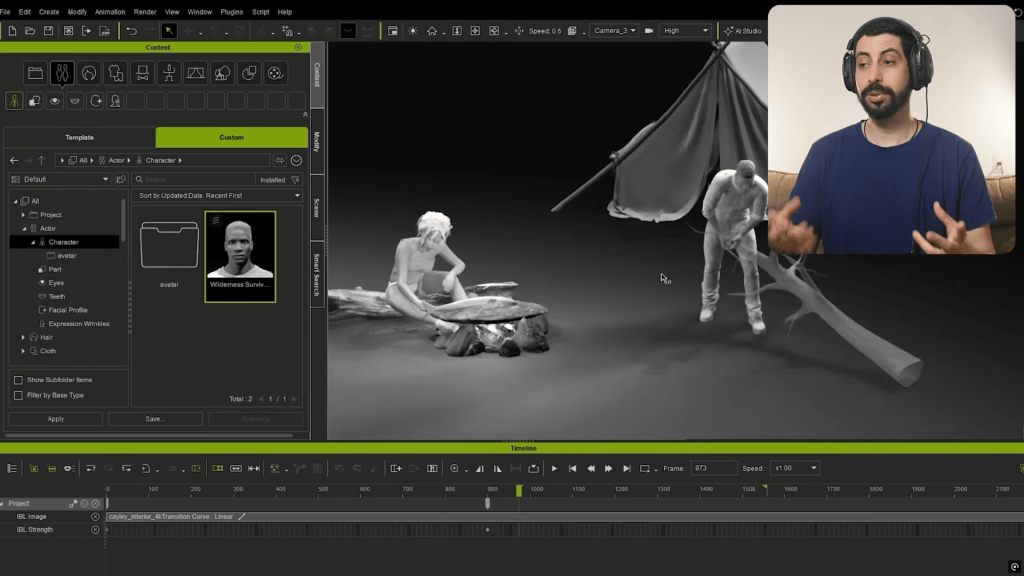
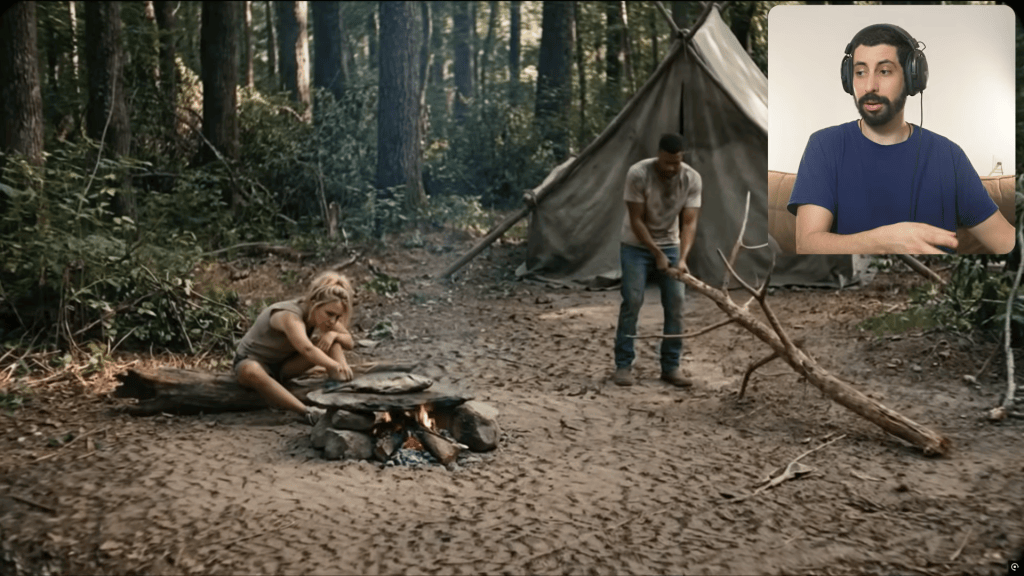


What are Joint Corrective Morphs (JCM) and Their Impact?
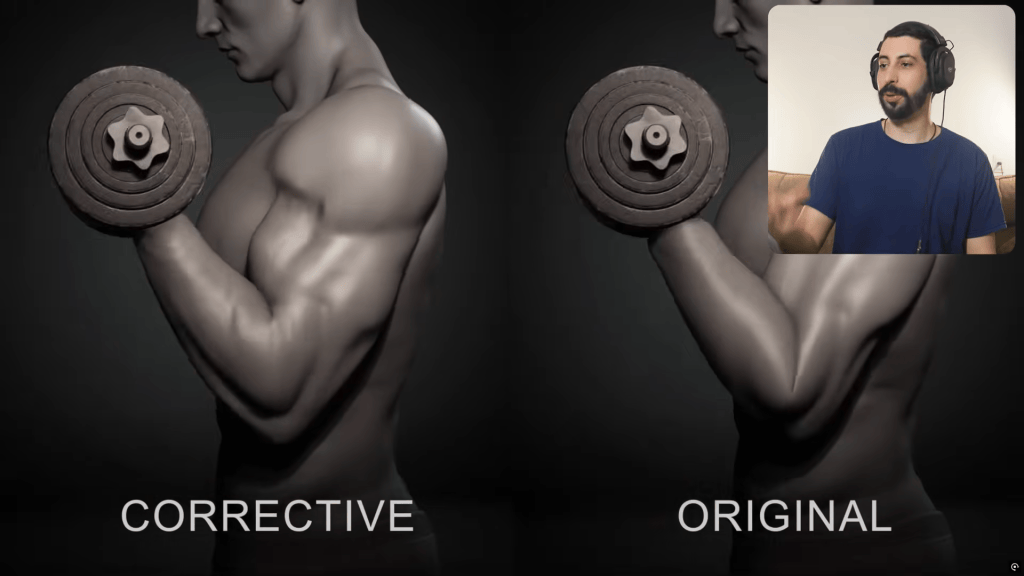
Joint Corrective Morphs (JCM) are being implemented in both Character Creator and iClone to enhance the natural deformation of character joints during animation. These specialized morph targets automatically adjust the mesh around bending joints, preventing unnatural pinching or volume loss often seen in standard rigging. JCMs significantly improve the realism and fidelity of character movements, especially in highly expressive animations, ensuring a more organic and visually appealing result.
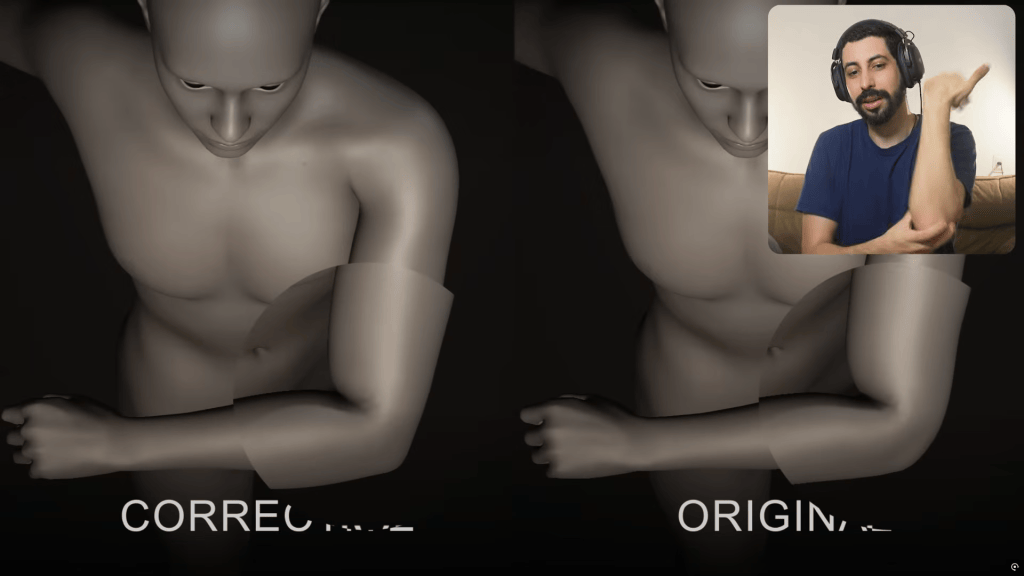
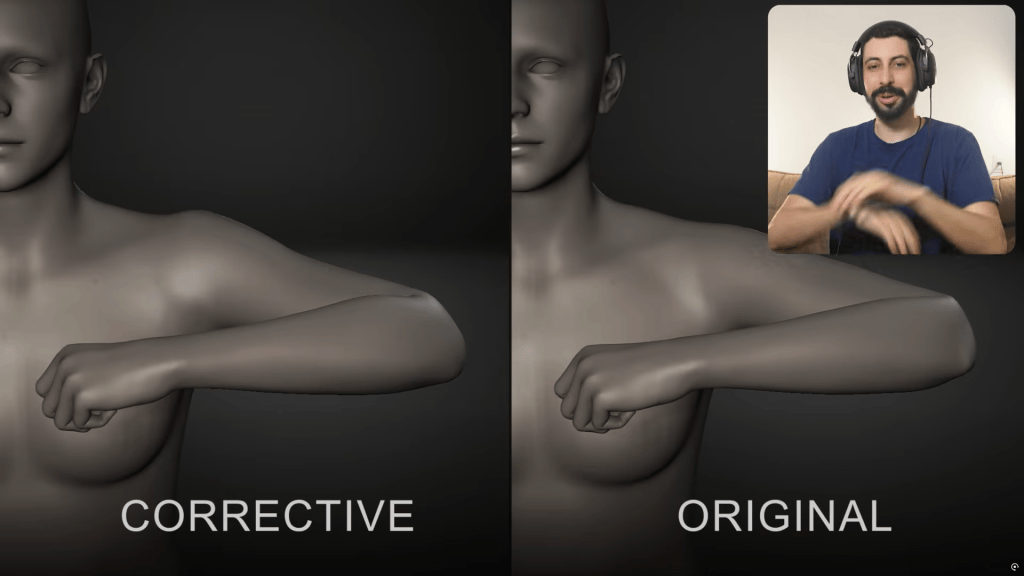
Reallusion 2026 Vision: Core Features Overview
| Feature | Primary Function | Key Benefit | Integration/Compatibility |
|---|---|---|---|
| RTX Render | Real-time ray tracing visualization | High-fidelity previews & cinematic quality | iClone 8 |
| Headshot 3 plugin | AI-driven photo/text-to-3D character generation | Rapid creation of AAA production-ready humans and stylized charaters | Character Creator 5 |
| AccuFACE 2 plugin | Precise facial motion capture & lip-sync | Natural facial animation, expressions and dialogue | iClone 8 |
| CC Wrap | Automated retopology & mesh optimization | Converts complex meshes and AI generated models into properly rigged animatable assets | Character Creator 5 |
| AI Studio | Fine 3D control over generative AI assets | Bridging 3D assets and animations into highly customized generative AI productions | Character Creator 5, iClone 8 |
| JCM (Joint Corrective Morphs) | Automated mesh deformation correction at joints | Smoother, more natural character articulation | Character Creator 5, iClone 8 |
The Future is Hybrid: Empowering Artists with Reallusion’s AI
Reallusion’s 2026 Vision for Hybrid AI is not merely an incremental update; it’s a fundamental shift designed to empower artists and studios with unprecedented speed, quality, and creative control in 3D production. By intelligently integrating AI into core workflows, Reallusion aims to make advanced 3D character creation and real-time animation more accessible and efficient for everyone, from indie developers to enterprise studios.

Neri Neto (Neriverse)


Neri Neto, a seasoned technology journalist and skilled game programmer behind Neriverso, has a profound passion for leveraging cutting-edge tools in indie game development. Known for crafting engaging mechanics and contributing to captivating titles like his upcoming game, Faceless Residence, Neri actively explores and shares insights into advanced 3D software. He critically assesses new technologies, particularly those that streamline and enhance the artistic process, providing a developer’s perspective on practical application and workflow integration.
Neri’s workflow using Reallusion tools centers on maximizing efficiency and quality. He emphasizes how tools like iClone 8 and Character Creator 5 allow him to produce realistic characters and animations at speeds previously unattainable. For Faceless Residence, he leverages iClone’s animation capabilities and Character Creator’s robust character pipelines. He specifically notes the potential of upcoming Hybrid AI features, such as Headshot 3 and AI Studio, to dramatically accelerate asset creation while retaining full creative control, directly translating to enhanced production values for indie developers.
“In my opinion, Reallusion is one of the companies truly connecting 3D creation control with Generative AI in a way that aligns with the future of content production. The Character Creator 5 and iClone 8 AI Studio ecosystem enhances everything 3D artists already know and do. By learning these tools now, artists will be able to create more content, at higher quality, and with far greater speed in the future.”
Neri Neto – Game Programmer & Tech Journalist
- YouTube: https://www.youtube.com/@neriverso
- Instagram: https://www.instagram.com/neriverso/
- TikTok: https://www.tiktok.com/@neriverso
FAQs
How do I export a rigged character from Character Creator 5 to Unreal Engine?
Character Creator 5 provides robust integration with Unreal Engine via its Unreal Engine Auto Setup plugin. This pipeline tool simplifies the export process, ensuring characters are correctly scaled, rigged, and textured for optimal performance within the engine. It automatically sets up material instances, skeletal meshes, and animation blueprints, allowing for seamless transfer and immediate use in game development or virtual production environments.
What is the difference between Reallusion’s AI Studio and standard text prompt AI art generators?
Reallusion’s AI Studio offers fine 3D control, a crucial distinction from standard 2D AI art generators. While text prompt generators produce AI hallucinated images and videos from text prompts, AI Studio allows artists to generate and modify 3D assets within a defined spatial context. This means creators can manipulate parameters like character morphology, proportions, asset placement, and exact motions in 3D space, ensuring artistic vision is precisely translated and integrated into a production pipeline.
Can AccuFACE 2 be used with custom 3D characters or only Reallusion avatars?
AccuFACE 2 is designed for broad compatibility, extending beyond just Reallusion’s native avatars. It can be utilized effectively with custom 3D characters, provided they are properly rigged with facial blendshapes or a compatible skeletal setup and imported into iClone 8. Furthermore, AccuFACE 2 offers direct compatibility with Unreal Engine 5 MetaHumans, enabling precise facial animation and lip-sync for these highly detailed digital characters, significantly enhancing their realism and expressiveness.
Why does efficient topology matter for game development and animation?
Efficient topology is critical in game development and animation for several reasons. Well-optimized topology ensures smooth deformations during animation, preventing visual artifacts and unnatural joint bending. It also directly impacts performance, as low-polygon, clean meshes are easier for game engines and rendering software to compute, leading to higher frame rates and faster render times. Tools like CC Wrap help maintain this efficiency, especially when integrating varied 3D assets.
Related Posts
- Reallusion Announces 2026 Vision: Redefining 3D Production through the Power of Hybrid AI
- Reallusion Redefines Digital Double Creation with the Launch of Headshot 3 for Character Creator 5





1 comment
The core aim is to bridge professional CG workflows with intelligent generative capabilities, making complex tasks more accessible and efficient.