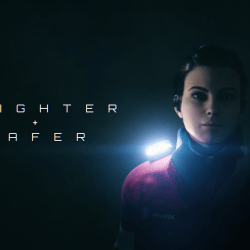
José Antonio Tijerín was born in Spain in 1996, where he started studying at a drawing school in Madrid with the intention of becoming a comic illustrator. After finishing his studies he decided to learn how to sculpt in 3D to make video games.
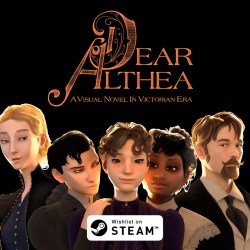
For several years, he has specialized in the production of 3D sculptures and has just published his first video game – “Dear Althea” on STEAM, where he used Character Creator and iClone with Unreal Engine.
José Antonio Tijerín also started working as a content developer in the Reallusion content store, after learning about Character Creator and iClone in a live webinar at Libel Academy.
“I discovered all the new possibilities that Character Creator and iClone offered when creating great works without the help of a large team.”
José Antonio Tijerín – Digital Artist, Comic Illustrator, 3D Sculptor
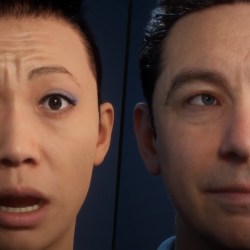
With Reallusion’s “Scan to Animation” character creation pipeline, 3D scan studios and professionals can transform scanned images into fully-rigged, AI-controllable avatars.
3D scanned people are widely used to create visualizations in many industries beyond games and films. From manufacturing, business, archviz, to digital twins and media entertainment, 3D scanned people are key elements to bringing simulations closer to realism, making any virtual scenario more convincing.
Thousands of 3D people can be easily found online. As realistic as they look, most 3D characters tend to lack the natural movement of real human beings, either in static poses, emotionless faces, or stiff body animations. How to transform scanned people into naturally animated subjects requires not only skills and experience, but also the right technology for character creation.
Reallusion, the developer of iClone and Character Creator, now offers a new “Scan to Animation Pipeline”, adding details, realism, and performance to scanned images. In collaboration with The Scan Truck, a Hollywood-based 3D scanning service company, and ICVR, a global creative and digital production studio, Reallusion has successfully turned scanned models into lively animated 3D characters that are fully controllable which can be exported to major 3D tools for any productions.
The Scan Truck, a professional 3D scanning service company in Hollywood CA.
Scan Experts Meet Leaders in Character Creation
Located in Los Angeles the heart of the American entertainment industry – The Scan Truck and ICVR have partnered with major Hollywood studios and international corporations including Warner Brothers, FOX, Universal Studio, SONY pictures, Apple, Netflix, and many more; to create avatars and digital content for famous films, games, and marketing campaigns. Their recent successes include creating digital doubles for Grand Theft Auto 5, Xbox video games, and feature films including Marvel’s Black Window, Dune, and Terminator: Dark Fate.
Internationally acclaimed projects by The Scan Truck and ICVR
It was an instant click between The Scan Truck, ICVR, and Reallusion, each with a long list of credentials on character creations. Impressed by the character creation technology of Reallusion’s “Scan to Animation Pipeline”, and with little hesitation, The Scan Truck and ICVR took part in a new 3D character creation workflow with Reallusion.
Creative leaders behind The Scan Truck
From recruiting 15 people for a shooting day inside their studio truck in LA, The Scan Truck captured the likeness of each model using their high-end scanning technology.
Shooting day inside The Scan Truck’s studioThe Scan Truck’s photogrammetry precisely captured the likeness of models.
Next, a multidisciplinary team of technologists, artists, and engineers in ICVR constructed the scanned images into high-quality 3D models through detailed data processing.
We as content creators feel the pain of people out there, having these high-quality models but not accessible for most usages,” said Chris Swiatek, Chief of Product, ICVR. “It is fantastic to see our 3D content turned into vivid 3D characters with controllable animation and deployed in a wide range of applications beyond games and films. We’re very excited to be among the early testers of this pipeline and to see the increased efficiency it brings to art production as a whole.
ICVR is a professional team with highly skilled artists and engineers.Cleaning and refining model details in ZBrush (by ICVR). Test rendering results in Mari software (by ICVR).
From Creation to Content Animation – Reallusion Redefines 3D Characters
Constantly evolving their products to keep pace with next-generation technology while providing unique implementations that adapt their tools to all levels of creators; Reallusion is setting a new industry standard for real-time character creation. The company’s “Scan to Animation Pipeline” provides the highest realism and control over 3D people, aiming to effectively level up business visualization for archviz, digital twins (manufacturing, construction), traffic, and crowd simulations. At the same time, the new pipeline synchronizes with the rapid growth of real-time visualization offered by GPU and game engines including NVIDIA Omniverse™.
Reallusion’s character creation technology.Reallusion’s SkinGen plugin technology inside Character Creator software.Refining facial expressions inside Reallusion’s iClone animation software.
Deploying its advanced technology on facial and body rigging, morphing, and lip-sync animations, Reallusion’s new pipeline can generate two unique outputs from 3D scanned images:
actorORIGIN: High-res Digital Humans from Character Creator
These ultra-realistic digital humans deliver the highest details for close-up performances, fully customizable with hair, facial and body morph, skin layers, and outfit systems that are suitable for real-time film and AAA game projects. Character Creator’s native character format (CC3+) involves a large number of assets including body shapes, appearances, outfits, and accessories for mixing and matching.
ActorORIGINs are digital humans with the highest details. ActorORIGIN characters with different outfits and hairstyles.
ActorSCAN: Photo-realistic 3D People for Crowd Rendering
The one-mesh, fully-dressed lightweight models are designed to enliven business simulations with fully rigged, controllable, true-to-life digital crowds. These models can be worked with facial expressions and lip-sync animations that make them suitable from long to medium camera ranges.
ActorSCAN characters with optimized topology and character rigs.ActorSCAN character collections available in actorcore.reallusion.com. ActorSCAN characters in middle to long ranges for lightweight crowd scenes
Live Scanned Actors on Any Stage Productions
Reallusion animated 3D avatars are fully compatible with thousands of AAA quality motions available on ActorCore – Reallusion’s premium online 3D asset library, allowing one character to be used for multiple applications. (business, training, archviz, films, games) All content is compatible with major 3D programs including Unreal Engine, Unity, Blender, Maya, MotionBuilder, 3ds Max, Cinema4D, and iClone .
Reallusion 3D avatars are fully compatible with ActorCore motionsReallusion 3D avatars are fully compatible with major 3D programs
Join the Incredible “Scan to Animation” Pipeline
With a never-ending passion to bring CG characters to life, Reallusion is looking for partners who excel in 3D scanning and character design to join ActorCore. Enabling designers from all backgrounds to easily enliven their game, movie, and interactive projects with rich asset selections. Contact marketing@reallusion.com for more information.
How one short video brings the worlds of 2D and 3D together
The project Magician by Tom Jantol features a character, asleep in his four-poster bed, oblivious to the glowing conjurer who leaps from the world of the 2D television screen into the ‘real’ world of 3D. Combining these various elements meant using a number of programs – it’s not unusual to employ a multitude of tools in this way, with each one bringing its own strengths and efficiencies.
As a quick overview, for this project, Jantol used iClone 7 to build and light the main bedroom scene and animate the sleeping character. Cartoon Animator 4 (or CTA for short) is used in conjunction with iClone to create the animated magician, ready for export to Adobe After Effects (for After Effect animations). Some TV noise filters are applied in the After Effect animation, and then the animated magician footage is cropped and trimmed using pop video, and imported into the iClone scene ready for the final touches.
Magician merges the worlds of 2D and 3D imagery (Image credit: Tom Jantol)
The first step is to build and light the bedroom scene in iClone 7. However, rather than spend ages crafting one from scratch, Jantol bought the bedroom from Reallusion’s store, which is full of affordable 3D assets. It’s then a simple case of adding some light sources for the lamps and fill light, then tweaking the brightness and colour to make the scene suitably nighttime-looking and a bit spooky. iClone’s realtime visuals mean that feedback is instant: no continual tweaking and rendering to see the result of your edits.
Two flat planes are then created: one to hold a static background image for the TV and one for the magician character, which will be added later. The last job is to import a human figure from Reallusion’s Character Creator, and carefully pose his arms and legs so it looks like he’s lying on the bed.
Build a 3D room and add lighting in iClone (Image credit: Tom Jantol)
The 2D animation of the magician is created in CTA, but to make things easier, iClone and CTA are linked together using a plugin called Motion Link – now the two programs can talk to one another. This is where the magic really happens…
Traditional 2D character animation is painstaking, time-consuming work, requiring you to draw and colour subsequent frames to create the illusion of movement. But with the combo of CTA and iClone it’s dead easy. For CTA to work with iClone, you need a G3 character with a bone structure in place, just like you’d find in a rigged iClone figure – you can use one of several that come with the app, create your own, or buy one from the Reallusion store. There are hundreds to choose from and they’re not very expensive.
Now, with the two apps linked, any animation you apply to the 3D iClone character (a dummy figure will do) is reflected in the 2D character in CTA. It’s a bit like old-school rotoscoping, where you’d use film footage of a person moving to act as reference for your hand-drawn 2D character animation, but here it’s all done automatically thanks to Motion Link.
Create 2D motions from 3D using Motion Link between iClone and CTA (Image credit: Tom Jantol)
To imbue your character with movement, you can keyframe the iClone animation by hand, use one of the 300 pre-made motion files that come with the app, or buy one from the ActorCore store, where you’ll find hundreds of collections and individual motion files to suit any project.
Find thousands of 3D motions available in ActorCore (Image credit: Reallusion)
With the jumping animation of the magician complete, Jantol now renders it out and exports it to Adobe After Effects. To do this you can either use the CTA to AE plugin, or simply save the animation with an alpha channel – ie, a transparent background. Similarly, you can import the footage using the CTA to AE script, or just open the video file. CTA’s ability to export transparency makes it much easier to add effects or combine other elements later in the pipeline.
Import characters from CTA and add visual effects in AE (Image credit: Tom Jantol)
Adobe After Effects is a professional-level program designed for creating motion graphics, adding visual effects, doing colour grading and compositing elements together (live action video, CG animation, 2D graphics, particle effects etc). In this case Tom simply adds a TV-style noise filter and exports the footage as a PNG sequence.
The sequence is imported into popVideo where Jantol can crop in on the image and trim the sequence in length, removing any unwanted frames and reducing the file size. He then exports it with a transparent background, and It’s ready to use in iClone. popVideo is also useful for generating transparency from blue- and green-screen footage, adding masks, changing the resolution and timing of a clip, and even doing realtime 3D compositing,
Import transparent video (popVideo) to iClone for further compositing (Image credit: Tom Jantol)
The popVideo file is mapped onto one of the planes created earlier and made self-illuminating with an eery glow – all visible and editable in realtime. It’s now a case of animating the plane so the magician appears to jump out of the TV screen and grow in size as he lands in the room. Because the 2D character animation is attached to a plane, it exists in the 3D space of the room and can be positioned, scaled, rotated, and keyframed just like any other object.
The last step is to animate the cameras, making cuts between them as you might in a TV studio. The magician also releases a swarm of multicoloured butterflies, which is easy to do using iClone’s built-in particle system. Jantol also adds a flickering light to imitate a real TV screen, as well as a subtle red glow on the wall, as if the butterflies are giving off their own light.
Butterfly glowing creates magical lighting effects (Image credit: Tom Jantol)
Even though the animation is quite short, you can see how complex the end result is, and how difficult and time-consuming it could potentially be to achieve if you had to build and animate everything by hand. By using the right tools in concert with one another, along with free or affordable assets, Jantol has managed to create a charming little short with minimal effort. And there’s nothing overly complex here that most video makers, illustrators, and 2D/3D artists couldn’t get to grips with. With Reallusion’s suite of integrated apps – plus its extensive library of inexpensive assets – the only limit is time and your imagination.
Why not give these apps a go for yourself? Download the 30-day trial versions of Cartoon Animator and iClone and try them out today!
The Author: Steve Jarratt
Steve Jarratt has been interested in CG for many years. He’s a regular contributor to 3D World and edited the magazine for two years.
Using the combined power of her vivid imagination and 2D character animations – Chrissy Sykes is an award-winning Singer/Songwriter who is educating young people about themselves and the world around them, producing 2D animated videos with Cartoon Animator for her YouTube channel “My Body Is My Body”.
Generously offering her programme free of charge, people are using this site in over 40 countries and so far her channel has reached well over 1 million children.
Today, Chrissy speaks to Reallusion about how working within a budget and the need for total control over every aspect of her animated projects led her to the decision that Cartoon Animator was the right tool for the job.
“I think the main advantages are speed and ease of use. Cartoon Animator makes my job easy and fun! I can sit down in my office and look at my watch and 4 hours would have easily passed – I get so engrossed with the work and love bringing the characters to life.”
Tojosoa “Cid” Andoniaina Andrianarison – Indie game developer
Tojosoa “Cid” Andoniaina Andrianarison
My name is Tojosoa Andoniaina Andrianarison, “Cid” is my artist name. I’m an indie video game developer from Madagascar. Besides game development, I’m also a short film director.
I grew up playing video games of the 90’s and loved drawing since my childhood. I was inspired by many recent games : Life is Strange, Detroit Become Human along with animations such as Animatrix, Tekkon Kinkreet, and old movies like Columbo, Twilight Zone including Japanese directors : Koji Morimoto, Satoshi Kon.
After my high school graduation, I studied architecture and design. I worked as a graphic designer for a festival, then as a sound designer and a music composer for a feature film. Afterwards, I focused on making my own short films and won several awards for my works. I’ve worked in various fields as a freelancer including video editing, VFX artist, animation, video mapping and 3D modeling. I eventually got the opportunity to study filmmaking and video games in Berlin and worked in a VR studio there as a programmer.
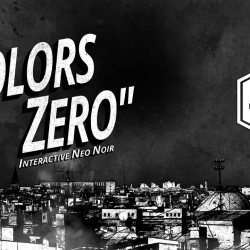
I started my project “Colors: Zero” in 2016. The idea came from my second short film “Colors”. The interactive genre combines both my film and video game skills. Now I’m reaching my 6th year of development and working full-time on the project. Making a game is never easy as it is time consuming but with the right animation tools like Reallusion’s iClone and Character Creator, along with believing in what you do, things turn out the way you need them to!
“Reallusion is the ultimate solution for quick and smooth workflows. Through their Pitch & Produce program, I have been able to accelerate my project, bringing me closer to my goals.”
Tojosoa “Cid” Andoniaina Andrianarison – Indie game developer
The exquisitely detailed MetaHuman has captured the eye of the media and entertainment industry. That said, how does one bring MetaHumans to life without breaking realism for rapid production with talking animations, emotes, and tailor-made performances? This is where iClone MetaHuman Live Link comes in by providing designers with a comprehensive and highly efficient way to animate full-body MetaHumans, complete with lip-syncing.
The following diagram is a quick overview of using this method to create natural talking animations in the shortest time possible:
There are some important tips for newcomers to this procedure:
Tip 1: Accurate & Smooth Lip-sync
By simply importing your audio or recording directly in iClone, AccuLips will automatically detect and generate precise text and visemes for talking characters. AccuLips also has a text-to-speech capability that can automatically generate the waveform data according to the provided text—which can be changed on the fly; With the expressiveness of each viseme that can be adjusted on a per component basis that includes the lips, tongue, and jaw. What’s more, one can also choose from a large library to layer on talking styles such as yelling or whispering. Users will no longer be plagued with mechanical mouth/jaw juddering as a result of high frequency or high-speed dialogue because AccuLips is able to transition word to word in a way that simulates natural slurring.
Tip 2: Powerful & Flexible Facial Mo-cap
Once accurate lip shapes are obtained via AccuLips, you’ll want to give life to the performance of your digital actors—and nothing is more effective than adding facial expressions on top of your talking animations. There are some important tips for iPhone facial capture you should be aware of for this process.
▪ Tracking Data Multiplier
First, controlling the strength of the tracking data by using the strength Multiplier attribute while the actor is performing will allow you to increase or decrease the expression strength for a more convincing speech delivery.
▪ Multi-pass Recording
Second, take advantage of the flexibility afforded by multi-pass recording. For example, you can record one part of the face at any given time and layer another recording on top for a different part of the face, over and over again. Instead of redoing the whole performance with a new take, you can focus instead on a single part each time and simply add them together to compose the most refined expressions with subtle nuances like a cheeky smirk, brooding frown, scrutinizing squint, etc.
▪ Convincing performance
Third, avoid fixing your eyes on your phone while recording as this can create a sort of “dead stare”. You will be better off pretending the phone does not exist, and perform naturally while relaxing your eyes with subtle eyeball movements by looking at different spots around your periphery. And, of course, don’t forget to blink!
Not everyone can muster the skills and dexterity of a professional stage actor, and in order to mitigate stiff performances, you should resort to multi-pass recording. We recommend recording facial movements for the first pass and adding natural eye movements/performances for the second pass. Most importantly, do consider the proper reaction and intention of your digital actors according to the situation and mood they are dealing with. Try to inhabit the scene and act as though you are the performing MetaHuman. For producing a compelling performance, you can watch this tutorial for further tips – iClone Tutorial – Quick Tips for the Best Facial Animation Performance
▪ Live Smoothing
Finally, remember to utilize the Smooth feature, either for real-time tracking, or direct application to the recorded data, to fix unwanted neck juddering which usually occurs with head rotations.
iClone’s Face Puppet tool is an effective expression mixer for the eyes, brows, lips and tongue, which allows you to intuitively create facial expressions with the mouse. In addition, iClone provides 7 ExpressionPlus ARKit profiles that offer a slew of subtle facial movements with solo or multi-area tweaking, expression strength, with the addition of head rotation and tilting. The movements of the face and head arerange-bound, therefore they can never exceed their natural range of motion; So flicking the mouse will never produce an awkward movement.
Tip 4: Face Key Editing to Fine-tune Details
Once your MetaHumans have good lip-syncs and suitable expressions on their faces, the next step is to fine-tune the facial details to turn performances from good to great. There is a fine line between human expressions and a digital actor can go from looking joyous from one second to furious in the next, due to very minute shifts in the facial muscles; and if one is not careful then unintended expressions can give mixed signals to the audience. iClone’s Face Key editor, expression presets, and varieties of facial morph sliders can help you get it right each and every time. Expression presets comprise of 7 emotion categories with 12 variations in each and 4 mixed ExPlus categories with 15 variations in each. A total of 60 standards and 63 ExPlus morph sliders are available to faithfully form multi-layered expressions and includes plenty of blendshapes for the tongue, as well as one-to-one human-scanned ARKit data; And each slider can be adjusted from subtle to exaggerated.
All in all, giving a natural human-like performance to your MetaHumans may not be easy, but with iClone’s dedicated solutions, the process can be painless, and even fun. Most importantly, having personable, life-like performances for your digital actors can be a very rewarding experience for creators and audiences alike.
Lightweight actors with facial, body and lip-sync animations for crowd rendering sets a new standard for 3D people
Reallusion, the developer of Character Creator and iClone real-time animation software, has launched a major upgrade for its browser-based 3D content platform, ActorCore.
Currently being integrated with NVIDIA Omniverse™ platform on digital twins projects including drive scene simulation and BMW’s manufacturing visualization, and adopted by professional animators for 3D archviz applications, ActorCore has brought to the market a new standard of 3D people for crowd scene usage. These lightweight characters are fully-rigged for facial, body, and lip-sync animations, suitable from long to middle camera ranges. Along with an extensive library of 3D motions, and FBX file export formats compatible with all major 3D tools, ActorCore is the best 3D content marketplace for real-time animation and business simulations.
“At Reallusion we continue to raise the standard for character creation and animation,” said Charles Chen, CEO, Reallusion, Inc. “We have developed the next generation of 3D character systems, offering highly interactive, AI controllable characters that respond to the huge demand for business visualization, particularly archviz and digital twins. We strive to provide not only variety and quality but also advanced solutions that definitely go beyond expectations for real-time simulation.”
Interactive 3D Actors Ready for Crowd Scene Animations
In contrast to commonly used 3D human models with no natural movements and expressions, ActorCore actors come with vivid facial and body mocap animations designed for the different camera (long to the middle) ranges ideal for crowd scenes.
Different Styles for Any Production Demands
From photorealistic scanned people to sci-fi, fantasy, historical, and toon figures created with Character Creator, a variety of characters are now available on ActorCore. Simply import these animation-ready characters, with application-specific download formats, to get an optimal rendering quality.
Industry-First: Optimized Topology and Character Rigs in 3D People
A complete character rig with eyes, jaw, shoulders, fingers, and toe articulations; ensures the most realistic animations through AAA mocap data. All ActorCore characters come with the same facial topology for consistent expression editing and lip-sync control. PBR Materials are also merged for best crowd rendering performance.
Natural Facial and Body Mocap Animation for Low Poly Characters
With 60 facial blendshapes, all ActorCore characters support natural expressions and talking animations. Besides animating with ActorCore motions, all characters are fully controllable inside iClone and other 3D animation tools.
actorSCAN vs actorBUILD: Choices That Fit All Scenarios
ActorCore offers two character types – actorSCAN and actorBUILD, which are created through different pipelines while being fully-rigged, facial animation-ready, and lightweight.
actorSCAN characters are designed to enliven business simulations with the most realistic, fully controllable photogrammetry scanned humans.
Fully-rigged, realistic 3D people made through professional 3D scans
60 blendshapes for facial expression and lip-sync animation
Eyes, jaw, shoulders, fingers, and toes rigged for true-to-life animation controls
Exceptional visual details suitable for most camera ranges
Optimized data performance for real-time 3D crowd rendering
actorBUILD offers multiple character forms tailored through Character Creator, with a wide variety of body shapes, outfits, accessories, and hairstyles for games, film, and interactive projects.
Discover various 3D characters including historical, sci-fi, fantasy, realistic or stylized
Includes different hairs, body shapes, facial appearances, outfits, and accessories compatible in Character Creator
Optimized through merged materials and polygon reduction for crowd rendering
ActorCore characters are 100% compatible with ActorCore motions, allowing one rigged character with multiple gestures for multiple uses. To meet mocap animation demands from different industries, ActorCore offers thousands of motions in well-planned themes designed for game, film, interactive projects, archviz, training, simulation, digital twins, and more.
AAA Production with Seamless Motion Transitions
Each ActorCore motion pack is professionally produced to ensure the best motion quality and practicality. A specially designed motion system ensures smooth transitions between primary and secondary stance modes. This system offers high flexibility for professional animation production and interactive game character controls.
Quick Search for Content and Easy Export to Multiple Platforms
Users can access ActorCore’s 3D library through a web browser or a mobile device. Exceptional performance optimizations give users the best interactive 3D viewing experience on selected characters and motions. Users can also quickly search and explore thousands of related content through categories and keywords.
All ActorCore content is compatible with major 3D programs including Unreal Engine, Unity, Maya, MotionBuilder, Blender, 3ds Max, Cinema4D, and iClone. Step-by-step guides and tutorials are provided for each program, along with optimized Auto Setup plugins, and Import Presets to ease workflow.
Be Part of the Best 3D Asset Community
Whether through 3D scans or custom-made, 3D production makers can choose to apply ready animation, or they can customize and create their own through Reallusion software technology. Reallusion provides a professional, well-designed character creation and animation pipeline to empower all levels of animators. To rapidly expand ActorCore content libraries, Reallusion is currently inviting 3D scanning services, motion capture studios, 2D animators, and 3D character artists to bring their expertise and creations to ActorCore. Simply contact marketing@reallusion.com for more information on how to join the ActorCore content partner program.
FREE! Member Exclusive – Characters and Motions
To allow users to have a full experience on high-quality 3D content, ActorCore provides free content including motions and characters for download. Simply become a Reallusion member to access these amazing contents for your next project. Sign up now!
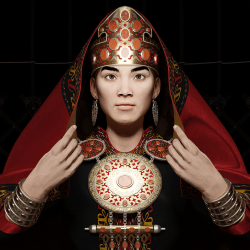
Tanir-Vefa Avci was originally a political science and accounting major. He decided to pursue his passion in Turkology after graduating from college. Below he shares why he chose to use Character Creator and iClone:
Most people are acquainted with the Turks from Turkey but tend to scratch their heads when they hear about the groups further East.
My goal is ultimately to raise awareness of Turkic culture. I want to inspire other Turks, wherever they may be from, to learn about their own cultures and the cultures of other Turks, and to use their knowledge in fun and creative ways. One of my favorite ways to encourage engagement is through 3D art. I love recreating Turkic material culture, whether it be as simple as a bead or as complex as a headdress. I also plan on animating a series of Turkic myths and legends, which I will return to later on.
“I love using Character Creator for my models and I love using Blender to create their accessories. The two work together very well.“
Animator Chuck DeGroot explains how he created a compelling web commercial with the use of Blender and the Reallusion assets and mocap pipeline while under a strict deadline.
With little time, and numerous other projects, Chuck utilizes Reallusion’s suite of assets and its intuitive connection with other programs to create a stunning CG commercial.
A long-time lover of 3D character animation, Chuck DeGroot has been a prominent freelance animator since 2009. Having been inspired like many of us by the works of Pixar and Dreamworks, Chuck has been working extensively with commercial animations since his graduation from the Art Institute of Pittsburgh. And with an emphasis on 3D character animation in his recent works, Chuck gives us insight into his use of Reallusion’s tools to complete a commercial project on a tight schedule.
Project Overview
Approached by Clum Creative, a creative agency based in Cleveland, OH, the goal was to complete a promo video for Guardian Angel’s “Elite” line of safety lights. This project was a little tricky because it entailed creating a highway accident scene, which would make it inherently expensive and complicated to shut down a highway section for real-life filming. For this, he had to choose CG animation to simulate the scene. Additionally, the deadline was tight, just under a month while juggling multiple other projects, but with the power of Reallusion’s tools, Chuck was able to deliver the 60-second promo, featuring 4 unique characters while displaying a real functioning device, on time and on-budget.
Hitting the Ground Running with Content Store Assets
With the script in hand, the project kicked off in Character Creator 3 (CC3) where I generated the character models and textured them with the amazing SkinGen plugin. Given the limited production time, I was lucky enough to be able to purchase many stock assets from the Reallusion store in order to accelerate the character design process (Professional Outfits, Policeman Uniforms & Gears, Ambulances & Paramedic). It allowed me to purchase a diverse set of clothing assets that worked for each of the characters’ roles.
The CC3 characters were then exported via FBX to Blender, where I could set up the texture/shader nodes, and fine-tune weights and deformations, making render-ready character rigs. The CC3 Tools add-on automates texture and shader setup, and includes many other extremely useful tools.
Besides character and scene build, I simultaneously sent the characters from CC3 to iClone for animation. I was able to automatically generate a high-quality control rig in Blender using Autorig Pro Quick Rig (this would allow me the option to further customize my character animations later in the process).
Mocap animation data was then recorded and cleaned up in Rokoko Studio, and applied to the iClone characters via 3DXchange. At this point, I was able to fine-tune and customize the recorded Mocap data in iClone, as well as add subtle facial animation using iClone LIVE FACE profile and my iPhone.
With the motion editing tools in iClone, I was able to customize, combine and fine-tune the Rokoko Mocap data in extremely flexible ways. The iClone LIVE FACE iPhone facial mocap system also gave me an easy way to add subtle facial animation to the characters, which transferred effortlessly to Blender via shape keys in the FBX export files. When the animations were finished in iClone, I exported them via FBX to Blender, where I transferred the actions (both bone animation and facial shape key data) to the final render-ready character model. The scenes were rendered with Eevee, and finished with color grading and post FX in After Effects.
The flexibility of Reallusion’s import/export options in CC3, iClone and 3DXchange allowed me to painlessly move data between those applications, and ultimately get it all into Blender, where the environments were built, the scenes were lit, and the shots were rendered. Pulling off a 3D character animation of this scope in a few weeks as a freelancer would have been nearly impossible just a few short years ago. Reallusion’s tools not only allowed me to pull it off, but they made the whole production process straightforward and FUN!
The Key to the Project
As a freelancer, Reallusion’s tools have become invaluable to me when tackling 3D character animation. With Character Creator 3, iClone and 3DXchange, a great deal of the process is streamlined and simplified. This allows me to work quickly, and forget a lot of the technical hurdles inherent to character animation, and instead focus on the more artistic aspects. Reallusion has done a fantastic job of creating software that makes it possible for solo freelancers like me to produce quality 3D character animation quickly, and I’m excited to see how the tools continue to evolve from here.