iClone for Beginners, Amateurs & Professional Animators

For new animators, the world of 3D animation can be a complex maze of conflicting information while longtime pros are just wanting to get the job done professionally as soon as possible. There was a time when these two groups needed different software but now, iClone provides a solution for beginners needing software that is easier to use and for long-term professionals that require software that gives them more control.
The former group needs a few “easy buttons” to get started and not be discouraged along the way. The latter group needs software capable of filling professional needs with tools that help and complement their skills. The problem with easy software was the limitations of being somewhat “locked down” without a lot of control. The more robust, hence more expensive, applications had the tools and freedom to work but also much harder to learn with a huge, and sometimes long, learning curve.
By the time you learn the software, the creative urge could be long gone. Let’s not forget the almost prohibitive costs if you weren’t using the software commercially. This why beginning and amateur animators were left out until iClone came along.
iClone started as a low poly application for inexperienced animators with its drag-and-drop characters and motions. You could make a video in a few hours even if you had never seen the software before. The original version also had a powerful image-to-face tool that could make a character look very close to the image. I discovered iClone in version one and have used it ever since while watching it mature into a powerful animation tool.
iClone’s tools and features can be used by beginners and pros but below I will break down some of the standout features and tools in terms of how they can be useful for each group. Just because a tool or feature is listed in a certain group doesn’t mean they won’t offer features both groups can find valuable, and many tools not listed can be used by anyone, so this is not an inclusive group of everything iClone has to offer. I had to cut it off somewhere or this was going to turn into a novel-length article as iClone is that feature-packed.
FEATURES FOR BEGINNERS
FOR BEGINNING AND AMATEUR ANIMATORS
DRAG AND DROP EASE OF USE
Drag and Drop is an aspect of iClone that is not fully appreciated until you work with software. It’s much more than just drag and drop a character into the scene. You can drag and drop almost everything including a right-click-based menu system for working with 2D images in a 3D environment to point to where the images should go or how they should be used.
We can drag and drop the character then drag and drop a motion or series of motions on the character to animate it. Then we can drag and drop textures onto the characters, props, and accessories. Drag and drop videos onto objects. Almost anything that can be loaded into the scene via a menu can also be dragged and dropped directly into the scene for fast deployment and scene creation.
SMART CONTENT MANAGER

The Smart Content Manager is shared by iClone and Character Creator with its own section in each application. This gives us the ability to manage our 3D assets like characters, props, and accessories across both applications with multiple locations and drives with a few simple settings. It doesn’t matter if iClone, Character Creator, or the 3D assets are installed on your main drive, or another drive the Smart Content Manager makes sure that new assets saved from either application are available to both applications without duplication.
The Smart Content Manager keeps your content organized by type of asset with quick access via visual or search. It keeps track of what content you’ve downloaded locally and versus content owned but not downloaded. If you are trying to save storage space this feature can help by allowing you to download only what you need to save disk space. You can use the robust search feature to find items too.
The Smart Content Manager not only downloads your assets on demand, but it also keeps them updated via notifications that a pack or packs need to be updated. You can also package your content into virtual content packs for ease of identifying or searching for a certain group or genre of content.
PREMADE MOTIONS

This is one of the real gems for beginning animators. The ability to drop a premade motion directly onto the character at the time it is needed cannot be overstated if you have never animated anything before. If you have never heard of a timeline or worked with a 3D character, then there is a lot to take in at first.
Being able to drag and drop a motion at the proper time takes out the complexity of learning the timeline before animating anything at all. In fact, a new animator can drop a series of motions at the right time and animate a character with barely a grasp of the timeline at all.
This allows the new animator to be productive, to get something done for the gratification of another skilled learned instead of the frustration of more time spent learning and not animating.
There is also the bonus of a large library of motions available from the Content Store, ActorCore, or Marketplace as well as a generous assortment of motions that come with iClone for general animation and the Motion Director.
CROWD SIM & ACTOR GROUPS

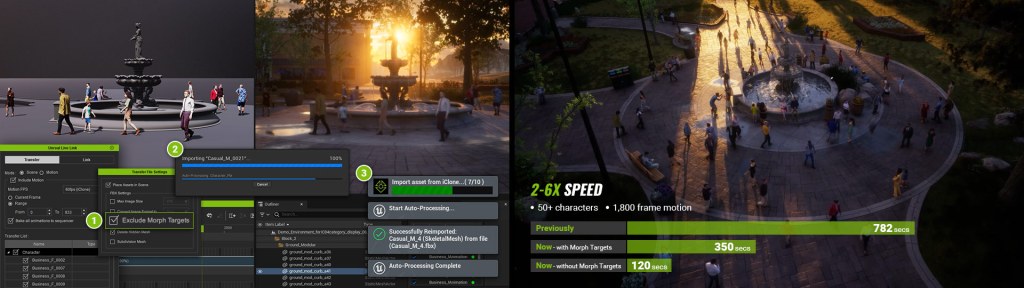
The Crowd Simulation is a feature that is listed for both beginners and professionals as it can be very simple to use for small crowds, street scenes, and audiences while still being able to create a crowd that can fill the needs of a professional. An easy-to-use system of creating NavMesh and walkways can be quickly grasped with little learning curve.
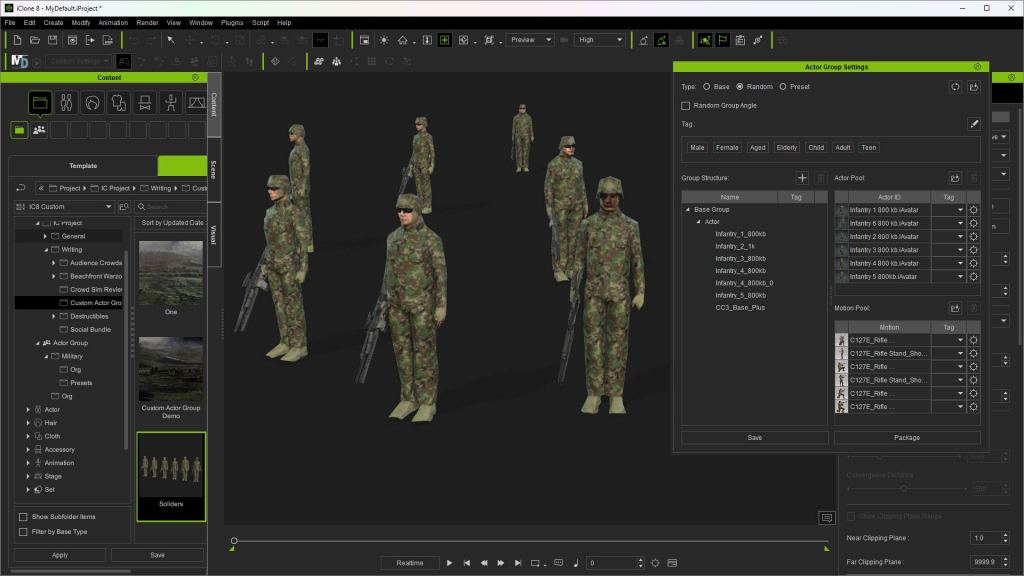
Creating and using Actor Groups is another easy and time-saving way to create parts of a crowd that you can reuse or randomize depending on the crowd type. Some Actor Groups loop motion to the end of the timeline if needed and don’t require knowledge of the Motion Director for group movement.
This makes Actor Groups an ideal tool for beginners to quickly populate a scene with characters while remaining a robust crowd simulation tool for pros.
iClone Crowd Simulation Tutorials
MOTION DIRECTOR FOR BEGINNERS AND AMATEURS

Motion Director is a tool that beginners can use for simplified tasks like the point-and-click movement of a character or characters or containing a small crowd within the confines of a prop like a floor or street. Motion Director works in close collaboration with the Crowd Sim tool, but it can also move an individual character around with a gamepad, keyboard, area prop, or point click movement depending on the setup.
Beginners can benefit from learning the tool over time starting with simple point-and-click navigation to move a character and from there create more complex uses as they learn the features.
PROP DISTRIBUTOR

The Prop Distributor tool is another time and labor-saving tool that scatters props and just about anything you can attach to a prop across a landscape, room, or other parts of a scene within certain provided parameters. Like most iClone tools it is easy to use with little to no learning curve.
You can fill a landscape with rocks or use a path to place streetlights along a boulevard. The Prop Distributor can work with paths to streamline the creation of repetitive items like guardrails, utility poles, and other items that fill a scene, even traffic cones and barriers. The Prop Distributor takes over the tedious task of placing repetitive objects over an area and saves the aggravation of having to place those props one at a time.
FOR PROFESSIONAL ANIMATORS
PRECISION CURVE EDITOR

The curve editor is a tool used to manipulate the timing and motion of animated objects or characters. It allows animators to control how attributes such as position, rotation, scale, and other parameters change over time. Curve editors are essential tools for animators to create realistic and expressive animations by precisely controlling the timing and motion of animated objects or characters.
With a curve editor, we can adjust the timing and interpolation of keyframes to create smooth motion. We can also control the timing and easing of animations for realistic movement with acceleration, deceleration, and other dynamic effects.
We can create our own custom animation style that can be applied to other projects.
If you are a pro reading this then you already know what a curve editor can do and why it is necessary for consistent animation, so I won’t belabor the point any longer. If you are a beginner reading this with no idea what this is all about you can rest assured that you will find out what a curve editor is eventually when you have enough background to grasp the concept. Until then it’s not something you have to know to animate.
MOCAP (MOTION CAPTURE)
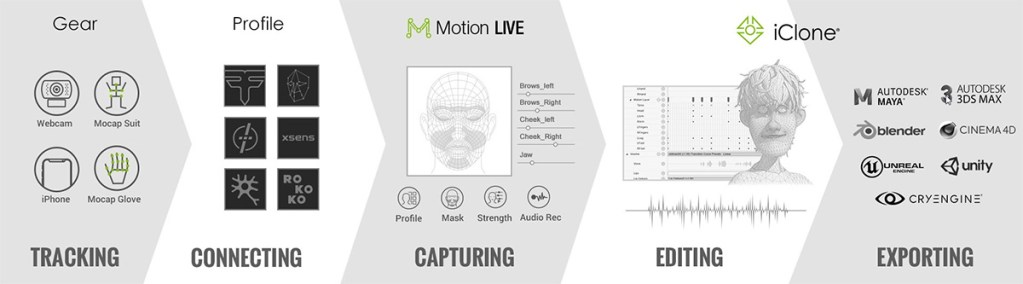
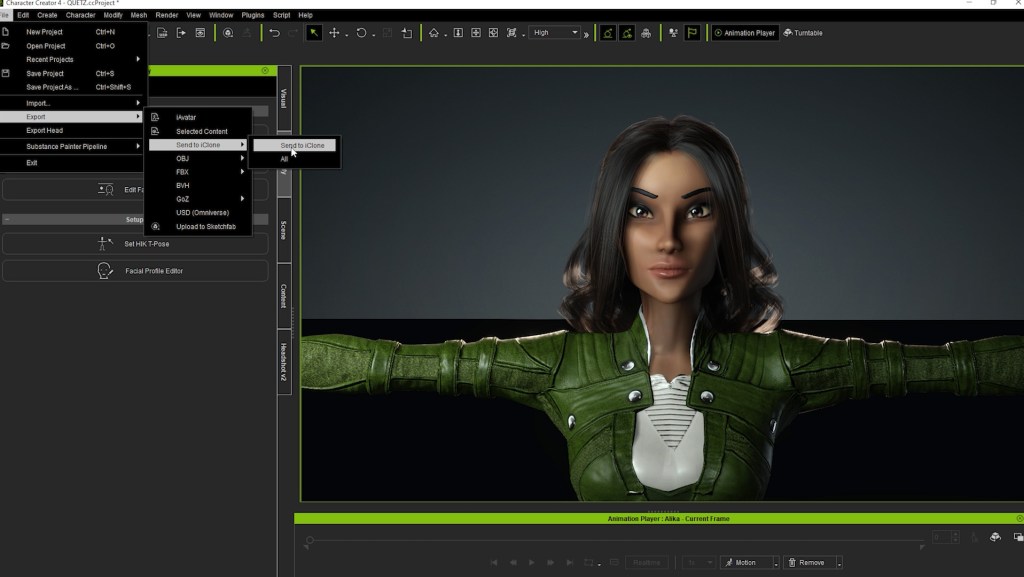
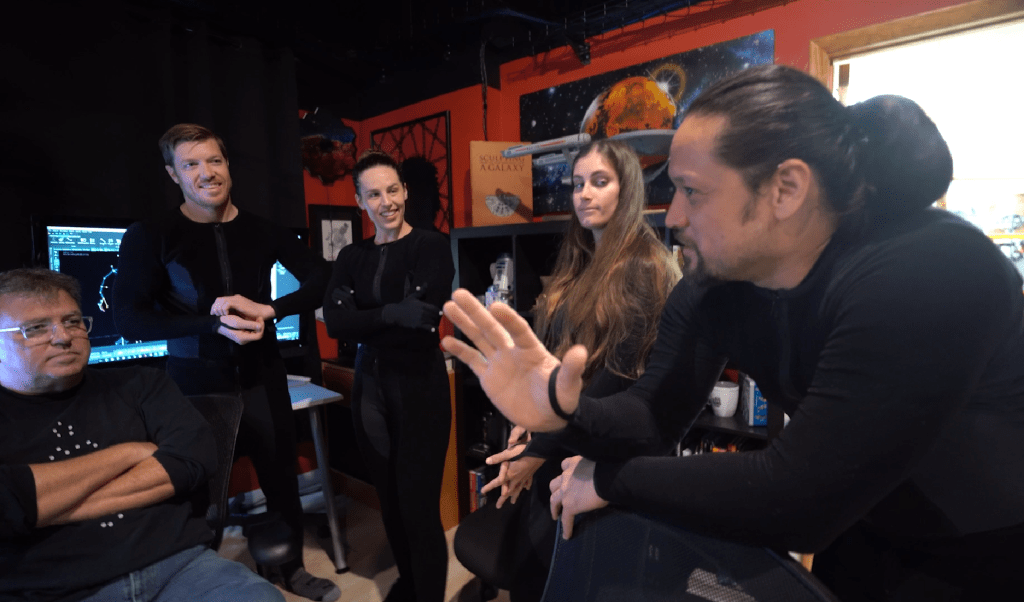
The free Motion Live plug-in interfaces with many of the industry’s leading mocap solutions including mocap suits and gloves, webcam, and iPhone tracking. Motion LIVE is the go-between that connects your motion capture gear to iClone for editing. You can also export to Maya, 3DS MAX, Blender, Cinema 4D, Unreal Engine, Unity and CRYENGINE.
Also available is the accuFACE commercial facial mocap plug-in that tracks facial movements from live or recorded video and multiple sources. iClone is built for using mocap and is a core feature of the application.
PIPELINES & PLUG-INS

Reallusion has strived to make iClone as pipeline-friendly as possible with plug-ins and add-ons. There is a wide range of industry-leading animation, modeling, and rendering software compatible with iClone including NVIDIA (Omniverse), Unreal Engine, Unity, Blender, MotionBuilder, Maya, and Substance Painter.
iClone is also Python-friendly for authoring custom or commercial plug-ins and already has a library of free and commercial Python-based plug-ins.
There is also direct or drag-and-drop industry standard FBX import of assets that can include baked-in animation.
CROWD SIM & ACTOR GROUPS FOR PROFESSIONALS

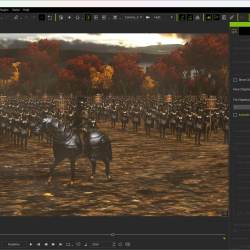
The Crowd Sim feature can be used by novices, but it excels in the hands of an experienced animator who understands optimization and decimation along with using Motion Director for complex walkway crowds. Paths can be created, then widened for walkways and inter-connected with choices in direction of travel and number of pedestrians.
With Level of Detail choices from 17K to 7K to 800 KB (or custom settings) you can layer a crowd of high-quality characters close to the camera with medium resolution characters filling in the midrange and the extremely low poly characters as filler far in the background.
With custom Actor Groups you can create various groups of sitting characters for audiences or sidewalk café tables and chairs, street benches, and other areas of the public that attract sitting crowds. Mix all of this with easily created random area crowds using a self-generated NavMesh or volume and you will have a complex crowd of people that add life to any scene.
Custom Actor Groups also allow us to create genre-specific groups with appropriate props like science fiction, western, or Steampunk to name just a few. It would be easy to drag in a Steampunk hot air balloon with a couple of Steampunk characters to create base or random groups that can be randomized upon deployment to fill the sky with hot air balloons. These custom Actor Groups are only limited by our imagination in that respect.
MOTION DIRECTOR FOR PROS

Like the Crowd Sim and Actor Groups, Motion Director can complement the skills of a professional by taking on the workload of animating large groups.
Motion Director does so many things that it is difficult to list it all. You can animate NPC players via Path, Zone, or Follow Object. There is a Live Camera Switch with nine camera views for quick switching. Characters react to surface changes without editing and you can use either a keyboard and mouse or a gamepad for control.
There is a lot more to Motion Director than I have space to write about so visit the Motion Director webpage for more information.
SUMMARY
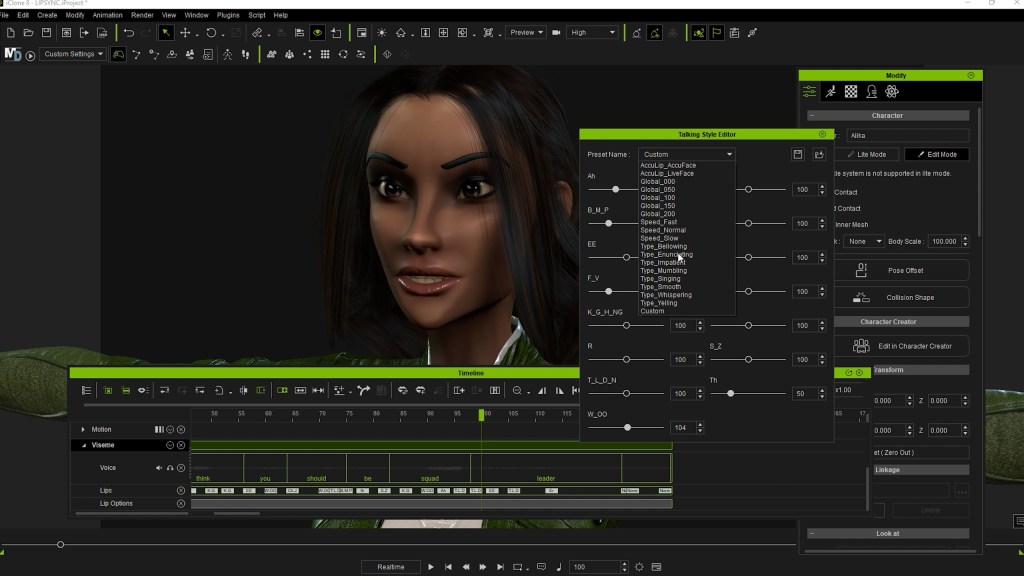
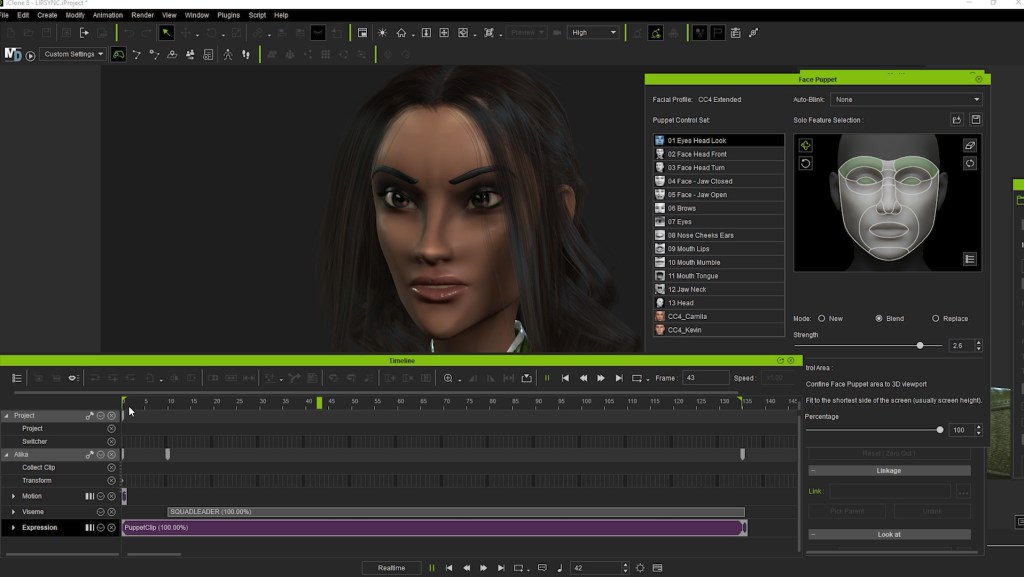
I need to stress again that this is not a complete list of iClone features and tools. There is an extensive 3D Facial Expression System and Dynamic Wrinkles for a more emotive performance. Animation layers are another power tool that lets animators work with and record specific parts of a character instead of all at once. AccuLips provides professional lip sync from an audio file that detects and generates precise text and visemes from audio.

In fact, there are so many tools and features in iClone that Reallusion has provided hours and hours of tutorials from in-house experts, industry professionals, and power users to provide you with a jumpstart on each topic. Reallusion Courses provides top-tier training and tips to reduce the frustration of learning a new application or skill.
This article is loaded with links to more information and tutorials regarding iClone and its related plug-ins so what are you waiting for? Take the plunge and download the free trial today!

MD McCallum – WarLord
Digital Artist MD “Mike” McCallum, aka WarLord, is a longtime iClone user. Having authored free tutorials for iClone in its early years and selected to write the iClone Beginners Guide from Packt Publishing in 2011, he was fortunate enough to meet and exchange tricks and tips with users from all over the world and loves to share this information with other users. He has authored hundreds of articles on iClone and digital art in general while reviewing some of the most popular software and hardware in the world. He has been published in many of the leading 3D online and print magazines while staying true to his biggest passion, 3D animation. For more information click here.