Davey Baker
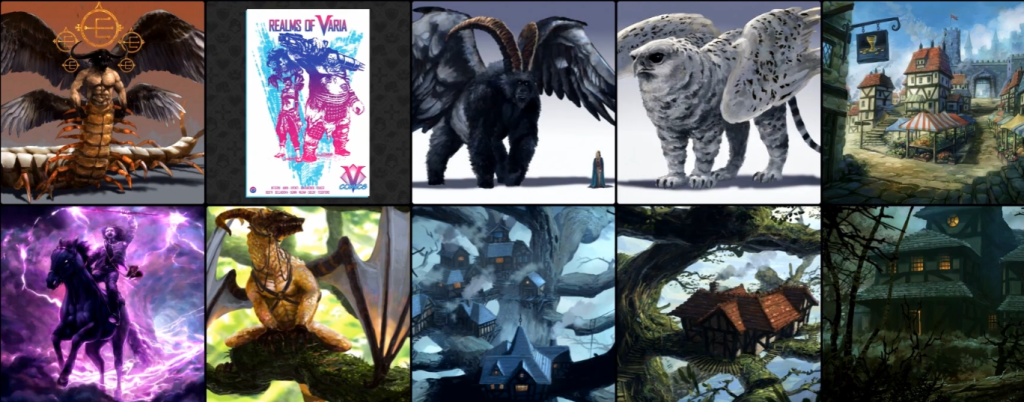
Hey everyone, my name is Davey Baker and I’m a digital painter working in the entertainment industry. My roles often include 2D/3D concept art for computer games and 2D illustrations for TTRPG. I’m lucky enough to have had many years of experience working with some of the best companies in the business, including Wacom, Intel, Corel corporation, 20th Century Fox, Imagine FX. I’ve worked across a range of positions, from creating promotional material for software/hardware companies, 2D illustrations for board games, 2D/3D concept art for video games to comics and album covers. One of the achievements I am most proud of is earning the title of “Corel Painter Master Elite”.
Firstly, I have to admit that I’m not an animator. Yes that’s right, I have zero experience in this field other than a couple of failed walk cycles, many years ago. This being said I have, however, always had a great interest in animation. As children most of us enjoyed the wonderful world of cartoons and I’ve no doubt this contributed to my love of art. Fast forward to my years as a young adult and those cartoons and comics stayed firmly with me but had now evolved, animations were not only for children’s entertainment.
I remember watching Fistof the North Star for the first time. This was the first 2D animation adult film I’d ever seen. I was an instant fan and others such as Akira, Ninja scroll, Devilman, soon became firm favorites. These films absolutely fascinated me. They were all hand painted like those early cartoons of my childhood, but now incredibly, teams of people told their stories of fantasy horror and futuristic doom, in full length films. For me, the traditional-looking hand-painted backgrounds always impressed me the most and inspire me to this day. They’re truly beautiful works of art and more importantly, they’re alive with the magic of 2D animated drawings!
As I mentioned earlier, I have no skills or knowledge of how to animate drawings and you might be wondering why I am here telling you all this. Well, I’ve always had that burning desire to tell my own stories. So I started looking for animated overlays to add to my 2D art, hoping it would take my still images to the next level.
Unfortunately, I soon found this just wasn’t enough, I wanted more control and customization over my scenes. So I started looking again, this time for 2d Animation software. This is when I found Cartoon Animator and I’m happy to say it was exactly what I was looking for and more! Let’s get into some of the tools I’ve used in making my first animated sequence.
Create animated drawings without keyframing using Motion Pilot
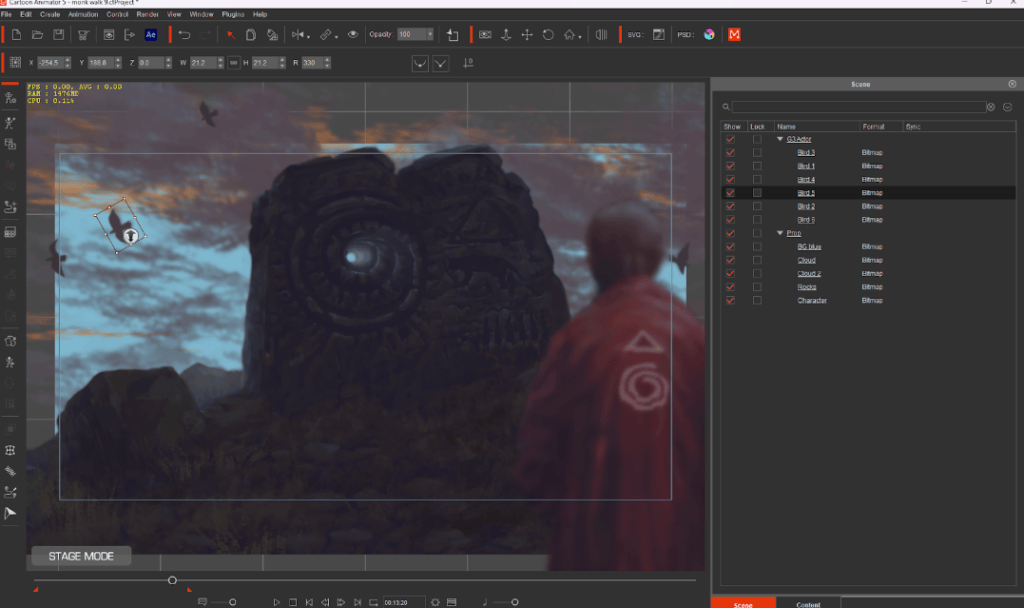
I would like to start with something new to CTA 5, that is the Motion Pilot feature. This amazing tool has various ways to animate drawings and plenty of settings within CTA to finetune everything, before and after. The “Flock” settings were something I particularly enjoyed playing around with, the results and speed to get there were also nothing short of impressive.
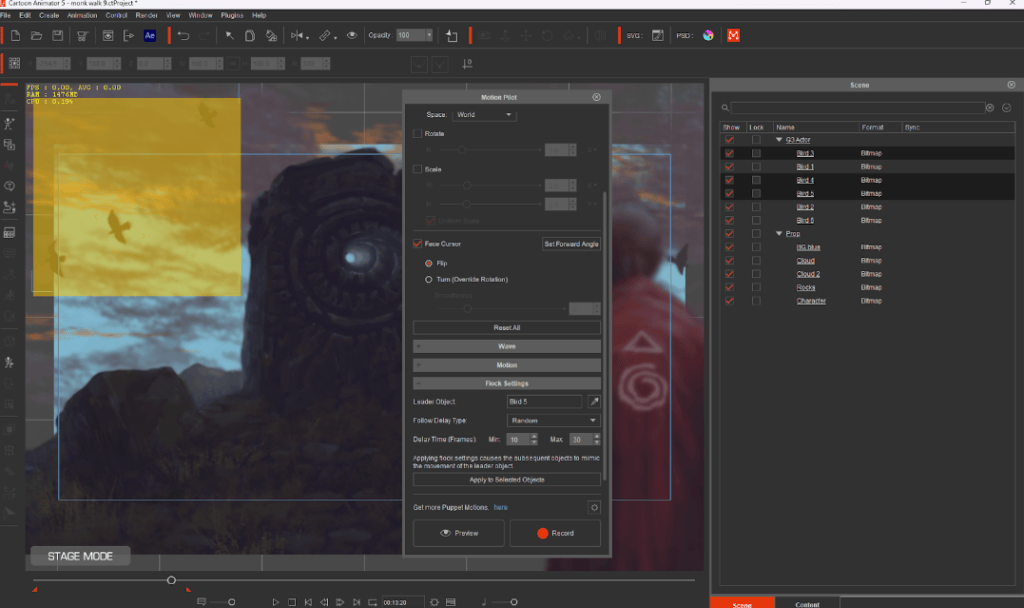
You may be surprised to learn that all the birds’ movements in these scenes were captured in real time. What does that mean? Well, by using the new Motion Pilot and selecting a leader, then box selecting the rest of the flock, you can click “Apply to Selected Objects”.This now means once you start to move the lead bird across the screen the whole flock will also follow a similar path in relation to their original positions.
The “Random” setting also allows the starting point of each bird’s animation to have a delay resulting in a nonuniform realistic flight progression. So, once you hit “Record”, the leader can follow your cursor and the flock will follow for the duration of the scene — so simple! I also tried this with a bunch of characters but added a walk preset to the group via the motion dropdown… and it worked perfectly. Super quick and fun for animated drawings, and fully customizable too.
The fastest way to rig 2D characters for animation using Character Composer
Next, I wanted to add a walk cycle to my 2D character animations. This was made easy by selecting one of the existing CTA 5 dummy actors, swapping out the body parts with my own and applying a preset 2D motion animation from the extensive library.
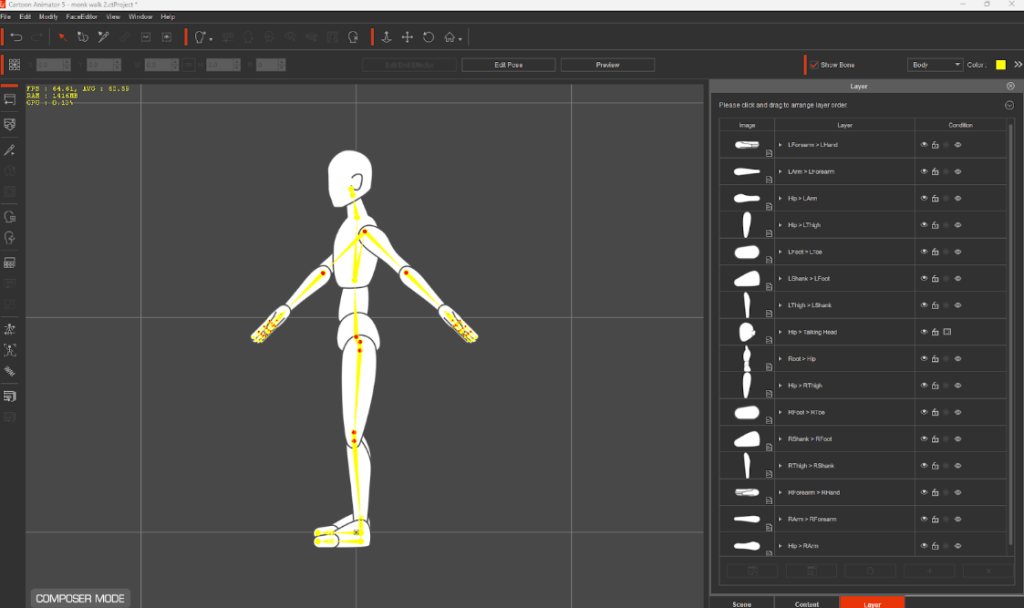
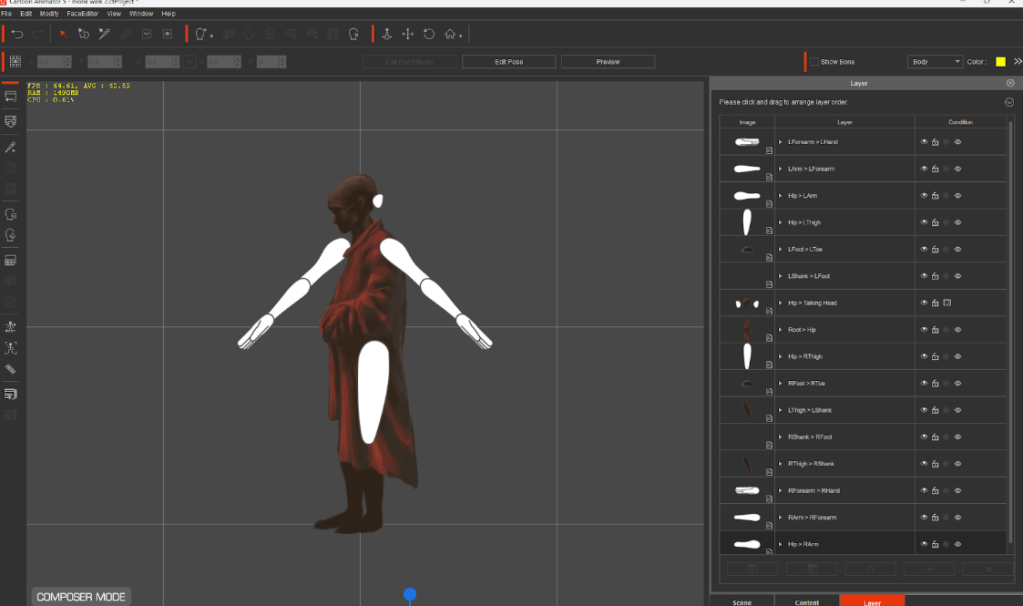
The premade walk cycles that you can also customize are nothing new to CTA but well worth mentioning, as they have saved me days, sometimes even weeks, of trial and error. As a complete beginner I was pleasantly surprised to get professional animated drawings with ease, and managed to progress through my ideas quickly. If I’d tried this manually I may have given up after numerous unsuccessful attempts. I should add there are enough presets in the library to keep you busy for a long time but if you are an animator, there is obviously no shortage of tools to create everything from scratch.
Bringing animated drawings to life using FFD transformation
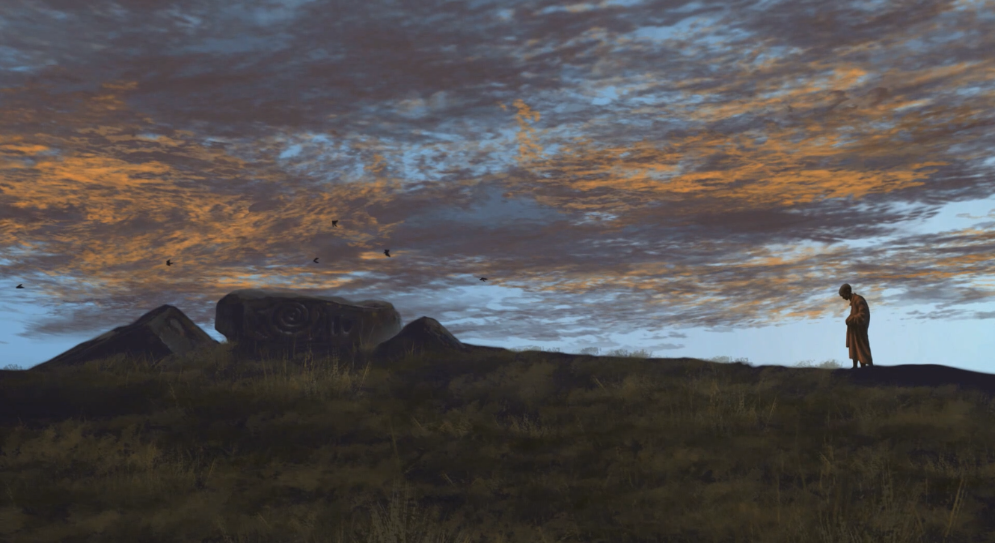
Finally we have another new feature called the FFD Editor. This reminds me of a free transform tool often found in 2D painting software. Once you open the FFD editor, you’ll notice a grid section appear over the item you currently have selected.
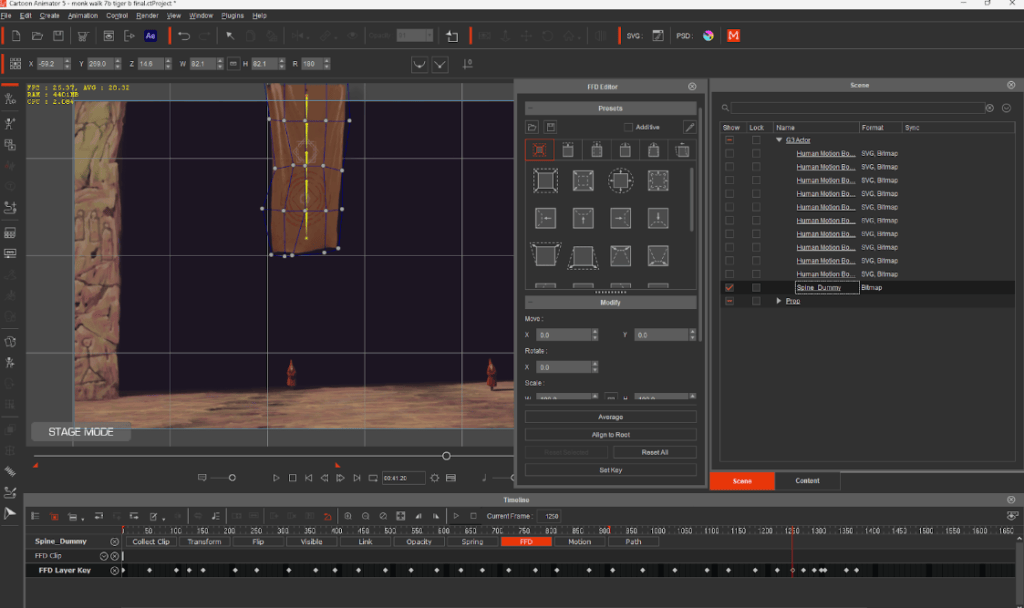
The grid has a bunch of circular points at each intersection that can be dragged around to distort your image. You will automatically create a new keyframe whenever there is a change to one of these points on different parts of the timeline. So you move some points to distort the shape, scrub along the timeline and make another change — easy-peasy! The newly created keyframes under the FFD tab can still be moved up and down the timeline to change the transition speed but you can also right-click on each one and use some transition presets, like smooth, accelerate, etc. The default is set to linear, and you can see the current status appear whenever you hover your cursor over each keyframe.
Why I recommend Cartoon Animator as 2D Animation Software
The potential for this tool is endless and although manually creating keyframes and adjusting by hand may seem like it’s slow… imagine drawing each frame traditionally, there would be hundreds! This would also be impossible for me to do with my style, as each image would be unique and the transition between them glitchy. It simply wouldn’t work. The fact that this function now exists opens many doors to animated drawings of different styles!
Overall I couldn’t be happier with CTA 5 as a 2D animation software, and I’m really looking forward to learning more as I progress through all the other functions. I can’t wait to continue animating my story and I know I’ve barely scratched the surface with what CTA 5 can do! Happy animating guys!
Follow Davey
YouTube : https://www.youtube.com/@DaveyBakerArt
Instagram: instagram.com/daveybaker_art
Learn More
Official product page:
2D Animation Software for Cartoon Maker | Cartoon Animator
FREE for 30 days & get 1,700+ ready-made assets:
2D Animation Software Download | Cartoon Animator
Related Posts
————————————————————————————————————————————————————————————
The original article was written by Davey Baker and is also featured on Cartoon Brew.